
Letmedoit
An advanced AI assistant that leverages the capabilities of ChatGPT API, Gemini Pro, AutoGen, and open-source LLMs, enabling it both to engage in conversations and to execute computing tasks on local devices.
Install / Use
/learn @eliranwong/LetmedoitREADME
LetMeDoIt AI 3.0
LetMeDoIt AI (version 3+) is a fully automatic AI agent, built on AgentMake AI tools, to resolve complex tasks.
The version 3.0 is completely written with AgentMake AI SDK. The following features distinguish it from the previous version:
Fully automatic:
- Automate prompt engineering
- Automate tool instruction refinement
- Automate task resolution
- Automate action plan crafting
- Automate agent creation tailor-made to resolve user request
- Automate multiple tools selection
- Automate multiple steps execution
- Automate Quality Control
- Automate Report Generation
As version 3.0 is completely written with AgentMake AI SDK, it supports 14 AI backends. It runs with less dependencies than that required by preivious versions. It starts up much faster. Much more ...
Disclaimer
In response to your instructions, LetMeDoIt AI is capable of applying tools to generate files or make changes on your devices. Please use it with your sound judgment and at your own risk. We will not take any responsibility for any negative impacts, such as data loss or other issues.
Installation
pip install letmedoit
Setting up a virtual environment is recommended, e.g.
python3 -m venv tm
source tm/bin/activate
pip install --upgrade letmedoit
# setup
ai -m
Install extra package genai to support backend Vertex AI via google-genai library:
python3 -m venv tm
source tm/bin/activate
pip install --upgrade "letmedoit[genai]"
# setup
ai -m
Command Line Interface
LetMeDoIt AI 3.0.2+ offers mainly two commands:
letmedoit/lmdito resolve complex tasks.letmedoitlite/lmdilto resolve simple tasks.
Below are the default tool choices:
@chat @search/google @files/extract_text @install_python_package @magic
To resolve tasks that involves multiple tools or multiple steps, e.g.:
letmedoit "Tidy up my Desktop content."
To specify additional tools for a task, e.g.:
letmedoit "@azure/deepseekr1 @perplexica/googleai Conduct a deep research on the limitations of Generative AI"
To resolve simple task, e.g.:
letmedoitlite "Create three folders, named 'test1' 'test2' 'test3', on my Desktop."
Remarks: lmdi is an alias to letmedoit whereas lmdil is an alias to letmedoitlite
Override Default Tool Choices
To make a persistent change, locate and edit the configuration item DEFAULT_TOOL_CHOICES:
ai -ec
To make a temporary change, use CLI option --default_tool_choices or -dtc:
letmedoit -dtc "@chat @magic" "Tell me a joke"
letmedoitlite -dtc "@chat @magic" "Create a folder named 'testing'"
More CLI Options
For more CLI options, run:
letmedoit -h
AI Backends and Configurations
LetMeDoIt AI uses AgentMake AI configurations. The default AI backend is Ollama, but you can easily edit the default backend and other configurations. To configure, run:
ai -ec
LetMeDoIt Agentic Workflow
<img width="708" alt="Image" src="https://github.com/user-attachments/assets/5a7240ae-dd17-48a6-b4e2-712309b4b130" />LetMeDoIt Lite Agentic Workflow
<img width="869" alt="Image" src="https://github.com/user-attachments/assets/cbdca81d-409a-4474-97a8-c0c2f3cccc9f" />Limitations and Solutions
AgentMake AI is built with a large set of tools for problem solving. To list all of them, run:
ai -lt
Limitation: As LetMeDoIt AI uses AgentMake AI tools, it can only solve requests within the capbilities of AgentMake AI tools. Though there are numerous tools that have been built for solving different tasks, there may be some use cases that are out of range.
Go Beyond the limitations: AgentMake AI supports custom tools to extend its capabilities. You can create AgentMake AI custom tools to meet your own needs.
Sibling projects
LetMeDoIt AI (BEFORE VERSION 3.0)
Welcome to LetMeDoIt AI, your premier virtual assistant designed to revolutionize the way you work! More than a mere chatbot, I am equipped with the capability to conduct meaningful interactions and actively carry out computing tasks as per your directives. My real-time code generation and execution prowess guarantees not only effectiveness but also efficiency in task fulfillment. With an advanced auto-correction feature, I autonomously repair any malfunctioning code segments and automatically install necessary libraries, ensuring uninterrupted workflow. My commitment to your digital safety is paramount, with inbuilt risk assessments and tailored user confirmation protocols to protect your data and device.
With LetMeDoIt AI, you can access OpenAI ChatGPT-4, Google Gemini Pro, and Microsoft AutoGen, local LLMs, all in one place, to enhance your productivity. Read more ...
Developer: Eliran Wong
Website: https://LetMeDoIt.ai
Source: https://github.com/eliranwong/letmedoit
Installation: https://github.com/eliranwong/letmedoit/wiki/Installation
Quick-Guide: https://github.com/eliranwong/letmedoit/wiki/Quick-Guide
Wiki: https://github.com/eliranwong/letmedoit/wiki
Video Demo: https://www.youtube.com/watch?v=Eeat6h_ktbQ&list=PLo4xQ5NqC8SEMM71xC4NNhOHJCFlW-jaJ
Support this project: https://www.paypal.me/letmedoitai
Video Demo
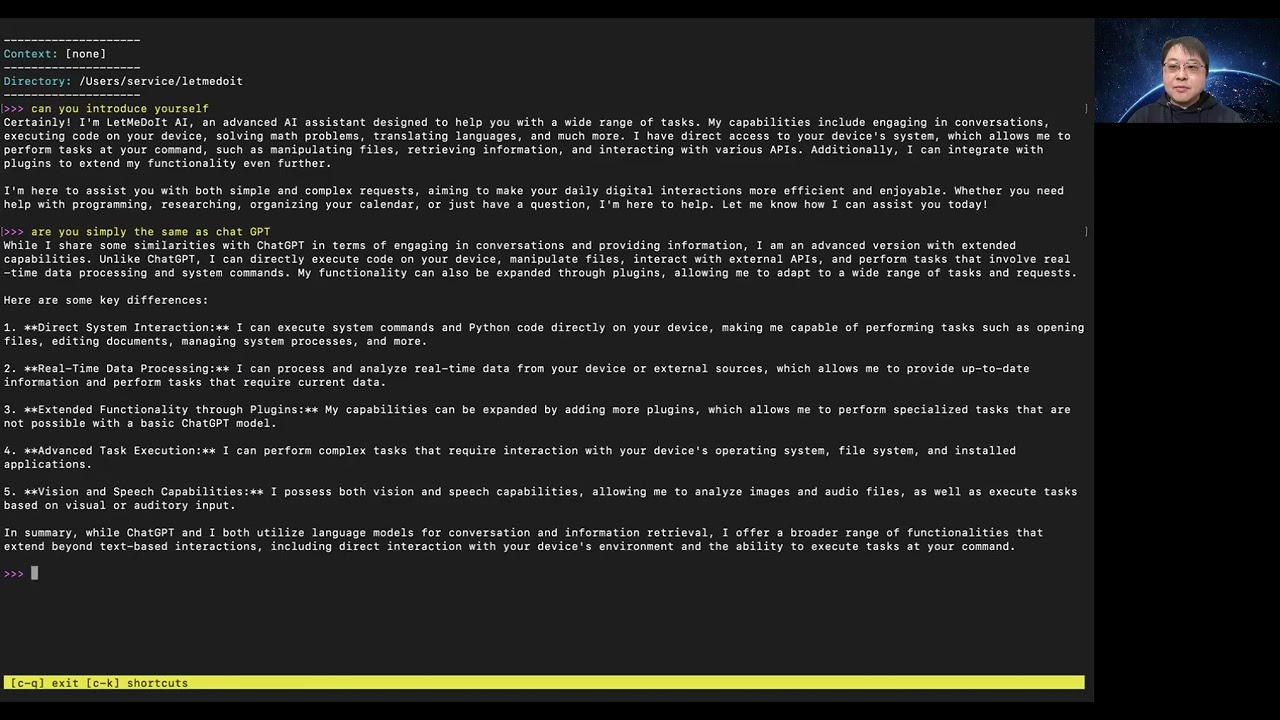
Youtube Playlist: https://www.youtube.com/watch?v=Eeat6h_ktbQ&list=PLo4xQ5NqC8SEMM71xC4NNhOHJCFlW-jaJ
LetMeDoIt Features without OpenAI?
You can utilize Google Gemini or open-source LLMs through Ollama for chat features in the LetMeDoIt AI.
If you're seeking the complete functionality of LetMeDoIt, which includes both chat and task execution features, without the need for an Open AI API key, we offer support for Gemini Pro, Ollama, and Llama.cpp in our related project, FreeGenius AI:
https://github.com/eliranwong/freegenius
Requirements
-
ChatGPT API key (read https://github.com/eliranwong/letmedoit/wiki/ChatGPT-API-Key)
-
Python version 3.8-3.11; read Install a Supported Python Version
-
Supported OS: Windows / macOS / Linux / ChromeOS / Android (Termux)
Recent Additions
<img width="798" alt="twitter" src="https://github.com/eliranwong/letmedoit/assets/25262722/d19c7bca-3bdc-48be-a907-b75afb34615b"> <img width="832" alt="support_localllm" src="https://github.com/eliranwong/letmedoit/assets/25262722/587aba21-7f89-4b78-bfc4-3b32b442b287">Talk to LetMeDoIt in Multiple Languages
Search / Analyze Financial Data
<img width="1312" alt="search_financial_data" src="https://github.com/eliranwong/letmedoit/assets/25262722/9976f15b-85e1-4c5b-97a0-5124c04ffa8a">Search and Load Old Conversations
Support Android & Termux-API Commands
<img width="1215" alt="termux_api_command" src="https://github.com/eliranwong/letmedoit/assets/25262722/d5fcfd5f-cbf4-45d3-9e1f-d82ed9aa96a1">Work with text selection in third-party applications
<img width="1432" alt="download_youtube_video" src="https://github.com/eliranwong/letmedoit/assets/25262722/89a556ce-f524-44b5-b143-85a48e81f20e">Modify your images with simple words
![letmedoit_assistant
Related Skills
gh-issues
338.7kFetch GitHub issues, spawn sub-agents to implement fixes and open PRs, then monitor and address PR review comments. Usage: /gh-issues [owner/repo] [--label bug] [--limit 5] [--milestone v1.0] [--assignee @me] [--fork user/repo] [--watch] [--interval 5] [--reviews-only] [--cron] [--dry-run] [--model glm-5] [--notify-channel -1002381931352]
node-connect
338.7kDiagnose OpenClaw node connection and pairing failures for Android, iOS, and macOS companion apps
oracle
338.7kBest practices for using the oracle CLI (prompt + file bundling, engines, sessions, and file attachment patterns).
tmux
338.7kRemote-control tmux sessions for interactive CLIs by sending keystrokes and scraping pane output.
