
Ckp
Store and reuse your history and one liner scripts from anywhere, better than gists
Install / Use
/learn @elhmn/CkpREADME
codekeeper : (ckp)
CLI that helps you store and reuse your history and one liner scripts from anywhere, better than gists.
Overview
If you ever found yourself using a bunch of complex scripts or useful bash oneliners and you find it hard to manually add them to a file, send them to a server and then fetch this scripts to that new machine you have recently acquired or ssh-ed into, this tool is for you. Store and fetch your scripts, your terminal history and your notes from anywhere.
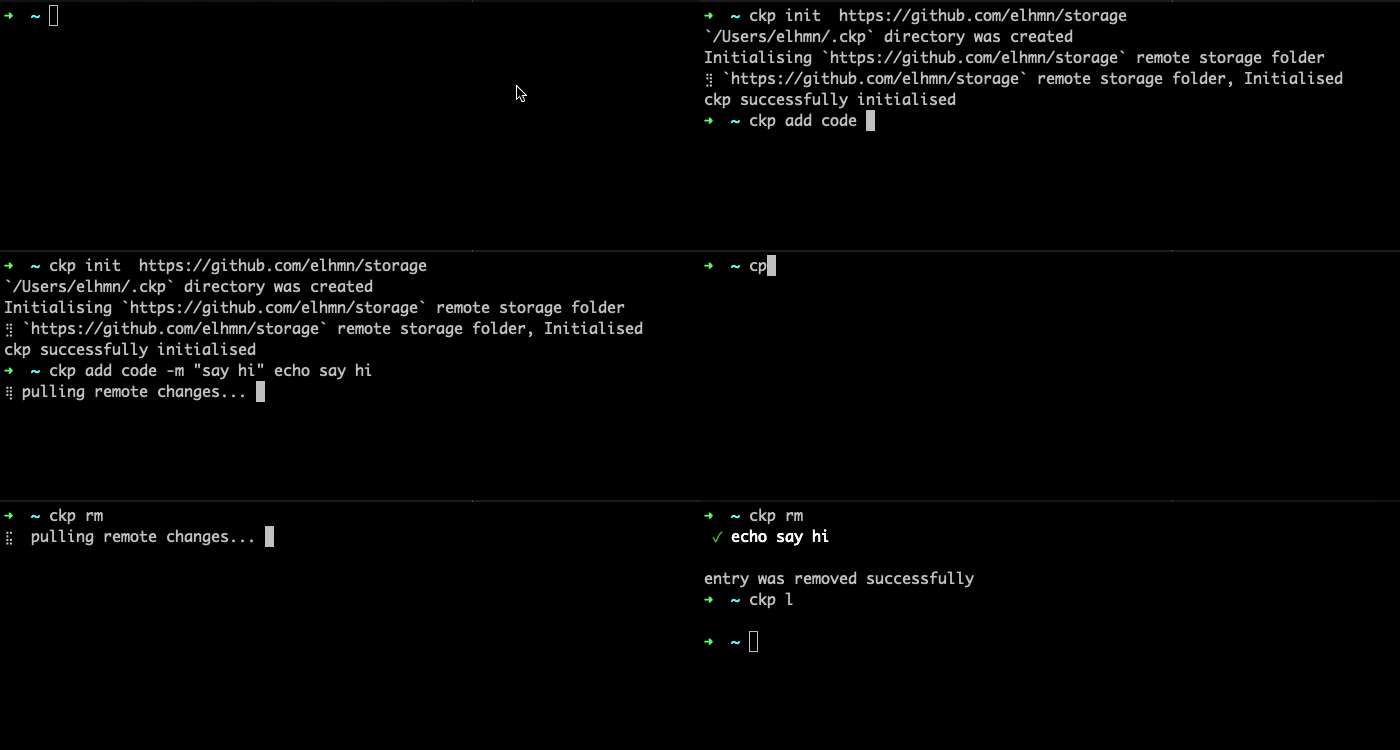
Prerequisite
ckp uses several dependencies such as:
gitversion >= 2.24.3 you can follow this steps to install git- only
bashcompatible commands can be run usingckp, you can use the tool withoutbashbut you won't be able to run your commands using the CLI
Install
Using the install script:
Run
$> curl https://raw.githubusercontent.com/elhmn/ckp/master/install.sh | bash
It will create a ./bin/ckp binary on your machine
In order to run the command add it to your /usr/local/bin
$> cp ./bin/ckp /usr/local/bin
Using homebrew:
Run
 $> brew tap elhmn/ckp https://github.com/elhmn/ckp
 $> brew install ckp
Download
Download the lastest version here
Then copy the binary to your system binary /usr/local/bin folder
Usage
How to Init-ialize ckp
-
You first need to create an empty git repository that
ckpwill use as a storage. we higly recommend to keep this repository private -
Once the repository is created you can initialise
ckpusing the init command. Copy the ssh or https url and pass it as an argument to theckp initcommand
$> ckp init git@github.com:elhmn/store.git
This will create a ~/.ckp folder, and clone the storage repository
How to set your text editor
Vim is the default text editor to use a different code editor you might need to create a ~/.ckp/config.yaml file,
then open the file and set the editor field as follows.
editor: nano
How to Add your scripts and solutions
The add code command will store your script as a code entry in ckp.
$> ckp add code 'echo say hi!' --alias="sayHi" --comment="a script that says hi"
The add solution command will store your script as a solution entry in ckp.
$> ckp add solution 'https://career-ladders.dev/engineering/' --comment="carreer ladders"
How to add scripts from my bash_history or zh_history
The add history command will read scripts from your history files and store them in ckp.
the --skip-secrets flag will force ckp to skip scripts that potentially contains secrets.
$> ckp add history --skip-secrets
How to Push your scripts to your remote storage repository
The push command will be commited and pushed to your remote repoitory.
$> ckp push
How to Pull your scripts from your remote storage repository
The pull command will pull changes from your remote storage repository.
$> ckp pull
How to Find a script or solution
The find command will prompt a search and selection UI, that can be used to find.
$> ckp find
To find a script in your history.
$> ckp find --from-history
How to Run a script or solution
The run command will prompt a search and selection UI, that can be used to find and run a specific script.
$> ckp run
To run a script from your history.
$> ckp run --from-history
How to Remove a script or solution
The rm command will prompt a search and selection UI, that can be used to find and run a specific script.
$> ckp rm
To remove a script from your history.
$> ckp rm --from-history
License
MIT.
