
UIBarButtonItemGrouping
iOS category on UINavigationItem that groups UIBarButtonItem buttons on the left or rightBarButtonItems
Install / Use
/learn @ebetabox/UIBarButtonItemGroupingREADME
UIBarButtonItemGrouping
iOS category on UINavigationItem to easily group bar button items
This category will group the bar button items into the given spots
What does this category
Basically rearanges the right bar button items (or left) to fit into a number of spots, the overflow items are grouped into a UIActionSheet.
Imagine you need to add 6 bar buttons to the right bar button items
#####Without grouping
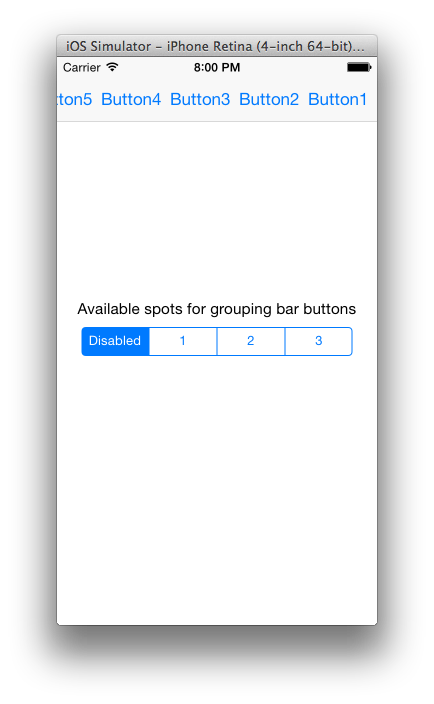
#####Grouping with 2 spots
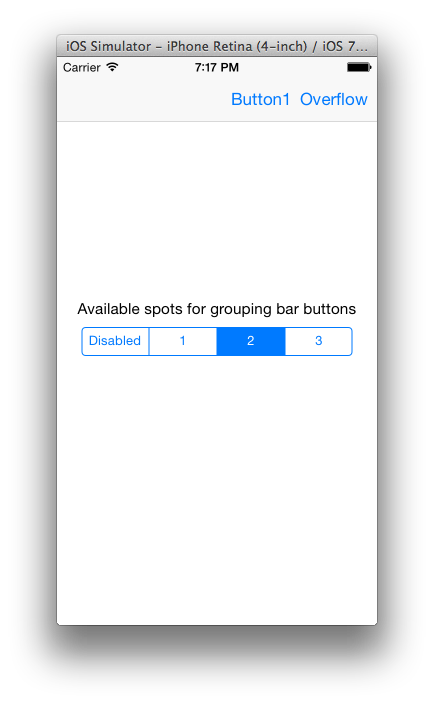
#####Grouping with 3 spots and overflow button selected
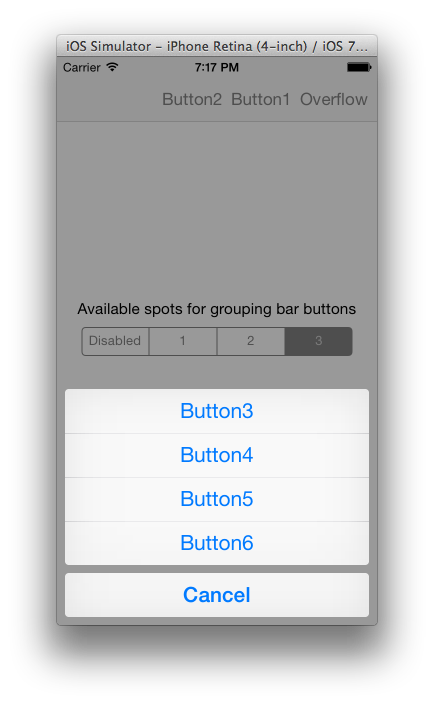
Demo
Check the sample project to see how this category works
How to use it
-
Add the "UINavigationItem+BarButtonGrouping.h" and "UINavigationItem+BarButtonGrouping.m" files to your project
-
Import the header on your View Controller
#import "UINavigationItem+BarButtonGrouping.h"
- Call the method to group the bar button items setting the available spots
[self.navigationItem groupRightBarButtonItems:numOfAvailableSpots];
Thats it!
