
Wexflow
Wexflow 是一个开源和跨平台的工作流引擎和自动化平台,旨在自动执行重复性任务。在 Wexflow 的帮助下,构建自动化和工作流程变得简单。Wexflow 提供了一个跨平台的工作流服务器,一个后端,用于设计、管理和跟踪工作流、顺序工作流、流程图工作流以及在称为记录的通用业务对象上的批准工作流。
Install / Use
/learn @dorisoy/WexflowREADME

Wexflow is an open source and cross-platform workflow engine and automation platform that aims to automate recurring tasks. With the help of Wexflow, building automation and workflow processes become easy.
Wexflow provides a cross-platform workflow server, a backend for designing, managing, and tracking workflows, sequential workflows, flowchart workflows, and approval workflows on generic business objects called records.
Wexflow automates the process of organizing, storing, manipulating files, provides more than 100+ activities, and allows custom integration with other solutions through custom activities or Wexflow API.
Here are some real-life use cases:
- Orchestration engine
- Batch recording live video feeds
- Batch transcoding audio and video files
- Batch uploading videos to YouTube
- Automatically send tweets
- Automatically send SMS messages
- Batch encrypting and decrypting large files
- Batch converting, resizing, and cropping images
- Creating and sending reports and invoices by email
- Connecting systems and applications
- Batch downloading files over FTP/FTPS/SFTP/HTTP/Torrent
- Batch uploading files over FTP/FTPS/SFTP
- Database administration and maintenance
- Synchronizing the content of local or remote directories
Features
- Cross-platform workflow server
- Powerful backend
- HTML5 designer
- Sequential workflows
- Flowchart workflows
- Approval workflows
- 100+ activities
- Cron scheduling
- Extensive logging
- Real-time stats
- Multiple Language support
- RESTful API
- Extensible
Download
You can download the latest release from here.
Install
You can find installation instructions here.
Docker
You can find instructions on how build and run Wexflow Docker image here.
Run from Code
You can find instructions on running Wexflow from source code here.
Documentation
You can find the documentation here.
Credentials
Once you install Wexflow, you'll need a username and a password to sign into the backend or Wexflow Manager:
- Username: admin
- Password: wexflow2018
Once logged in, you can change the password from the backend.
This is explained in the installation instructions.
Quick Overview
Dashboard
The Dashboard lets you have a nice overview of what's happening in Wexflow with real-time stats:
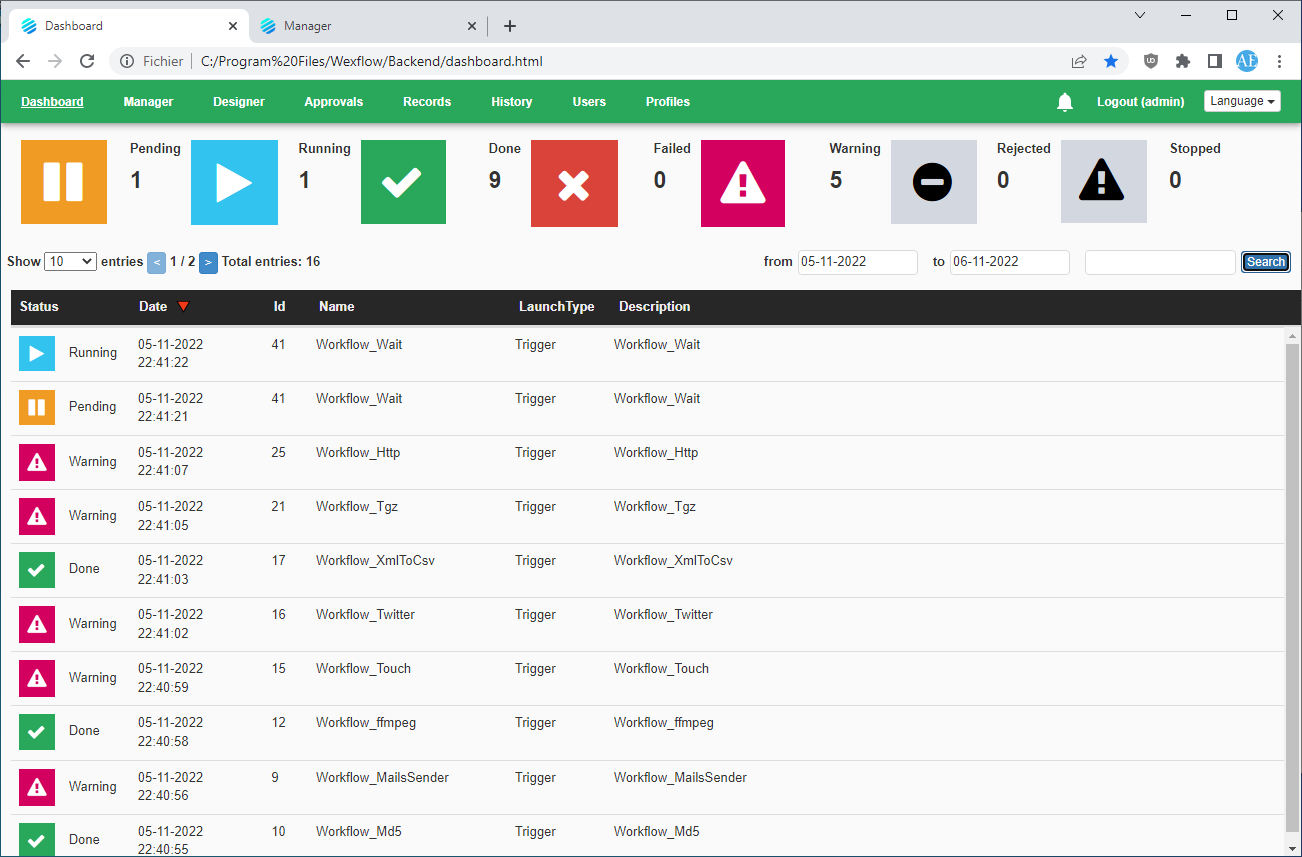
Designer
The HTML5 Designer lets you create your workflows with ease. Just by drag and dropping tasks one on another:

Manager
The Manager lets you see and manage running instances of your workflows:

Logs
The Logs lets you have a nice overview of what's happening in Wexflow.

Related Skills
node-connect
339.3kDiagnose OpenClaw node connection and pairing failures for Android, iOS, and macOS companion apps
frontend-design
83.9kCreate distinctive, production-grade frontend interfaces with high design quality. Use this skill when the user asks to build web components, pages, or applications. Generates creative, polished code that avoids generic AI aesthetics.
openai-whisper-api
339.3kTranscribe audio via OpenAI Audio Transcriptions API (Whisper).
commit-push-pr
83.9kCommit, push, and open a PR
