
Sentinel
Sentinel is a set of rules—an AI operating system for disciplined, test-driven software development. It transforms Cursor's raw power into a high-trust, zero-ambiguity execution engine, enforcing test-first development, architectural compliance, and ruthless logging of every task.
Install / Use
/learn @dominno/SentinelREADME
Sentinel: The Disciplined AI Development System
Sentinel is a ruleset and execution system that transforms AI coding tools into disciplined, test-driven collaborators. It acts as a programmable operating system for development, enforcing structure, context, and test-first implementation through a set of non-negotiable engineering principles defined in .cursorrules.
Sentinel doesn't just assist you. It governs your workflow, ensuring quality and consistency.
Why Sentinel?
Modern AI tools are powerful code generators, but often lack context, violate architectural boundaries, and bypass essential engineering practices. This leads to technical debt, rework, and systems that are hard to maintain.
Sentinel fixes this. It makes AI obey your engineering system—not undermine it. Key benefits include:
- Strict TDD Enforcement: No code is written before a failing test exists and passes. The Red-Green-Refactor cycle is mandatory.
- Git Flow Discipline: Enforces proper branch creation, merging, and commit hygiene for every task.
- Architectural Compliance: Code must align with defined boundaries (
docs/architecture.mermaid) and quality standards (CODE_QUALITY). - Task-Driven Flow: Every action is linked to a clearly defined task in
tasks/tasks.md. - Explicit Modes: Operates in distinct modes (
PLANNER_MODE,TDD_ENFORCEMENT,ARCHITECTURE_MODE, etc.) for clarity. - Process Violation Logging: Deviations aren't ignored—they're logged with timestamps (
docs/log.md,docs/status.md) and require resolution. - Context Awareness: Leverages project documentation (
docs/*) to maintain context and ensure alignment. - Automated Quality Gates: Enforces checks like passing tests, linting, code review, and tech debt analysis before task completion.
- World-Class Research & Planning: Comprehensive research-driven onboarding with iterative validation loops and multi-domain intelligence gathering.
- Enhanced Task Validation: CODE_REVIEWER_MODE task validation loop ensures tasks align with requirements and research.
- Dual Operating Modes: CODE_REVIEWER_MODE operates in both code review and research validation modes with brutal honesty assessment.
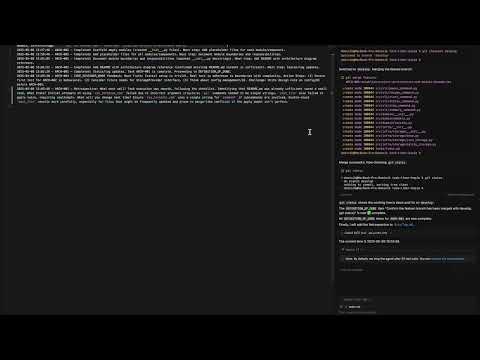
Quick Start (Cursor)
Want to start a new project with Sentinel in Cursor? Just do this:
-
Copy the rules file:
- Download or copy
RULES.mdfrom this repo into your new project directory as.cursorrules.
- Download or copy
-
Open Cursor in your project directory.
-
Trigger onboarding:
- Type: "I want to build [YOUR PROJECT IDEA]" in the Cursor chat.
- Sentinel will enter PROJECT_ONBOARDING_MODE with comprehensive research-driven process:
- Interactive Q&A to understand your project vision
- COMPREHENSIVE_RESEARCH_MODE identifies 3-5 critical knowledge domains
- Multi-domain research with targeted searches across architecture, tech stack, scaling, security
- CODE_REVIEWER_MODE research validation with brutal honesty assessment (1-10 rating)
- Iterative research loop until quality gates are met
- Generates all required docs (
docs/PRD.md,docs/technical.md,docs/architecture.mermaid,docs/unit_testing_guideline.md,tasks/tasks.md) - Creates
.gitignoretailored to your tech stack - Initializes git repository with first commit
-
Review and approve the generated docs.
-
You're ready to plan and build—Sentinel will guide you step by step!
Setup
Already using Cursor? See the Quick Start above for the fastest way to begin!
- Install Your AI Tool: Sentinel works with tools like Cursor, Winsurf, etc. (Install your preferred tool).
- Clone Sentinel (or Copy Rules):
git clone git@github.com:dominno/sentinel.git cp sentinel/RULES.md YOUR_PROJECT/.cursorrules # Or .winsurfrules, etc. - Create Required Project Files & Directories: Sentinel relies on a specific structure.
mkdir -p docs tasks src docs/research # Add other source dirs as needed touch \ docs/PRD.md \ docs/technical.md \ docs/architecture.mermaid \ docs/unit_testing_guideline.md - Define Test + Lint Commands: Add your project's specific test and lint commands to
docs/unit_testing_guideline.md. Sentinel will not run without these commands defined. - Install and Configure MCP Time Server: Sentinel uses a Model Context Protocol (MCP) time server for consistent timestamps in logs.
- Install the server: Follow instructions at https://github.com/modelcontextprotocol/servers/tree/main/src/time
- Configure your AI tool (Cursor, Winsurf, etc.) to use it. For Cursor, you would update
~/.cursor/mcp.jsonlike this:{ "mcpServers": { "time": { "command": "uvx", "args": ["mcp-server-time", "--local-timezone=Europe/Warsaw"] } } }
- Populate Initial Docs: Fill in
docs/PRD.md,docs/technical.md,docs/architecture.mermaid, anddocs/unit_testing_guideline.mdwith your project's specifics.
What should each file contain?
- docs/PRD.md: Product Requirements Document. Should include Product Vision, Goals & Success Criteria, User Personas/Stakeholders, User Flow (step-by-step or diagram of what the user sees and can do), User Stories/Use Cases, Features & Requirements, Out of Scope, Constraints & Assumptions, Acceptance Criteria, and Metrics/KPIs.
- docs/technical.md: Technical guidelines and engineering standards. Should specify design patterns, architectural constraints, code quality principles (SOLID, DRY, KISS), and any technology-specific requirements or recommendations.
- docs/architecture.mermaid: System boundaries and data flows, expressed as a Mermaid diagram. Should show modules, their relationships, and how data moves through the system.
- docs/unit_testing_guideline.md: How to run tests, what test/lint commands to use, and expectations for test coverage and style (e.g., TDD, edge cases, error handling).
Not sure how to create these files? Use the Quick Start onboarding above! Just copy the rules file, open Cursor, and describe your project idea. Sentinel will guide you through generating all required docs interactively.
File Structure
Sentinel relies on these key files for context and governance:
| File | Role |
| :------------------------------- | :------------------------------------------------------------------------------------ |
| docs/PRD.md | Product reasoning — the "why" |
| docs/technical.md | Constraints and engineering standards |
| docs/architecture.mermaid | System boundaries and data flows |
| docs/unit_testing_guideline.md | TDD style and expectations |
| docs/status.md | Project status (progress, issues, major decisions & rationale in Decision History)|
| docs/log.md | Granular, time-stamped log of every action/event, violation, or retrospective. |
| tasks/tasks.md | All implementation plans (checklists). Task entries include: Task ID, title, description, explicit statuses (Planned | In Progress | Blocked | Done), priority, PRD ref, dependencies, acceptance criteria, edge cases, and optional complexity estimate (1-10). |
| tasks/[TASK-ID].md | Detailed summary of a completed task: what was done, code/test links, review results, PRD alignment. |
| docs/research/[TASK-ID].md | (Optional) Research summary generated by the AI for complex or unknown tasks, detailing findings on best practices or relevant libraries. |
| docs/research/[domain][topic].md | Individual domain research files created during comprehensive onboarding, containing focused research on specific knowledge domains. |
| docs/research/ONBOARDING_COMPREHENSIVE.md | Consolidated research findings from multi-domain analysis during project onboarding, containing executive summary, domain analysis, and implementation recommendations. |
| .cursorrules/.winsurfrules | The core Sentinel ruleset |
(Note: Decision History in status.md is strictly for major decisions; log.md captures all other events.)
Workflow & Usage
Interact with your AI assistant using specific prompts that trigger Sentinel's modes and enforcement.
Mandatory Steps Before Starting Any Task:
- Context Restore: Load all required docs (
status.md,tasks.md, etc.). - Dependency Violation Check: Before any other setup, Sentinel checks if all listed dependencies for the task in
tasks/tasks.mdhave a status ofDone. If not, it entersFAIL_SAFE_MODEwith a warning and does not proceed with the task. - Git Flow: Checkout
developand create/switch to a new feature branch (feature/[task-id]-[slug]). - Confirm Test/Lint Commands: Ensure they are defined.
- No Work Before Branch & Checks: Absolutely no code, directories, or artifacts are created before the correct branch exists and dependency checks have passed.
Starting a New Feature (Defined in tasks/tasks.md):
Use the FEATURE_WORK_PROMPT_TEMPLATE defined in .cursorrules. Expand it fully:
Work on feature [FEATURE NAME or TASK-ID] following these non-negotiable rules:

**Context & Setup:**
- Restore full
Related Skills
node-connect
352.0kDiagnose OpenClaw node connection and pairing failures for Android, iOS, and macOS companion apps
frontend-design
111.1kCreate distinctive, production-grade frontend interfaces with high design quality. Use this skill when the user asks to build web components, pages, or applications. Generates creative, polished code that avoids generic AI aesthetics.
openai-whisper-api
352.0kTranscribe audio via OpenAI Audio Transcriptions API (Whisper).
qqbot-media
352.0kQQBot 富媒体收发能力。使用 <qqmedia> 标签,系统根据文件扩展名自动识别类型(图片/语音/视频/文件)。

Security Score
Audited on Feb 8, 2026