
EchoIP
显示客户端IP的详细信息
Install / Use
/learn @dnomd343/EchoIPREADME
<p align="center">
<br />
<img width="80px" src="./assets/img/favicon.png" align="center" alt="echoIP" />
<h1 align="center">echoIP</h1>
<p align="center">显示客户端IP、查询IP详细信息</p>
</p>
<p align="center">
<img alt="license" src="https://img.shields.io/badge/license-MIT-orange.svg" />
<img alt="version" src="https://img.shields.io/badge/version-v1.4-brightgreen.svg" />
<img alt="total-lines" src="https://img.shields.io/tokei/lines/github/dnomd343/echoIP" />
<br />
</p>
-
获取IP地址的AS、地址、ISP、网段等详细信息,支持IPv4与IPv6地址。
-
项目部署在服务器上,客户端向服务器查询自身IP地址,或任意IP地址的详细信息。
-
兼容CDN封装在http头部的原始IP信息,部署时无需做额外修改,直接启用CDN加速即可。
-
数据来自多个上游服务整合处理,包括在线API与离线数据库,同时支持命令行与网页端查询方式。
使用方法
命令行模式
# 查询客户端IP
shell> curl ip.343.re

# 查询客户端UA
shell> curl ip.343.re/ua

# 查询客户端IP的详细信息
shell> curl ip.343.re/info

# 查询指定IP地址详细信息
shell> curl ip.343.re/8.8.8.8
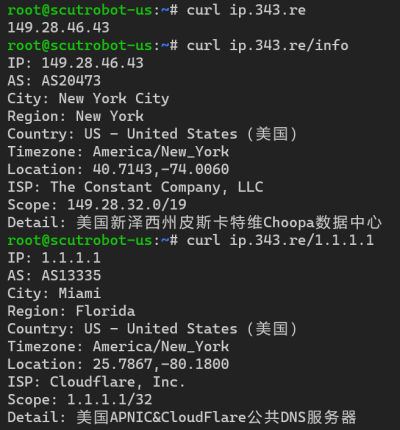
更多使用方法见命令列表
网页访问模式
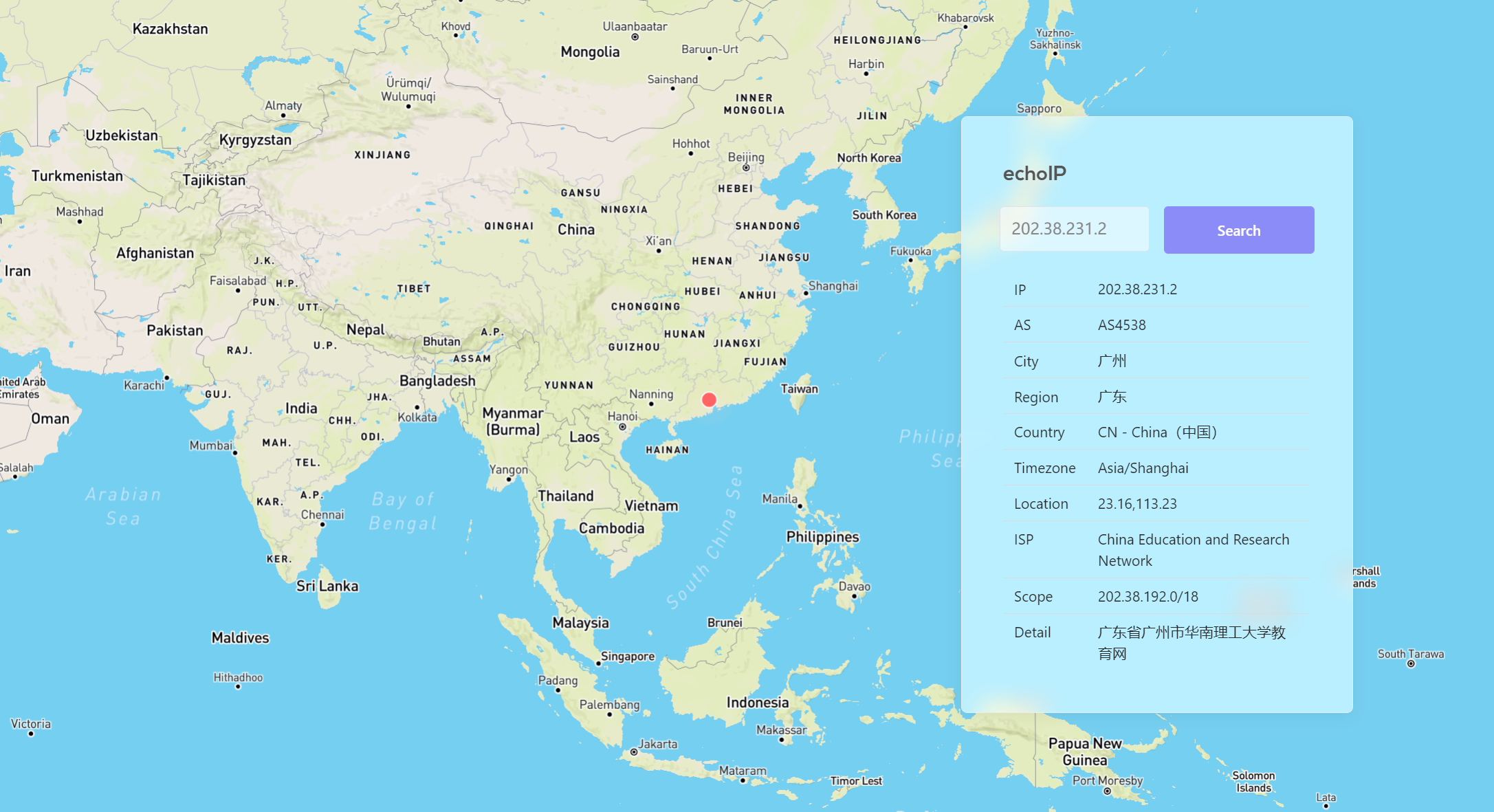
你可以直接在 ip.343.re 或 ip.dnomd343.top 上进行查询,或者将项目部署到自己的服务器上。
-
双击IP字段,可获取当前数据库版本。
-
点击AS编号,将跳转到该自治系统的详细信息页面。
-
点击经纬度信息,将打开谷歌地球并显示该点的三维图像。
-
双击显示框空白处,将会弹出一个二维码,扫描可以直达当前页面。
部署教程
如果想在自己域名下建立echoIP服务,可按如下方式部署
开发资料
许可证
MIT ©2021 @dnomd343 @ShevonKuan
