
Clynk
Secure, Open-Source Clipboard Syncronization for Android & PC
Install / Use
/learn @dhanushk-offl/ClynkREADME
Clynk
<div align="center">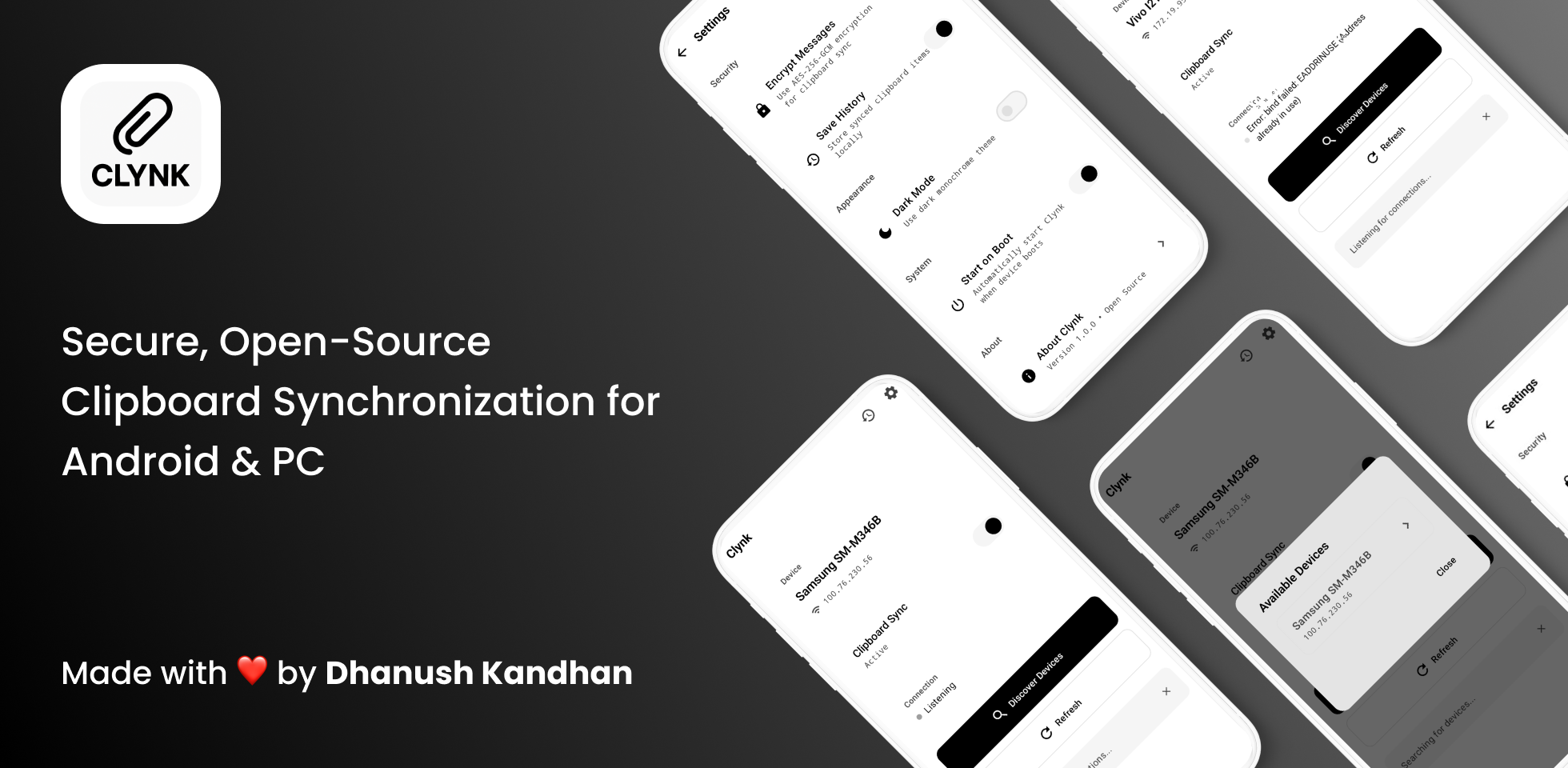
Secure, Open-Source Clipboard Synchronization for Android & PC
No cloud services, no data collection—just pure, secure, peer-to-peer clipboard sharing






🎯 Why Clynk?
Ever found yourself typing the same text on your phone that you just copied on your PC? Or emailing yourself a URL just to open it on another device? Clynk solves this.
Copy on one device, paste on another—instantly, securely, and privately. No cloud middleman, no subscription fees, no compromises on your privacy.
✨ Features
<table> <tr> <td width="50%">🔒 Security First
- AES-256 Encryption with PIN-based pairing
- Zero-knowledge architecture - we can't see your data
- Local-only - never touches the internet
- Open source - verify the code yourself
🚀 Developer Friendly
- Clean Kotlin codebase with Jetpack Compose
- Well-documented architecture
- Easy to contribute - we love PRs!
- Modern Android - Material 3, Room, Ktor
🎨 Thoughtful Design
- Monochrome UI - clean & minimalist
- Dark mode built-in
- Battery efficient - minimal background usage
- Lightweight - won't slow down your device
📋 Power User Features
- Clipboard history - never lose a copy
- Auto-discovery - finds devices automatically
- Real-time sync - instant synchronization
- Cross-platform - works with any PC
🎬 How It Works
Clynk uses a simple but powerful architecture to keep your clipboards in sync:
graph LR
    A[📱 Android Device] <-->|Encrypted Socket Connection| B[🖥️ PC Client]
    A -->|Copy Text| C[📋 Local Clipboard Monitor]
    C -->|Encrypt with AES-256| D[🔐 Encryption Layer]
    D -->|Send over LAN| B
    B -->|Receive & Decrypt| E[📝 PC Clipboard]
    E -->|Copy on PC| B
    B -->|Encrypt & Send| D
    D -->|Receive & Decrypt| A

    style A fill:#4CAF50,stroke:#2E7D32,color:#fff
    style B fill:#2196F3,stroke:#1565C0,color:#fff
    style C fill:#FF9800,stroke:#E65100,color:#fff
    style D fill:#F44336,stroke:#C62828,color:#fff
    style E fill:#9C27B0,stroke:#6A1B9A,color:#fff
The Sync Flow Explained
sequenceDiagram
    participant User as 👤 You
    participant Android as 📱 Android App
    participant PC as 🖥️ PC Client

    Note over User,PC: Initial Pairing
    User->>Android: Enable Sync
    User->>Android: Generate 6-digit PIN
    Android->>Android: Create AES-256 Key
    User->>PC: Enter same PIN
    PC->>PC: Create matching AES-256 Key
    Android->>PC: Establish TCP Connection (Port 8765)
    PC-->>Android: Connection Confirmed ✓

    Note over User,PC: Real-time Clipboard Sync
    User->>Android: Copy "Hello World"
    Android->>Android: Detect clipboard change
    Android->>Android: Encrypt with AES-256
    Android->>PC: Send encrypted message
    PC->>PC: Decrypt message
    PC->>PC: Update clipboard
    User->>PC: Paste "Hello World" ✨

    Note over User,PC: Bidirectional Sync
    User->>PC: Copy "https://example.com"
    PC->>PC: Detect clipboard change
    PC->>PC: Encrypt with AES-256
    PC->>Android: Send encrypted message
    Android->>Android: Decrypt message
    Android->>Android: Update clipboard
    User->>Android: Paste "https://example.com" ✨
Architecture Overview
graph TD
    A[📱 Android App] --> B[UI Layer - Jetpack Compose]
    B --> C[ViewModel Layer]
    C --> D[Repository Layer]
    D --> E[Data Sources]

    E --> F[🔌 Network - Socket Manager]
    E --> G[💾 Database - Room]
    E --> H[📋 Clipboard Service]

    F --> I[🔐 Encryption Utility]
    I --> J[AES-256-CBC]
    I --> K[PIN-based Key Derivation]

    G --> L[Clipboard History]
    G --> M[Device Pairs]

    H --> N[Clipboard Monitor]
    N --> O[Background Service]

    style A fill:#4CAF50,stroke:#2E7D32,color:#fff
    style B fill:#2196F3,stroke:#1565C0,color:#fff
    style F fill:#F44336,stroke:#C62828,color:#fff
    style G fill:#9C27B0,stroke:#6A1B9A,color:#fff
    style I fill:#FF5722,stroke:#BF360C,color:#fff
Security Flow
graph TB
    A[User enters 6-digit PIN] --> B[SHA-256 Hash]
    B --> C[256-bit AES Key]

    D[Clipboard Text] --> E[PKCS7 Padding]
    E --> F[Random IV Generation]
    F --> G[AES-256-CBC Encryption]

    C --> G
    G --> H[Base64 Encoding]
    H --> I[Encrypted Message]

    I --> J[Network Transmission]
    J --> K[Base64 Decoding]
    K --> L[Extract IV]
    K --> M[Extract Ciphertext]

    L --> N[AES-256-CBC Decryption]
    M --> N
    C --> N

    N --> O[Remove PKCS7 Padding]
    O --> P[Original Clipboard Text ✓]

    style A fill:#4CAF50,stroke:#2E7D32,color:#fff
    style C fill:#F44336,stroke:#C62828,color:#fff
    style I fill:#FF9800,stroke:#E65100,color:#fff
    style P fill:#4CAF50,stroke:#2E7D32,color:#fff
📱 Screenshots
<div align="center">| Main Screen | History Screen | Settings Screen |
|------------|----------------|-----------------|
| 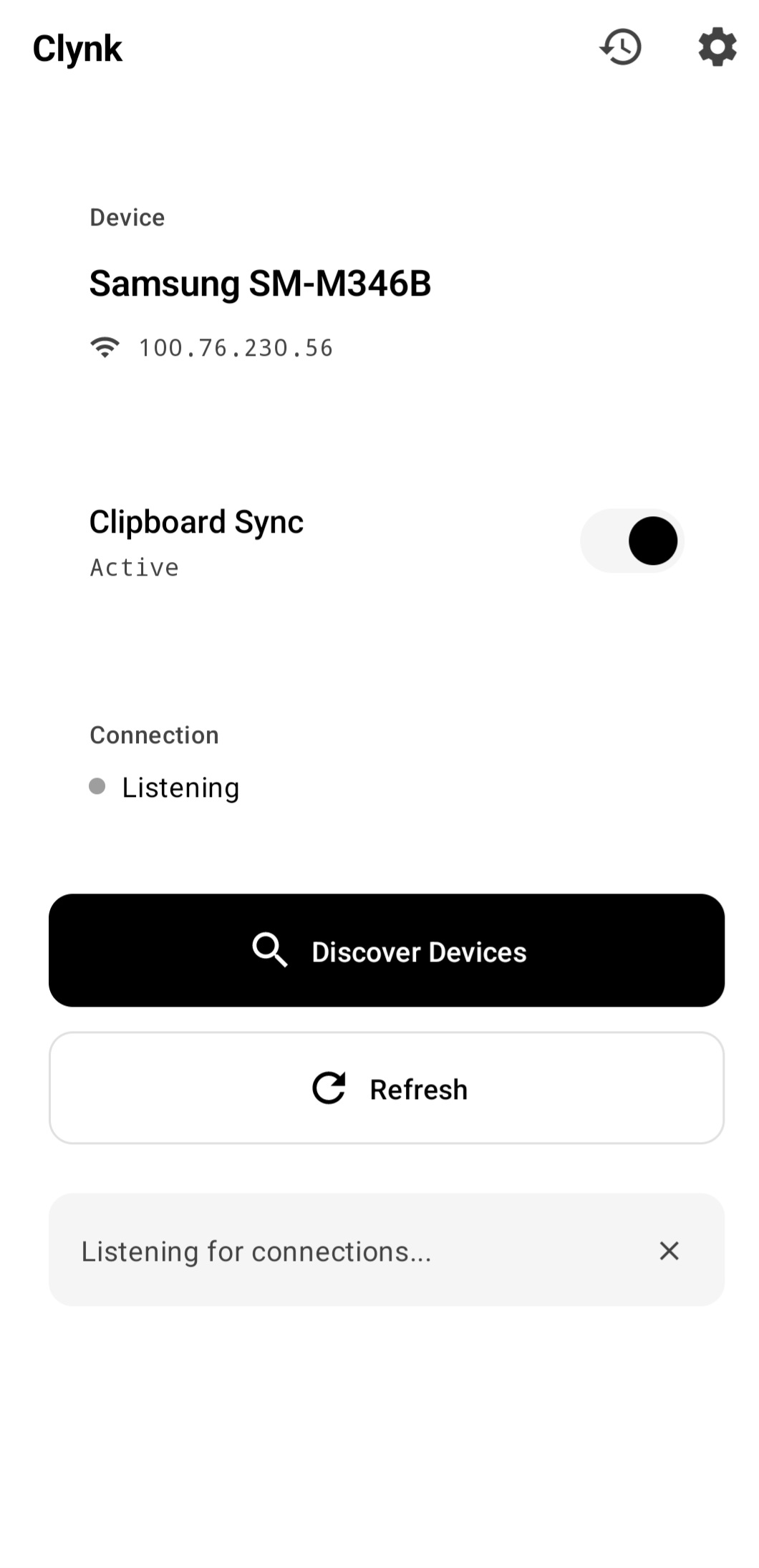 |
| 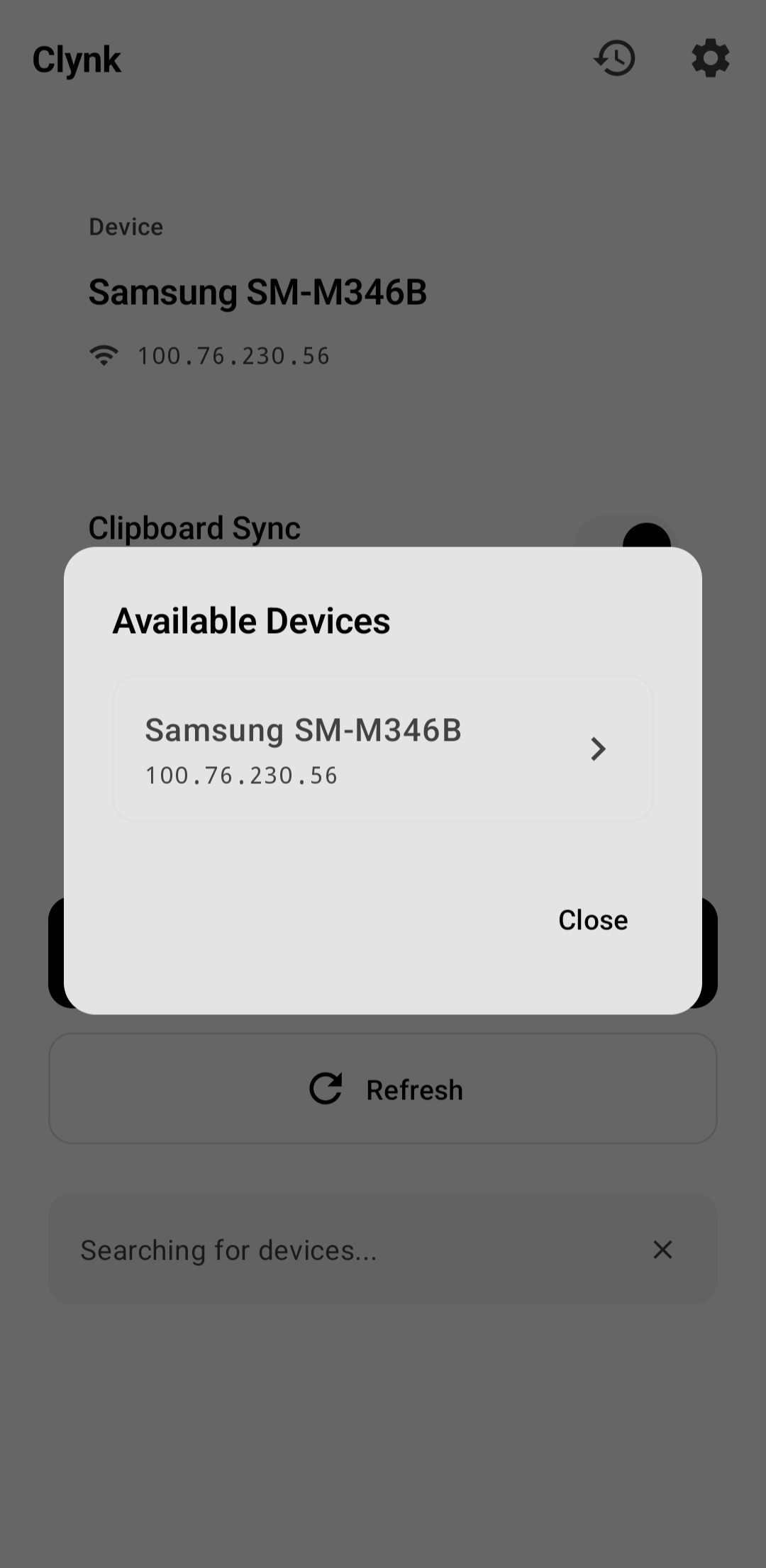 |
| 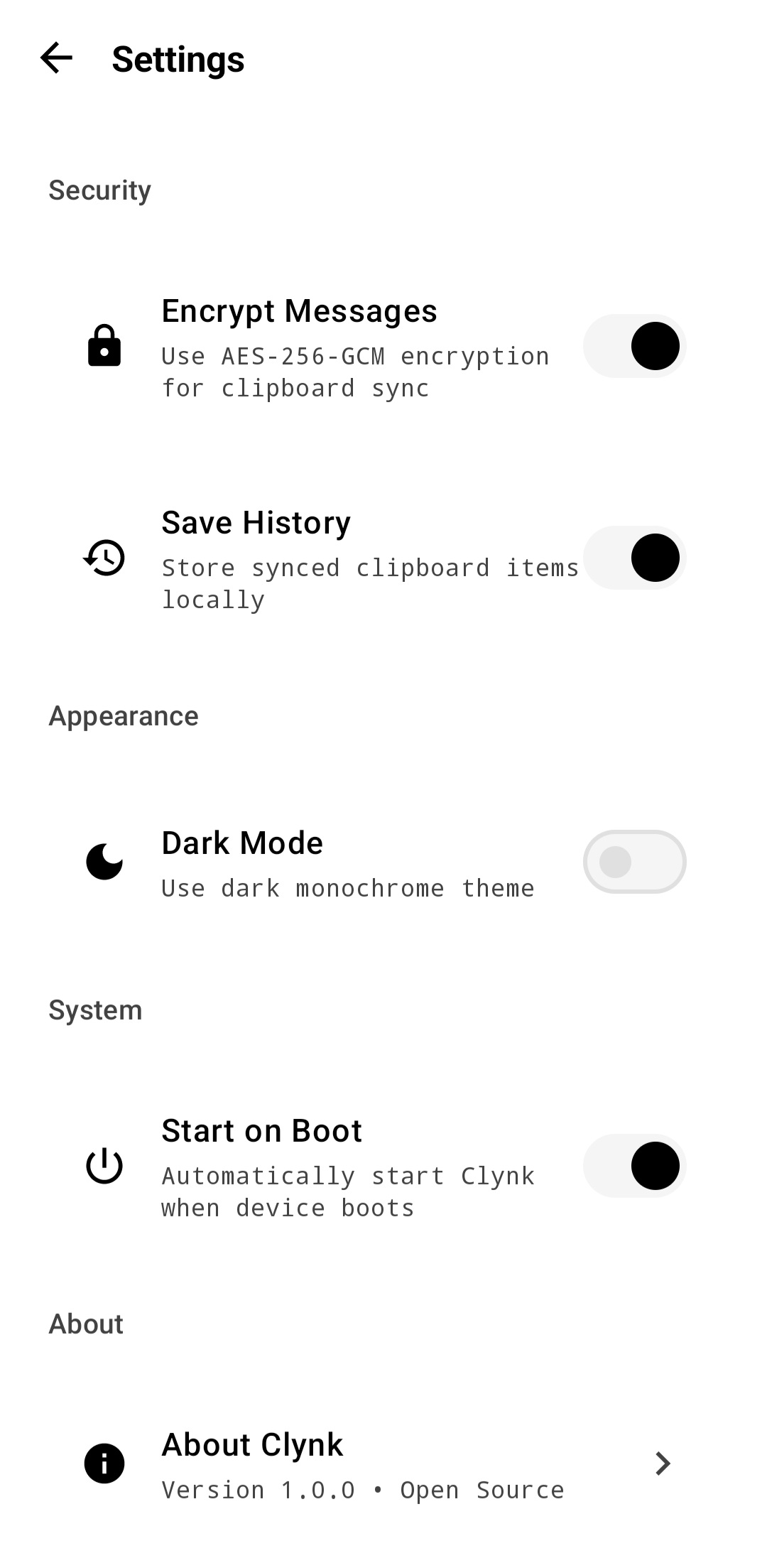 |
| Device pairing & sync status | Browse clipboard history | Configure app settings |
|
| Device pairing & sync status | Browse clipboard history | Configure app settings |
🚀 Getting Started
Prerequisites
Before you begin, make sure you have:
- Android Studio Hedgehog (2023.1.1) or later
- Android SDK 26+ (Android 8.0 Oreo)
- JDK 17 or later
- Kotlin 1.9.20+
- Python 3.8+ or Node.js 16+ (for PC client)
Quick Start (3 minutes)
1️⃣ Clone the Repository
git clone https://github.com/dhanushk-offl/clynk.git
cd clynk
2️⃣ Open in Android Studio
# Open Android Studio, then:
# File → Open → Select the clynk directory
3️⃣ Build & Install
# Debug build (for development)
./gradlew installDebug

# Release build (for production)
./gradlew assembleRelease
The APK will be in app/build/outputs/apk/
PC Client Setup
Choose your preferred language:
<details> <summary><b>🐍 Python Client (Recommended)</b></summary>Why Python? Simple, cross-platform, and easy to customize.
# Install dependencies
pip install pyperclip cryptography

# Run the client
python pc_client.py
Full Python Client Code:
#!/usr/bin/env python3
"""
Clynk PC Client (Python)
A simple clipboard synchronization client for Clynk Android app.
"""

import socket
import json
import pyperclip
import time
from cryptography.hazmat.primitives.ciphers import Cipher, algorithms, modes
from cryptography.hazmat.backends import default_backend
import hashlib
import base64
import threading

PORT = 8765
HOST = '0.0.0.0'

def generate_key(pin):
    """Generate AES key from PIN using SHA-256."""
    return hashlib.sha256(pin.encode()).digest()

def decrypt(ciphertext, key):
    """Decrypt AES-CBC encrypted message."""
    data = base64.b64decode(ciphertext)
    iv = data[:16]
    encrypted = data[16:]
    cipher = Cipher(algorithms.AES(key), modes.CBC(iv), backend=default_backend())
    decryptor = cipher.decryptor()
    decrypted = decryptor.update(encrypted) + decryptor.finalize()
    # Remove PKCS7 padding
    return decrypted[:-decrypted[-1]].decode('utf-8')

def encrypt(plaintext, key):
    """Encrypt message with AES-CBC."""
    from cryptography.hazmat.primitives import padding
    padder = padding.PKCS7(128).padder()
    padded = padder.update(plaintext.encode()) + padder.finalize()

    import os
    iv = os.urandom(16)
    cipher = Cipher(algorithms.AES(key), modes.CBC(iv), backend=default_backend())
    encryptor = cipher.encryptor()
    encrypted = encryptor.update(padded) + encryptor.finalize()

    combined = iv + encrypted
    return base64.b64encode(combined).decode('utf-8')

def main():
    print("=" * 50)
    print("  Clynk PC Client v1.0.0")
    print("  Secure Clipboard Synchronization")
    print("=" * 50)

    use_encryption = input("\n🔐 Enable encryption? (y/n): ").lower() == 'y'
    key = None

    if use_encryption:
        pin = input("🔑 Enter 6-digit PIN from Android app: ")
        key = generate_key(pin)
        print("✅ Encryption enabled with AES-256")
    else:
        print("⚠️  Running without encryption (not recommended)")

    print(f"\n🌐 Listening on {HOST}:{PORT}")
    print("⏳ Waiting for Android device to connect...\n")

    server = socket.socket(socket.AF_INET, socket.SOCK_STREAM)
    server.setsockopt(socket.SOL_SOCKET, socket.SO_REUSEADDR, 1)
    server.bind((HOST, PORT))
    server.listen(1)

    last_clipboard = ""

    while True:
        conn, addr = server.accept()
        print(f"✅ Connected to {addr[0]}:{addr[1]}")
        print("📋 Clipboard sync is now active!\n")

        try:
            def monitor_clipboard():
                nonlocal last_clipboard
                w
