
Headerpwn
A fuzzer for finding anomalies and analyzing how servers respond to different HTTP headers
Install / Use
/learn @devanshbatham/HeaderpwnREADME

Install
To install headerpwn, run the following command:
go install github.com/devanshbatham/headerpwn@v0.0.3
Usage
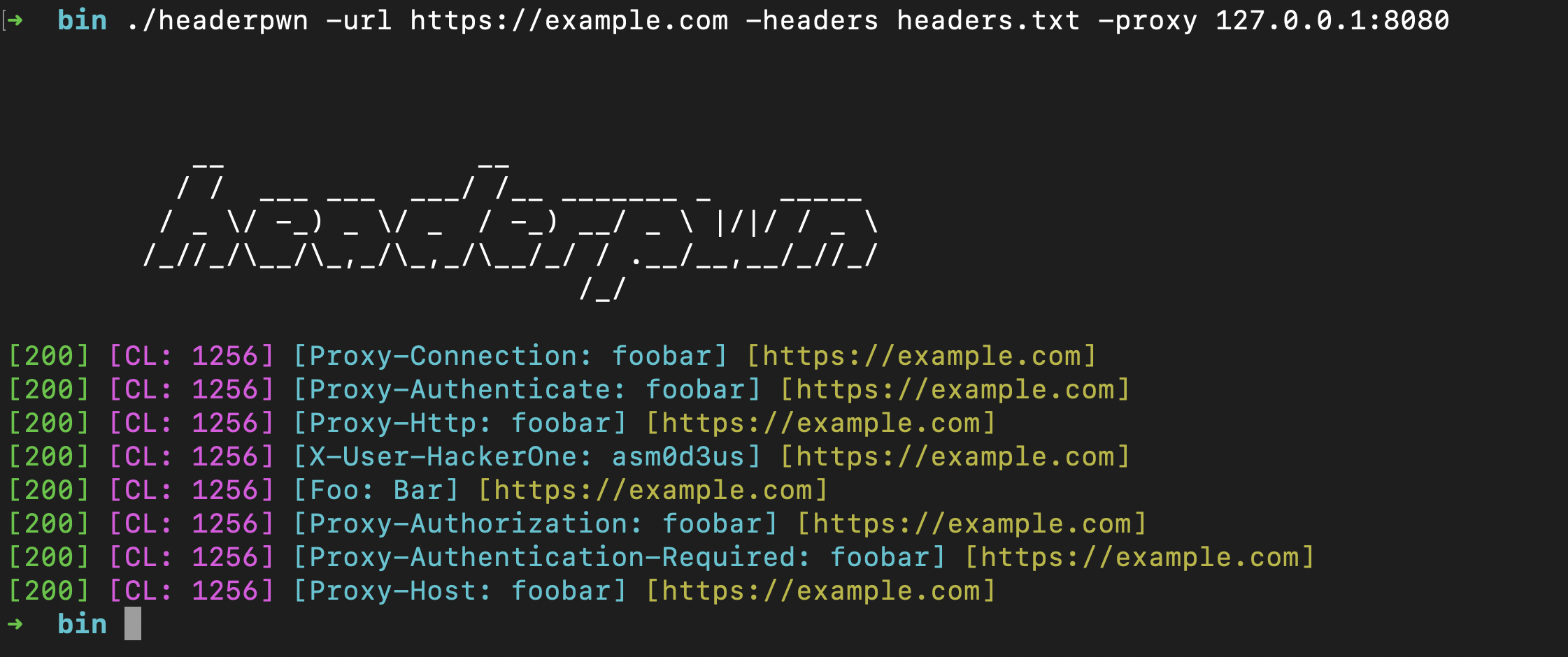
headerpwn allows you to test various headers on a target URL and analyze the responses. Here's how to use the tool:
- Provide the target URL using the
-urlflag. - Create a file containing the headers you want to test, one header per line. Use the
-headersflag to specify the path to this file.
Example usage:
headerpwn -url https://example.com -headers my_headers.txt
- Format of
my_headers.txtshould be like below:
Proxy-Authenticate: foobar
Proxy-Authentication-Required: foobar
Proxy-Authorization: foobar
Proxy-Connection: foobar
Proxy-Host: foobar
Proxy-Http: foobar
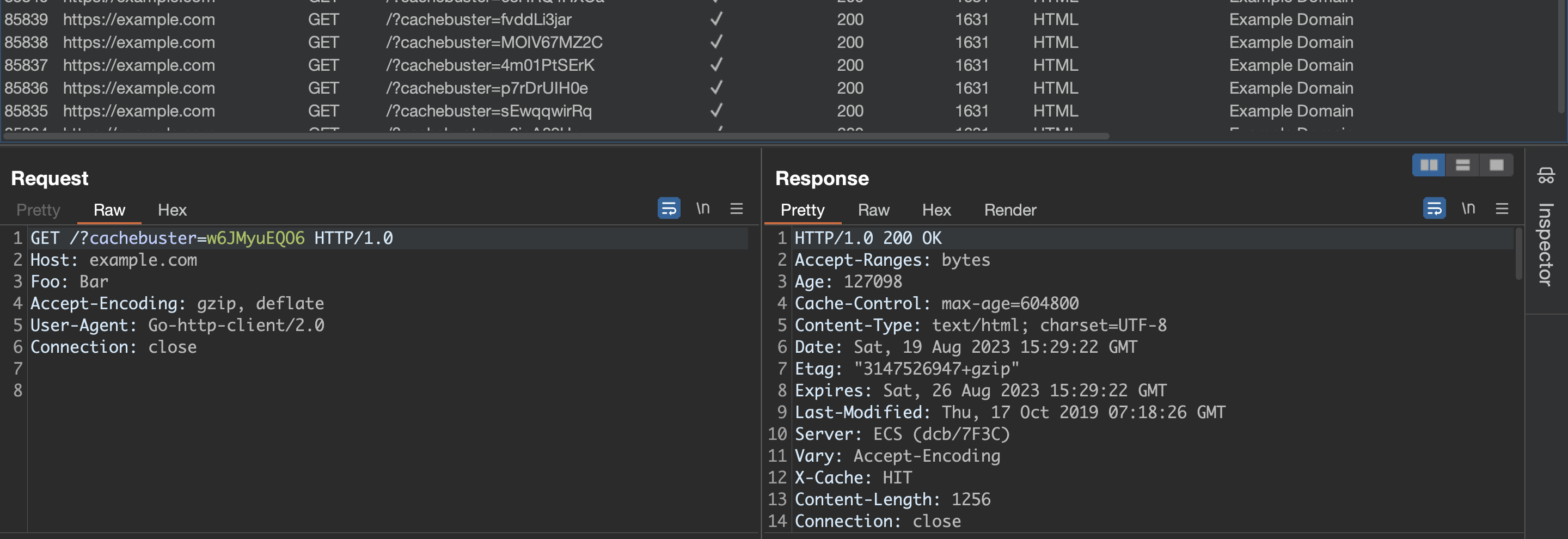
Proxying requests through Burp Suite:
Follow following steps to proxy requests through Burp Suite:
-
Export Burp's Certificate:
- In Burp Suite, go to the "Proxy" tab.
- Under the "Proxy Listeners" section, select the listener that is configured for
127.0.0.1:8080 - Click on the "Import/ Export CA Certificate" button.
- In the certificate window, click "Export Certificate" and save the certificate file (e.g., burp.der).
-
Install Burp's Certificate:
- Install the exported certificate as a trusted certificate on your system. How you do this depends on your operating system.
- On Windows, you can double-click the .cer file and follow the prompts to install it in the "Trusted Root Certification Authorities" store.
- On macOS, you can double-click the .cer file and add it to the "Keychain Access" application in the "System" keychain.
- On Linux, you might need to copy the certificate to a trusted certificate location and configure your system to trust it.
You should be all set:
headerpwn -url https://example.com -headers my_headers.txt -proxy 127.0.0.1:8080
Credits
The headers.txt file is compiled from various sources, including the Seclists project. These headers are used for testing purposes and provide a variety of scenarios for analyzing how servers respond to different headers.
Related Skills
node-connect
345.4kDiagnose OpenClaw node connection and pairing failures for Android, iOS, and macOS companion apps
frontend-design
104.6kCreate distinctive, production-grade frontend interfaces with high design quality. Use this skill when the user asks to build web components, pages, or applications. Generates creative, polished code that avoids generic AI aesthetics.
openai-whisper-api
345.4kTranscribe audio via OpenAI Audio Transcriptions API (Whisper).
qqbot-media
345.4kQQBot 富媒体收发能力。使用 <qqmedia> 标签,系统根据文件扩展名自动识别类型(图片/语音/视频/文件)。
