
Fred
A fast, scalable and light-weight C++ Fréchet and DTW distance library, exposed to python and focused on clustering of polygonal curves.
Install / Use
/learn @derohde/FredQuality Score
Category
Development & EngineeringSupported Platforms
Tags
README
Fred 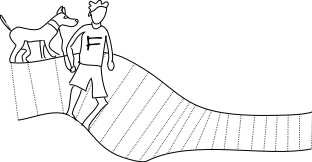
A fast, scalable and light-weight C++ Fréchet and DTW distance library, exposed to python and focused on clustering of polygonal curves.
DISTANCE FUNCTION FOR CLUSTERING CAN BE CHOSEN (heuristic in case of DTW)
CURVE AND CURVES CAN NOW BE PICKLED
Ingredients
import Fred as fred
- for verbosity, set
fred.config.verbosity, default is0, possible values0,1,2,3
Number of Threads
By default, Fred will automatically determine the number of threads to use. If you want to set an upper limit, set fred.config.number_threads. Set to -1 to enable dynamic mode again.
Curve
- signature:
fred.Curve(np.ndarray),fred.Curve(np.ndarray, str name) - properties:
fred.Curve.values: curves asnp.ndarray,fred.Curve.name: get name of curve,fred.Curve.dimensions: dimension of curve,fred.Curve.complexity: number of points of curve
Curves
- signature:
fred.Curves() - methods:
fred.Curves.add(curve): add curve,fred.Curves[i]: get ith curve,len(fred.Curves): number curves,fred.Curves + fred.Curves: add two sets of curves,fred.Curves.simplify(l): return set of simplified curves - properties:
fred.Curves.m: maximum complexity of the contained curves,fred.Curves.values: curves asnp.ndarray
continous Fréchet distance
- signature:
fred.continuous_frechet(curve1, curve2) - returns:
fred.Continuous_Frechet_Resultwith membersvalue,time_bounds: running-time for upper and lower bound,number_searches: number of free space diagrams built,time_searches: running-time for free spaces
continuous Fréchet distance config
- approximation error in percent of distance:
fred.config.continuous_frechet_error, which defaults to 1
discrete Fréchet distance
- signature:
fred.discrete_frechet(curve1, curve2) - returns:
fred.Discrete_Frechet_Resultwith membersvalueandtime
discrete dynamic time warping distance
- signature:
fred.discrete_dynamic_time_warping(curve1, curve2) - returns:
fred.Discrete_Dynamic_Time_Warping_Distancewith membersvalueandtime
Curve Simplification
All simplifications are vertex-restricted!
Frechet distance
minimum error simplification
- graph approach from Polygonal Approximations of a Curve — Formulations and Algorithms
- signature:
fred.frechet_minimum_error_simplification(fred.Curve, int complexity) - returns:
fred.Curvethat uses input curves vertices, withcomplexitynumber of vertices and that has minimum distance to input curve
approximate minimum link simplification
- algorithm "FS" from Near-Linear Time Approximation Algorithms for Curve Simplification
- signature:
fred.frechet_approximate_minimum_link_simplification(fred.Curve, double error) - returns:
fred.Curvethat uses input curves vertices, is of small complexity and with distance to input curve at mosterror
approximate minimum error simplification
- binary search on
fred.frechet_approximate_minimum_link_simplification - signature:
fred.frechet_approximate_minimum_error_simplification(fred.Curve, int complexity) - returns:
fred.Curvethat uses input curves vertices, withcomplexitynumber of vertices and that has small distance to input curve
Dynamic Time Warping
approximate minimum error simplification
- approach from Approximating Length-Restricted Means Under Dynamic Time Warping
- signature:
fred.dtw_approximate_minimum_error_simplification(fred.Curve, int complexity) - returns:
fred.Curvethat uses input curves vertices, withcomplexitynumber of vertices and that has small distance to input curve
Clustering
Distance storing
- Set
fred.config.use_distance_matrixtoFalseif already computed distances should not be stored. This makes sense for massive data sets, especially when so much memory is consumed that the OS kills the process.
Underlying distance function
The parameter distance_func controls which distance function to use. Possible values:
0: continuous Fréchet distance1: discrete Fréchet distance2: discrete dynamic time warping distance (algorithms are then of heuristic nature)
Consecutive call option
The parameter consecutive_call controls whether distances and simplifications already computed in a previous clustering call are resused (set to true then); defaults to false.
Has no effect when fred.config.use_distance_matrix == False.
discrete (k,l)-center clustering (continuous Fréchet)
- from Approximating (k,l)-center clustering for curves
- signature:
fred.discrete_klcenter(int k, int l, fred.Curves, bool local_search, bool consecutive_call, bool random_first_center, bool fast_simplification, int distance_func)with parametersk: number of centersl: maximum complexity of the centerslocal_search: number of iterations of local search to improve solution, defaults to0random_first_center: determines if first center is chosen uniformly at random or first curve is used as first center, optional, defaults to truefast_simplification: determines whether to use the minimum error simplification or the faster approximate minimum error simplification, defaults tofalse
- returns:
fred.Clustering_Resultwith mebersvalue: objective valuetime: running-timeassignment: empty if compute_assignment has not been called
discrete (k,l)-median clustering (continuous Fréchet)
- Algorithm from section 4.3 in Geometric Approximation Algorithms + simplification
- signature:
fred.discrete_klmedian(int k, int l, fred.Curves, bool consecutive_call, bool fast_simplification, int distance_func)with parametersk: number of centersl: maximum complexity of the centersfast_simplification: determines whether to use the minimum error simplification or the faster approximate minimum error simplification, defaults tofalse
- returns:
fred.Clustering_Resultwith mebersvalue: objective valuetime: running-timeassignment: empty if compute_assignment has not been called
Clustering Result
- signature:
fred.Clustering_Result - methods:
len(fred.Clustering_Result): number of centersfred.Clustering_Result[i]: get ith centerfred.Clustering_Result.compute_assignment(fred.Curves, bool consecutive_call): assigns every curve to its nearest center with parameterconsecutive_call, which defaults tofalse; set to true, if you want to assign the curves used for clusteringfred.Clustering_Result.optimize(fred.Curves, bool consecutive_call): (heuristically) optimizes cluster centers using a stabbing algorithm
- members:
value: objective valuetime: running-timeassignment: empty if compute_assignment was not called
Cluster Assignment
- signature:
fred.Cluster_Assignment - methods:
len(fred.Cluster_Assignment): number of centersfred.Cluster_Assignment.count(i): number of curves assigned to centerifred.Cluster_Assignment.get(i,j): get index ofjth curve assigned to centerifred.Cluster_Assignment.distance(i,j): get distance ofjth curve assigned to centerito centeri
Dimension Reduction via Gaussian Random Projection
- Section 2 in Random Projections and Sampling Algorithms for Clustering of High Dimensional Polygonal Curves
- signature:
fred.dimension_reduction(curves, epsilon, empirical_constant)with parametersepsilon: (1+epsilon) approximation parameter,empirical_constant: use constant of empirical study (faster, but less accurate), defaults toTrue - returns:
fred.Curvescollection of curves
Installation
Requirements
You have to have installed:
- C++ compiler
- CMake
- git
- optional: openmp available (should be a part of your compiler)
That's it!
Installing on Windows
It's best to use the Ubuntu subsystem, which is easy to install through powershell. Once you have this installed, follow this procedure:
sudo apt update
sudo apt upgrade
sudo apt install python3-pip cmake git gcc
pip3 install --user fred-frechet
Installing on Mac
Apple's clang does not really support openmp, which is now kind of an integral part of Fred. You can try to install libomp via homebrew, but the best way would be to get a virtual ubuntu running. Fred does install out of the box on Mac though, but without omp support.
Linux/Unix Installation Procedure
- Variant 1: simply run
pip install Fred-Frechet - Variant 2: clone repository and run
makefor installation into userdir
Test
Just run python py/test.py.
Mini Example
import Fred as fred
import numpy as np
import pandas as pd

curve1d = fred.Curve([1., 2.]) # Curve stores a polygonal curve with
                                         # at least two points of at least one
                                         # and equal number of dimensions

curve2d1 = fred.Curve([[1., 0.], [2., 1.], [3., 0.]]) # any number of dimensions and points works
curve2d2 = fred.Curve([[1., -1.], [2., -2.], [3., -1.]], "optional name, e.g. displayed in plot")

print(curve2d1)

fred.plot_curve(curve2d1, curve2d2)
fred.plot_curve(curve2d2, fred.frechet_minimum_error_simplification(curve2d2, 2))

print("distance is {}".format(fred.continuous_frechet(curve2d1, curve2d2
Related Skills
node-connect
341.8kDiagnose OpenClaw node connection and pairing failures for Android, iOS, and macOS companion apps
claude-opus-4-5-migration
84.6kMigrate prompts and code from Claude Sonnet 4.0, Sonnet 4.5, or Opus 4.1 to Opus 4.5
frontend-design
84.6kCreate distinctive, production-grade frontend interfaces with high design quality. Use this skill when the user asks to build web components, pages, or applications. Generates creative, polished code that avoids generic AI aesthetics.
model-usage
341.8kUse CodexBar CLI local cost usage to summarize per-model usage for Codex or Claude, including the current (most recent) model or a full model breakdown. Trigger when asked for model-level usage/cost data from codexbar, or when you need a scriptable per-model summary from codexbar cost JSON.
