
Litecli
CLI for SQLite Databases with auto-completion and syntax highlighting
Install / Use
/learn @dbcli/LitecliREADME
litecli

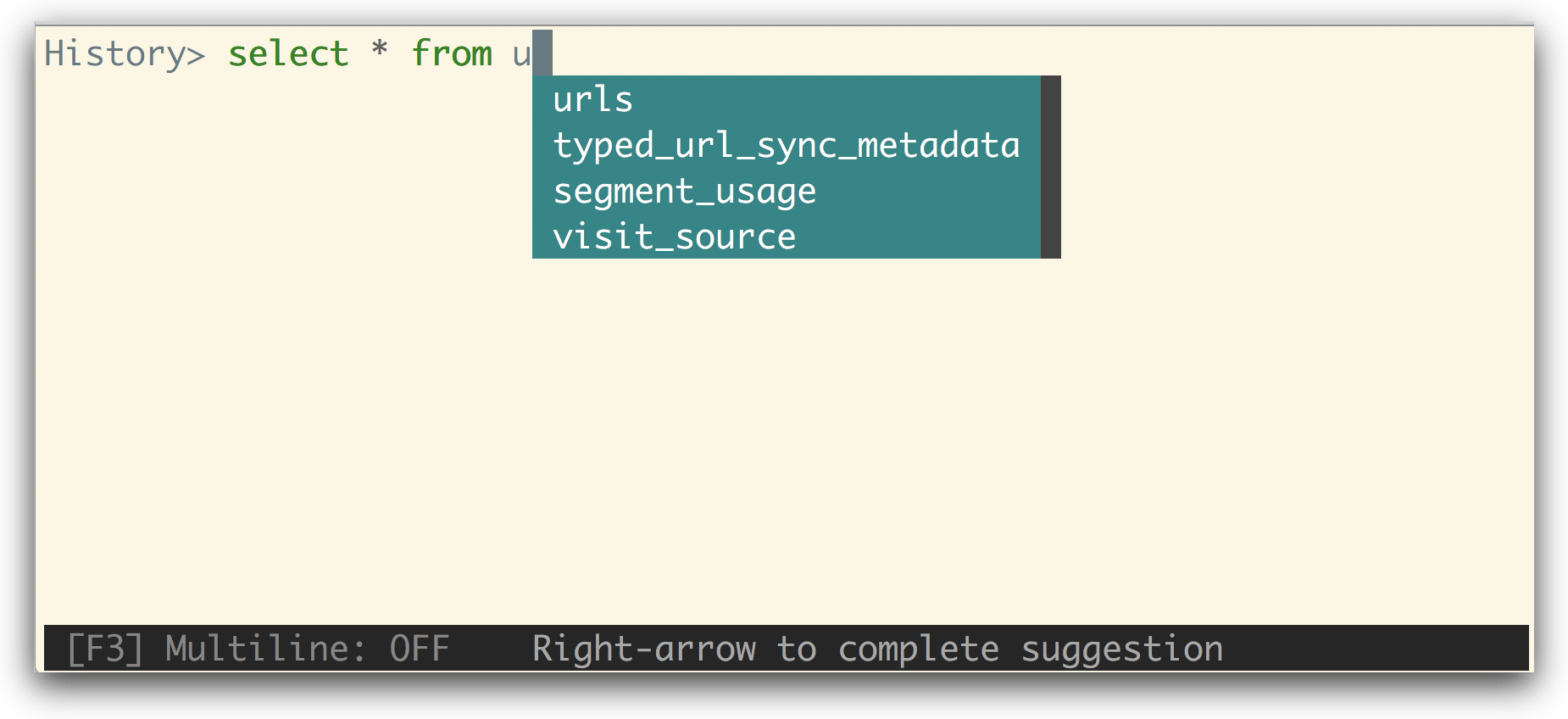
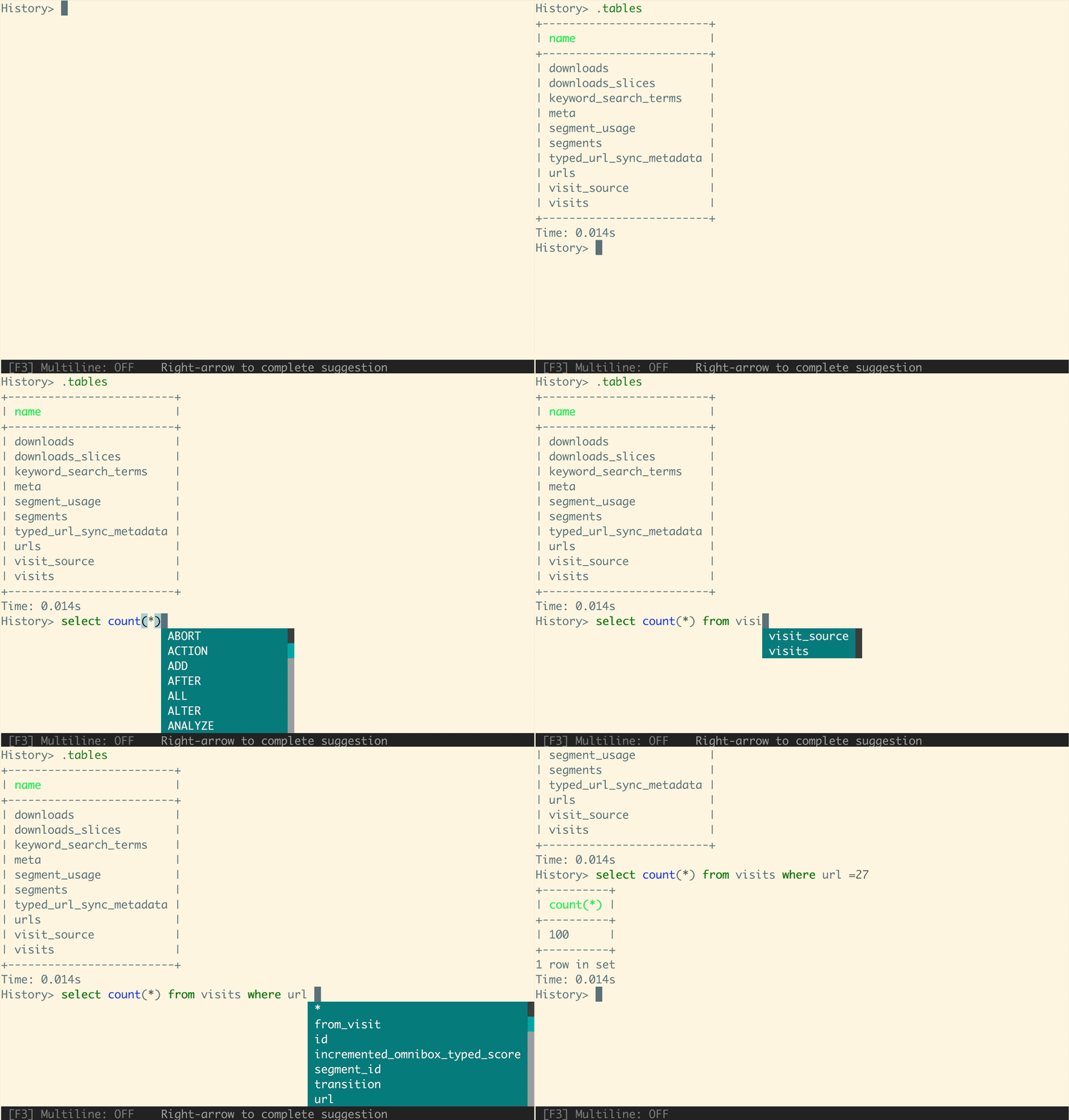
A command-line client for SQLite databases that has auto-completion and syntax highlighting.
Installation
If you already know how to install python packages, then you can install it via pip:
You might need sudo on linux.
$ pip install -U litecli[sqlean]
For MacOS users, you can also use Homebrew to install it:
$ brew install litecli
Usage
$ litecli --help

Usage: litecli [OPTIONS] [DATABASE]

Examples:
  - litecli sqlite_db_name
A config file is automatically created at ~/.config/litecli/config at first launch. For Windows machines a config file is created at ~\AppData\Local\dbcli\litecli\config at first launch. See the file itself for a description of all available options.
Docs
Visit: litecli.com/features
Related Skills
claude-opus-4-5-migration
109.1kMigrate prompts and code from Claude Sonnet 4.0, Sonnet 4.5, or Opus 4.1 to Opus 4.5
model-usage
348.5kUse CodexBar CLI local cost usage to summarize per-model usage for Codex or Claude, including the current (most recent) model or a full model breakdown. Trigger when asked for model-level usage/cost data from codexbar, or when you need a scriptable per-model summary from codexbar cost JSON.
feishu-drive
348.5k|
things-mac
348.5kManage Things 3 via the `things` CLI on macOS (add/update projects+todos via URL scheme; read/search/list from the local Things database)
