
langchain-mcp-client
🦜🔗 LangChain Model Context Protocol (MCP) Client
Install / Use
claude mcp add datalayer -- npx -y github:datalayer/langchain-mcp-clientIf the server publishes to npm under a different name, use that package instead — check the repo README.
MCP Server
Model Context Protocol server
Quality Score
Category
Development & EngineeringSupported Platforms
Tags
Skill content
View source on GitHub

🦜 🔗 LangChain MCP Client


This simple Model Context Protocol (MCP) client demonstrates the use of MCP server tools by LangChain ReAct Agent.
- 🌐 Seamlessly connect to any MCP servers.
- 🤖 Use any LangChain-compatible LLM for flexible model selection.
- 💬 Interact via CLI, enabling dynamic conversations.
Conversion to LangChain Tools
It leverages a utility function convert_mcp_to_langchain_tools(). This function handles parallel initialization of specified multiple MCP servers and converts their available tools into a list of LangChain-compatible tools (List[BaseTool]).
Installation
The python version should be 3.11 or higher.
pip install langchain_mcp_client
Configuration
Create a .env file containing all the necessary API_KEYS to access your LLM.
Configure the LLM, MCP servers, and prompt example in the llm_mcp_config.json5 file:
- LLM Configuration: Set up your LLM parameters.
- MCP Servers: Specify the MCP servers to connect to.
- Example Queries: Define example queries that invoke MCP server tools. Press Enter to use these example queries when prompted.
Usage
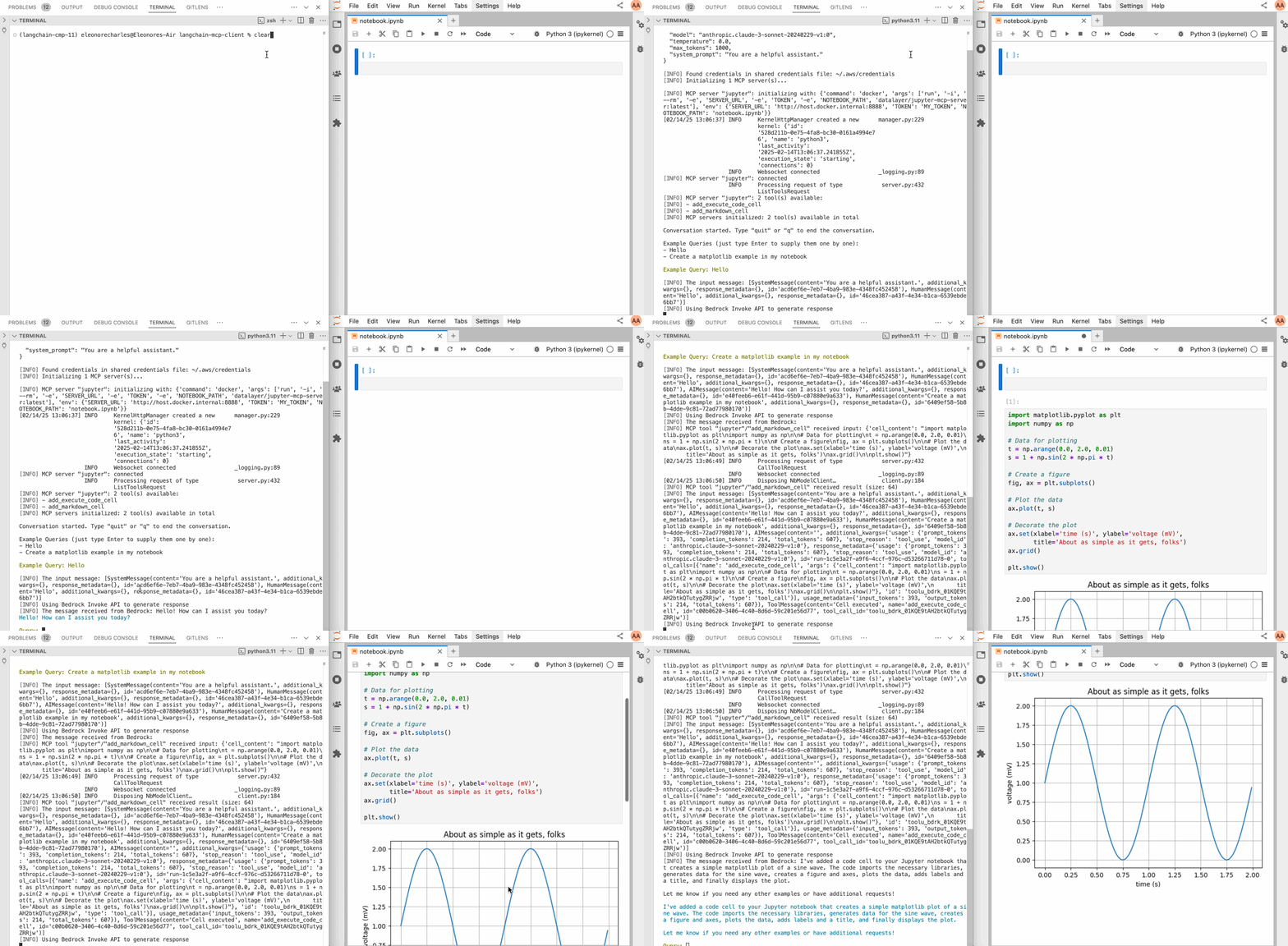
Below an example with a Jupyter MCP Server:
Check the llm_mcp_config.json5 configuration (commands depends if you are running on Linux or macOS/Windows).
# Start jupyterlab.
make jupyterlab
# Launch the CLI.
make cli
This is a prompt example.
create matplolib examples with many variants in jupyter
Credits
This initial code of this repo is taken from hideya/mcp-client-langchain-py (MIT License) and from langchain_mcp_tools (MIT License).
Related Skills
Agent-Reach
84.5kGive your AI agent eyes to see the entire internet. Read & search Twitter, Reddit, YouTube, GitHub, Bilibili, XiaoHongShu — one CLI, zero API fees.
headroom
73.4kCompress tool outputs, logs, files, and RAG chunks before they reach the LLM. 20% fewer tokens for coding agents, 60-95% fewer tokens for JSON, same answers. Library, proxy, MCP server.
ruflo
73.0k🌊 The original agent harness. Deploy intelligent multi-player swarms, coordinate autonomous workflows, and build conversational AI systems. Features adaptive memory, self-learning intelligence, federation, vector RAG integration, and native Claude Code / Codex / Hermes and many more Integrated
career-ops
72.4kOpen-source AI job search: scan job portals, evaluate listings into a structured A-H report with a global 1-5 score, tailor your CV, track applications — runs locally in your AI coding CLI (Claude Code, Codex, OpenCode, Antigravity…)

Languages
Security Score
Audited on May 20, 2025