
RxAndroidBle
An Android Bluetooth Low Energy (BLE) Library with RxJava3 interface
Install / Use
/learn @dariuszseweryn/RxAndroidBleREADME
RxAndroidBle 

<p align="center">
<img
alt="Tailored software services including concept, design, development and testing"
src="site/RX-Android.png"
height="300"
style="margin-top: 20px; margin-bottom: 20px;"
/>
</p>
Introduction
RxAndroidBle is a powerful painkiller for Android's Bluetooth Low Energy headaches. It is backed by RxJava, implementing complicated APIs as handy reactive observables. The library does for you:
- Fancy asynchronous operations support (read, write, notifications)
- Threading management in order to meet Android contracts
- Connection and operation error handling
For support head to StackOverflow #rxandroidble
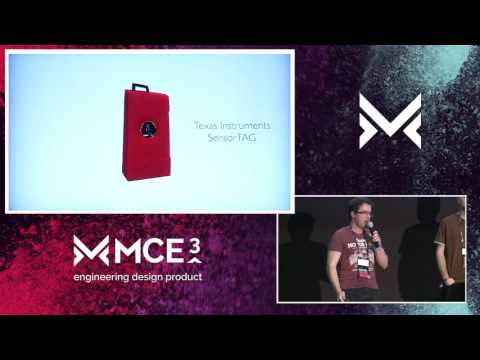
RxAndroidBLE @ Mobile Central Europe 2016
Getting Started
The first step is to include RxAndroidBle into your project.
Gradle
If you use Gradle to build your project — as a Gradle project implementation dependency:
implementation "com.polidea.rxandroidble3:rxandroidble:1.19.1"
or for RxJava 2 based artifact
implementation "com.polidea.rxandroidble2:rxandroidble:1.19.1"
Maven
If you use Maven to build your project — as a Maven project dependency:
<dependency>
  <groupId>com.polidea.rxandroidble3</groupId>
  <artifactId>rxandroidble</artifactId>
  <version>1.19.1</version>
  <type>aar</type>
</dependency>
or for RxJava 2 based artifact
<dependency>
  <groupId>com.polidea.rxandroidble2</groupId>
  <artifactId>rxandroidble</artifactId>
  <version>1.19.1</version>
  <type>aar</type>
</dependency>
Snapshot
If your are interested in cutting-edge build you can get a x.y.z-SNAPSHOT version of the library.
NOTE: Snapshots are built from the top of the master and develop branches and a subject to more frequent changes that may break the API and/or change behavior.
To be able to download it you need to add Sonatype Snapshot repository site to your build.gradle file:
maven { url "https://oss.sonatype.org/content/repositories/snapshots" }
Permissions
Android requires additional permissions declared in the manifest for an app to run a BLE scan since API 23 (6.0 / Marshmallow) and perform a BLE connection since API 31 (Android 12). RxAndroidBle provides a minimal set of commonly used bluetooth permissions for you in its AndroidManifest.xml. These permissions currently assume scanning is only used when the App is in the foreground, and that the App wants to derive the user's location from BLE signal (on API >= 23). Below are a number of additions you can make to your AndroidManifext.xml for your specific use case.
If you want to derive the user's location in your App
RxAndroidBle uses the uses-permission-sdk-23 tag to require location only on APIs >= 23, where it is required for BLE scanning. Additionally, in a future version of RxAndroidBle, these permissions will be restricted to only APIs 23-30. To ensure you can derive the user's location in your App with all API versions, and avoid any issues with merging of permissions when uploading to the Play Store, add the following to your AndroidManifest.xml:
<uses-permission-sdk-23 android:name="android.permission.ACCESS_FINE_LOCATION" tools:node="remove" />
<uses-permission android:name="android.permission.ACCESS_FINE_LOCATION" />
<uses-permission-sdk-23 android:name="android.permission.ACCESS_COARSE_LOCATION" tools:node="remove" />
<uses-permission android:name="android.permission.ACCESS_COARSE_LOCATION" />
If you do not want to derive user's location in your App
If you only want to scan for BLE peripherals and do not access location otherwise you can request only the required permissions by adding the following to your AndroidManifest.xml:
<uses-permission-sdk-23 android:name="android.permission.ACCESS_COARSE_LOCATION" android:maxSdkVersion="30" tools:node="replace" />
<uses-permission-sdk-23 android:name="android.permission.ACCESS_FINE_LOCATION" android:maxSdkVersion="30" tools:node="replace" />
If you want to scan in the background and support APIs 29 & 30
You should add the following to your AndroidManifest.xml:
<uses-permission android:name="android.permission.ACCESS_BACKGROUND_LOCATION" android:maxSdkVersion="30" />
If you want to access the user's location in the background on APIs > 30, remove the android:maxSdkVersion attribute.
If you want to derive the user's location from BLE scanning in API >= 31
API 31 (Android 12) introduced new Bluetooth permissions. RxAndroidBle uses the android:usesPermissionFlags="neverForLocation" attribute on the BLUETOOTH_SCAN permission, which indicates scanning will not be used to derive the user's location, so location permissions are not required. If you need to locate the user with BLE scanning, use this instead, but keep in mind that you will still need ACCESS_FINE_LOCATION:
<uses-permission android:name="android.permission.BLUETOOTH_SCAN" tools:node="replace" />
If you do not need to connect to peripherals
You can remove the BLUETOOTH_CONNECT permission that RxAndroidBle requests in APIs >= 31:
<uses-permission android:name="android.permission.BLUETOOTH_CONNECT" tools:node="remove" />
Summary of available permissions
Scanning
A summary of available runtime permissions used for BLE scanning:
| from API | to API (inclusive) | Acceptable runtime permissions |
|:---:|:---:| --- |
| 18 | 22 | (No runtime permissions needed) |
| 23 | 28 | One of below:<br>- android.permission.ACCESS_COARSE_LOCATION<br>- android.permission.ACCESS_FINE_LOCATION |
| 29 | 30 | - android.permission.ACCESS_FINE_LOCATION<br>- android.permission.ACCESS_BACKGROUND_LOCATION* |
| 31 | current | - android.permission.BLUETOOTH_SCAN<br>- android.permission.ACCESS_FINE_LOCATION** |
* Needed if scan is performed in background
** Only needed if you want to obtain user's location with BLE scanning (BLUETOOTH_SCAN is not using neverForLocation attribute in your App)
Connecting
A summary of available runtime permissions used for BLE connections:
| from API | to API (inclusive) | Acceptable runtime permissions |
|:---:|:---:| --- |
| 18 | 30 | (No runtime permissions needed) |
| 31 | current | - android.permission.BLUETOOTH_CONNECT |
Usage
Obtaining the client
It's your job to maintain single instance of the client. You can use singleton, scoped Dagger component or whatever else you want.
RxBleClient rxBleClient = RxBleClient.create(context);
Turning the bluetooth on / off
The library does not handle managing the state of the BluetoothAdapter.
<br>Direct managing of the state is not recommended as it violates the application user's right to manage the state of their phone. See Javadoc of BluetoothAdapter.enable() method.
<br>It is the user's responsibility to inform why the application needs Bluetooth to be turned on and for ask the application's user consent.
<br>It is possible to show a native activity for turning the Bluetooth on by calling:
Intent enableBtIntent = new Intent(BluetoothAdapter.ACTION_REQUEST_ENABLE);
int REQUEST_ENABLE_BT = 1;
context.startActivityForResult(enableBtIntent, REQUEST_ENABLE_BT);
Device discovery
Scanning devices in the area is simple as that:
Disposable scanSubscription = rxBleClient.scanBleDevices(
        new ScanSettings.Builder()
            // .setScanMode(ScanSettings.SCAN_MODE_LOW_LATENCY) // change if needed
            // .setCallbackType(ScanSettings.CALLBACK_TYPE_ALL_MATCHES) // change if needed
            .build()
        // add filters if needed
)
    .subscribe(
        scanResult -> {
            // Process scan result here.
        },
        throwable -> {
            // Handle an error here.
        }
    );

// When done, just dispose.
scanSubscription.dispose();
For devices with API <21 (before Lollipop) the scan API is emulated to get the same behaviour.
Observing client state
On Android it is not always trivial to determine if a particular BLE operation has a potential to succeed. e.g. to scan on Android 6.0 the device needs to have a BluetoothAdapter, the application needs to have a granted runtime permission for either ACCESS_COARSE_LOCATION or ACCESS_FINE_LOCATION, additionally Location Services need to be turned on.
To be sure that the scan will work only when everything is ready you could use:
Disposable flowDisposable = rxBleClient.observeStateChanges()
    .switchMap(state -> { // switchMap makes sure that if the state will change the rxBleClient.scanBleDevices() will dispose and thus end the scan
        switch (state) {

            case READY:
                // everything should work
                return rxBleClient.scanBleDevices();
            case BLUETOOTH_NOT_AVAILABLE:
                // basically no functionality will work here
            case LOCATION_PERMISSION_NOT_GRANTED:
                // scanning and connecting will not work
            case BLUETOOTH_NOT_ENABLED:
                // scanning and connecting will not work
            case LOCATION_SERVICES_NOT_ENABLED:
                // sca
Related Skills
mcp-shrimp-task-manager
2.1kShrimp Task Manager is a task tool built for AI Agents, emphasizing chain-of-thought, reflection, and style consistency. It converts natural language into structured dev tasks with dependency tracking and iterative refinement, enabling agent-like developer behavior in reasoning AI systems.
mcp-shrimp-task-manager
2.1kShrimp Task Manager is a task tool built for AI Agents, emphasizing chain-of-thought, reflection, and style consistency. It converts natural language into structured dev tasks with dependency tracking and iterative refinement, enabling agent-like developer behavior in reasoning AI systems.
contextplus
1.5kSemantic Intelligence for Large-Scale Engineering. Context+ is an MCP server designed for developers who demand 99% accuracy. By combining RAG, Tree-sitter AST, Spectral Clustering, and Obsidian-style linking, Context+ turns a massive codebase into a searchable, hierarchical feature graph.
Peekaboo
2.9kPeekaboo is a macOS CLI & optional MCP server that enables AI agents to capture screenshots of applications, or the entire system, with optional visual question answering through local or remote AI models.
