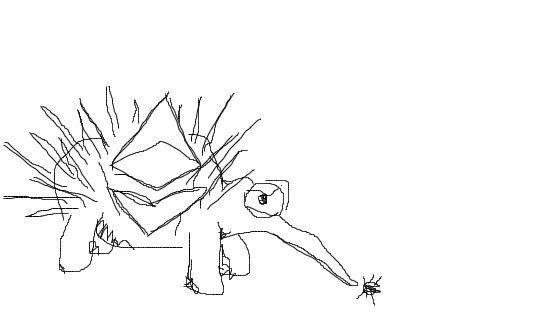
Echidna
Ethereum smart contract fuzzer
Install / Use
/learn @crytic/EchidnaREADME
Echidna: A Fast Smart Contract Fuzzer <a href="https://raw.githubusercontent.com/crytic/echidna/master/echidna.png"><img src="https://raw.githubusercontent.com/crytic/echidna/master/echidna.png" width="75"/></a>

Echidna is a weird creature that eats bugs and is highly electrosensitive (with apologies to Jacob Stanley)
More seriously, Echidna is a Haskell program designed for fuzzing/property-based testing of Ethereum smart contracts. It uses sophisticated grammar-based fuzzing campaigns based on a contract ABI to falsify user-defined predicates or Solidity assertions. We designed Echidna with modularity in mind, so it can be easily extended to include new mutations or test specific contracts in specific cases.
Features
- Generates inputs tailored to your actual code
- Optional corpus collection, mutation and coverage guidance to find deeper bugs
- Powered by Slither to extract useful information before the fuzzing campaign
- Source code integration to identify which lines are covered after the fuzzing campaign
- Interactive terminal UI, text-only or JSON output
- Automatic test case minimization for quick triage
- Seamless integration into the development workflow
.. and a beautiful high-resolution handcrafted logo.
<a href="https://i.imgur.com/saFWti4.png"><img src="https://i.imgur.com/saFWti4.png" width="650"/></a>
Usage
Executing the test runner
The core Echidna functionality is an executable called echidna, which takes a contract and a list
of invariants (properties that should always remain true) as input. For each invariant, it generates
random sequences of calls to the contract and checks if the invariant holds. If it can find some way
to falsify the invariant, it prints the call sequence that does so. If it can't, you have some
assurance the contract is safe.
Writing invariants
Invariants are expressed as Solidity functions with names that begin with echidna_, have no arguments, and return a boolean. For example, if you have some balance variable that should never go below 20, you can write an extra function in your contract like this one:
function echidna_check_balance() public returns (bool) {
    return(balance >= 20);
}
To check these invariants, run:
$ echidna myContract.sol
An example contract with tests can be found tests/solidity/basic/flags.sol. To run it, you should execute:
$ echidna tests/solidity/basic/flags.sol
Echidna should find a call sequence that falsifies echidna_sometimesfalse and should be unable to find a falsifying input for echidna_alwaystrue.
Testing modes
The example above uses the default property mode, but Echidna supports several testing modes, configured via testMode in the config file or --test-mode on the CLI:
property(default): Testechidna_-prefixed functions that returnbool.assertion: Detect assertion failures fromassert()and Foundry'sassertXhelpers (assertTrue,assertEq, etc.).foundry: Run Foundry-styletest-prefixed unit tests andinvariant_-prefixed stateful invariants.overflow: Detect integer over/underflows (Solidity >= 0.8.0).optimization: Maximize the return value ofechidna_-prefixed functions that returnint256(uses the same configurable prefix as property mode).exploration: Collect coverage without checking properties.
Collecting and visualizing coverage
After finishing a campaign, Echidna can save a coverage maximizing corpus in a special directory specified with the corpusDir config option. This directory will contain two entries: (1) a directory named coverage with JSON files that can be replayed by Echidna and (2) a plain-text file named covered.txt, a copy of the source code with coverage annotations.
If you run tests/solidity/basic/flags.sol example, Echidna will save a few files serialized transactions in the coverage directory and a covered.$(date +%s).txt file with the following lines:
*r  |  function set0(int val) public returns (bool){
*   |    if (val % 100 == 0)
*   |      flag0 = false;
  }

*r  |  function set1(int val) public returns (bool){
*   |    if (val % 10 == 0 && !flag0)
*   |      flag1 = false;
  }
Our tool signals each execution trace in the corpus with the following "line marker":
*if an execution ended with a STOPrif an execution ended with a REVERToif an execution ended with an out-of-gas erroreif an execution ended with any other error (zero division, assertion failure, etc)
Support for smart contract build systems
Echidna can test contracts compiled with different smart contract build systems, including Foundry, Hardhat, and Truffle, using crytic-compile. To invoke Echidna with the current compilation framework, use echidna ..
On top of that, Echidna supports two modes of testing complex contracts. Firstly, one can take advantage of existing network state and use that as the base state for Echidna. Secondly, Echidna can call into any contract with a known ABI by passing in the corresponding Solidity source in the CLI. Use allContracts: true in your config to turn this on.
Crash course on Echidna
Our Building Secure Smart Contracts repository contains a crash course on Echidna, including examples, lessons and exercises.
Using Echidna in a GitHub Actions workflow
There is an Echidna action which can be used to run echidna as part of a
GitHub Actions workflow. Please refer to the
crytic/echidna-action repository for
usage instructions and examples.
Configuration options
Echidna's CLI can be used to choose the contract to test and load a configuration file.
$ echidna contract.sol --contract TEST --config config.yaml
The configuration file allows users to choose EVM and test generation parameters. An example of a complete and annotated config file with the default options can be found at tests/solidity/basic/default.yaml. See the documentation for more detailed information on the available configuration options.
Echidna supports three different output drivers. There is the default text
driver, a json driver, and a none driver, which should suppress all
stdout output. The JSON driver reports the overall campaign as follows.
Campaign = {
  "success"      : bool,
  "error"        : string?,
  "tests"        : [Test],
  "seed"         : number,
  "coverage"     : Coverage
}
Test = {
  "contract"     : string,
  "name"         : string,
  "status"       : string,
  "error"        : string?,
  "testType"     : string,
  "transactions" : [Transaction]?
}
Transaction = {
  "contract"     : string,
  "function"     : string,
  "arguments"    : [string]?,
  "gas"          : number,
  "gasprice"     : number
}
Coverage is a dict describing certain coverage-increasing calls. These interfaces are
subject to change to be slightly more user-friendly at a later date. testType
will be one of property, assertion, optimization, exploration, or call,
and status always takes on either fuzzing, shrinking, solved, passed, or error.
Debugging Performance Problems
One way to diagnose Echidna's performance issues is to run echidna with profiling on.
To run Echidna with basic profiling, add +RTS -p -s to your original echidna command:
$ nix develop # alternatively nix-shell
$ cabal --enable-profiling run echidna -- ... +RTS -p -s
$ less echidna.prof
This produces a report file (echidna.prof), that shows which functions take up the most CPU and memory usage.
If the basic profiling doesn't help, you can use more advanced profiling techniques.
Common causes for performance issues that we observed:
- Costly functions called in hot paths
- Lazy data constructors that accumulate thunks
- Inefficient data structures used in hot paths
Checking for these is a good place to start. If you suspect some computation is too lazy and
leaks memory, you can use force from Control.DeepSeq to make sure it gets evaluated.
Limitations and known issues
EVM emulation and testing are hard. Echidna has some limitations in the latest release. Some of these are inherited from hevm while some are results from design/performance decisions or simply bugs in our code. We list them here including their corresponding issue and the status ("wont fix", "on hold", "in review", "fixed"). Issues that are "fixed" are expected to be included in the next Echidna release.
| Description | Issue | Status | | :--- | :---: | :---: | | Vyper support is limited | #652 | wont fix | | Limited library support for testing | #651 | wont fix |
Installation
Precompiled binaries
Before starting, make sure Slither is installed (pip3 install slither-analyzer --user).
If you want t