
vibe-coding-for-dummies
A beginner-friendly guide to building real software using vibe coding. Learn how to ship apps without traditional coding by using Firebase Studio, GitHub, and Cursor. No gatekeeping. No fluff. Just building. 👉 For daily lessons and real-world builds, join the Vibe Coding with Chris skool community.
Install / Use
npx skills add cporter202/vibe-coding-for-dummiesInstalls into whichever agent you are using.
.cursorrules
Cursor IDE rules (legacy)
Quality Score
Category
Development & EngineeringSupported Platforms
Our assessment of vibe-coding-for-dummies
vibe-coding-for-dummies scores 84/100 on our quality scale, 2821st of 4,617 Development & Engineering skills we index.
Its .cursorrules is 9.0 KB long, well organised into 25 sections and no code examples: a thorough specification that gives an agent plenty to work with.
It has 661 GitHub stars, a meaningful sign that others use it.
Maintenance, license and trust
- The repository was last updated 19 days ago, so vibe-coding-for-dummies is actively maintained.
- Our last check on 2026-10-21 found the source still online.
- No license is declared. By default that means all rights are reserved: you can read it, but reusing or redistributing it is not clearly permitted. Ask the author before building on it commercially.
- Its trust signals score 88/100, with 1 caution from licensing, adoption, age or documentation. These come from repository metadata, not a code audit — read the skill file before letting an agent act on it.
Safety scan
No issues foundOur scan of the whole file found no instruction hijacking, hidden characters, credential access, data exfiltration or destructive commands. An AI review of the same text found nothing harmful.
AI review by kimi-k2.7-code on 2026-09-24. Automated pattern scan on 2026-09-24. It catches known dangerous patterns, not every risk — read a skill before letting an agent act on it.
vibe-coding-for-dummies compared with similar skills
All 4 of these similar skills score higher than vibe-coding-for-dummies; compare them before choosing.
| Skill | Score | Stars | Updated | Format |
|---|---|---|---|---|
| vibe-coding-for-dummies (this skill)by cporter202 | 84 | 661 | 19d ago | .cursorrules |
| taste-skillby Leonxlnx | 100 | 110.6k | today | CLAUDE.md |
| Agent-Reachby Panniantong | 100 | 109.2k | today | CLAUDE.md |
| ai-job-searchby ai-job-search-dev | 100 | 69.8k | today | CLAUDE.md |
| claude-howtoby luongnv89 | 100 | 46.6k | 2d ago | CLAUDE.md |
Frequently asked questions
- How do I install vibe-coding-for-dummies?
- Run
npx skills add cporter202/vibe-coding-for-dummies. The install tabs above show the steps for each supported agent. - Which AI agents does vibe-coding-for-dummies work with?
- It is written for Cursor, as a .cursorrules file. Other agents that read the same format can often use it too.
- Is vibe-coding-for-dummies safe to use?
- Our scan of the whole file found no instruction hijacking, hidden characters, credential access, data exfiltration or destructive commands. An AI review of the same text found nothing harmful. It declares no license and scores 88/100 on trust signals. Skills are instructions an agent will follow, so read the file before installing it and do not approve commands you do not understand.
- Is vibe-coding-for-dummies still maintained?
- The repository was last updated 19 days ago, so vibe-coding-for-dummies is actively maintained.
Skill content
View source on GitHub📘 Vibe Coding for Dummies





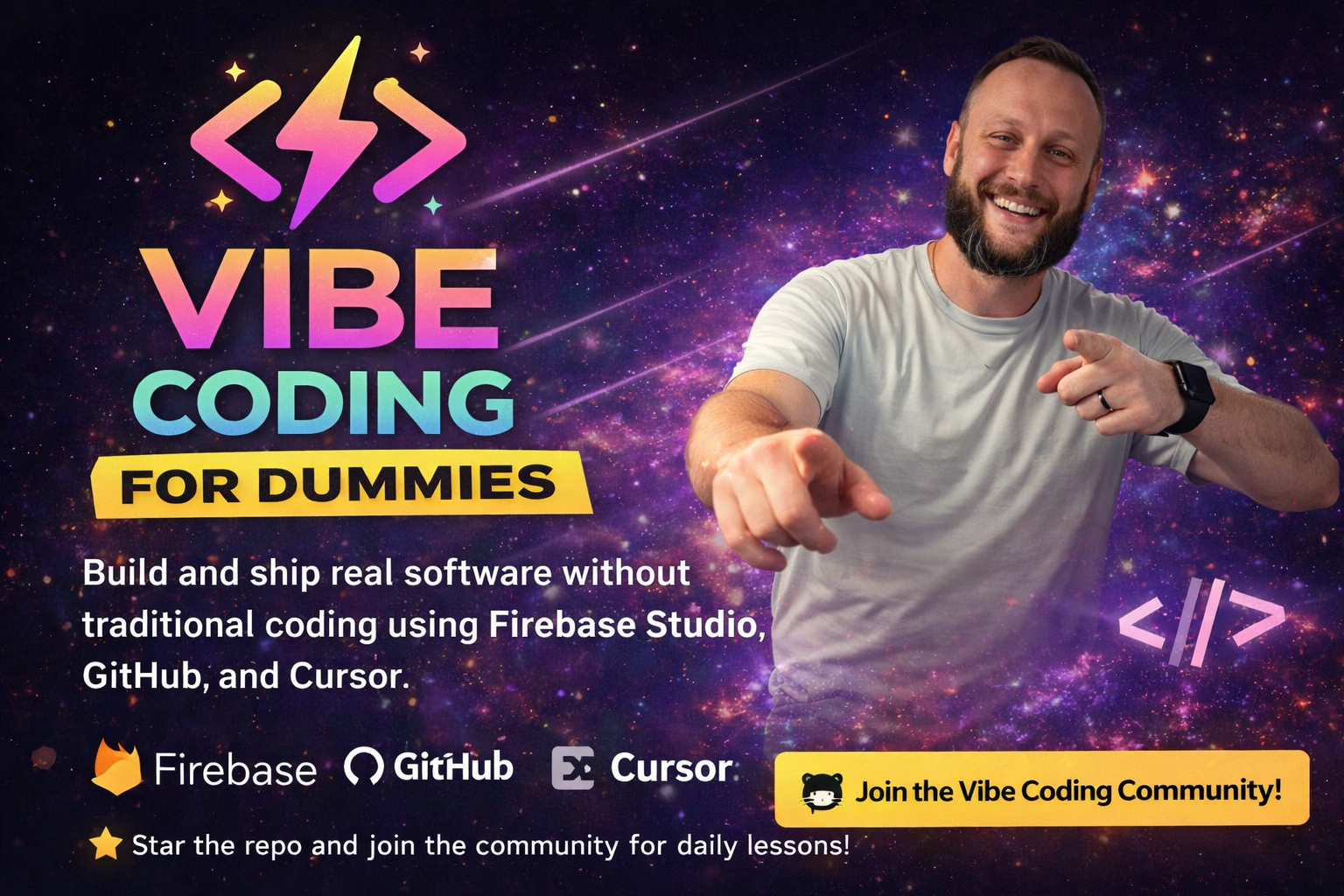
Build real software without being a "coder"
<div align="center">
🎁 This Full Course is 100% Free
Everything you need to build and ship your first app is right here in this GitHub repo. No paywall. No gatekeeping. Just the complete vibe coding workflow.
🚀 Want to Level Up? Join the Skool Community
This course teaches you the basics. The Vibe Coding with Chris Skool community shows you the secrets.
Inside, you'll see exactly how I build projects that generate passive income, my real workflow for turning simple apps into money-makers, advanced strategies I don't share publicly, and how to scale from one app to a portfolio of income-generating projects.
$15/month gets you access to everything I know about building software that makes money.
👉 Join the Community and See the Secrets →
</div><div align="center">
🚀 From Idea to Deployed App in 30 Days
No gatekeeping. No fluff. Just building.
This course shows you how to build and ship real software using AI, without traditional coding education. You'll learn how to think, build, and ship using vibe coding.
</div>🎯 What You'll Get
<div align="center">| 🎓 Learn | 🛠️ Build | 🚀 Ship | 💰 Monetize | |:---:|:---:|:---:|:---:| | Clear path from idea to app | Exact stack that works | Real deployment | Turn apps into money | | No tutorial hell | Google AI Studio + Firebase + GitHub + Cursor | Ship something real | SaaS, tools, communities |
</div>- ✅ A clear path from idea to deployed app (no tutorial hell)
- ✅ The exact stack that works (Google AI Studio + Firebase + GitHub + Cursor)
- ✅ Real building, not theory (you'll ship something by the end)
- ✅ How to turn this into money (SaaS, micro tools, paid communities)
🚀 Quick Start
<div align="center">⚡ Get Started in 5 Steps
</div>- 🧠 Mindset Reset → Start with Section 0: Before You Start
- 🛠️ Learn the Stack → Work through Sections 1-3 (Tools, GitHub, Cursor)
- 🔥 Build Your First App → Section 4 (Your First Real Build)
- 🚢 Ship It → Section 5 (Deployment)
- 💰 Monetize → Section 6 (Turn It Into Money)
⏱️ Time commitment: Work through this at your own pace. Most people finish in 1-2 weeks.
</div>📚 Course Structure
🧠 SECTION 0 — Before You Start (Mindset Reset)
- Lesson 0.1 — What "Vibe Coding" Actually Means
- Lesson 0.2 — What You Will (and Won't) Learn Here
🧱 SECTION 1 — The Vibe Coding Stack (Simple + Free)
- Lesson 1.1 — The Only Tools You Need to Start (Free)
- Lesson 1.2 — Why Google AI Studio + Firebase Is Beginner-Friendly
🗂️ SECTION 2 — GitHub Without the Fear
- Lesson 2.1 — GitHub Explained Like You're 5
- Lesson 2.2 — Creating Your First Repo (No Stress)
🤖 SECTION 3 — Cursor: Your AI Co-Builder
- Lesson 3.1 — What Cursor Does Differently
- Lesson 3.2 — How to Talk to AI Like a Builder
🔥 SECTION 4 — Your First Real Build (Tiny but Real)
- Lesson 4.1 — Picking a "Stupid Simple" Idea
- Lesson 4.2 — Scaffolding the App with Google AI Studio
- Lesson 4.3 — Connecting Firebase (High Level)
🚢 SECTION 5 — Shipping (Most People Never Get Here)
- Lesson 5.1 — What "Shipping" Actually Means
- Lesson 5.2 — Deploying from Cursor with Firebase CLI
💰 SECTION 6 — How This Turns Into Money
- Lesson 6.1 — How Vibe Coders Actually Make Money
- Lesson 6.2 — Why Speed Matters More Than Perfection
🎯 FINAL SECTION — What's Next
- Lesson 7.1 — Why This GitHub Course Is Only the Beginning
- Lesson 7.2 — Join the Vibe Coding Community
🔧 TROUBLESHOOTING — When Things Break
- Common Firebase issues
- Common Cursor issues
- Common GitHub issues
- How to ask for help
💡 The Vibe Coding Philosophy
Vibe coding means:
- Focusing on what the app should do, not how to code it perfectly
- Letting modern tools handle the heavy lifting
- Learning by building, not by memorizing
- Shipping imperfect work and improving it
It's NOT:
- Traditional coding education
- Memorizing syntax
- Building perfect code on the first try
- Waiting until you're "ready" to ship
🛠️ The Stack (All Free to Start)
- Google AI Studio — Starting point for the UI, prompts, and first feature ideas
- Firebase Console — Backend project, auth, database, and App Hosting
- GitHub — Where the starter code gets pushed so you can clone it locally
- Cursor + Firebase CLI — Local building, Firebase setup, and deployment
You don't need $300/month in tools. You need these four.
The Workflow
Here's how you'll actually use them:
- Create a project in Firebase Console first — Go to
console.firebase.google.comand create the backend project - Start in Google AI Studio — Prompt it to link to that Firebase project and click database/auth
- Publish the starting app — Use AI Studio as the starting point, not the long-term workspace
- Push the code to GitHub from AI Studio — This gives you the repo you will clone locally
- Finish App Hosting setup in Firebase Console if needed — Connect the GitHub repo and backend
- Open the project in Cursor — This is where you actually keep building
- Connect Firebase locally — Run
npm install -g firebase-tools,firebase login, andfirebase init - Build and deploy — Run
npm run buildand thenfirebase deploy
Create Firebase project → start in Google AI Studio → push to GitHub → build in Cursor → deploy with Firebase CLI. Repeat.
Key points:
- Build project bones first (the structure)
- Create the Firebase project before you ever start linking things
- Enable all services early (makes Cursor work easier)
- AI Studio is the starting point only, not the place you keep syncing work forever
- AI Studio can push code to GitHub, but it is not your long-term two-way workflow
- Keep repos private and don't commit secret keys
Each tool does what it's best at. You don't fight the tools.
🎓 What Happens After This Course?
This course gives you the foundation. Real progress happens with daily reps.
Inside the Vibe Coding with Chris Skool community, you get:
- Daily lessons and build walkthroughs
- Real-world projects broken down step-by-step
- Feedback on your builds
- Shipping accountability
- How to turn simple apps into things people pay for
The goal: Go from idea → deployed app → first customers in ~30 days.
🤝 About This Course
<div align="center">This isn't a traditional coding course.
I don't gatekeep, I don't overload you with theory, and I don't expect you to become a "real developer" before you ship something.
This is the exact workflow I use to build and ship software that makes money.
Built by: Chris Porter

📝 How to Use This Course
- Read each lesson — Don't skip ahead
- Do the exercises — Actually build, don't just read
- Ship something — Even if it's ugly (especially if it's ugly)
- Use the quick reference — Quick Reference Guide for when you need a reminder
- Level up — Join the Skool Community to see the secrets and passive income strategies
⚡ Ready to Start?
Head to Section 0: Before You Start and let's reset your mindset about what building software actually means.
Remember: If you can explain what you want, you can build it.
For daily lessons, real builds, and passive income strategies, join the Vibe Coding with Chris Skool community.
Related Skills
taste-skill
110.6kAgent skills that give coding agents taste: art direction, reference images and a browser check instead of generic AI pages
Agent-Reach
109.2kGive your AI agent eyes to see the entire internet. Read & search Twitter, Reddit, YouTube, GitHub, Bilibili, XiaoHongShu — one CLI, zero API fees.
ai-job-search
69.8kThe job search that runs on your machine. AI job application framework built on Claude Code: evaluate postings, tailor CVs, write cover letters, prep interviews. Fork it and own it.
claude-howto
46.6kA visual, example-driven guide to Claude Code — from basic concepts to advanced agents, with copy-paste templates that bring immediate value.

Trust signals
From repository metadata: license, adoption, age and documentation. Not a code audit — see the Safety scan above for what the skill file itself contains.