
PitchLense
PitchLense is a comprehensive AI-powered startup analysis platform that provides detailed risk assessment and growth potential evaluation for early-stage ventures. The platform analyzes multiple dimensions of startup risk and provides actionable insights for investors, founders, and stakeholders.
Install / Use
claude mcp add connectaman -- npx -y github:connectaman/PitchLenseIf the server publishes to npm under a different name, use that package instead — check the repo README.
MCP Server
Model Context Protocol server
Quality Score
Category
AI & Machine LearningSupported Platforms
Our assessment of PitchLense
PitchLense scores 72/100 on our quality scale, 882nd of 957 AI & Machine Learning skills we index.
Its MCP Server is 29 KB long, well organised into 84 sections with 5 code examples: a thorough specification that gives an agent plenty to work with.
It has 10 GitHub stars, so there is little community track record yet; judge it on its content.
Maintenance, license and trust
- The repository was last updated about 11 months ago. That is recent enough to be usable, but agent tooling moves fast, so check the instructions against your agent's current version.
- It is released under the MIT license, a permissive license that allows use, modification and commercial use with attribution.
- Its trust signals score 91/100, with 1 caution from licensing, adoption, age or documentation. These come from repository metadata, not a code audit — read the skill file before letting an agent act on it.
PitchLense compared with similar skills
All 4 of these similar skills score higher than PitchLense; compare them before choosing.
| Skill | Score | Stars | Updated | Format |
|---|---|---|---|---|
| PitchLense (this skill)by connectaman | 72 | 10 | 11mo ago | MCP Server |
| claude-memby thedotmack | 100 | 119.5k | today | CLAUDE.md |
| Agent-Reachby Panniantong | 100 | 114.5k | today | CLAUDE.md |
| Understand-Anythingby Egonex-AI | 100 | 94.1k | today | CLAUDE.md |
| hyperframesby heygen-com | 100 | 89.4k | today | CLAUDE.md |
Frequently asked questions
- How do I install PitchLense?
- Run
claude mcp add connectaman -- npx -y github:connectaman/PitchLense. The install tabs above show the steps for each supported agent. - Which AI agents does PitchLense work with?
- It is written for Claude Code and Claude Desktop, as a MCP Server file. Other agents that read the same format can often use it too.
- Is PitchLense safe to use?
- It is MIT-licensed and scores 91/100 on trust signals. Skills are instructions an agent will follow, so read the file before installing it and do not approve commands you do not understand.
- Is PitchLense still maintained?
- The repository was last updated about 11 months ago. That is recent enough to be usable, but agent tooling moves fast, so check the instructions against your agent's current version.
Skill content
View source on GitHubPitchLense - AI-Powered Startup Analysis Platform
🏆 WINNER !!! of Google Cloud Gen AI Exchange Hackathon under the problem statement “AI Analyst for Startup Evaluation.” 🏆
Competing among 278,000+ participants and 180,000+ teams nationwide
PitchLense is a comprehensive AI-powered startup analysis platform that provides detailed risk assessment and growth potential evaluation for early-stage ventures. The platform analyzes multiple dimensions of startup risk and provides actionable insights for investors, founders, and stakeholders.
🔗 Quick Links
<div align="center">





📖 How to Use PitchLense
Watch our comprehensive tutorial video to learn how to use PitchLense effectively:
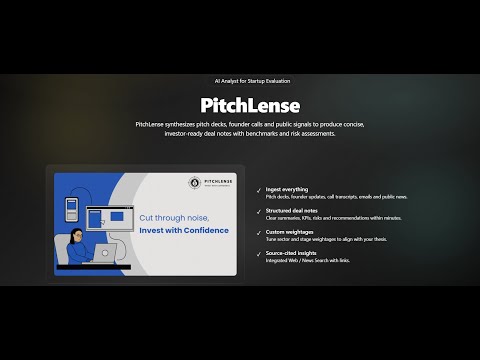
Click the image above to watch the tutorial on YouTube
🏗️ Architecture & System Design
Architecture Diagram
Our cloud-native architecture leverages Google Cloud Platform services for scalability, reliability, and AI capabilities:
<div align="center"> <img src="screenshot/arch.PNG" alt="PitchLense Architecture Diagram" width="100%"> </div>Key Components:
- Frontend: React.js with Tailwind CSS hosted on Cloud Run
- Backend: Node.js Express API with Cloud Run Functions
- Database: Cloud SQL (MySQL) with Cloud Storage for file management
- AI Layer: Vertex AI, Gemini, Vision API, Natural Language API
- MCP Agents: Cloud Run Functions for modular AI agents
- CI/CD: GitHub Actions with Artifact Registry deployment
Process Flow
Our intelligent workflow combines multiple AI services and guardrails for secure, accurate analysis:
<div align="center"> <img src="screenshot/process.PNG" alt="PitchLense Process Flow" width="100%"> </div>Workflow Highlights:
- Content Moderation: XSS, toxicity, profanity checks and prompt injection prevention
- Multi-Source Data: Google News, Perplexity, SerpAPI, LinkedIn integration
- Dynamic Prompts: Context-aware prompt generation with Gemini 2.5 Flash
- Agentic Conversation: Intelligent multi-agent coordination
- Feedback Loop: Continuous improvement through feedback agents
Tech Stack
Comprehensive technology ecosystem built for AI-powered startup analysis:
<div align="center"> <img src="screenshot/techstack.PNG" alt="PitchLense Tech Stack" width="100%"> </div>Technology Breakdown:
- Application Layer: React JS, Node.js, Express JS, Tailwind CSS, MySQL
- MCP Host: Python, FastMCP, DsPy, PyTest
- Infrastructure: Docker, Nginx, Cloud DNS, Cloud Run, Cloud SQL, Artifact Registry
- AI Services: Vertex AI, Gemini LLM, Agent Builder (ADK), Vision API, Model Registry
Features
📊 Comprehensive Startup Analysis
- AI-Powered Report Generation: Automated analysis using Google Gemini AI
- Multi-Document Analysis: Support for pitch decks, call recordings, meeting recordings, founder profiles, news reports, and company documents
- Growth Potential Scoring: Detailed 1-10 scale scoring with risk level assessment
- Risk Assessment: Comprehensive analysis across multiple risk dimensions
- Interactive Charts & Visualizations: D3.js knowledge graphs, radar charts, and financial visualizations
- Knowledge Graph: Interactive network visualization of startup ecosystem connections
- Liquid Glass UI: Modern glassmorphism design with animated components
- Radial Dock Navigation: Interactive circular navigation with 8 key features
- Movie Reel Slideshows: Animated vertical slideshows showcasing platform capabilities
🔍 Real-Time Search & Company Intelligence
- Symbol Search: Real-time search with FMP API integration (debounced search after 2 characters)
- Comprehensive Company Data:
- Company profile and overview
- Financial statements (Income Statement, Balance Sheet)
- Key metrics and KPIs
- Employee count and historical data
- Market capitalization trends
- Share float and liquidity data
- Key executives information
- Dividend history
- Press releases and latest news
- Quick Search: Top 10 companies accessible with one click
- Data Availability Status: Visual indicators showing which data sections are available
📈 Market Performance Dashboard
- Commodities Overview: Real-time pricing for 40 major commodities (Gold, Silver, Oil, etc.)
- Top Gainers & Losers: Daily top 10 stock movers with bar charts
- Treasury Rates: US Treasury yield curves across all maturities
- Economic Indicators:
- GDP and Real GDP per Capita
- Inflation rates
- Unemployment rates
- Recession probabilities
- Sector & Industry Performance: Historical performance tracking and P/E ratios
- Interactive Charts: All data visualized with Chart.js
📰 Market News & Intelligence
- General Market News: Latest financial news with images and sources
- Stock News: Company-specific news updates
- Crypto News: Cryptocurrency market updates
- Forex News: Foreign exchange market news
- Insider Trading: SEC Form 4 filings and insider transaction data
- Crowdfunding Campaigns: Latest Regulation CF offerings
- Equity Offerings: Form D filings and fundraising updates
- Acquisition Ownership: Beneficial ownership disclosures (Schedule 13D/13G)
- Quick Search: Top 50 companies for instant access to acquisition data
- Day-Level Browser Caching: Intelligent caching to reduce API calls
💼 Investment Portfolio Tracking
- Portfolio Management: Track all your startup investments
- Investment Metrics:
- Investment amount, equity percentage, valuation
- Funding rounds and investment types
- ROI calculations
- Status tracking (Active, Exited, Failed)
- Investment Updates: Track additional rounds, valuation changes, and exits
- Dashboard Analytics: Visual overview of portfolio performance
- Search & Filter: Find investments by startup name or investor
- Sorting: Sort by date, amount, or status
🧬 Founder DNA Analysis
- LinkedIn Profile Analysis: Upload founder LinkedIn PDFs for AI-powered evaluation
- Comprehensive Scoring:
- Overall founder score (1-10)
- Education quality assessment
- Work experience evaluation
- Leadership potential
- Technical expertise
- Startup experience
- Domain expertise
- Risk Assessment: Red flags, yellow flags, and strengths identification
- Actionable Insights: Specific recommendations and concerns
📧 Email Analysis
- Gmail Integration: Connect Gmail accounts for email analysis
- Email Pitch Analysis: AI-powered evaluation of pitch emails
- Startup Extraction: Automatically extract startup details from emails
- Report Generation: Create reports directly from email content
- Attachment Support: Handle email attachments in report creation
🎥 Meeting Assistant
- Meeting Recording Upload: Upload and analyze meeting recordings (MP4, WebM, MOV)
- Transcript Generation: Automatic transcription of meetings using AI
- AI Summary: Get key insights, action items, and decisions from meetings
- Interactive Results: Scrollable transcript and summary sections (80% viewport height)
- Download Reports: Export transcript and summary as separate text files
- Email Sharing: Send formatted HTML email reports with professional templates
- Bottom Dock Interface: Floating action dock with download and email buttons
- Integration with Reports: Link meeting insights to startup reports
🔗 Sharing & Export
- PDF Export: Download reports as professional PDFs
- PPTX Export: Generate PowerPoint presentations from reports
- Email Sharing: Share reports via email with formatted HTML
- Download Files: Access uploaded documents and analysis files
🤖 AI-Powered Q&A
- Interactive Chat: Ask questions about your report data
- Chat History: Persistent conversation history for each report
- Contextual Responses: AI responses based on specific report data
- Source Citations: AI lists sources used to answer questions
- PitchLense Branded Chat: Custom AI avatar with PitchLense logo
- Enhanced UI: Black text on yellow backgrounds for better readability
- LLM Guardrails:
- Confidence scoring (40-100%)
- Hallucination detection
- Source citation validation
- Content moderation
🌐 Browser Extension
- Chrome Extension: Analyze pitches directly from web pages
- Quick Analysis: One-click analysis of startup websites
- Gmail Integration: Analyze pitch emails in Gmail
- Extension Download: Download pre-configured extension directly from the app
🔐 Security & Performance
- Content Moderation: Google Cloud Natural Language API integration
- Rate Limiting: 10 requests per minute for LLM endpoints
- Response Caching: Intelligent caching (5-30 minutes) to reduce API calls
- Browser-Level Caching: Day-level caching for market data
- Secure Authentication: PBKDF2 password hashing with salt
- JWT Tokens: HttpOnly cookies for session management
- No Debug Logs: Production-ready with no sensitive data in logs
- CSP Headers: Content Security Policy for XSS protection
🎨 Modern UI/UX
- Dark Theme: Professional dark mode design throughout
- Liquid Glass Design: Modern glassmorphism with frosted glass effects
- Animated Components: Smooth animations and transitions
- Radial Navigation: Interactive circular dock with connecting lines
- Movie Reel Effects: Vertical scrolling slideshows with sprocket hole effects
- Team Showcase: Professional team section with hover effects
- Tech Stack Display: Animated technology showcase with staggered animations
- Responsive Design: Mobile and desktop friendly
- Loading States: Smooth loading animations
- Error Handling: User-friendly error messages with SweetAlert2
- Tooltips: Contextual help and information
- Centralized Navigation: Consistent navbar across all pages
Quickstart
Prerequisites
- Node.js (v14 or higher)
- npm or yarn
- MySQL 8.0+ or Google Cloud SQL
- Google Cloud Platform account (for Gemini AI, Storage, and Natural Language API)
Installation
- Install backend dependencies
cd backend
npm install
- Set up MySQL database
Run the database schema:
mysql -u your_user -p pitchlense < backend/database.sql
Or import into Cloud SQL via the GCP Console.
- Set up environment variables
Create a backend/.env file with the following variables:
# Google AI/Gemini API
GEMINI_API_KEY=your_gemini_api_key

# Financial Modeling Prep API
FMP_API_KEY=your_fmp_api_key

# Google Cloud Storage
BUCKET=your_gcs_bucket_name
GCS_BUCKET=your_gcs_bucket_name

# Google Cloud Project
GOOGLE_CLOUD_PROJECT=your_project_id

# Cloud Run deployment URL
CLOUD_RUN_URL=your_cloud_run_endpoint_url

# App
Truncated for display — read the full file on GitHub.
Related Skills
claude-mem
119.5kPersistent Context Across Sessions for Every Agent – Captures everything your agent does during sessions, compresses it with AI, and injects relevant context back into future sessions. Works with Claude Code, OpenClaw, Codex, Gemini, Hermes, Copilot, OpenCode + More
Agent-Reach
114.5kGive your AI agent eyes to see the entire internet. Read & search Twitter, Reddit, YouTube, GitHub, Bilibili, XiaoHongShu — one CLI, zero API fees.
Understand-Anything
94.1kGraphs that teach > graphs that impress. Turn any code into an interactive knowledge graph you can explore, search, and ask questions about. Works with Claude Code, Codex, Cursor, Copilot, Gemini CLI, and more.
hyperframes
89.4kOpen-source AI video editor: edit your own footage, or create and remake any video with Claude Code, Codex or the free Studio app. Write HTML, render MP4. By HeyGen.

Languages
Trust signals
From repository metadata: license, adoption, age and documentation. Not a code audit — see the Safety scan above for what the skill file itself contains.