
Lotusdocs
📖 A free, lightweight, modern documentation theme for Hugo
Install / Use
/learn @colinwilson/LotusdocsREADME
Lotus Docs
Lotus Docs is an easily updated and customisable Hugo theme for building fast, secure, and SEO-friendly documentation sites.

Check out the demo site https://lotusdocs.dev/docs/ (also doubles as the documentation guide for Lotus Docs 📖)
Features
- [x] Modern documentation layout
- [x] Responsive design / Mobile support
- [x] Fast, Accessible and SEO-Friendly (4 x 💯 scores on Google Lighthouse!)
- [x] Secure by default
- [x] Built on Bootstrap 5
- [x] Deploy on GitHub Pages, GitLab Pages, Vercel, Netlify, or Cloudflare Pages
- [x] Multilingual support (i18n)
- [x] Powerful Syntax Highlighting via Prism.js
- [x] Dark Mode
- [x] Custom fonts (via Google Fonts)
- [x] Custom icons (via Google Material Symbols)
- [x] Landing page template included
- [x] Documentation sidebar menu (with optional icons)
- [x] Table of Contents menu on each page (optional)
- [x] Customisable theme accent colour
- [x] Social media links (Github, Twitter, Instagram etc)
- [x] Static Search plugin option (powered by FlexSearch, enabled by default)
- [x] Support for DocSearch
- [x] Custom shortcodes (PrismJS, Alerts, Tabs, Tables)
- [x] Analytics (Google Analytics v4, Plausible Analytics)
- [x] Cross-browser testing via BrowserStack
- [x] Feedback widget
- [x] Math equations powered by KaTeX
- [x] Mermaid Support
- [x] Open Graph
Getting Started
Requirements
- Hugo Extended (minimum version: 0.140.0)
- git
- Go (minimum version v1.21)
Initialize your site as a Hugo Module
The Lotus Docs theme makes use of the Hugo Bootstrap Module. For this reason, it's necessary to initialize your site as a Hugo Module. If your site isn't already, use the hugo mod init command to initialize your site as a Hugo module:
hugo mod init github.com/<username>/<your-hugo-site-name>
Install Options
The Lotus Docs theme can be installed using one of the following methods:
- As a Hugo Module[^1] (recommended)
- As a Git submodule
- Clone the theme files locally
Prerequisites:
contentDirpresent in project folder
Install as a Hugo Module (recommended)
Edit the hugo.toml configuration file to include the Lotus Docs theme and the Hugo Bootstrap module as modules:
baseURL = 'http://example.org/'
languageCode = 'en-us'
title = 'My New Hugo Site'
contentDir = 'content'
enableEmoji = true

[module]
    [[module.imports]]
        path = "github.com/colinwilson/lotusdocs"
        disable = false
    [[module.imports]]
        path = "github.com/gohugoio/hugo-mod-bootstrap-scss/v5"
        disable = false

[markup]
    [markup.tableOfContents]
      endLevel = 3
      startLevel = 1
  [markup.goldmark]
    [markup.goldmark.renderer]
      unsafe = true # https://jdhao.github.io/2019/12/29/hugo_html_not_shown/
  [markup.goldmark.parser]
    [markup.goldmark.parser.attribute]
      block = true
Install as a Git Submodule
From the root of your project run the following git commands:
git init
git submodule add https://github.com/colinwilson/lotusdocs themes/lotusdocs
Edit the hugo.toml config file:
baseURL = 'http://example.org/'
languageCode = 'en-us'
title = 'My New Hugo Site'
contentDir = 'content'
enableEmoji = true

[module]
    # uncomment line below for temporary local development of module
    # or when using a 'theme' as a git submodule
    replacements = "github.com/colinwilson/lotusdocs -> lotusdocs"
    [[module.imports]]
        path = "github.com/colinwilson/lotusdocs"
        disable = false
    [[module.imports]]
        path = "github.com/gohugoio/hugo-mod-bootstrap-scss/v5"
        disable = false

[markup]
    [markup.tableOfContents]
      endLevel = 3
      startLevel = 1
  [markup.goldmark]
    [markup.goldmark.renderer]
      unsafe = true # https://jdhao.github.io/2019/12/29/hugo_html_not_shown/
  [markup.goldmark.parser]
    [markup.goldmark.parser.attribute]
      block = true
Install Locally
There may be cases where you prefer to customize and maintain the Lotus Docs theme yourself. In such cases, use git to clone the theme into the themes/lotusdocs directory:
git clone https://github.com/colinwilson/lotusdocs themes/lotusdocs
Edit the hugo.toml config file:
baseURL = 'http://example.org/'
languageCode = 'en-us'
title = 'My New Hugo Site'

[module]
    # uncomment line below for temporary local development of module,
    # when using a 'theme' as a git submodule or git cloned files
    replacements = "github.com/colinwilson/lotusdocs -> lotusdocs"
    [[module.imports]]
        path = "github.com/colinwilson/lotusdocs"
        disable = false
    [[module.imports]]
        path = "github.com/gohugoio/hugo-mod-bootstrap-scss/v5"
        disable = false
Create New Content
Navigate to the root of your Hugo project and use the hugo new command to create a file in the content/docs directory:
hugo new docs/example-page.md
This will create a markdown file named example-page.md with the following default front matter:
---
title: "Example Page"
description: ""
icon: "article"
date: "2023-05-22T00:27:57+01:00"
lastmod: "2023-05-22T00:27:57+01:00"
draft: false
toc: true
weight: 999
---
Modify the above front matter options to suit your needs.
Preview your site locally
Now that you've created some sample content you can preview your new Lotus Docs site using the huge server command:
hugo server -D
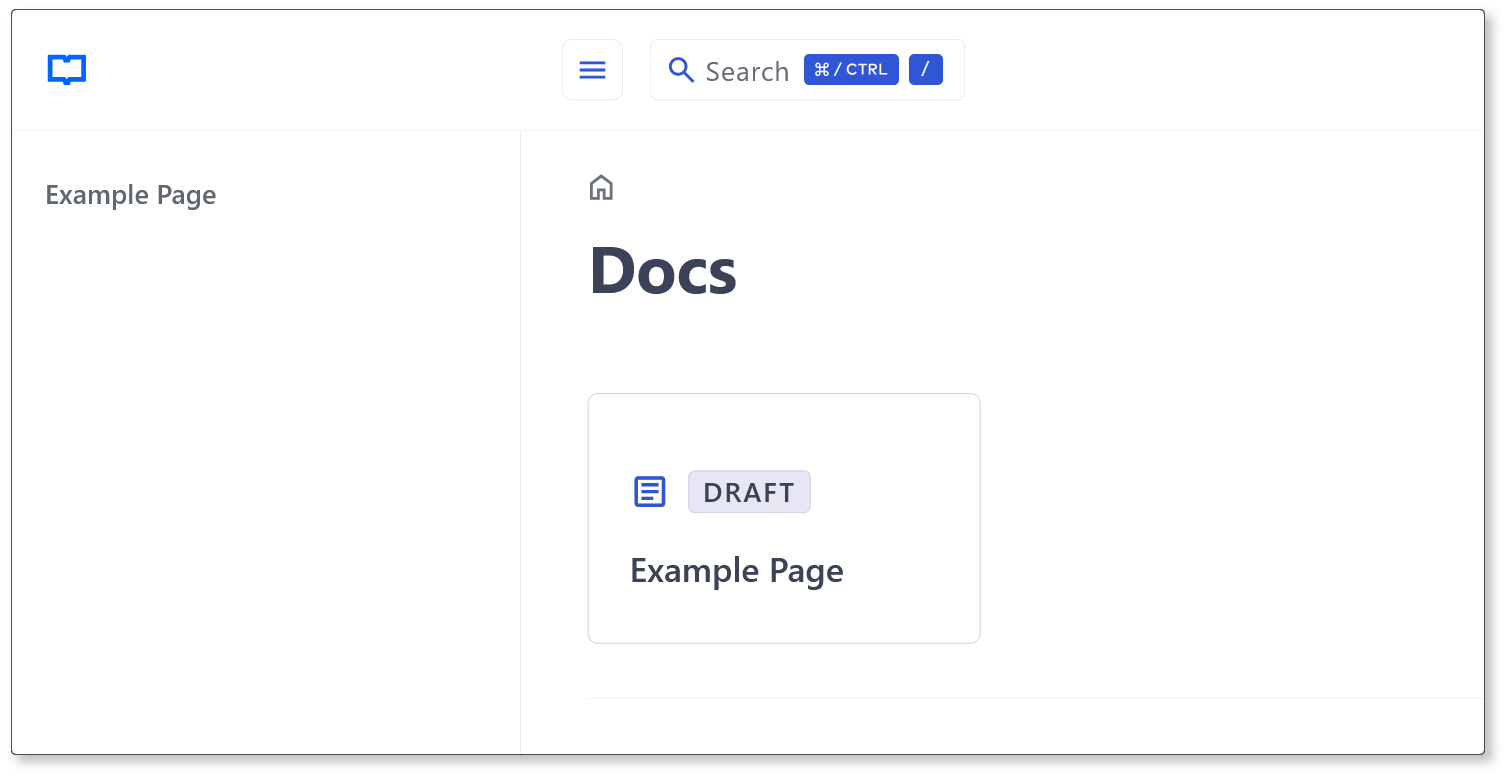
Navigate to localhost:1313/docs/ and you should see a card link to the Example Page created earlier:
Author
Copyright © 2022-2025 Colin Wilson
[^1]: Hugo Modules
Related Skills
node-connect
333.7kDiagnose OpenClaw node connection and pairing failures for Android, iOS, and macOS companion apps
prose
333.7kOpenProse VM skill pack. Activate on any `prose` command, .prose files, or OpenProse mentions; orchestrates multi-agent workflows.
frontend-design
82.0kCreate distinctive, production-grade frontend interfaces with high design quality. Use this skill when the user asks to build web components, pages, or applications. Generates creative, polished code that avoids generic AI aesthetics.
Writing Hookify Rules
82.0kThis skill should be used when the user asks to "create a hookify rule", "write a hook rule", "configure hookify", "add a hookify rule", or needs guidance on hookify rule syntax and patterns.
