
AiShell
AiShell: A Natural Language Shell like GitHub Copilot X, Powered by ChatGPT
Install / Use
/learn @code-yeongyu/AiShellQuality Score
Category
Development & EngineeringSupported Platforms
README
AiShell 🤖




A simple Python code that connects to OpenAI's ChatGPT and executes the returned results.
If you are interested in these projects, please checkout AiShell's brother project: YGK-a. YGK-a is a client for the ChatGPT from your terminal, and also supports unix/linux pipelines.
Demo
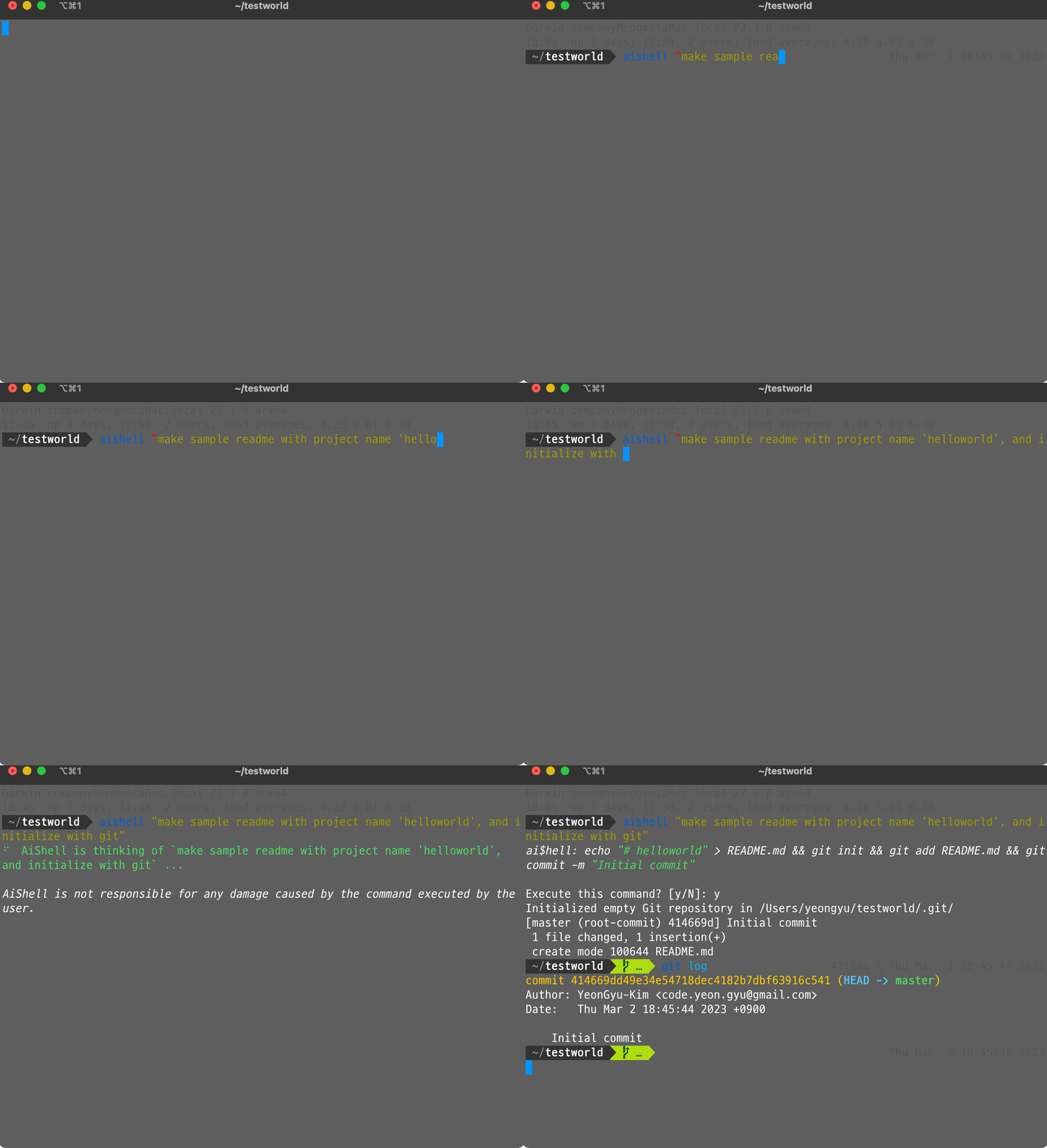
Key Features 💡
- Interact with your computer using natural language
- Automatically executes the command from the response of ChatGPT
- Good for complex tasks like handling Git and extracting tar files
- No need to search StackOverflow for commands,
AiShellhas got you covered AiShellsimplifies the process of setting up and retrieving tokens or API keys.- With
AiShell, you don't have to worry about the technical details. - Simply install
AiShell, execute it, and you're ready to go!
- With
Prerequisites 📚
- Python 3.9+
- ChatGPT Account (or OpenAI Account)
Getting Started 🚀
To begin using AiShell, start by installing it with pip:
pip install aishell
Or you can use pipx:
pipx install aishell
Once you've installed AiShell, you can start using it right away.
For example, to print "Hello World" using AiShell, enter the following command:
aishell 'print Hello World'
Advanced Settings 🛠
By default, AiShell is configured to use the reverse-engineered ChatGPT client and retrieve login information from your browser, so you don't need to configure anything to use AiShell. However, for those who want to use different models with an OpenAI API Key, you can configure it as follows:
- Create an account on OpenAI.
- Go to https://platform.openai.com/account/api-keys and copy your API key.
- Modify or create the
~/.ygka_openai_config.jsonfile as follows:
{
    ...
    "language_model": "official_chatgpt",
    "openai_api_key": "<your OpenAI API key>"
}
Here, you can add your OpenAI API key. This will enable AiShell to use the official chatgpt api and the API key when executing commands.
Contributions 💬
Feel free to contribute to AiShell by adding more functionality or fixing bugs.
Related Skills
node-connect
344.1kDiagnose OpenClaw node connection and pairing failures for Android, iOS, and macOS companion apps
claude-opus-4-5-migration
96.8kMigrate prompts and code from Claude Sonnet 4.0, Sonnet 4.5, or Opus 4.1 to Opus 4.5
frontend-design
96.8kCreate distinctive, production-grade frontend interfaces with high design quality. Use this skill when the user asks to build web components, pages, or applications. Generates creative, polished code that avoids generic AI aesthetics.
model-usage
344.1kUse CodexBar CLI local cost usage to summarize per-model usage for Codex or Claude, including the current (most recent) model or a full model breakdown. Trigger when asked for model-level usage/cost data from codexbar, or when you need a scriptable per-model summary from codexbar cost JSON.
