
Smp.nvim
NeoVim Markdown Previewer, Outliner, Incremental Searcher and more
Install / Use
/learn @cnshsliu/Smp.nvimREADME
Simple Markdown Previewer, Outliner and Incremental Searcher
A lightweight, easy-to-use Markdown preview and outline and incrementally search plugin for NeoVim, which live updates and feature-rich, to fully unleash your Markdown imagination.
Yes, we preview, outline and incrementally search Markdown in one plugin: "cnshsliu/smp.nvim", by Markdown lover for Markdown lover. If you love this plugin also, pin me a star or buy me a coffee.
1️⃣ Quick Start 2️⃣ Screenshots 3️⃣ All Features
Latest Update 📣:
2023-04-19 updates:
Use your markdown as a slide deck. We support Remark now.
you can use :Smp<cr> to bring up command palette, then choose "remark slideshow" to preview your markdown as a slide deck.
2023-04-18 updates:
- press Control-Enter on a wiki under cussor, will open it;
- toggle auto preview on/off, see this command in command palette;
- on MacOS, previewing MD will not lose focus of current Neovim window;
2023-04-17 updates:
😀 Show Tags, links, backlinks in preview browser tab. Can disable by setting
show_navigation_panel = false,
show_navigation_content = false,
Tags, links, backlinks allow you navigate among MDs conveniently.
😀 Update browser extension: 1. keep only one preview tab for each MD; 22. Active preview tab for current MD; update now, place three files into a folder and follow chrome/edge extension instruction to install it manually to Edge or Chrome browser.
😀 Excited to let you know another new feature: "Edit back in Neovim", the scenario is: 1. edit one markdown FILE_A, 2. preview FILE_A. 3. in previewing browser, navigate to another markdown FILE_B, 4. click on "Edit in Neovim", 5, the FILE_B markdown is opend in Neovim. exremely improve my markdown editing experience, give it a try by yourself
😀 TOC 1. genrated TOC right in MD; 2. include TOC with {toc}
😀 Command Panel with :Smp<cr>
😀 Break long line, break long line into multiple lines
😀 Convert URL into markdown link automatically, scenario: visiting a site, copy & paste it's URL from browser to Neovim, or drag a link to NeoVim, the URL will be converted into a link: [Web Page Title](web page url) automatically.
😀 Switch browser tab automatically when we edit multiple Markdowns
You may be editing several Markdown files in NeoVim at the same time, when you switch from one file to another, you'd like to let browser to switch previewing tab to your current editing Markdown.
😀 Make a Markdown link on Drag and dropping file from Finder, this one is very useful for me, I can use it to manage files on local disk, or.... drag files from IM group other people sent into Markdown.
🎉🎉🎉 See more exiting features for Markdown lover...
Or, take a look at what commands we have, you will have a quick glance of what this plugin can do:
Quick start with Packer
use {
  'cnshsliu/smp.nvim',
  run="cd server && npm install",   -- yes, we should have node & npm installed.
  requires = {
    "nvim-telescope/telescope.nvim",
    "MunifTanjim/nui.nvim",
  },

}

require("smp").setup({
    --where are your MDs
    home = vim.fn.expand("~/zettelkasten"),
    -- for Telekasten user, don't use Telekasten? keep this line, no harm
    templates = home .. "/" .. "templates",
    -- your custom markdown css, if not defined or not exist,
    -- will use the default css
    smp_markdown_css = "~/.config/smp/my_markdown.css",
    -- your markdown snippets, if not defined or not exist,
    -- snippets like {snippet_1} will keep it's as-is form.
    smp_snippets_folder = "~/.config/smp/snippets",
    -- copy single line filepath into 'home/assets' folder
    -- default is true
    copy_file_into_assets = true,
})
Screenshots
<img width="1192" alt="image" src="https://user-images.githubusercontent.com/2124836/227623987-31653e82-4304-4307-adea-6183d726a588.png">All Features
Besides the basic features of markdown preview, this plugin has the following:
-
- Command Panel with
:Smp<cr> - Clickable wiki links
- Show images on web and local disk
- Clickable Telekasten note (zk etc.)
- A red block indicator points to current editting line
- Example Setup
- Highlight current line in code blocks
- PlantUML
- Latex
- Mermaid
- References link
- Custom Markdown CSS support
- Markdown Template Snippet
- A simple requirement scenario is to have the same {header} and {footer} for all your Markdown.
- Smooth scrolling to current line, sync between NeoVim and browser
- Drop files from Finder into Neovim, and convert it to link automatically. 🎉
- Switch browser tab automatically when you switch among multiple Markdown files
- Convert URL into markdown link automatically
- TOC
- Break long line into multiple lines
- Insert blank lines between lines
- Command Panel with
-
- Show Book in a standalone buffer
:SmpBook
- Show Book in a standalone buffer
-
- Search by tags incrementally
:SmpSearchTag - Search by text incrementally
:SmpSearchText - Saved search
- Search by tags incrementally
-
- Sync Todo with MacOS Reminder Application 🎉 so we can
sync todo lists among iPhone Reminder, Mac Book Reminder and Neovim
- Sync Todo with MacOS Reminder Application 🎉 so we can
-
On the roads:
- Fully customizable
- One key (command) in NeoVim to start print in browser, there, you could
choose to send to a physical printer or print to PDF. - and more... (fully unleash your imagination, you ask, I implement )
Previewer
Preview your markdown on-the-fly.
Wiki Link Support
Clickable Wiki link or telekasten link in double bracket form: [[WIKI_WORD]] If the target local MD file does not exist, show it in warning color.

Images
Show images both from web URL and local disk. for example:


The first image is loaded from it's web URL, the second is loaded from local disk.
Telekasten Note
Same as Wiki links actually, a Telekasten Note named "Work" is written as [[Work]],
and there is a file named Work.md accordingly on the disk.
If this file does not exist, it will be shown in warning color, or else, you can
click it to jump to the note directly in the preview.
Cursor following
A red block indicator always locates at the current line you are editting
If you don't like it, just disable it by including
show_indicator = false,
in your setup()
Or, SmpIndicator 0 to disable, SmpIndicator 1 to enable,
and SmpIndicator -1 to use "show_indicator" value defined in setup()
Example Configuration
    require("smp").setup({
        home = require("telekasten").Cfg.home or vim.fn.expand("~/zettelkasten"),
        templates = home .. "/" .. "templates",
        smp_markdown_css = "~/.config/smp/my_markdown.css",
        smp_snippets_folder = "~/.config/smp/snippets",
        copy_file_into_assets = true,
        show_indicator = true,
        auto_preview = true,
        show_navigation_panel = true,
        show_navigation_content = true,
    })
Codes line highlight
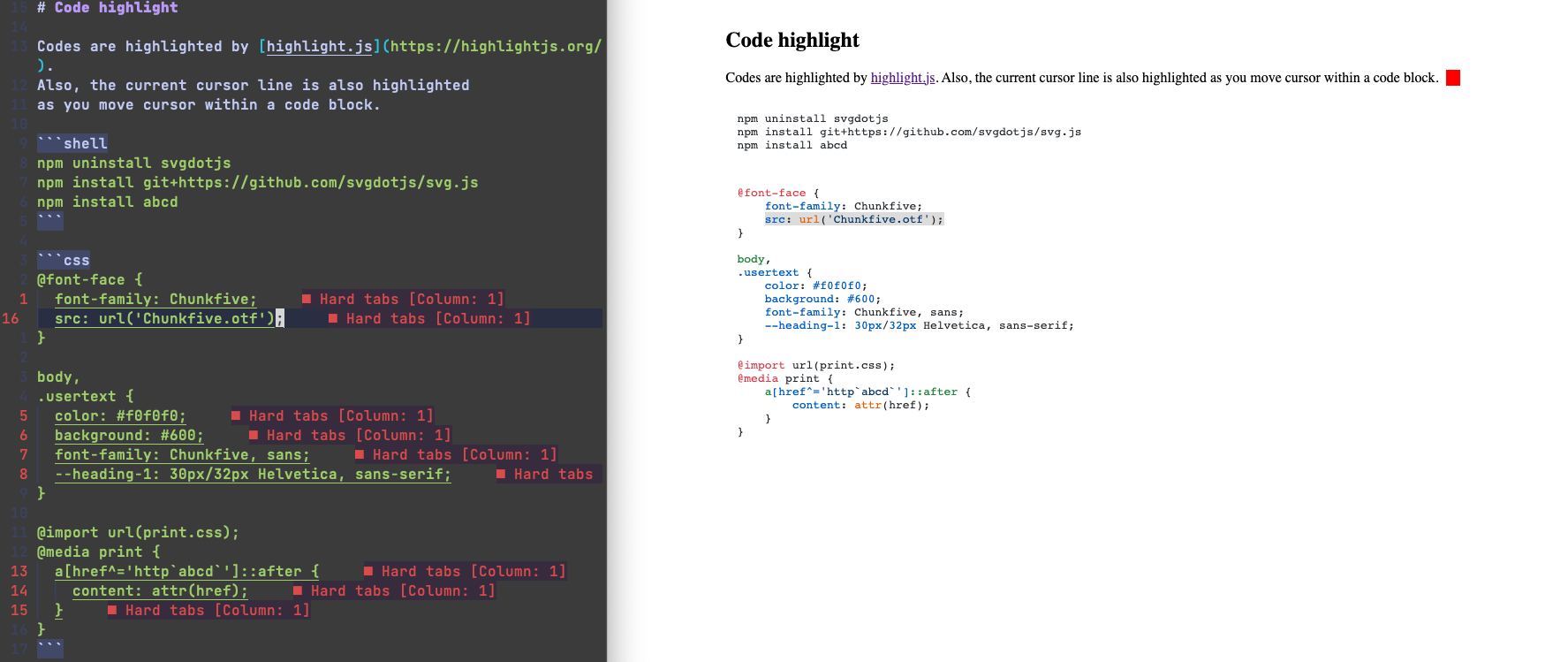
If you move cursor into a line within a code block, that line will also be highlighted.
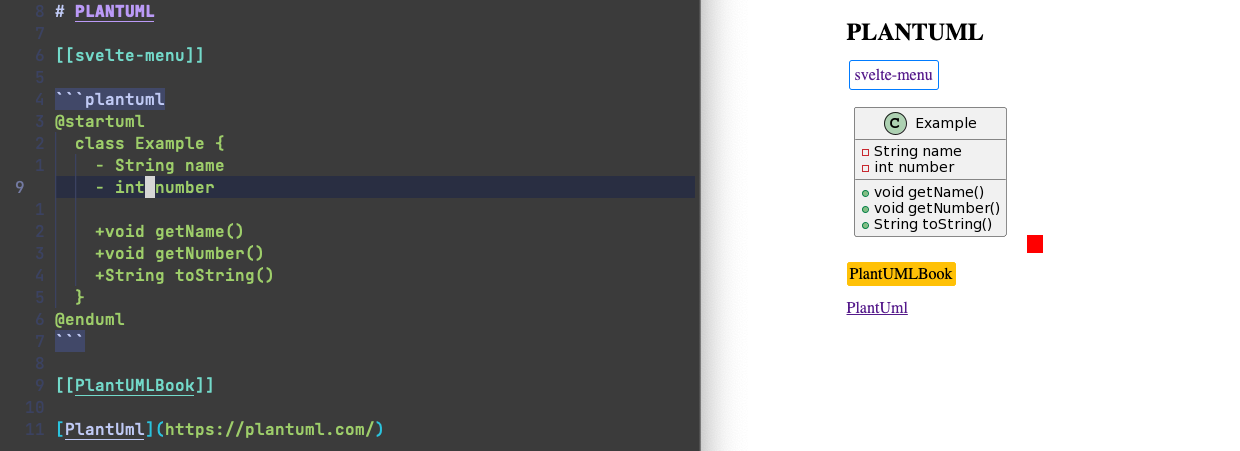
PlantUML
Latex

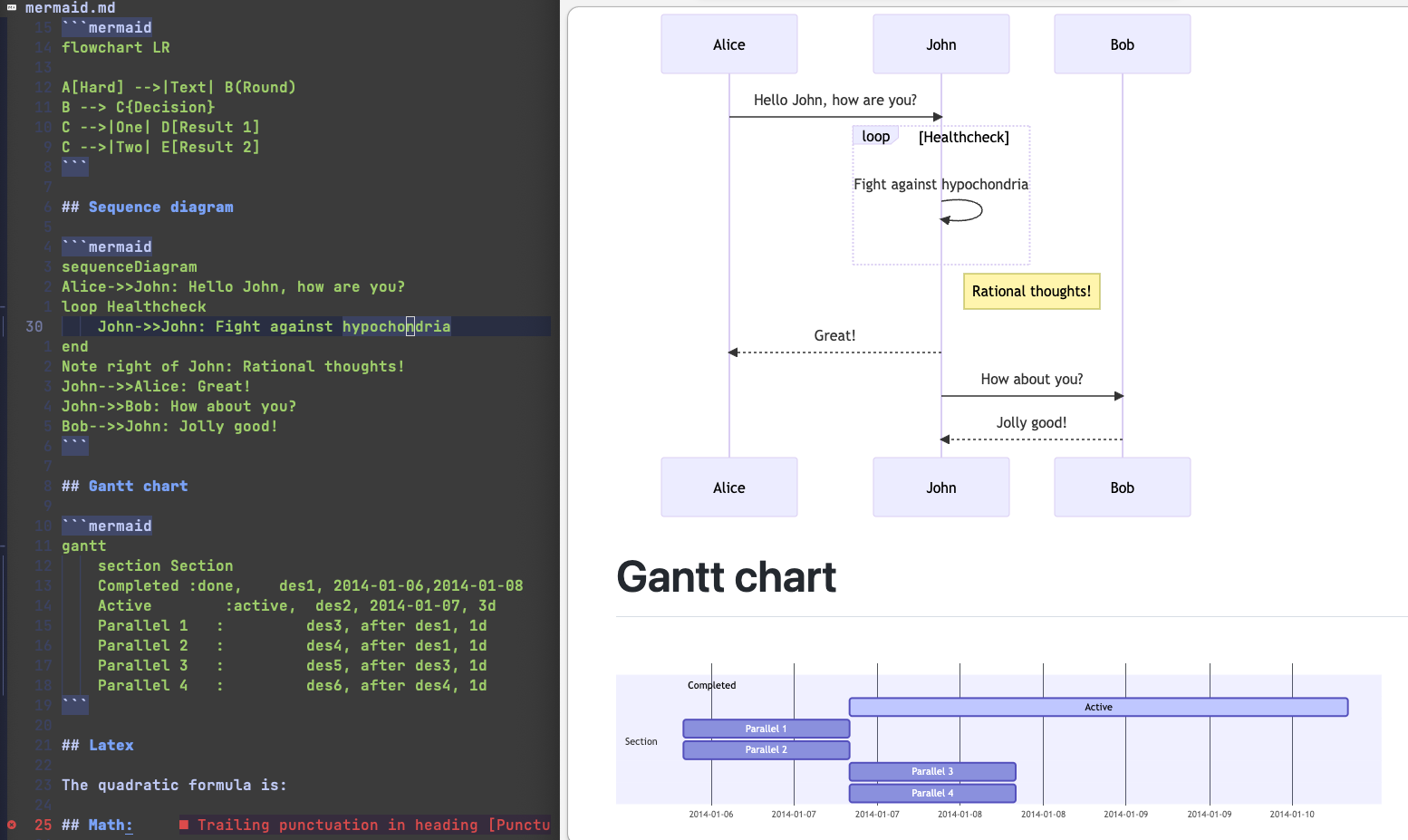
Mermaid
References link
For example, if you have following Markdown text,
the [Marked] and [Markdown] will be displayed as
linkes to https://github.com/markedjs/marked/ and http://daringfireball.net/projects/markdown/
[Marked] lets you convert [Markdown] into HTML. Markdown
is a simple text format whose goal is to be very easy to read and write,
even when not converted to HTML. This demo page will let you type
anything you like and see how it gets converted. Live. No more waiting around.

[Marked]: https://github.com/markedjs/marked/
[Markdown]: http://daringfireball.net/projects/markdown/
Custom Markdown CSS
You may use your own markdow
