
Durdraw
Versatile ASCII and ANSI Art text editor for drawing in the Linux/Unix/macOS terminal, with animation, 256 and 16 colors, Unicode and CP437, and customizable themes
Install / Use
/learn @cmang/DurdrawREADME
Durdraw
              __                __
            _|  |__ __ _____ __|  |_____ _____ __ __ __
           / _  |  |  |   __|  _  |   __|  _  |  |  |  |\
          /_____|_____|__|__|_____|__|___\____|________| |
          \_____________________________________________\|  v 0.29.0
Overview
Durdraw is an ASCII, Unicode and ANSI art editor for UNIX-like systems (Linux, macOS, etc). It runs in modern Utf-8 terminals and supports frame-based animation, custom themes, 256 and 16 color modes, terminal mouse input, DOS ANSI art viewing, CP437 and Unicode mixing and conversion, HTML output, mIRC color output, and other interesting features.
Durdraw is heavily inspired by classic ANSI editing software for MS-DOS and Windows, such as TheDraw, Aciddraw and Pablodraw, but with a modern Unix twist.
Requirements
- Python 3 (3.10+ recommended)
- Linux, macOS, or other Unix-like System
Optional Requirements
-
ansiloveFor PNG and animated GIF export, please install
ansilove(https://ansilove.org/) and make sure it is is in your path.
PNG and GIF export only works in 16-color mode for now, and only with CP437 compatible characters. -
neofetchFor durfetch support, please install
neofetchand place it in your path.
Installation
You can install durdraw via several methods:
After installing, you should be able to run durdraw. Press esc-h for help, or try durdraw --help for command-line options.
If you just want to run it without installing, see Running Without Installing. You can also install via the included Dockerfile.
Via OS Repositories

Via Source Repository
-
Download and extract, or use git to download:
git clone https://github.com/cmang/durdraw.git cd durdraw -
Install or upgrade using pip:
python3 -m pip install --upgrade . -
Optionally, install some themes and a sample configuration file for your local user into
~/.durdraw/:./installconf.shThis will place durdraw.ini into
~/.durdraw/and the themes into~/.durdraw/themes/.
Via pip
Alternatively, you can install the pip package pip directly (Please note that this installation method does not include everything, i.e. the example dur files under examples/, or the entrypoint scripts in the section below)
# install `master` branch version:
python3 -m pip install 'git+https://github.com/cmang/durdraw'

# install specific version:
python3 -m pip install 'git+https://github.com/cmang/durdraw@0.28.0'

# install `dev` branch version:
python3 -m pip install 'git+https://github.com/cmang/durdraw@dev'
Running Without Installing
You can run Durdraw with:
./start-durdraw
To look at some included example animations:
./start-durdraw -p examples/*.dur
Gallery
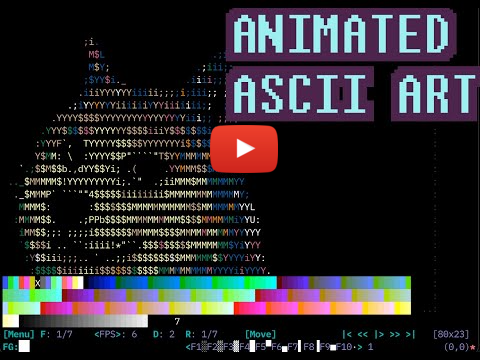
Tutorials
| | |
|-|-|
| |
 |
|
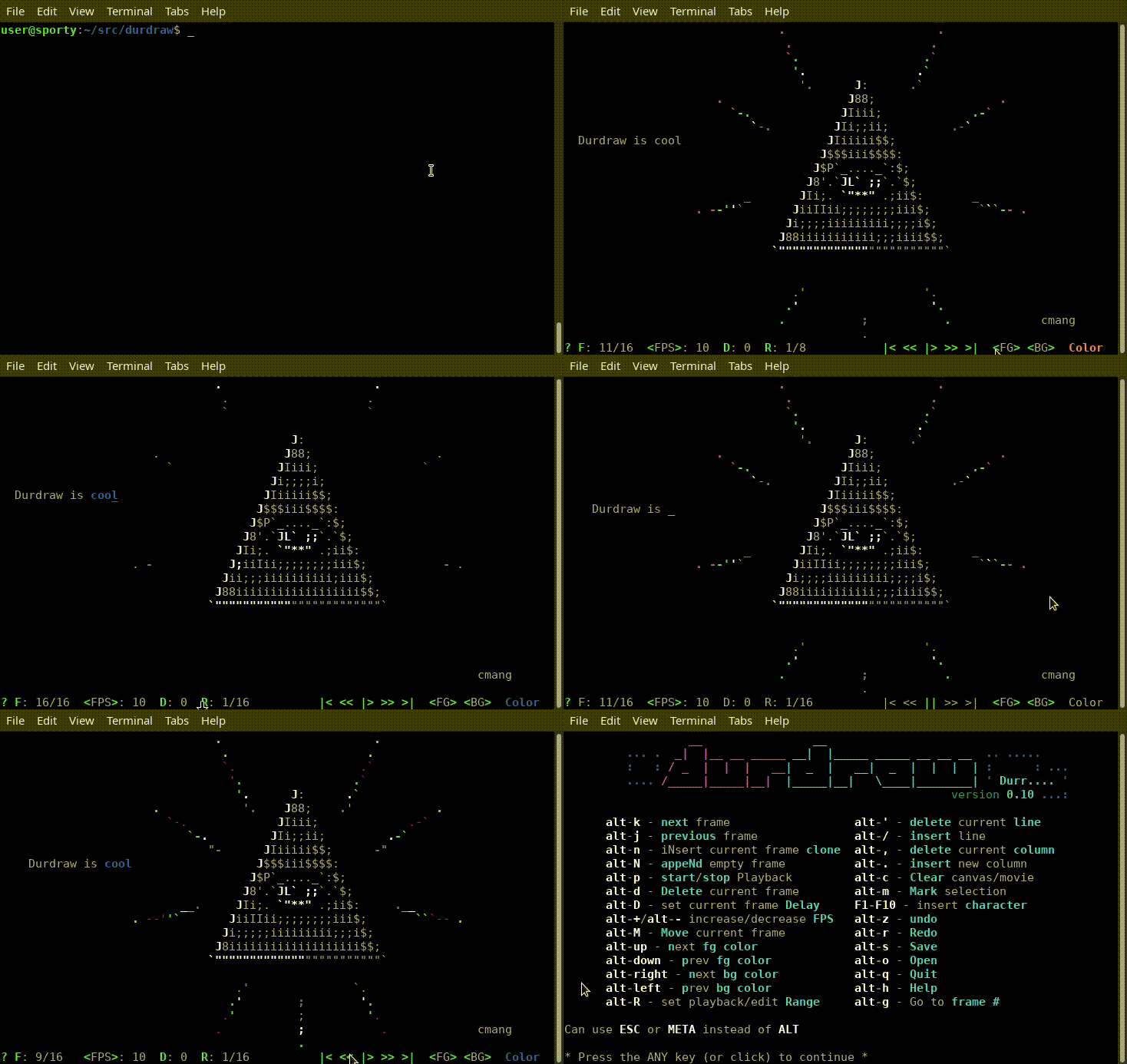
Screenshots
| | |
|-|-|
| |
 |
|
|
|  |
|  |
|
|
|  |
|  |
|
Usage
Command Line
You can play a .dur file or series of .dur (or .ANS or .ASC) files with:
durdraw -p filename.dur
durdraw -p file1.dur file2.dur file3.dur ...
Or view a downloaded ANSI artpack with:
durdraw -p *.DIZ *.ASC *.ANS
Other command-line options:
usage: durdraw [-h] [-p PLAY [PLAY ...]] [-d DELAYEXIT] [-x TIMES] [--256color | --16color] [-b] [-W WIDTH] [-H HEIGHT] [-m]
                     [--wrap WRAP] [--nomouse] [--cursor CURSOR] [--notheme] [--theme THEME] [--cp437] [--export-ansi] [-u UNDOSIZE]
                     [--fetch] [-V]
                     [filename]

positional arguments:
  filename              .dur or ascii file to load

options:
  -h, --help            show this help message and exit
  -p PLAY [PLAY ...], --play PLAY [PLAY ...]
                        Just play .dur, .ANS or .ASC file or files, then exit
  -d DELAYEXIT, --delayexit DELAYEXIT
                        Wait X seconds after playback before exiting (requires -p)
  -x TIMES, --times TIMES
                        Play X number of times (requires -p)
  --256color            Try 256 color mode
  --16color             Try 16 color mode
  -b, --blackbg         Use a black background color instead of terminal default
  -W WIDTH, --width WIDTH
                        Set canvas width
  -H HEIGHT, --height HEIGHT
                        Set canvas height
  -m, --max             Maximum canvas size for terminal (overrides -W and -H)
  --wrap WRAP           Number of columns to wrap lines at when loading ASCII and ANSI files (default 80)
  --nomouse             Disable mouse support
  --cursor CURSOR       Cursor mode (block, underscore, or pipe)
  --notheme             Disable theme support (use default theme)
  --theme THEME         Load a custom theme file
  --cp437               Display extended characters on the screen using Code Page 437 (IBM-PC/MS-DOS) encoding instead of Utf-8.
                        (Requires CP437 capable terminal and font) (beta)
  --export-ansi         Export loaded art to an .ansi file and exit
  -u UNDOSIZE, --undosize UNDOSIZE
                        Set the number of undo history states - default is 100. More requires more RAM, less saves RAM.
  --fetch               Replace fetch strings with Neofetch output
  -V, --version         Show version number and exit
Interactive Usage/Editing
- Use the arrow keys (or mouse) and other keys to edit, much like a text editor.
- You can click highlighted areas of the screen.
- You can use the "Esc" (or "Meta") key to access keyboard shortcuts and commands:
   ____________.       _________   __________ _________  _____          _______
.-\\___     /  |______/  _     /.-\\___     //  _     /_/  _  \_.____.  \     /
|    |/    /   |    /    /    /:|    |/    /    /    /Y    Y    Y    |  /    /
|    /    /|   |   /    _   _/ ||    /    /:   _   _/ :    _    |    /\/    /
|        /:|   :    :   Y      |:        /:|   Y      |    Y    |          /:H7
|____     |_________|___|      |_____     |____|      |    |____|____/\_____|
.-- `-----' ----------- `------': - `-----' -- `------'----' -----------------.
|                                                                             |
`-----------------------------------------------------------------------------'

  .. Art Editing .....................   .. Animation .......................
  : F1-F10 - insert character        :   : esc-k - next frame               :
  : esc-1 to esc-0 - same as F1-F10  :   : esc-j - previous frame           :
  : esc-space - insert draw char     :   : esc-p - start/stop payback       :
  : esc-c/tab - color picker         :   : esc-n - clone frame              :
  : esc-left - next fg color         :   : esc-N - append empty frame       :
  : esc-right - prev fg color        :   : esc-d - delete frame             :
  : esc-up - change color up         :   : esc-D - set frame delay          :
  : esc-down - change color down     :   : esc-+/esc-- - faster/slower      :
  : esc-' - insert line              :   : esc-R - set playback/edit range  :
  : esc-; - delete line              :   : esc-g - go to frame #            :
  : esc-. - insert column            :   : esc-M - move frame               :
  : esc-, - delete column            :   : esc-{ - shift frames left        :
  : esc-] - next character group     :   : esc-} - shift frames right       :
  : esc-[ - previous character group :   :..................................:
  : esc-S - change character set     :
  : esc-L - replace color            :   .. UI/Misc .........................
  : esc-y - eyedrop (pick up color)  :   : esc-m - main menu                :
  : esc-P - pick up character        :   : esc-a - animation menu           :
  : esc-l - color character          :   : esc-t - mouse tools              :
  : shift-arrows - select for copy   :   : esc-z - undo                     :
  : esc-K - mark selection           :   : esc-r - redo                     :
  : esc-v - paste                    :   : esc-V - view mode                :
  :..................................:   : esc-i - file/canvas info         :
                                         : esc-I - character inspector      :
  .. File Operations .................   : esc-F - sear
Related Skills
node-connect
337.4kDiagnose OpenClaw node connection and pairing failures for Android, iOS, and macOS companion apps
frontend-design
83.2kCreate distinctive, production-grade frontend interfaces with high design quality. Use this skill when the user asks to build web components, pages, or applications. Generates creative, polished code that avoids generic AI aesthetics.
openai-whisper-api
337.4kTranscribe audio via OpenAI Audio Transcriptions API (Whisper).
commit-push-pr
83.2kCommit, push, and open a PR
