
MotionSaver
Any video as your lockscreen
Install / Use
/learn @chinmay-sawant/MotionSaverREADME
Repository Badges


MotionSaver: Your Dynamic Video Screensaver/Lockscreen 🚀
Transform your dull desktop into a lively and dynamic space! MotionSaver brings your screen to life with video wallpapers when you're away, combining the elegance of macOS live wallpapers with powerful customization for Windows.
Installation & Usage ⚡
For detailed installation steps, refer to the
Installation Guide.
To learn how to use MotionSaver after installation, see the Usage section below.
Upcoming Updates 🆕
- 🔑 Key blocking will only be enabled after pressing Win + S (for better usability).
- 🖥️ Register the batch file as a Windows service so MotionSaver starts automatically in the background when Windows boots.
- ⏲️ Automatic Activation After Idle: The screensaver will automatically activate if your computer is idle for more than 2 minutes. This feature is configurable in the settings GUI.
Support & Contribute ⭐
If you like this application, please consider starring the GitHub repository ⭐ to show your support!
-
🐞 Found an issue?
Please log it under Issues so it can be tracked and resolved. -
👩💻 Want to contribute?
If you're a developer, feel free to assign issues to yourself—just leave a comment 📝 indicating when you expect to complete it. Contributions of all kinds are welcome!
Demo 🎬
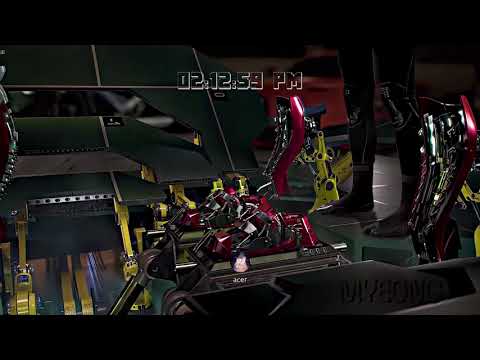
Check out MotionSaver in action:

🚨 IMPORTANT SECURITY WARNING 🚨
This application is intended for personal and home use only.
Due to the complexity of blocking all Windows system shortcuts, it is possible to bypass the screensaver using certain key combinations (e.g., Alt+Tab, Win+D). This could grant unauthorized access to your desktop.
⚠️ DO NOT use MotionSaver in public spaces, offices, or any environment where security is a concern. The project is an ongoing effort, and full lock-screen security is not yet implemented. Use at your own risk.
Features ✨
🎥 Core Video Engine
- Dynamic Video Backgrounds: High-performance video playback using OpenCV with GPU acceleration.
- Multi-format Support: Plays MP4, AVI, MOV, and more.
- Performance Optimized: Minimal CPU usage with automatic GPU detection and dedicated graphics card preference.
- Smart GPU Selection: Automatically detects and prefers dedicated graphics cards over integrated ones for optimal performance.
🖥️ Display & UI
- Multi-monitor Support: Main content on your primary monitor while others black out.
- Customizable Clock: Adjust font, size, color, and position.
- User Profile Display: Show your profile picture and username.
- Transparent Overlays: Clean, non-intrusive UI.
- GPU-Accelerated Rendering: Leverages hardware acceleration for smooth video playback.
🔒 Security & Access Control
- Password Protection: Elegant, macOS-style login prompt.
- Basic Key Blocking: Prevents common exit attempts. (Note: Not foolproof, see warning above).
📊 Real-time Widgets
- Weather Widget: Current conditions and a 2-day forecast.
- Stock Market Widget: Real-time prices for NASDAQ, NYSE, NSE, BSE, and Crypto.
- Media Player Widget: Control media from Spotify, YouTube, and other apps.
⚙️ Configuration & Customization
- Easy-to-use GUI: A simple interface to manage all your settings.
- Widget Management: Toggle any widget on or off.
- Video & Profile Management: Easily select videos and manage user profiles.
- GPU Selection: Choose preferred graphics card for video rendering in the settings.
Usage 👨💻
Run the application with different modes from your command prompt or terminal:
- Settings GUI: Run
Gui.batas administrator - Screensaver Mode: Use
MotionSaver.batto start the screensaver service - System Tray Mode: Use
MotionSaver.batto run in the background
No Python commands are required for normal usage.
Technology Stack 🛠️
- Core: Python, OpenCV, Tkinter, Pillow
- Media: Pygame, Mutagen, WinSDK
- Windows Integration: PyWin32, PyStray, Keyboard
- APIs: Open-Meteo (Weather), Yahoo Finance (Stocks)
Contributing 🤝
Contributions are welcome! Feel free to fork the repository, make changes, and submit pull requests.
- Report bugs or suggest features.
- Contribute code, documentation, or improvements.
This project is maintained by Chinmay Sawant.
Found a bug or have a suggestion? Please use this form: Submit an Issue or Suggestion
About the Project 💡
This project started as a dream inspired by Wallpaper Engine and the beautiful live wallpapers on macOS. For years, it was just an idea. But with the rise of AI development tools like GitHub Copilot, that dream became a reality in a single weekend. This application is a testament to the power of AI-assisted coding, turning what would have taken months into a 20-hour sprint.
I built it for my own personal use, and I'm sharing it in case others find it cool too. Enjoy!
Community & Feedback
If you have any issues, want to report bugs, or would like to leave feedback, please use the MotionSaver Subreddit.
What Works & What Doesn't 🛠️
✅ Working Features
- Screensaver Activation: The main feature—activating the screensaver—is fully functional. MotionSaver listens for
Win + Sin the background when you runMotionSaver.bat, allowing you to quickly launch the screensaver at any time. - Background Listening: The app reliably detects the
Win + Sshortcut for screensaver activation when running in tray mode.
⚠️ Known Limitations
- Low-Level Key Hooks: Some system key hooks are not fully effective due to Windows restrictions. For example, combinations like
Alt + Win + Tabcan be released or bypassed after pressing the rightAltkey once. - Shortcut Bypass: Certain Windows shortcuts (e.g.,
Alt+Tab,Win+D) may still exit or minimize the screensaver, as noted in the security warning above.
Tip: For the best experience, start the background service using MotionSaver.bat and use Win + S to activate the screensaver. Be aware of the current limitations with system shortcuts.
