
PyPDFForm
:fire: The Python library for PDF forms.
Install / Use
/learn @chinapandaman/PyPDFFormREADME
Introduction
PyPDFForm is a Python library for PDF form processing. It contains the essential functionalities needed to interact with PDF forms:
- Inspect what data a PDF form needs to be filled with.
- Fill a PDF form by simply creating a Python dictionary.
- Create form fields on a PDF.
It also supports other common utilities such as extracting pages and merging multiple PDFs together.
Installing
Install using pip:
pip install PyPDFForm
Quick Example

A sample PDF form can be found here. Download it and try:
from PyPDFForm import PdfWrapper

filled = PdfWrapper("sample_template.pdf", need_appearances=True).fill(
    {
        "test": "test_1",
        "check": True,
        "test_2": "test_2",
        "check_2": False,
        "test_3": "test_3",
        "check_3": True,
    },
)

filled.write("output.pdf")
After running the above code snippet you can find output.pdf at the location you specified,
and it should look like this.
Documentation
The official documentation can be found on the GitHub page of this repository.
Other Resources
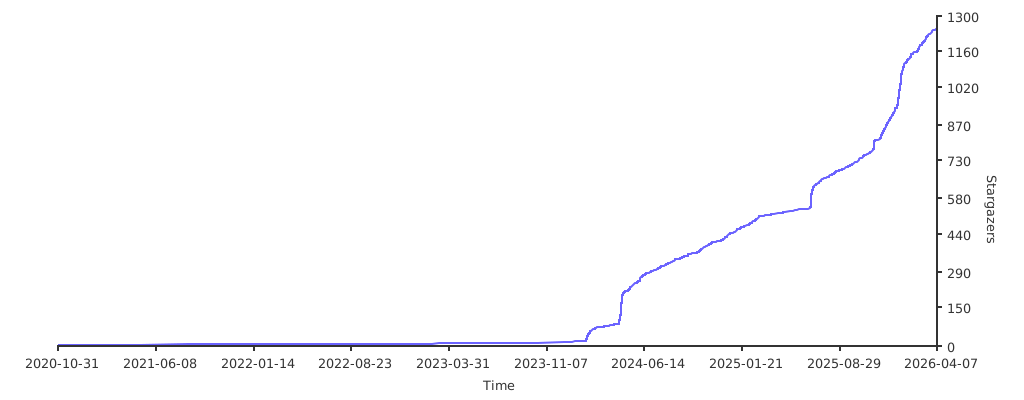
<!-- TODO: remove WIP when finish recording -->Star History
This project is maintained entirely in my spare time. If you like the project please consider starring the GitHub repository. It is the best way to keep me motivated and continue making the project better.
Related Skills
node-connect
350.8kDiagnose OpenClaw node connection and pairing failures for Android, iOS, and macOS companion apps
claude-opus-4-5-migration
110.4kMigrate prompts and code from Claude Sonnet 4.0, Sonnet 4.5, or Opus 4.1 to Opus 4.5
frontend-design
110.4kCreate distinctive, production-grade frontend interfaces with high design quality. Use this skill when the user asks to build web components, pages, or applications. Generates creative, polished code that avoids generic AI aesthetics.
model-usage
350.8kUse CodexBar CLI local cost usage to summarize per-model usage for Codex or Claude, including the current (most recent) model or a full model breakdown. Trigger when asked for model-level usage/cost data from codexbar, or when you need a scriptable per-model summary from codexbar cost JSON.
