
EasyRecyclerView
史上最精简Refresh RecyclerView库: 通过Kotlin语言,基于MVVM模式,通过DataBinding,ViewModel,LiveData技术,实现了RecyclerView最精简封装,比paging3更精简,无需关心分页,什么下拉刷新,加载更多,分页算法,创建adapter,关联listData,数据为空时自定义emptyView的显示,都可以不用再去关心了,提前加载下一页,让列表展示更加丝滑,同时添加了置顶功能,可从底部迅速回到顶部,最少的代码,实现最全的功能。
Install / Use
/learn @chenliangj2ee/EasyRecyclerViewREADME
EasyRecyclerView
,
史上最精简Refresh RecyclerView库: 通过Kotlin语言,基于MVVM模式,通过DataBinding,ViewModel,LiveData技术,实现了RecyclerView最精简封装,比paging3更精简,无需关心分页,什么下拉刷新,加载更多,分页算法,创建adapter,关联listData,数据为空时自定义emptyView的显示,都可以不用再去关心了,提前加载下一页,让列表展示更加丝滑,同时添加了置顶功能,可从底部迅速回到顶部,最少的代码,实现最全的功能。
EasyRecyclerView最新优化版,详见https://github.com/chenliangj2ee/Project-Android-MVVM-Component-Jetpack项目实战View :MyRefreshRecyclerView;
效果展示【图1:单Type类型;图2:多Type类型】:
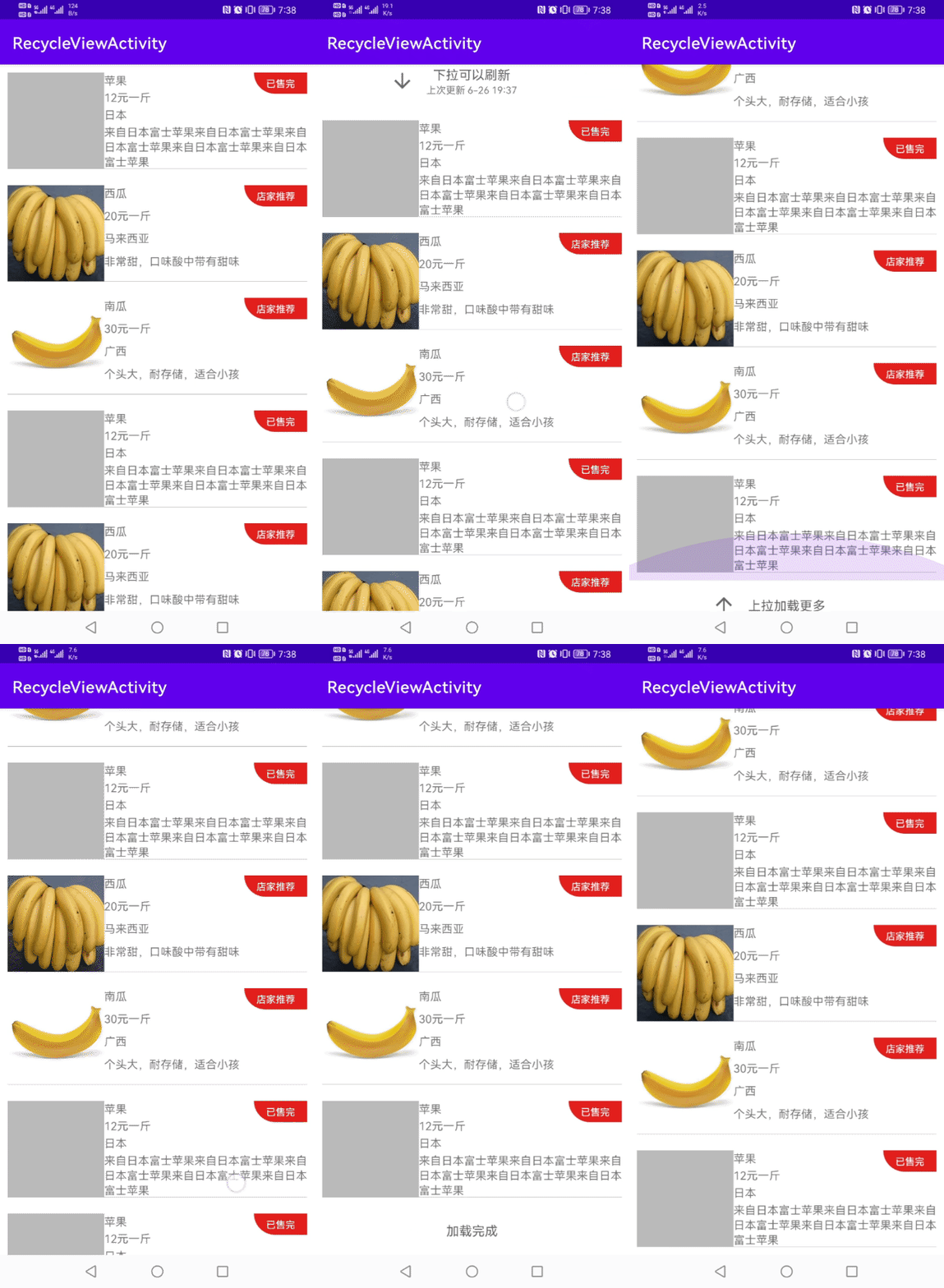
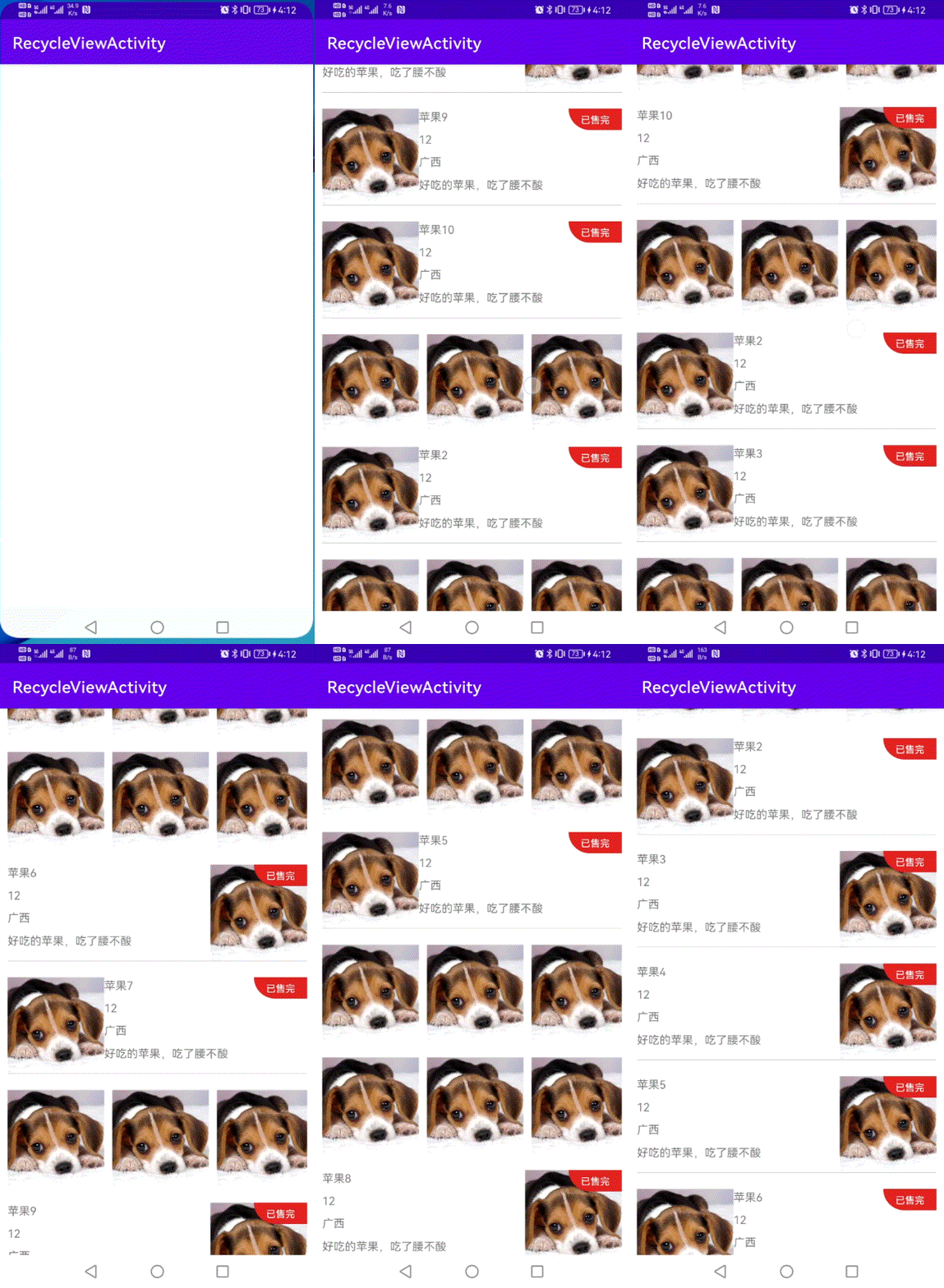
一、使用步骤:
第一步:在project build.gradle中添加:
    	allprojects {
		repositories {
			...
		       maven { url 'https://jitpack.io' }
		}
	}
第二部:在module.gradle中添加:
    dependencies {
	       implementation 'com.github.chenliangj2ee:EasyRecyclerView:1.5.0'
	}
二、Activity继承自MyBaseActivity【也可以继承自己定义的】:
    class RecyclerViewActivity : MyBaseActivity<ActivityRecycleviewBinding, PruductListViewModel>() {

    override fun layoutId(): Int {
        return R.layout.activity_recycleview;
    }

    //创建自定义的ViewModel class
    override fun initViewModelClass(): Class<PruductListViewModel> {
        return PruductListViewModel::class.java
    }

    //model必须继承RecyclerViewData ,itemType对应布局类型,如下0,1,2,对应的布局依次是R.layout.item_product_0,R.layout.item_product_1,R.layout.item_product_2
    //如果后台给的type类型名称不是itemType,请使用@SerializedName自定义属性名字为itemType,itemType为int类型数据
    override fun initCreate() {

   	refresh.putItemByType("0", R.layout.item_product_0)
        refresh.putItemByType("1", R.layout.item_product_1)
        refresh.putItemByType("2", R.layout.item_product_2)
        refresh.bindData<Product> {
            if (it.itemType == 0) (it.binding as ItemProduct0Binding).product = it
            if (it.itemType == 1) (it.binding as ItemProduct1Binding).product = it
            if (it.itemType == 2) (it.binding as ItemProduct2Binding).product = it
        }

        refresh.loadData {
	    viewModel.getProducts(refresh.pageIndex, refresh.pageSize)
            viewModel.ps.obs(this) {
            it.y { refresh.addData(it.data) }//向refresh添加数据
            it.n {refresh.stop()}//失败的时候调用
        }
	}


    }

}
三、对应R.layout.activity_recycleview(ActivityRecycleviewBinding)布局,
-----app:my_item_layout="@layout/item_product":当为单个item布局时,可以这么指定item布局
-----app:my_empty_layout="@layout/layout_empty":指定列表数据为null时显示的布局
-----app:my_top_enable="true":是否启用回到顶部功能
    <?xml version="1.0" encoding="utf-8"?>
    <layout xmlns:android="http://schemas.android.com/apk/res/android"
    xmlns:app="http://schemas.android.com/apk/res-auto"
    xmlns:tools="http://schemas.android.com/tools">

    <com.chenliang.library.view.MyRefreshRecyclerView
        android:id="@+id/refresh"
        android:layout_width="match_parent"
        android:layout_height="match_parent"
        app:my_empty_layout="@layout/layout_empty"
        app:my_item_layout="@layout/item_product"
	app:my_top_enable="true"/>
</layout>
四、对应的item布局:
<?xml version="1.0" encoding="utf-8"?>
   <layout xmlns:android="http://schemas.android.com/apk/res/android"
  >
	 <data>
	        <variable
	            name="product"
	            type="com.ktl.mvvm.model.Product" />
	 </data>
     <LinearLayout
        android:layout_width="0dp"
        android:layout_height="match_parent"
        android:layout_weight="1"
        android:orientation="vertical">
        <TextView
            android:layout_width="match_parent"
            android:layout_height="0dp"
            android:layout_weight="1"
            android:text="@{product.name}" />

        <TextView
             android:layout_width="match_parent"
             android:layout_height="0dp"
             android:layout_weight="1"
             android:text="@{product.price}" />
      </LinearLayout>
</layout>
五、对应ViewModel
class PruductListViewModel : ViewModel() {

    var products = MutableLiveData<ArrayList<Product>>()

    fun getProducts(pageIndex: Int, pageSize: Int) {
        //模拟网络访问
        Handler().postDelayed(Runnable {
            var results = ArrayList<Product>()
            results.add(Product("苹果",  "12元一斤",   "", "日本",  "来自日本富士苹果 ",  0))
            results.add(Product("苹果",  "12元一斤",   "", "日本",  "来自日本富士苹果 ",  0))
            results.add(Product("苹果",  "12元一斤",   "", "日本",  "来自日本富士苹果 ",  0))
            products.value = results

        }, 1000)

    }
}
请资助我一个棒棒糖吧,在此感谢:
<img width="406" alt="微信图片_20210609173434" src="https://user-images.githubusercontent.com/4067327/121332592-989b2780-c94a-11eb-9543-a4e00db3b759.png">Related Skills
node-connect
341.0kDiagnose OpenClaw node connection and pairing failures for Android, iOS, and macOS companion apps
frontend-design
84.4kCreate distinctive, production-grade frontend interfaces with high design quality. Use this skill when the user asks to build web components, pages, or applications. Generates creative, polished code that avoids generic AI aesthetics.
openai-whisper-api
341.0kTranscribe audio via OpenAI Audio Transcriptions API (Whisper).
commit-push-pr
84.4kCommit, push, and open a PR
