
Cencurity
Policy-driven security proxy for LLM. Inspect and block dangerous code in real time.
Install / Use
/learn @cencurity/CencurityREADME

Cencurity
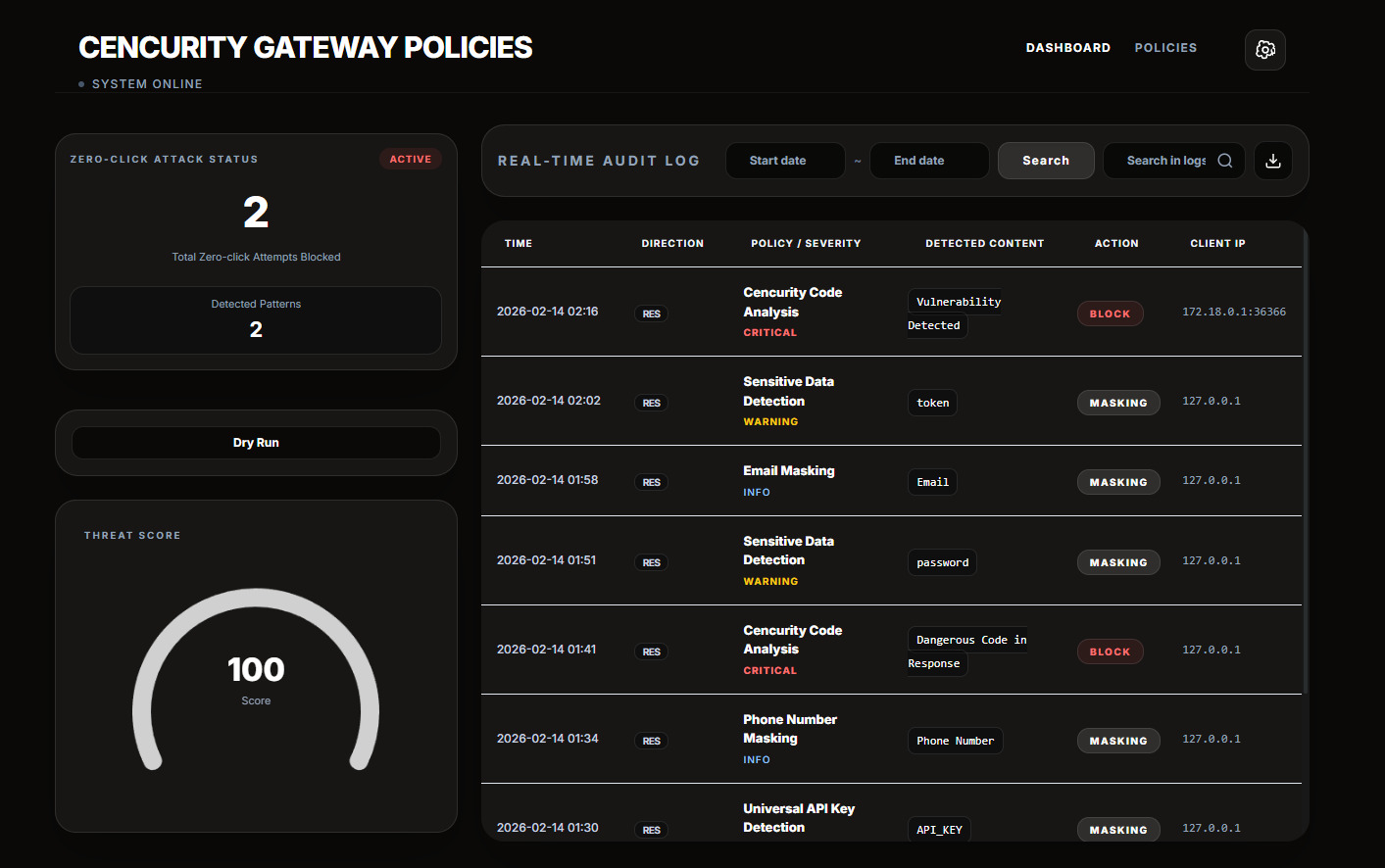
Real-time security for AI-generated code inside VS Code.
The problem
AI coding tools generate code instantly.
But security checks happen too late — during review or after execution.
This creates a blind spot where insecure code can slip through unnoticed.
What Cencurity does
Cencurity sits between your IDE and the model.
It inspects generated code in real-time and blocks unsafe patterns before they reach your system.
What it does
- Opens the Cencurity Security Center inside VS Code.
- Routes supported LLM traffic through a local security gateway.
- Inspects requests and responses against configurable security policies.
- Blocks unsafe code patterns and masks sensitive data in real time.
- Logs only policy violations, blocks, and masking events — normal traffic is never stored.
- Keeps your existing provider API key where it already lives.
- Automatically installs and configures Roo Code if it is not already present.
- Applies local security scanning before LLM responses reach your editor.
Quickstart
- Install the extension from the VS Code Marketplace.
- Open Command Palette
Ctrl+Shift+PorCommand+Shift+P(macOS) and runCencurity: Enable Protection. - If Roo Code is not installed, Cencurity will install it automatically and reload the window if needed.
- Select your LLM provider and enter your provider URL (for example
https://api.x.ai). - Open Command Palette again and run
Cencurity: Open Security Center.
That's it — protection is now active. Cencurity routes traffic through a local gateway and applies security scanning before responses reach Roo Code.
Note: Automatic proxy setup currently targets Roo Code. GitHub Copilot traffic is not supported.
Features
Security Event Dashboard
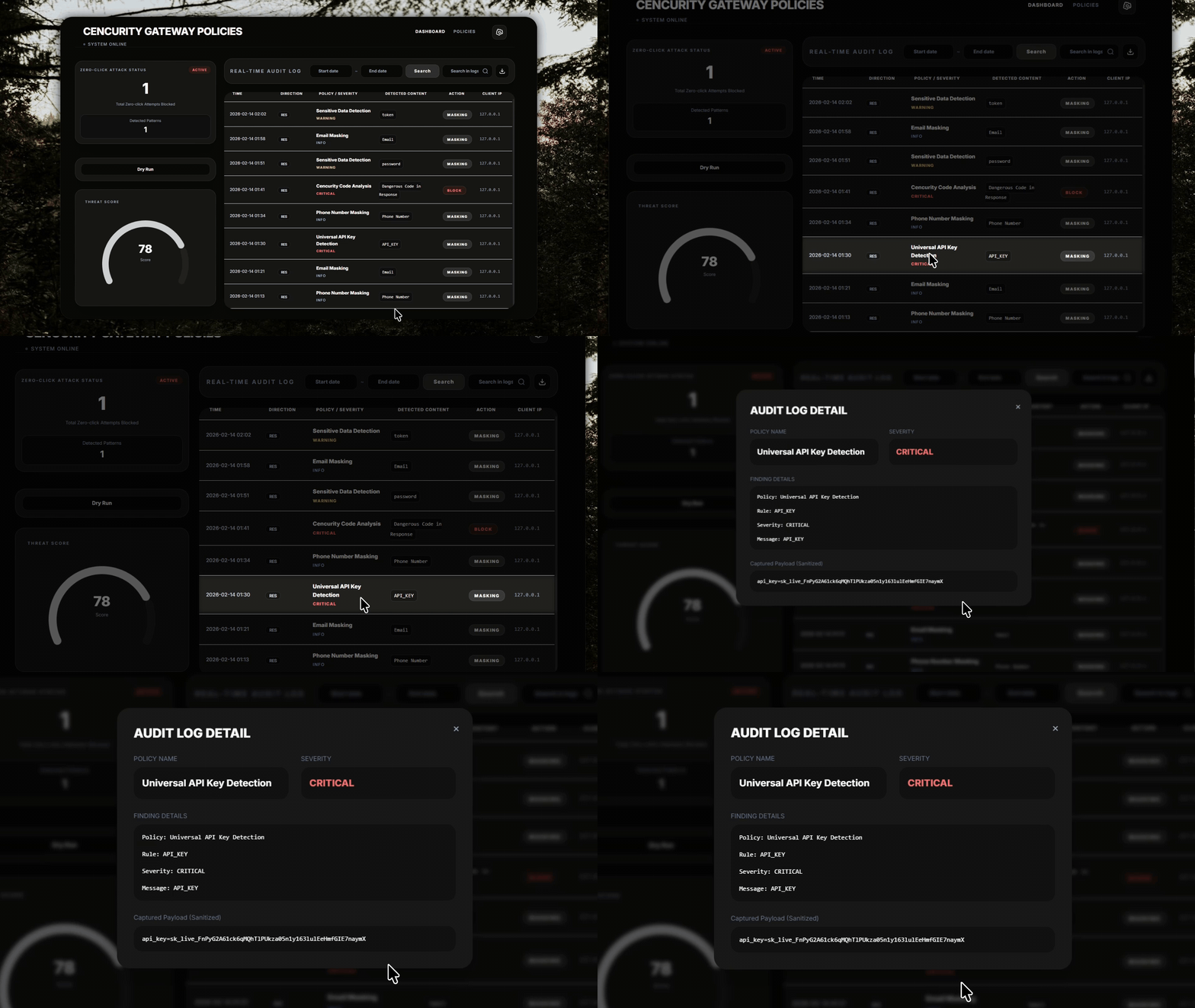
- View policy violations, blocks, and masking events in real time
- See exactly what was detected, which policy triggered, and what action was taken
- Normal requests are not logged — only security-relevant events appear
Dry Run Mode
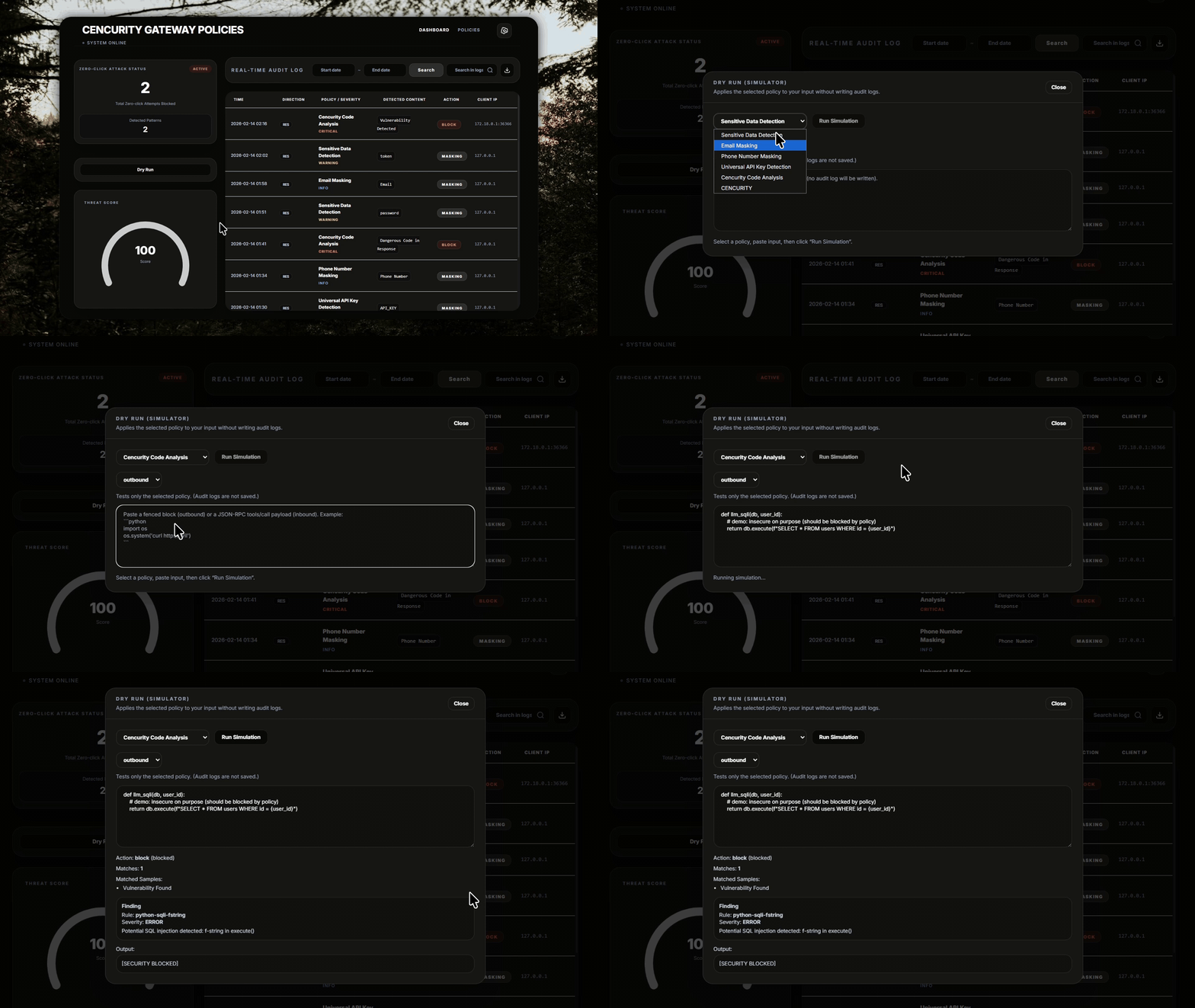
- Simulate execution without risk
- Understand behavior before anything runs
Zero-click Attack Detection
- Detect dangerous patterns instantly
- Block risky operations like
subprocess, shell execution, and similar unsafe flows
Command Palette
Search for cencurity in the VS Code Command Palette to access the main actions:
Cencurity: Open Security Center— open the Security Center dashboard inside VS CodeCencurity: Enable Protection— turn protection on and select your LLM providerCencurity: Disable Protection— turn protection off and restore previous supported routing settingsCencurity: Test Protection— verify that requests are reaching the local proxyCencurity: Show Runtime Info— inspect the local runtime and protection stateCencurity: Install or Update Core— install or refresh the local core runtime
Supported providers
- OpenAI
- Anthropic
- Gemini
- OpenRouter
- Other OpenAI-compatible LLMs
How it works
IDE → Cencurity Security Gateway → LLM Provider
- Your API key stays in your IDE.
- Requests are routed through a local security gateway on
127.0.0.1:38180. - Responses are scanned locally against security policies before they reach your editor.
- Only policy violations are recorded — normal traffic passes through without logging.
What is CAST?
CAST (Code-Aware Security Transformation) protects a moment that existing tools don't cover.
| Model | When it runs | Main job | Typical result |
|-------|-------------|----------|----------------|
| CAST | while the model is still writing code | stop unsafe output before it reaches the developer | allow, redact, block |
| SAST | after code already exists | scan code for vulnerabilities | findings after generation |
| DAST | against a running app | test runtime behavior | runtime issues after deployment or staging |
| IAST | inside an instrumented app | watch real execution paths | internal runtime findings |
The point is not that CAST replaces SAST. The point is that CAST protects a different moment: while code is being generated.
Cencurity is the first tool built on CAST.
Notes
- Automatic proxy setup currently targets Roo Code. If Roo Code is not installed, Cencurity will install it automatically and reload the window when needed.
- Routing applies to supported env-based routing paths. Some extensions may bypass VS Code environment settings.
- Only security events (policy violations, blocks, masking) are persisted. Normal request content is never stored.
- Public source exposure is intentionally minimized; older private runtime and embedded UI trees are not included here.
Related Skills
pestel-analysis
Analyze political, economic, social, technological, environmental, and legal forces
next
A beautifully designed, floating Pomodoro timer that respects your workspace.
product-manager-skills
41PM skill for Claude Code, Codex, Cursor, and Windsurf: diagnose SaaS metrics, critique PRDs, plan roadmaps, run discovery, and coach PM career transitions.
snap-vis-manager
The planning agent for the snap-vis project. Coordinates other specialized agents and manages the overall project roadmap.

Security Score
Audited on Mar 30, 2026