
Raytracing
C++ Ray Tracer based on Peter Shirley's Ray Tracing in One Weekend
Install / Use
/learn @cdgco/RaytracingREADME
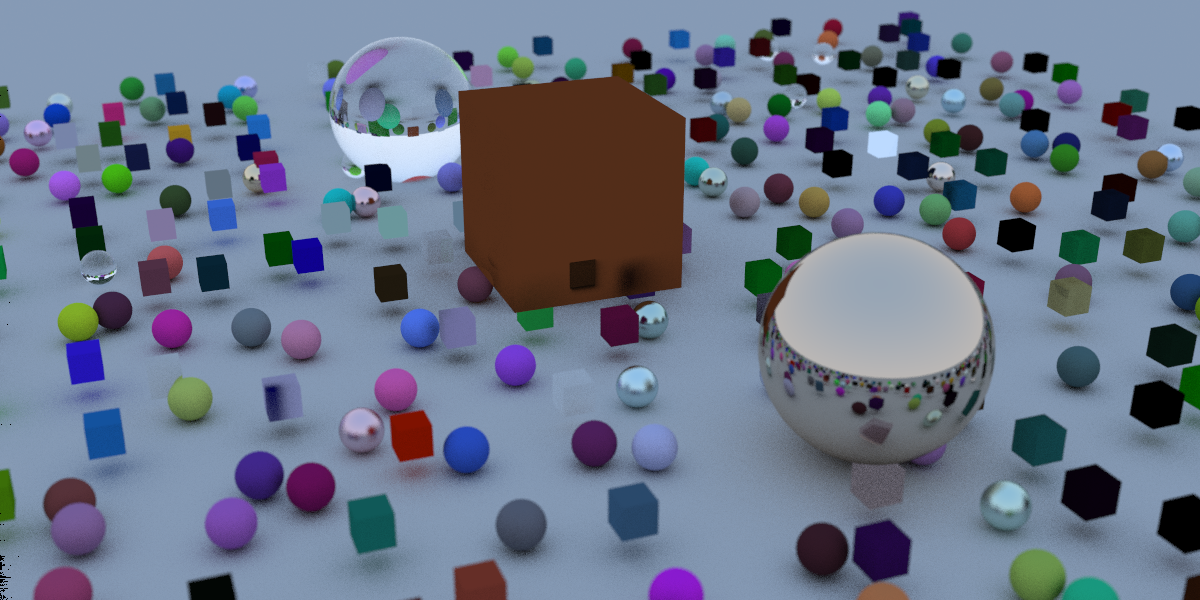
C++ / OpenCL Ray Tracer
C++ / OpenCL Ray Tracer based on Peter Shirley's Ray Tracing in One Weekend
Usage
The ray tracer function is contained in the RayTracer.h file.
To initialize a ray tracer, create a new instance: RayTracer* tracer = new RayTracer(DIMENSIONS, QUALITY, CAMERA)<sup>†</sup>.
†: Camera setting is optional
Then, set the camera parameters for the output image (only necessary if not initialized in first step): tracer->SetCamera(...).
Next, use the following format for each object in the render: tracer->AddItem(new OBJECT).
Then, call the render function to output an image: tracer->Render(FILENAME) or tracer->clRender(FILENAME).
Use Render() to render in C++ on the CPU or clRender() to render in OpenCL on the GPU.
Finally, destruct the instance: delete tracer; or ray_tracer->ClearItems();.
Optionally, you may display the performance data or automatically open the image in the default image viewer by calling: ray_tracer->ShowPerformance(); or ray_tracer->OpenImage();
Example:
#include "ray_tracer.h"

int main() {

	RayTracer* tracer = new RayTracer({ 200, 100 });
	tracer->SetCamera(Vector3D(10, 0, 0));
	tracer->AddItem(&Sphere(Vector3D(0,0,0), 1, new Dielectric(1.3)));
	tracer->Render("ImageName");
	delete tracer;

	return 0;
}
Variable Descriptions
OBJECT:Sphere:- Description: Sphere Object
- Format:
Sphere(Vector3D(LOCATION), SIZE, MATERIAL) - Example:
Sphere(Vector3D(0), 1, new Lambertian(Vector3D(0.51, 0.7, 1.0)))
Box- Description: Box Object
- Format:
Box(Vector3D(BOUND1), Vector3D(BOUND2), MATERIAL) - Example:
Box(Vector3D(-1), Vector3D(1), new Lambertian(Vector3D(1, 0, 0)))
LOCATION: (X,Y,Z) location of object (double).SIZE: Sphere radius (double).MATERIAL:Lambertian- Example:
new Lambertian(Vector3D(COLOR)). COLOR: (R,G,B) color value, 0.0 - 1.0 (Vector3D).
- Example:
Metal- Example:
new Metal(Vector3D(COLOR), FUZZ). COLOR: (R,G,B) color value, 0.0 - 1.0 (Vector3D).FUZZ: Fuzz / Blur Level, 0.1 - 1.0 (double).
- Example:
Dialectric:- Example:
new Dielectric(REFIDX). REFIDX: Refractive Index. Recommended 1.0 - 2.4 (double).
- Example:
DIMENSIONS: Output image size in pixels. Width x Height (SDims).QUALITY: Number of rays per pixel (double).CAMERA- Format: Camera(DIMS, LOOKFROM, LOOKAT, UP, APERTURE, FOV)
- Example:
Camera(dims, Vector3D(3, 1, 3), Vector3D(0, 0, 0), Vector3D(0, 1, 0), 0.1, 30) DIMS: Output image size in pixels. Width x Height (SDims).LOOKFROM: (X,Y,Z) location of camera (Vector3D).LOOKAT(Optional): (X,Y,Z) location where camera is pointed (Vector3D).UP(Optional): (X,Y,Z) location of camera y-shift (Vector3D).APERTURE(Optional): Camera lens aperture (double).FOV(Optional): Camera lens field of view in degrees (double).
FILENAME: Name for ouput ppm file. Do not include.ppm(string).
Note: Vector3D can be intialized with one or three paramaters. If one paramater is supplied, all three will use that value. i.e: Vector3D(1) == Vector3D(1,1,1).
Related Skills
node-connect
344.4kDiagnose OpenClaw node connection and pairing failures for Android, iOS, and macOS companion apps
frontend-design
99.2kCreate distinctive, production-grade frontend interfaces with high design quality. Use this skill when the user asks to build web components, pages, or applications. Generates creative, polished code that avoids generic AI aesthetics.
openai-whisper-api
344.4kTranscribe audio via OpenAI Audio Transcriptions API (Whisper).
qqbot-media
344.4kQQBot 富媒体收发能力。使用 <qqmedia> 标签,系统根据文件扩展名自动识别类型(图片/语音/视频/文件)。
