
YoutubeUX
With MVVM Architecture pattern using Android Architecture Components This is a sample app demonstrating Youtube player animation using constraint layout
Install / Use
/learn @burhanrashid52/YoutubeUXREADME
Youtube UI/UX Animation





 <a href="https://www.buymeacoffee.com/burhanrashid52" target="_blank"><img src="https://www.buymeacoffee.com/assets/img/custom_images/orange_img.png" alt="Buy Me A Coffee" style="height: 41px !important;width: 174px !important;box-shadow: 0px 3px 2px 0px rgba(190, 190, 190, 0.5) !important;-webkit-box-shadow: 0px 3px 2px 0px rgba(190, 190, 190, 0.5) !important;" ></a>
This is a sample app demonstrating Youtube UX/UI animation using ConstraintLayout.It implements the Keyframe Animation feature in ConstrainLayout.This sample app is built on Android Architecture Components
Proudly :muscle: made in Kotlin
Features
- Smooth Draggable Animation
- Customizable Video Player
- Dependency Injection (Dagger 2)
- MVVM Architecture pattern using Android Architecture Components
How does it looks

This video demonstarte the app animation.
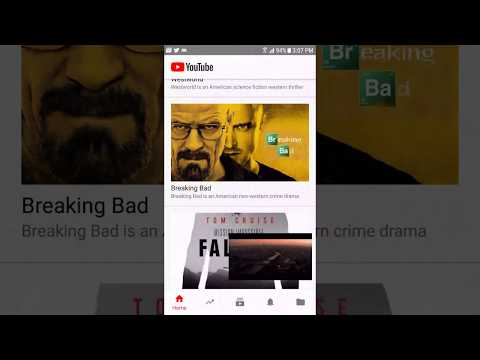
The Concept - Animation
Below image shows how the layout has been desgin using guidelines and all the Fragments are constraints to this guidelines. When user drag the video fragment we starts scaling up/down the guideline values which scale the fragments automatically that's the advantage of using constraint layout with guidelines

Customization
| Fragment | FrameLayout | Usage |
| ------------- | ------------- | ------------- |
| HomeFragment , TradeFragment , LibraryFragment and UserActivityFragment | frmHomeContainer | This layout hold Fragments added from BottomNavigation bar
| VideoPlayerFragment | frmVideoContainer | This will have the video player |
| VideoDetailsFragment | frmDetailsContainer | Contains Video Details Layout Desgin |
| BaseBottomNavigationView | bottomNavigation | Bottom Navigation bar |
Architecture
The app uses ViewModel to abstract the data from UI and MovieRepository as single source of truth for data. MovieRepository first fetch the data from database if exist than display data to the user and at the same time it also fetches data from the webservice and update the result in database and reflect the changes to UI from database.

How to contribute?
- Check out contribution guidelines 👉CONTRIBUTING.md
Questions?🤔
Hit me on twitter 


Resources
Credits
Its inspired from Youtube Android App
License
Copyright 2018 Burhanuddin Rashid
Licensed under the Apache License, Version 2.0 (the "License"); you may not use this file except in compliance with the License. You may obtain a copy of the License at
http://www.apache.org/licenses/LICENSE-2.0
Unless required by applicable law or agreed to in writing, software distributed under the License is distributed on an "AS IS" BASIS, WITHOUT WARRANTIES OR CONDITIONS OF ANY KIND, either express or implied. See the License for the specific language governing permissions and limitations under the License.
Related Skills
node-connect
334.1kDiagnose OpenClaw node connection and pairing failures for Android, iOS, and macOS companion apps
frontend-design
82.1kCreate distinctive, production-grade frontend interfaces with high design quality. Use this skill when the user asks to build web components, pages, or applications. Generates creative, polished code that avoids generic AI aesthetics.
openai-whisper-api
334.1kTranscribe audio via OpenAI Audio Transcriptions API (Whisper).
commit-push-pr
82.1kCommit, push, and open a PR
