
KBRoundedButton
KBRoundedButton allows you to create beautiful rounded rect button with dynamic colors and activity indicator, completely in Interface Builder.
Install / Use
/learn @burczyk/KBRoundedButtonREADME
KBRoundedButton
allows you to create beautiful rounded rect button with dynamic colors and activity indicator, completely in Interface Builder.
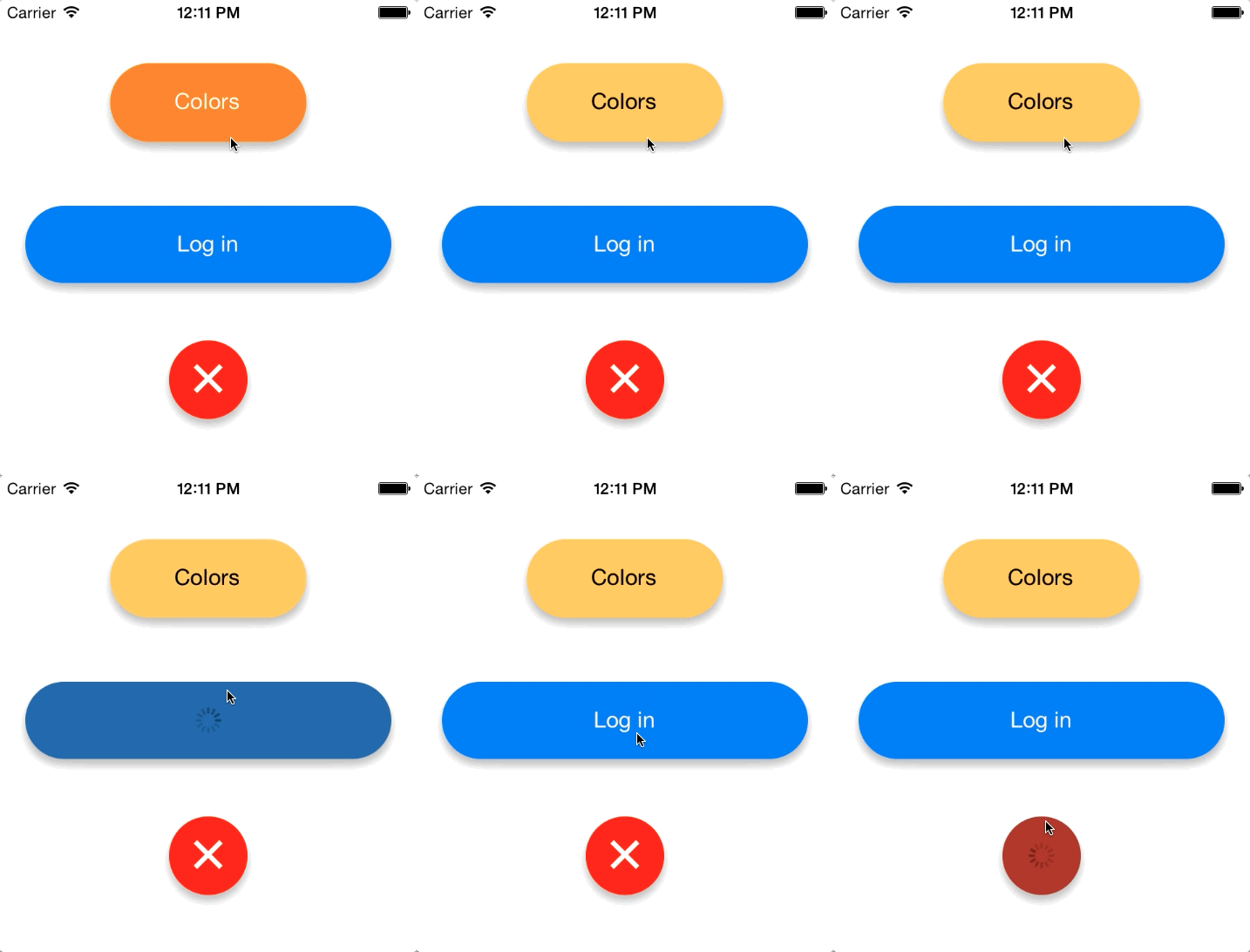
Button's corners alre always rounded to half of it's height.
Installation
KBRoundedButton is available via CocoaPods.
To use it in your app simply add:
pod 'KBRoundedButton'
Setting colors
You can set colors for each state of the button in both code and Interface builder. Both background colors and title colors are supported. Set of colors:
@property (nonatomic, strong) UIColor *backgroundColorForStateNormal;
@property (nonatomic, strong) UIColor *backgroundColorForStateSelected;
@property (nonatomic, strong) UIColor *backgroundColorForStateHighlighted;
@property (nonatomic, strong) UIColor *backgroundColorForStateSelectedAndHighlighted;
@property (nonatomic, strong) UIColor *backgroundColorForStateDisabled;

@property (nonatomic, strong) UIColor *titleColorForStateNormal;
@property (nonatomic, strong) UIColor *titleColorForStateSelected;
@property (nonatomic, strong) UIColor *titleColorForStateHighlighted;
@property (nonatomic, strong) UIColor *titleColorForStateSelectedAndHighlighted;
@property (nonatomic, strong) UIColor *titleColorForStateDisabled;
Setting them in IB is very easy: all you have to do is to set a class of your button to KBRoundedButton and User Defined Runtime Attributes for a subset of properties from above.
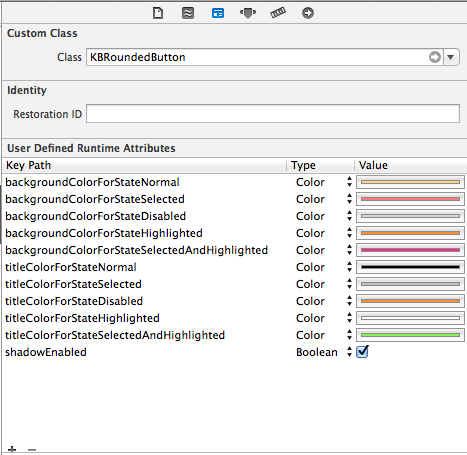
Colors are set by creating an UIImage of 1x1 size in given color and placing it as a backgroundImage of button.
Setting shadow
KBRoundedButton has a property
@property (nonatomic, assign) BOOL shadowEnabled;
which can be also set in IB and enables bottom shadow for a button. Due to the fact that internal implementation uses CALayer's cornerRadius property altogether with clipsToBounds it was unable to use native shadow. Method
- (void)addBottomShadow
creates a separate view with size of the button and places it below the button in view hierarchy.
Activity Indicator
KBRoundedButton's last property
@property (nonatomic, assign) BOOL working;
displays activity indicator when set to YES and restores original title when set to NO. See Log in button for a realtime example.
License
KBRoundedButton is under MIT license. See LICENSE file for more info.
Related Skills
node-connect
352.2kDiagnose OpenClaw node connection and pairing failures for Android, iOS, and macOS companion apps
frontend-design
111.1kCreate distinctive, production-grade frontend interfaces with high design quality. Use this skill when the user asks to build web components, pages, or applications. Generates creative, polished code that avoids generic AI aesthetics.
openai-whisper-api
352.2kTranscribe audio via OpenAI Audio Transcriptions API (Whisper).
qqbot-media
352.2kQQBot 富媒体收发能力。使用 <qqmedia> 标签,系统根据文件扩展名自动识别类型(图片/语音/视频/文件)。
