
UTPackage.js
A JavaScript plugin for reading Unreal Tournament package data
Install / Use
/learn @bunnytrack/UTPackage.jsREADME
UTPackage.js
A JavaScript plugin for reading Unreal Tournament package data. This has been successfully tested with a few other Unreal Engine 1 games including Deus Ex, Rune, Harry Potter and the Philosopher's Stone/Chamber of Secrets, Clive Barker's Undying, Nerf Arena Blast, and The Wheel of Time.
This plugin is largely based on the following package-readers:
- PHP UPackage by Feralidragon
- Unreal Tournament Package Tool by Antonio Cordero Balcázar
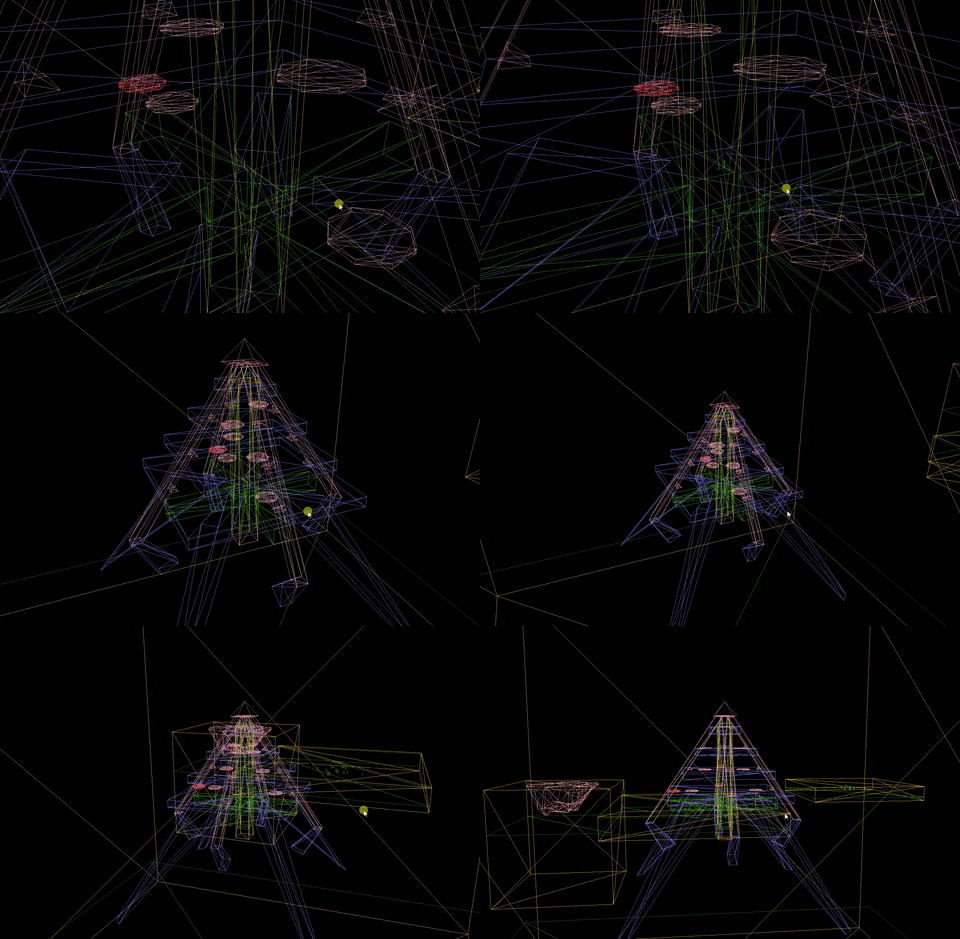
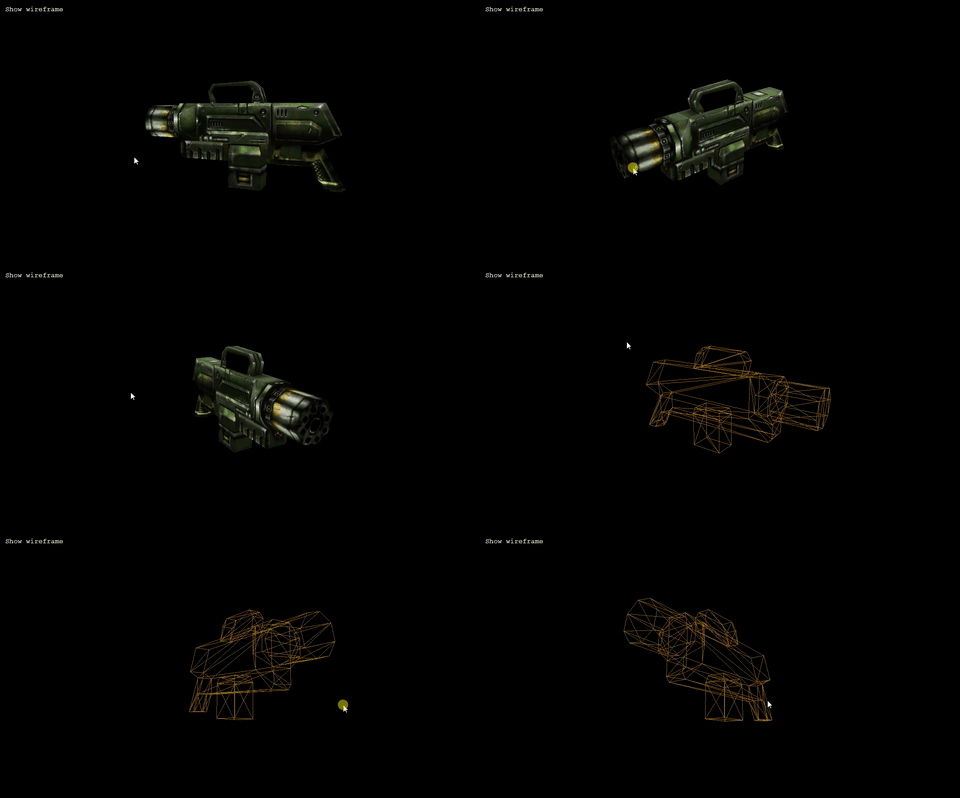
The main difference between UTPackage.js and the above readers (besides the programming language) is that this is web-oriented, providing textures as Canvas objects and brush geometry in a format suitable for use with three.js, for example.
Demo
Visit https://bunnytrack.net/package-explorer/ and drag a UT package (map, texture, sound, etc.) to see what the plugin is capable of:

Usage
Create an instance of UTReader by passing an ArrayBuffer as the only argument:
const reader = new UTReader(arrayBuffer);
Example with HTML
<input type="file" id="file-input" />

<script src="./UTReader.js"></script>
<script>
    document.getElementById("file-input").addEventListener("input", function() {
        for (const file of this.files) {
            const fileReader = new FileReader();

            fileReader.onload = function() {
                const reader  = new UTReader(this.result);
                const package = reader.readPackage();

                // Get package version
                console.log(package.version); // 69
            }

            fileReader.readAsArrayBuffer(file);
        }
    })
</script>
Properties
| Name | Type | Description |
| --- | --- | --- |
| dataView | Object | A DataView of the package. |
| header | Object | Package header. |
| version | Int | Package version. |
| nameTable | Array | Package name table. |
| importTable | Array | Package import table. |
| exportTable | Array | Package export table. |
Methods
The most useful methods have been documented here, although there are several more available in the source (most of which are in use on the demo page linked above).
getLevelSummary(allProperties = false : Bool) returns Object
Returns an object containing level details. The object will be empty if the package is not a map file (i.e. does not contain a LevelInfo) actor.
When allProperties is false, only the following level properties are returned: Author, IdealPlayerCount, LevelEnterText, Screenshot, Song, Title.
The Screenshot property is cast to a bool value rather than returning the export table index.
These properties are read directly from the LevelInfo0 actor which is present in all map files.
Example using CTF-Face
allProperties = false
{
    "Author"           : "Cedric 'Inoxx' Fiorentino",
    "IdealPlayerCount" : "4-10",
    "Screenshot"       : true,
    "Song"             : "Foregone",
    "Title"            : "Facing Worlds"
}
allProperties = true
{
    "TimeSeconds": 174.3309326171875,
    "Title": "Facing Worlds",
    "Author": "Cedric 'Inoxx' Fiorentino",
    "IdealPlayerCount": "4-10",
    "RecommendedEnemies": 2,
    "RecommendedTeammates": 3,
    "Summary": "LevelSummary",
    "bHighDetailMode": false,
    "Song": "Foregone",
    "PlayerDoppler": 1,
    "Brightness": 1.5,
    "Screenshot": true,
    "DefaultGameType": "CTFGame",
    "NavigationPointList": "InventorySpot167",
    "AIProfile": 201077017,
    "AvgAITime": 1.2611686178923354e-44,
    "AmbientBrightness": 4,
    "TexUPanSpeed": 2,
    "Level": "LevelInfo0",
    "Tag": "LevelInfo",
    "Region": {
        "zone": 1,
        "i_leaf": -1,
        "zone_number": 0
    },
    "Location": {
        "x": -19899,
        "y": -2642,
        "z": -32767
    },
    "Rotation": {
        "pitch": 0,
        "yaw": 16384,
        "roll": 0
    }
}
getScreenshot(callback : Function) returns Array
Asynchronously extracts a map's screenshot texture(s) and returns an array of Canvas objects in the provided callback function.
In order for UT to be able to display a map screenshot in-game, the screenshot must be named Screenshot and saved in the MyLevel pseudo-package; some mappers, however, have not named the texture correctly (e.g. BT-SlaughterCB) or have erroneously set the Screenshot property to a texture within a different package.
This function attempts to extract the screenshot even if it is set incorrectly, although it is not always possible to do so (e.g. when the texture is part of an external package).
An array is returned as multiple screenshots may be embedded to create a slideshow/montage effect if named sequentially, i.e. "Screenshot1", "Screenshot2", etc.
An empty array is returned if no screenshots are found.
Example
package.getScreenshot(function(screenshotArray) {
    if (screenshotArray.length > 0) {
        // Do something with the screenshots
    } else {
        // No screenshots available
    }
})
getDependencies() returns Array
Returns an array of dependencies (i.e. other packages) required for this package to be used.
The return value is an array of objects. Each object will always have a name and default property (string and bool respectively) and may also contain ext and type properties (both string).
Example using BT-Mesablanca
[
    // Crypt2.utx - a default texture package dependency
    {
        "name"    : "Crypt2",
        "ext"     : "utx",
        "type"    : "Texture",
        "default" : true
    },

    // Non-default dependency; type unknown
    {
        "name"    : "BT2",
        "default" : false
    },

    // etc.
]
getDependenciesFiltered(ignoreCore = true : Bool) returns Object
Returns an object containing a packages property which contains two arrays: default and custom. A length property is also included.
This function is essentially the same as getDependencies with the return value filtered into default/non-default dependency arrays.
When ignoreCore is true, several core UT files which are used by the vast majority of packages (such as Core.u and Engine.u) are excluded from the return value.
Example using BT-Mesablanca
{
    "length": 30,
    "custom": [
        {
            "name"    : "SS3rdWorld",
            "default" : false
        },

        // etc.
    ],
    "default": [
        {
            "name"    : "DoorsAnc",
            "ext"     : "uax",
            "type"    : "Sound",
            "default" : true
        },

        // etc.
    ]
}
getTextureObjects() returns Array
Returns an array of texture export table objects.
Example using BT-BehindSunrise
[
    {
        "class_index"       : -39,
        "super_index"       : 0,
        "package_index"     : 0,
        "object_name_index" : 599,
        "object_flags"      : 983044,
        "serial_size"       : 22027,
        "serial_offset"     : 29774
    },

    // etc.
]
The properties listed in the example above can then be used to ascertain further details about that texture (its name, image data, etc).
getTextureInfo(textureObject : Object) returns Object
Returns the texture's name and group (if available).
Example using the texture object above
{
    "name"  : "trims2",
    "group" : null
}
textureToCanvas(textureObject : Object, callback : Function) returns Object
Returns to the callback function a single object containing a Canvas, ImageBitmap interface, and the texture name.
Example
// All embedded textures
const textureObjects = package.getTextureObjects();

// Extract the first texture then append it to a container element
package.textureToCanvas(textureObjects[0], function(texture) {

    // Texture name, e.g. "C_wall2a"
    console.log("Appending canvas for texture:", texture.name);

    // Append canvas to the DOM
    document.getElementById("texture-container").append(texture.canvas);

})
getSounds() returns Array
Returns an array of objects, each containing details of the package's sound objects.
Where possible, extra data is included from WAV file headers.
Example using BT-BehindSunrise
[
    {
        "object_name"        : "islice",
        "properties"         : [],
        "format"             : "WAV",
        "next_object_offset" : 4665608,
        "size"
Related Skills
node-connect
344.1kDiagnose OpenClaw node connection and pairing failures for Android, iOS, and macOS companion apps
frontend-design
96.8kCreate distinctive, production-grade frontend interfaces with high design quality. Use this skill when the user asks to build web components, pages, or applications. Generates creative, polished code that avoids generic AI aesthetics.
openai-whisper-api
344.1kTranscribe audio via OpenAI Audio Transcriptions API (Whisper).
qqbot-media
344.1kQQBot 富媒体收发能力。使用 <qqmedia> 标签,系统根据文件扩展名自动识别类型(图片/语音/视频/文件)。
