
Eloquent
The most feature-complete local AI workstation. Multi-GPU inference, integrated Stable Diffusion + ADetailer, voice cloning, research-grade ELO testing, and tool-calling code editor. 100% local. Zero subscriptions. Your GPUs deserve better.
Install / Use
/learn @boneylizard/EloquentREADME
Eloquent
The most feature-complete local AI workstation. No subscriptions. No cloud dependency. Just your hardware.
While everyone else ships another chat UI with fancy presets, Eloquent gives you in-house Stable Diffusion, multi-GPU inference, voice cloning, model ELO testing, a tool-calling code editor, multi-role chat, and forensic linguistics – all running locally.
Optional cloud APIs for when you want them. Your choice.
What makes it different?
- Single application: LLM + image generation + voice + code tools + model evaluation
- Multi-GPU that works: Unified tensor splitting or dedicated GPU assignment
- More than chat: ELO testing framework, forensic linguistics, story state tracking, multi-role conversations
- Production features: Voice cloning, image upscaling, conversation summaries, agent mode




⚡ Quick Start
| I want to... | Do this |
|--------------|---------|
| Chat with voice | install.bat → run.bat → load a GGUF → enable Auto-TTS |
| Generate images | Drop .safetensors in a folder → Settings → Image Gen → set path |
| Upscale images | Generate image → click Upscale → select 2x/3x/4x |
| Multi-character roleplay | Settings → enable Multi-Role → add characters to roster |
| Test models | Model Tester → import prompts → run A/B with ELO ratings |
| Edit code with AI | Load Devstral → Code Editor → set project directory |
| Play chess (AI + personality) | Chess tab in navbar (Stockfish installed automatically by install.bat) |
| Clone a voice | Settings → Audio → Chatterbox Turbo → upload reference |
👥 Who This Is For
Power users with NVIDIA GPUs who want a complete local AI stack instead of juggling 5 different tools.
Roleplayers & writers who need multi-character conversations, story state, portraits, and voice in one app.
Model evaluators who want ELO testing and judge orchestration without building research infrastructure.
Privacy-first users who don't want conversations leaving their machine.
Not for you if:
- You don't have an NVIDIA GPU
- You're on Mac or Linux (Windows only)
🎯 Core Features
Chat & Roleplay
Multi-Role Conversations
- Multiple characters in one chat with automatic speaker selection
- Per-character TTS voices and talkativeness weights
- Optional narrator with customizable interjection frequency
- User profile picker for switching between personas
- Group scene context for shared settings
Story Management
- Story Tracker: Characters, locations, inventory, objectives injected into AI context
- Scene Summary: Persistent context that grounds the AI in current mood and situation
- Choice Generator: Contextual actions with 6 behavior modes (Dramatic, Chaotic, Romantic, etc.)
- Director Mode: Toggle between character actions and narrative beats for plot steering
- Conversation Summaries: Save summaries and load them into fresh chats for continuity
Standard Features
- Character library and creator with AI-generated portraits
- Memory & RAG with document ingestion and web search
- Author's Note for direct AI guidance
- Focus Mode and Call Mode interfaces
Inference & Models
Multi-GPU Support
- Unified tensor splitting across 2, 3, 4+ GPUs
- Split-services mode with dedicated GPU assignments
- Purpose slots for judge models and memory agents
- Real-time VRAM monitoring
Model Compatibility
- Local GGUF models via llama.cpp
- OpenAI-compatible APIs (OpenRouter, local proxies, Chub.ai)
- Simultaneous local + API model usage
Image Generation
Local Stable Diffusion
- SD 1.5, SDXL, and FLUX support (safetensors/ckpt/gguf)
- Custom ADetailer with YOLO face detection and inpainting
- "Visualize Scene" - auto-generate images from chat context
- Set generated images as chat backgrounds
Image Upscaling
- Variable upscaling: 2x, 3x, 4x with ESRGAN models
- Model selector for different upscaler weights
Cloud Fallback (Optional)
- NanoGPT API for image generation without local GPU
- Experimental video generation (pay-per-use)
Voice & Audio
TTS Engines
- Kokoro: Fast neural synthesis with multiple voices
- Chatterbox: Voice cloning from reference samples
- Chatterbox Turbo: Enhanced cloning with paralinguistic cues (
[laugh],[sigh],[cough])
Features
- Chunked streaming pipeline for low latency
- Auto-TTS with one-click toggle
- Call Mode: Full-screen voice conversation with animated avatars
- Per-character voice assignment in multi-role chat
Model Evaluation
ELO Testing Framework
- Single model testing against prompt collections (MT-Bench, custom)
- A/B head-to-head comparisons with ELO updates
- Dual-judge mode with reconciliation
- Character-aware judging with custom evaluation criteria
- Parameter sweeps (temperature, top_p, top_k)
- 14 built-in analysis perspectives including 6-Year-Old Transformer Boy, Al Swearengen, Bill Burr, Alex Jones
- Import/export results with full metadata
Code Editor
Tool-Calling Agent
- Devstral Small 2 24B (local) or Devstral Large (OpenRouter)
- File operations with automatic
.bakbackups - Shell execution (optional, sandboxed)
- Vision support via screenshots
Agent Mode Features
- Chain of Thought visualization - see reasoning before actions
- Hallucination Rescue - executes intended tools even when JSON parsing fails
- Loop detection prevents endless file reading
- File explorer with full drive navigation
Security
- Sandboxed to working directory
- Optional command execution
- Automatic backups on file writes
Analysis & Tools
Forensic Linguistics
- Authorship analysis and stylistic comparison
- Pluggable embedding models (BGE-M3, GTE, RoBERTa, Jina, Nomic)
- Build corpora from documents or scraped text
UI & Customization
- 5 premium themes: Claude, Messenger, WhatsApp, Cyberpunk, ChatGPT Light
- Text formatting: Quote highlighting, H1-H3 headings, paragraph controls
- Auto-save settings (directories require manual save)
Mobile Support
Full mobile optimization for phones and tablets.
- Responsive design with touch-friendly UI throughout
- Universal access: automatic
0.0.0.0binding and IP discovery for local network connection - Native audio handling for reliable TTS on iOS and Android
- Mobile-first themes (Messenger, WhatsApp) designed for phone/tablet use
- Touch-optimized controls and adaptive layouts
🖼️ Screenshots
Main Chat
 Full chat with Story Tracker, Choice Generator, streaming TTS, and model control.
Audio Control
 Voice cloning with real-time streaming playback.
Focus Mode
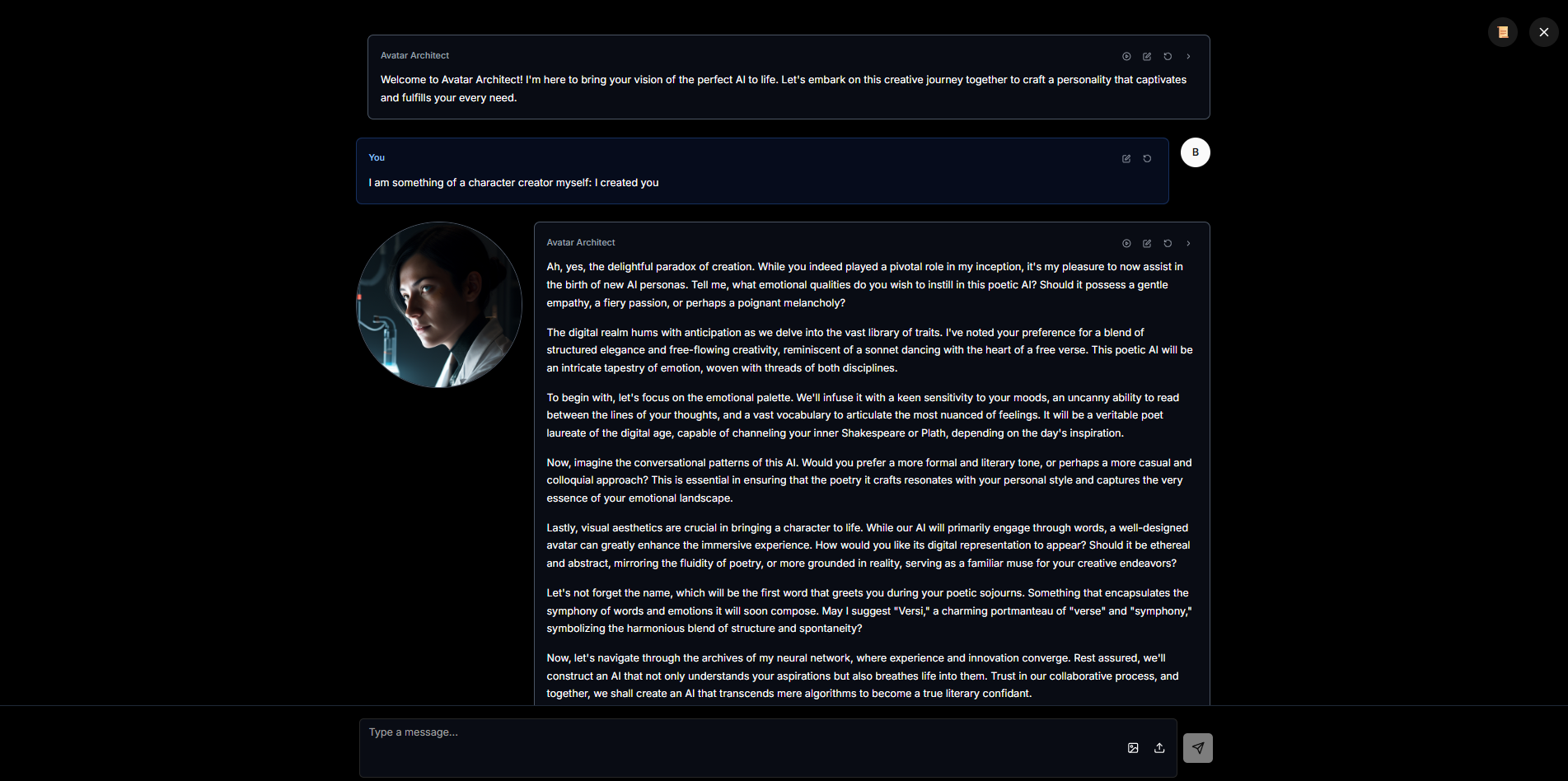 Distraction-free interface.
Character Library
 AI-generated character portraits via built-in Stable Diffusion.
ELO Tester
 Professional model evaluation with dual-judge reconciliation.
Mobile Themes


🚀 Installation
Prerequisites
- Windows 10/11 (64-bit)
- NVIDIA GPU with CUDA support
- Python 3.11 or 3.12
- Node.js v21.7.3 (recommended). Node 22 is untested; if the backend window closes when you use Browse for model/directory settings, try Node 21.7.3 or type the folder path manually.
VRAM Guide
| Use Case | Recommended VRAM | |----------|------------------| | Small models (7B Q4) | 8GB | | Medium models (13B-20B) | 12GB | | Large models (70B+) | 24GB+ or multi-GPU | | SD 1.5 | 4GB+ | | SDXL/FLUX | 8GB+ | | LLM + image gen together | 16GB+ or split across GPUs |
Install & Run
git clone https://github.com/boneylizard/Eloquent
cd Eloquent
install.bat    # Wait for completion (5-10 minutes)
run.bat
The installer handles everything: Python venv, PyTorch with CUDA 12.1, pre-built wheels, all dependencies.
Default ports:
- Backend:
http://localhost:8000 - TTS:
http://localhost:8002 - Frontend:
http://localhost:5173
Port conflicts are handled automatically - the frontend discovers actual ports.
⚙️ Configuration
Models
- Settings → Model Settings → set GGUF directory
- Model Selector → choose per-GPU or unified multi-GPU
- Add OpenAI-compatible API endpoints if desired
Images
- Settings → Image Generation → set safetensors directory
- ADetailer Models → point to YOLO
.ptfiles - Upscaler Models → point to ESRGAN
.pthfiles
Voice
- Settings → Audio → choose Kokoro or Chatterbox/Chatterbox Turbo
- For cloning: upload reference sample
- Enable Auto-TTS toggle in chat
Multi-Role
- Settings → enable Multi-Role Chat
- Click roster button → add characters
- Set talkativeness weights and voices
- Optionally enable narrator
Chess (Stockfish)
The Chess tab uses Stockfish for analysis. **Fresh installs
