
P5.collide2D
A collision detection library for 2D geometry in p5.js
Install / Use
/learn @bmoren/P5.collide2DREADME
p5.collide2D

A 2d collision detection library for p5.js
p5.collide2D provides tools for calculating collision detection for 2D geometry with p5.js.
p5.collide2D contains some versions of, and references to, the functions in Jeffrey Thompson's Collision Detection Book. His code is CC BY-NC-SA 4.0, so, this is too! I highly, highly, reccomend reading his book to better understand all of the details involved in collision detection. Implementing this library into your code will be much easier and more efficent after reading it!
It's an incredible resource for this kind of work! – http://www.jeffreythompson.org/collision-detection/
<a rel="license" href="http://creativecommons.org/licenses/by-nc-sa/4.0/"><img alt="Creative Commons License" style="border-width:0" src="https://i.creativecommons.org/l/by-nc-sa/4.0/88x31.png" /></a>
Get Started!
p5.collide2D assumes the default p5.js rectMode(CORNER) and ellipseMode(CENTER).
All p5.collide2D functions return true if the specified geometry is colliding and false if they are not.
Adding p5.collide2D to your project
Download the latest release How to add a library to your p5.js sketch
CDN Links
- https://cdn.jsdelivr.net/npm/p5.collide2d
- https://unpkg.com/p5.collide2d
How to use a CDN hosted version of the p5.collide2D library
To include the library via a CDN, add the library's CDN link using a <script> tag inside the index.html file within your project.
<!--
This enables the p5.js core library (automatically added within the p5.js web editor).
You'll need to include the core p5.js before using p5.collide2D.
-->
<script defer src="https://unpkg.com/p5"></script>

<!-- Includes the p5.collide2D addon library -->
<script defer src="https://unpkg.com/p5.collide2d"></script>
Live Examples in the p5.js editor
- Collection of all examples of collision functions
- Basic Usage
- Button with a callback
- Object oriented collision
- Randomly placing objects without touching
- Swords Game
Using p5.collide2D with vector inputs
p5.collide2D supports vector version of all functions. Use the function names below with Vector added on to the name to utilize the vector version of the function. The function's arguments will then take in vectors instead of x/y values. Each of the examples below has a commented example to demonstrate vector usage. We will be updating the documentation and examples in the future to make this distinction more clear. This in no way affects the original functionality of the library.
// Use vectors as input:
const p1 = createVector(100, 100);
const mouse = createVector(mouseX, mouseY);
const hit = collidePointPointVector(p1, mouse, 10);
Documentation Table of Contents
Utility
2D Collision Detection
- collidePointPoint()
- collidePointCircle()
- collidePointEllipse()
- collidePointRect()
- collidePointLine()
- collidePointArc()
- collideRectRect()
- collideCircleCircle()
- collideRectCircle()
- collideLineLine()
- collideLineCircle()
- collideLineRect()
- collidePointPoly()
- collideCirclePoly()
- collideRectPoly()
- collideLinePoly()
- collidePolyPoly()
- collidePointTriangle()
- collide 2D primitive triangle
p5.collide2D Examples & Documentation
collideDebug()
collideDebug(debugMode, size, color)
Enables collision debug mode. Draws an ellipse at the collision point between objects on screen where applicable and calculable.
- collideDebug() is applicable to the following:
- collideLineCircle()
- collideLineLine()
- collideLineRect()
- collideCirclePoly()
- collideRectPoly()
- collideLinePoly()
- collidePolyPoly()
function setup() {
  collideDebug(true);
}
collidePointPoint()
collidePointPoint(x, y, x2, y2, [buffer])
Point to point collision with an optional buffer zone.
var hit = false;

function draw() {
    background(255);
    circle(100, 100, 1);       // change to 10,10px size for buffer example
    circle(mouseX, mouseY, 1); // change to 10,10px size for buffer example

    // No buffer zone, most standard example:
    hit = collidePointPoint(100, 100, mouseX, mouseY);

    // Buffer of 10 px:
    // hit = collidePointPoint(100, 100, mouseX, mouseY, 10);

    // Use vectors as input:
    // const p1    = createVector(100, 100);
    // const mouse = createVector(mouseX, mouseY);
    // hit = collidePointPointVector(p1, mouse, 10);

    stroke(hit ? color('red') : 0);
    print('colliding?', hit);
}
collidePointCircle()
collidePointCircle(pointX, pointY, circleX, circleY, diameter)
Point to circle collision in 2D. Assumes ellipseMode(CENTER);
var hit = false;

function setup() {
    createCanvas(400, 400);
}

function draw() {
    background(255);
    circle(200, 200, 100);
    point(mouseX, mouseY);

    hit = collidePointCircle(mouseX, mouseY, 200, 200, 100);

    // Use vectors as input:
    // const mouse  = createVector(mouseX, mouseY);
    // const circle = createVector(200, 200);
    // const diam   = 100;
    // hit = collidePointCircleVector(mouse, circle, diam);

    stroke(hit ? color('red') : 0);
    print('colliding?', hit);
}
collidePointEllipse()
collidePointEllipse(pointX, pointY, ellipseX, ellipseY, ellipseWidth, ellipseHeight )
Point to ellipse collision. It takes the point, the centre of the ellipse, the major and the minor axes (diameters).
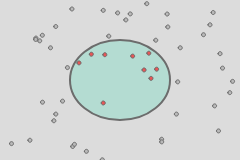
var hit = false;

function draw() {
    background(255);
    ellipse(200, 200, 50, 150);
    point(mouseX, mouseY);

    hit = collidePointEllipse(mouseX, mouseY, 200, 200, 50, 150);

    // Use vectors as input:
    // const mouse         = createVector(mouseX, mouseY);
    // const ellipse_start = createVector(200, 200);
    // const ellipse_size  = createVector(50, 150);
    // hit = collidePointEllipseVector(mouse, ellipse_start, ellipse_size);

    stroke(hit ? color('red') : 0);
    print('colliding?', hit);
}
collidePointRect()
collidePointRect(pointX, pointY, x, y, width, height)
Point to rect collision in 2D. Assumes rectMode(CORNER);
var hit = false;

function draw() {
    background(255);
    rect(200, 200, 100, 150);

    hit = collidePointRect(mouseX, mouseY, 200, 200, 100, 150);

    // Use vectors as input:
    // const mouse      = createVector(mouseX, mouseY);
    // const rect_start = createVector(200, 200);
    // const rect_size  = createVector(50, 150);
    // hit = collidePointRectVector(mouse, rect_start, rect_size);

    stroke(hit ? color('red') : 0);
    print('colliding?', hit);
}
collidePointLine()
collidePointLine(pointX, pointY, x, y, x2, y2, [buffer])
Point to line collision in 2D. Includes and optional buffer which expands the hit zone on the line (default buffer is 0.1).
var hit = false;

function draw() {
    background(255);
    line(200, 300, 100, 150);
    point(mouseX, mouseY);

    // Collide point line using the optional buffer with a 0.5 value:
    hit = collidePointLine(mouseX, mouseY, 200, 300, 100, 150, .5);

    // Use vectors as input:
    // const mouse  = createVector(mouseX, mouseY);
    // const p1     = createVector(200, 300);
    // const p2     = createVector(100, 150);
    // const buffer = 0.5;
    // hit = collidePointLineVector(mouse, p1, p2, buffer);

    stroke(hit ? color('red') : 0);
    print('colliding?', hit);
}
collidePointArc()
collidePointArc(pointX, pointY, arcCenterX, arcCenterY, arcRadius, arcRotationAngle, arcAngle, [buffer])
Point to arc collision in 2D.

const ARC_RADIUS = 100;
const ARC_ANGLE = Math.PI / 3;
const ROTATION_ANGLE = -Math.PI / 4;

var hit = false;

function draw() {
    background(220);
    push();

    // Translate to center of canvas:
    translate(width / 2, height / 2);

    // Rotate by some angle:
    rotate(ROTATION_ANGLE);

    fill(180, 220, 210);
    stroke(10);

    arc(0, 0, 2 * ARC_RADIUS, 2 * ARC_RADI
Related Skills
node-connect
347.2kDiagnose OpenClaw node connection and pairing failures for Android, iOS, and macOS companion apps
frontend-design
108.0kCreate distinctive, production-grade frontend interfaces with high design quality. Use this skill when the user asks to build web components, pages, or applications. Generates creative, polished code that avoids generic AI aesthetics.
openai-whisper-api
347.2kTranscribe audio via OpenAI Audio Transcriptions API (Whisper).
qqbot-media
347.2kQQBot 富媒体收发能力。使用 <qqmedia> 标签,系统根据文件扩展名自动识别类型(图片/语音/视频/文件)。
