
Darcula
VIM Darcula Theme
Install / Use
/learn @blueshirts/DarculaREADME
VIM Darcula Theme 1.7.3
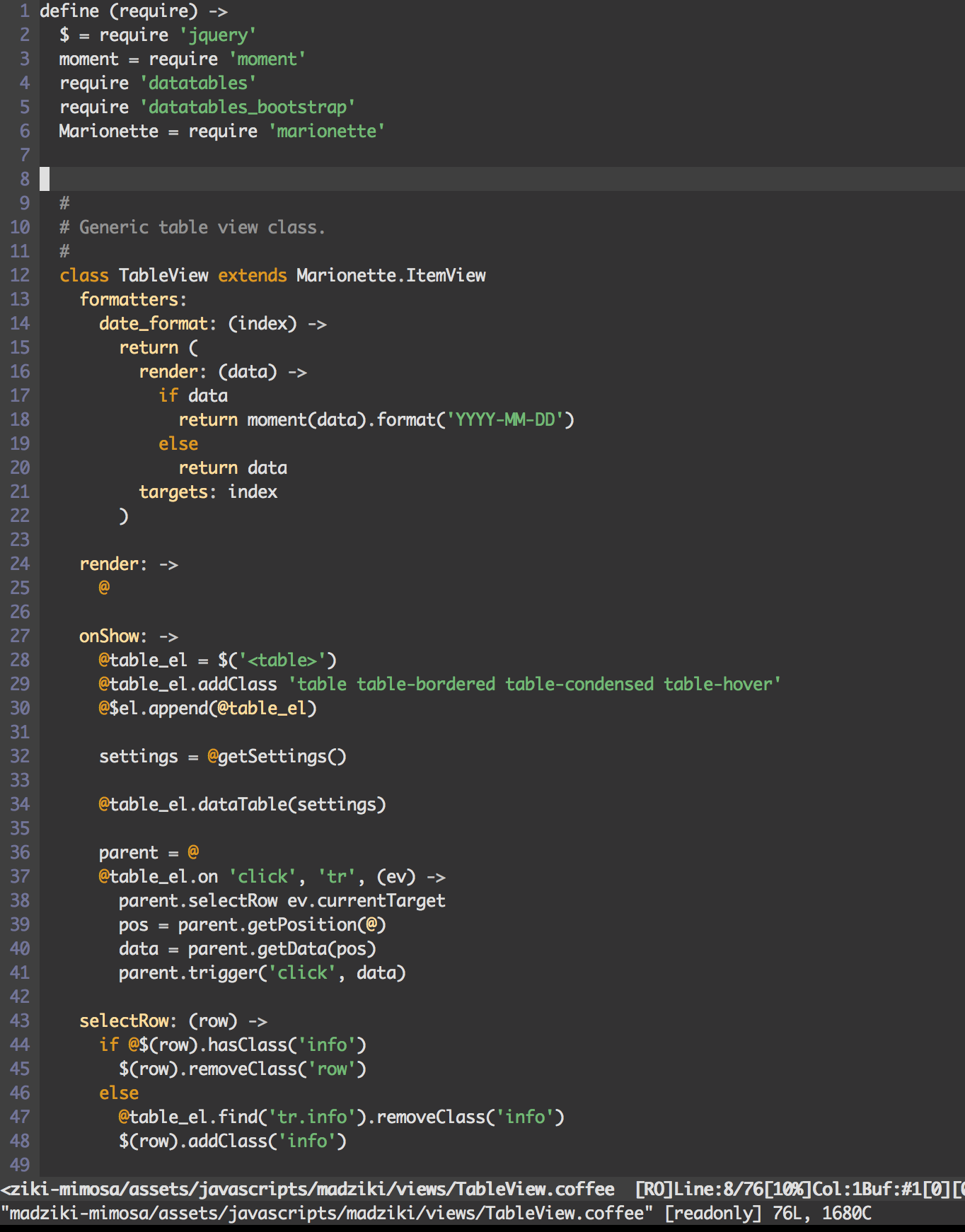
Accurate Darcula color scheme for the VIM editor. Works well with CoffeeScript projects. Can be used in 256 color mode.
What's New?
Updated the popup colors to be easier on the eyes.
What it looks like...
Using MacVim

Using iTerm2 (256)
Installation
Janus: Vim Distribution
Darcula color support has now been added to the Janus Vim Distribution (https://github.com/carlhuda/janus). Follow the instructions for installing Janus and simply enable syntax highlighting by creating/updating your ~/.vimrc.after file.
.vimrc.after:
syntax enable
colorscheme darcula
Manual Installation
-
Copy darcula.vim into
~/.vim/colors/(Unix) orvimfiles/colors/(Windows).$ cp darcula/colors/darcula.vim ~/.vim/colors/ -
Update your .vimrc file to enable highlighting.
.vimrc:
syntax enable
colorscheme darcula
CoffeeScript Configuration
Add the following content to the .vim/after/syntax/coffee/coffee.vim file. This configuration is required with most
VIM CoffeeScript syntax highlighters in order to properly color the '@' (this) symbol.
hi clear coffeeParens
hi coffeeParens NONE
syn clear coffeeParens

hi clear coffeeSpecialIdent
hi coffeeSpecialIdent NONE
syn clear coffeeSpecialIdent

hi clear coffeeCurlies
hi coffeeCoffeeCurlies NONE
syn clear coffeeCurlies

" Highlight the this symbol.
syn match coffeeThis "\v\@"
hi def link coffeeThis Keyword
Related Skills
node-connect
337.4kDiagnose OpenClaw node connection and pairing failures for Android, iOS, and macOS companion apps
frontend-design
83.2kCreate distinctive, production-grade frontend interfaces with high design quality. Use this skill when the user asks to build web components, pages, or applications. Generates creative, polished code that avoids generic AI aesthetics.
openai-whisper-api
337.4kTranscribe audio via OpenAI Audio Transcriptions API (Whisper).
commit-push-pr
83.2kCommit, push, and open a PR
