
bitdive-skills
AI agent skills for Claude Code, Cursor, and Codex. Empower LLMs to perform trace-based testing, before/after trace comparison, and deterministic verification via MCP.
Install / Use
claude mcp add bitDive -- npx -y github:bitDive/bitdive-skillsIf the server publishes to npm under a different name, use that package instead — check the repo README.
MCP Server
Model Context Protocol server
Quality Score
Category
AI & Machine LearningSupported Platforms
Our assessment of bitdive-skills
bitdive-skills scores 74/100 on our quality scale, 518th of 628 AI & Machine Learning skills we index.
Its MCP Server is 5.8 KB long, well organised into 12 sections with 4 code examples: a solid amount of guidance for an agent.
It has 3 GitHub stars, so there is little community track record yet; judge it on its content.
Maintenance, license and trust
- The repository was last updated about 4 months ago. That is recent enough to be usable, but agent tooling moves fast, so check the instructions against your agent's current version.
- Our last check on 2026-09-10 found the source still online.
- It is released under the MIT license, a permissive license that allows use, modification and commercial use with attribution.
- Its trust signals score 90/100, with 1 caution from licensing, adoption, age or documentation. These come from repository metadata, not a code audit — read the skill file before letting an agent act on it.
Safety scan
No issues foundOur scan of the whole file found no instruction hijacking, hidden characters, credential access, data exfiltration or destructive commands.
Automated pattern scan on 2026-09-26. It catches known dangerous patterns, not every risk — read a skill before letting an agent act on it.
bitdive-skills compared with similar skills
All 4 of these similar skills score higher than bitdive-skills; compare them before choosing.
| Skill | Score | Stars | Updated | Format |
|---|---|---|---|---|
| bitdive-skills (this skill)by bitDive | 74 | 3 | 4mo ago | MCP Server |
| claude-memby thedotmack | 100 | 94.7k | 1d ago | CLAUDE.md |
| Agent-Reachby Panniantong | 100 | 85.4k | 10d ago | CLAUDE.md |
| Understand-Anythingby Egonex-AI | 100 | 84.2k | 13d ago | CLAUDE.md |
| headroomby headroomlabs-ai | 100 | 73.8k | today | CLAUDE.md |
Frequently asked questions
- How do I install bitdive-skills?
- Run
claude mcp add bitDive -- npx -y github:bitDive/bitdive-skills. The install tabs above show the steps for each supported agent. - Which AI agents does bitdive-skills work with?
- It is written for Claude Code, Claude Desktop, Cursor and OpenAI Codex, as a MCP Server file. Other agents that read the same format can often use it too.
- Is bitdive-skills safe to use?
- Our scan of the whole file found no instruction hijacking, hidden characters, credential access, data exfiltration or destructive commands. It is MIT-licensed and scores 90/100 on trust signals. Skills are instructions an agent will follow, so read the file before installing it and do not approve commands you do not understand.
- Is bitdive-skills still maintained?
- The repository was last updated about 4 months ago. That is recent enough to be usable, but agent tooling moves fast, so check the instructions against your agent's current version.
Skill content
View source on GitHubBitDive Skills




Public BitDive workflows packaged for agent use.
This repository contains reusable BitDive skills for runtime trace analysis, MCP-driven investigation, service instrumentation, regression management, and developer workflows. Each skill is a single SKILL.md written to the open Agent Skills standard, so one source installs into Claude Code (and any other agent that supports the standard) instead of rewriting prompts and runbooks by hand.
Demo
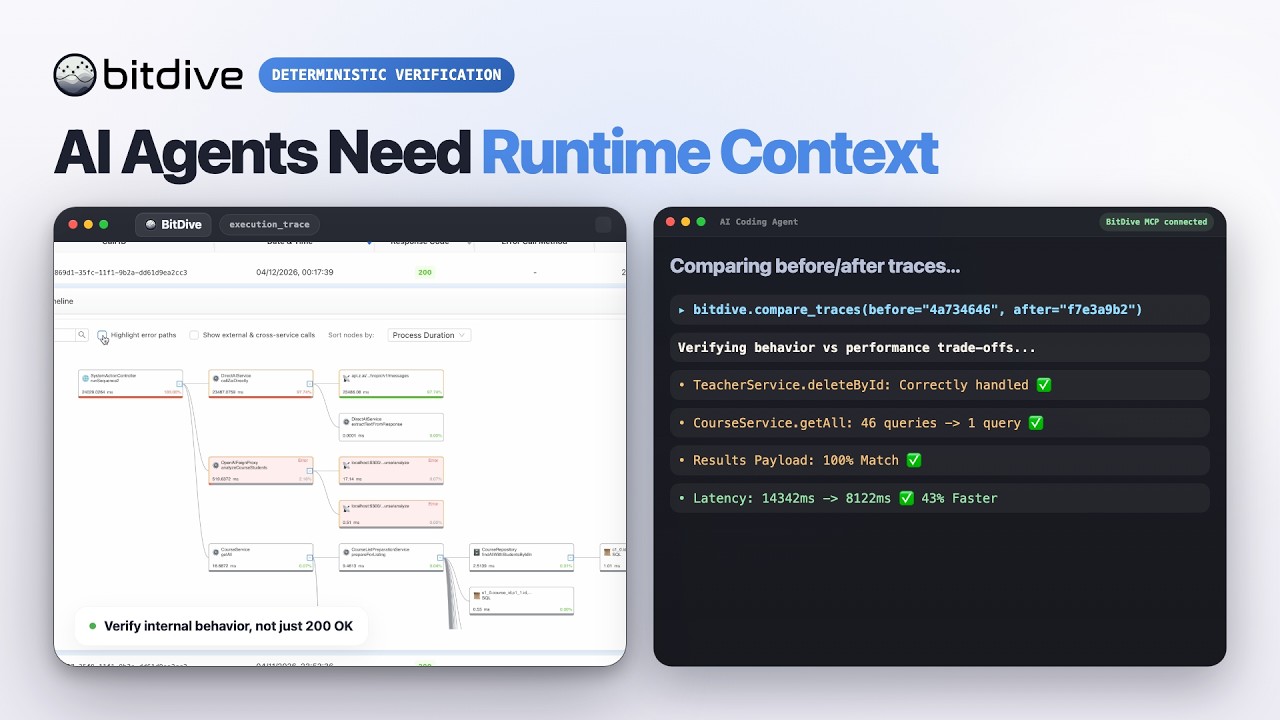
Watch the BitDive product demo on YouTube:
- https://www.youtube.com/watch?v=WqtLXcODz8I
What This Repository Is For
Use this repository when you want agent-ready BitDive workflows for tasks such as:
- adding BitDive to a Spring Boot service
- understanding which MCP tool to call and when
- comparing traces to find behavioral drift
- reviewing a PR/branch with before/after runtime evidence
- hunting real runtime issues and rejecting false positives
- building trace coverage across a service's endpoints
- running phased BitDive development workflows
- repairing or refreshing replay-based regression groups
- fixing MCP, service, or Docker connectivity to BitDive
These workflows are meant to make BitDive usage repeatable, faster, and less prompt-dependent.
Repository Layout
One skill, one folder, one SKILL.md. There is a single source of truth per skill — no duplicated per-agent copies.
| Path | Purpose |
| --- | --- |
| skills/<skill-name>/SKILL.md | The skill: YAML frontmatter (name, description) plus the workflow instructions |
| skills/<skill-name>/agents/openai.yaml | Optional UI metadata (display name, prompt) for installers that surface it |
The agent decides when and how to apply each skill from its description — and is free to use several together or run one in isolation as it sees fit.
Included Workflows
| Workflow | Purpose |
| --- | --- |
| add-bitdive-spring | Add BitDive producer and optional replay support to a Spring Boot service |
| bitdive-overview | Choose the right BitDive MCP tool for discovery, inspection, comparison, and updates |
| bitdive-trace-comparison | Compare traces and locate the exact point of behavior drift |
| bitdive-pr-review | Review a PR/branch with before/after runtime evidence and a merge verdict |
| bitdive-issue-finding | Hunt real runtime issues and separate verified bugs from false positives |
| bitdive-endpoint-coverage | Trigger endpoints safely to build trace coverage and document gaps |
| bitdive-dev-workflow | Run a phased BitDive development workflow with human checkpoints |
| bitdive-test-management | Create, wire, repair, refresh, and rebuild replay groups |
| bitdive-connectivity-setup | Fix MCP/service/Docker connectivity to the intended BitDive backend |
| bitdive-docker-networking | Connect Dockerized services to cloud or self-hosted BitDive |
Installation
Claude Code
Install the full skill set into Claude Code with the Agent Skills CLI:
npx skills add bitDive/bitdive-skills --skill '*' -a claude-code
Global (user-wide) install:
npx skills add bitDive/bitdive-skills --skill '*' -g -a claude-code
This places each skill under .claude/skills/<skill-name>/ (or ~/.claude/skills/ for a global install). Claude discovers them automatically and applies a skill when its description matches the task.
Manual install
If you prefer not to use the CLI, copy the skill folders directly:
git clone https://github.com/bitDive/bitdive-skills.git
mkdir -p /path/to/project/.claude/skills
cp -R bitdive-skills/skills/* /path/to/project/.claude/skills/
Other agents
Because each skill follows the open Agent Skills standard, the same source installs into other supported agents by changing the target, for example:
npx skills add bitDive/bitdive-skills --skill '*' -a cursor
npx skills add bitDive/bitdive-skills --skill '*' -a codex
Recommended Environment
These workflows are most useful when:
- BitDive MCP is configured and reachable
- the target service is already instrumented or is about to be instrumented
- the repository has a real module-scoped test command that can be rerun quickly
- the team wants repeatable runtime-backed workflows rather than one-off prompts
Design Notes
This repository is intentionally text-first and workflow-oriented.
- one
SKILL.mdper skill is the single source of truth — no per-agent duplicates to keep in sync - the skills are meant to be portable across repositories
- private project names and local-only paths were removed from the public set
- MCP-centered investigation and replay management are the main focus
- each workflow is intended to reduce prompt ambiguity for common BitDive tasks
Notes
agents/openai.yamlis optional metadata for installers that show a UI; it is not required for the skill to work- if you want to publish under another license, replace the root
LICENSEfile before pushing the repository
Related Skills
claude-mem
94.7kPersistent Context Across Sessions for Every Agent – Captures everything your agent does during sessions, compresses it with AI, and injects relevant context back into future sessions. Works with Claude Code, OpenClaw, Codex, Gemini, Hermes, Copilot, OpenCode + More
Agent-Reach
85.4kGive your AI agent eyes to see the entire internet. Read & search Twitter, Reddit, YouTube, GitHub, Bilibili, XiaoHongShu — one CLI, zero API fees.
Understand-Anything
84.2kGraphs that teach > graphs that impress. Turn any code into an interactive knowledge graph you can explore, search, and ask questions about. Works with Claude Code, Codex, Cursor, Copilot, Gemini CLI, and more.
headroom
73.8kCompress tool outputs, logs, files, and RAG chunks before they reach the LLM. 20% fewer tokens for coding agents, 60-95% fewer tokens for JSON, same answers. Library, proxy, MCP server.

Trust signals
From repository metadata: license, adoption, age and documentation. Not a code audit — see the Safety scan above for what the skill file itself contains.