
Ttlcd
Linux controller for the Thermaltake LCD Panel Kit (Tower 200 Mini Chassis Model)
Install / Use
/learn @bekindpleaserewind/TtlcdREADME
ttlcd
Linux controller for the Thermaltake LCD Panel Kit (Tower 200 Mini Chassis Model)
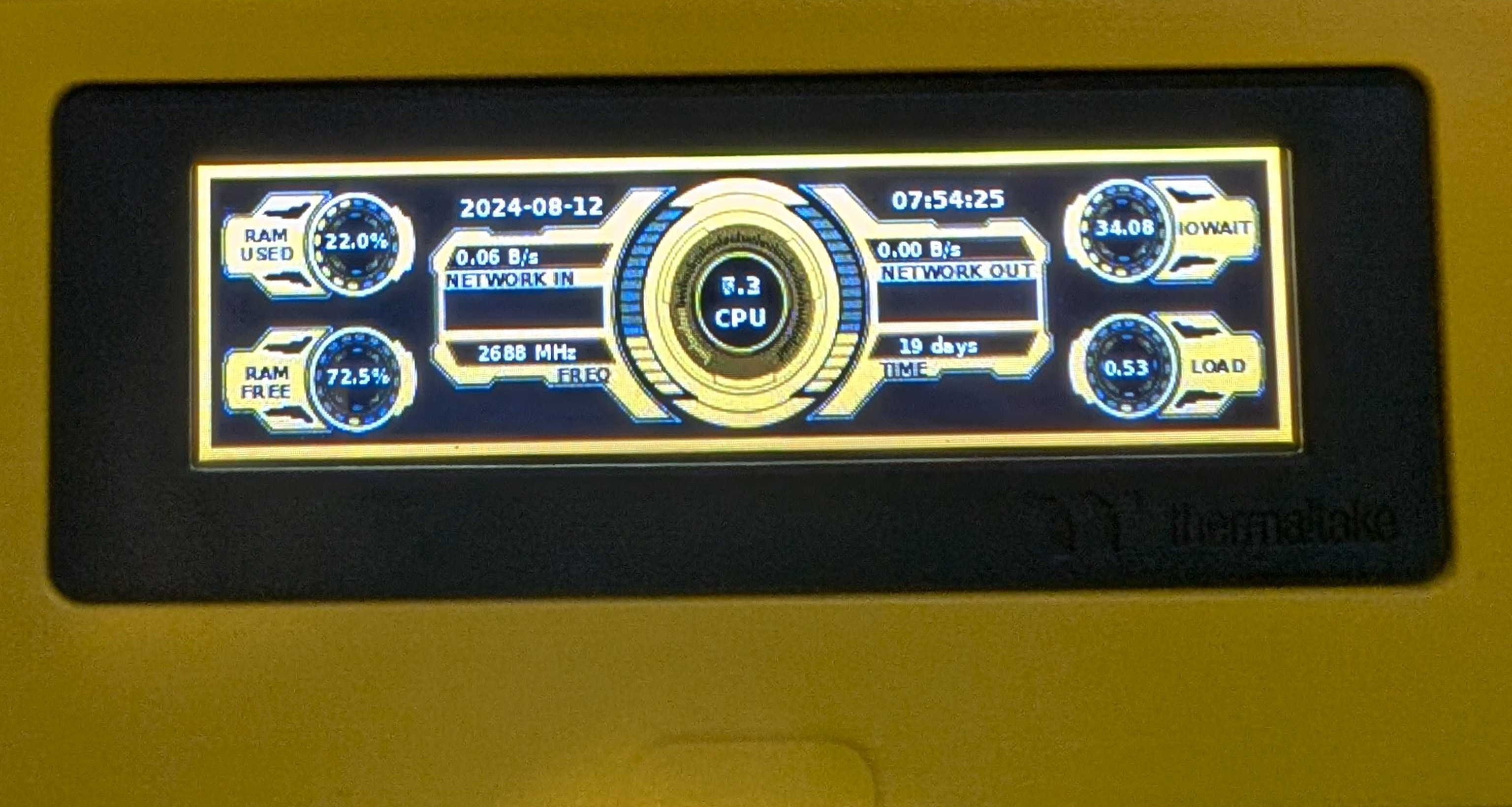
Overview
Implementation (rough at that) of the Thermaltake LCD Panel API. Currently there are widgets for Kubernetes, Prometheus and stand alone nodes.
Background images are streamed as fast as they can be processed (a few frames per second usually). Supported resolution is 480x128. File format is non progressive JPEGs via JFIF streams. See contrib/background.jpg for an example image.
Usage
Source
General source build instructions.
- Install the pip modules by running
pip install -r requirements.txt. I recommend doing this in a python virtual environment dedicated to ttlcd. - If you wish to run as a user other than root, you'll need to provide access to the usb device via udev. See the section "Permissions and USB Devices".
- Create a config.yaml (based off etc/config.yaml.default) which suits your background image.
- Execute
python ttlcd.py -c <config>.
Permissions and USB Devices
See https://github.com/pyusb/pyusb/blob/master/docs/faq.rst#how-to-practically-deal-with-permission-issues-on-linux for further information on configuring udev rules for allowing unprivileged access to USB devices.
Donations
If you are feeling nice today, I would be extremely greatful if you bought me a coffee on https://buymeacoffee.com/bekindpleaserewind
Related Skills
node-connect
335.8kDiagnose OpenClaw node connection and pairing failures for Android, iOS, and macOS companion apps
frontend-design
82.7kCreate distinctive, production-grade frontend interfaces with high design quality. Use this skill when the user asks to build web components, pages, or applications. Generates creative, polished code that avoids generic AI aesthetics.
openai-whisper-api
335.8kTranscribe audio via OpenAI Audio Transcriptions API (Whisper).
commit-push-pr
82.7kCommit, push, and open a PR
