
Bastillion
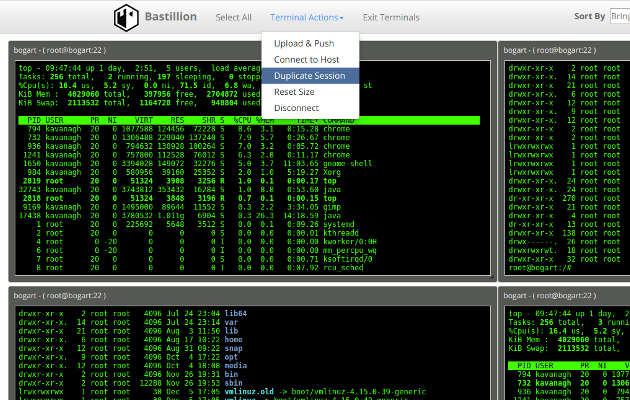
A modern, web-based SSH console and key management tool. Bastillion gives you a clean, browser-based way to manage SSH access across all your systems. Think of it like a bastion host with a friendly dashboard.
Install / Use
/learn @bastillion-io/BastillionREADME



Bastillion
A modern, web-based SSH console and key management tool.
Bastillion gives you a clean, browser-based way to manage SSH access across all your systems—like a bastion host with a friendly dashboard.
You can:
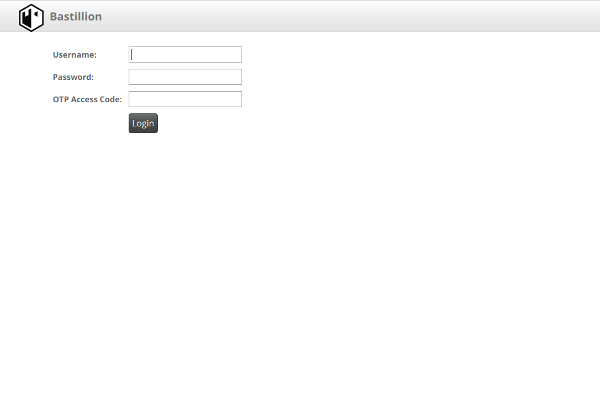
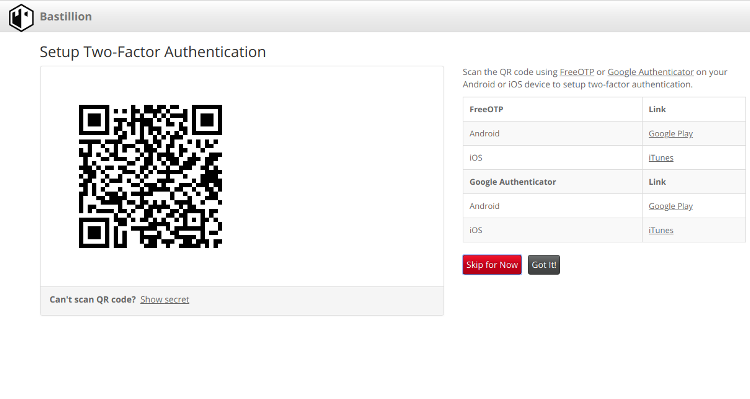
- Log in with 2-factor authentication (Authy or Google Authenticator)
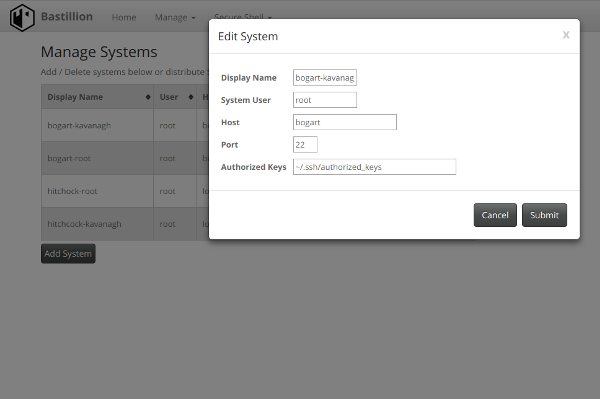
- Manage and distribute SSH public keys
- Launch secure web shells and share commands across sessions
- Stack TLS/SSL over SSH for extra protection
Read more: Implementing a Trusted Third-Party System for Secure Shell.
🚀 What’s New
- Upgraded to Java 21 and Jakarta EE 11
- Full support for Ed25519 (default) and Ed448 SSH keys
- New daemon mode for Jetty startup (
--daemon) - Updated dependencies for improved security and performance
Installation Options
Free: https://github.com/bastillion-io/Bastillion/releases
AWS Marketplace: https://aws.amazon.com/marketplace/pp/prodview-x2imjupuydrj6
Prerequisites
Java 21 (OpenJDK or Oracle JDK)
apt-get install openjdk-21-jdk
Oracle JDK download: http://www.oracle.com/technetwork/java/javase/downloads/index.html
Authenticator (for 2FA)
| Application | Android | iOS | |--------------|----------|-----| | Authy | Google Play | iTunes | | Google Authenticator | Google Play | iTunes |
Run with Jetty (Bundled)
Download: https://github.com/bastillion-io/Bastillion/releases
Set Environment Variables
Linux / macOS
export JAVA_HOME=/path/to/jdk
export PATH=$JAVA_HOME/bin:$PATH
Windows
set JAVA_HOME=C:\path\to\jdk
set PATH=%JAVA_HOME%\bin;%PATH%
Start Bastillion
Foreground (interactive):
./startBastillion.sh
Daemon (background):
./startBastillion.sh --daemon
Logs are stored in jetty/logs/YYYY_MM_DD.jetty.log.
Enable debug output:
./startBastillion.sh -d
Stop:
./stopBastillion.sh
Access in browser:
https://<server-ip>:8443 (or for AMI instances: https://<instance-ip>:443)
Default credentials:
username: admin
password: changeme
Build from Source
Install Maven 3+:
apt-get install maven
Build and run:
mvn package jetty:run
⚠️
mvn cleanwill remove the H2 database and user data.
SSH Key Management
Settings live in BastillionConfig.properties:
# Disable key management (append instead of overwrite)
keyManagementEnabled=false

# authorized_keys refresh interval in minutes (no refresh for <=0)
authKeysRefreshInterval=120

# Force user key generation and strong passphrases
forceUserKeyGeneration=false
Custom SSH Key Pair
Specify a custom SSH key pair or let Bastillion generate its own on startup:
# Regenerate and import SSH keys
resetApplicationSSHKey=true

# SSH key type ('rsa', 'ecdsa', 'ed25519', or 'ed448')
# Supported options:
#   rsa    - Classic, widely compatible (configurable length, default 4096)
#   ecdsa  - Faster, smaller keys (P-256/384/521 curves)
#   ed25519 - Default and recommended (≈ RSA-4096, secure and fast)
#   ed448  - Extra-strong (≈ RSA-8192, slower and less supported)
sshKeyType=ed25519

# Private key
privateKey=/Users/you/.ssh/id_rsa

# Public key
publicKey=/Users/you/.ssh/id_rsa.pub

# Passphrase (leave blank if none)
defaultSSHPassphrase=myPa$$w0rd
Once registered, you can remove the key files and passphrase from the configuration.
Database Settings
Embedded H2 example:
dbUser=bastillion
dbPassword=p@$$w0rd!!
dbDriver=org.h2.Driver
dbConnectionURL=jdbc:h2:keydb/bastillion;CIPHER=AES;
Remote H2 example:
dbConnectionURL=jdbc:h2:tcp://<host>:<port>/~/bastillion;CIPHER=AES;
External Authentication (LDAP)
Enable external auth in BastillionConfig.properties:
jaasModule=ldap-ol
Configure jaas.conf:
ldap-ol {
    com.sun.security.auth.module.LdapLoginModule SUFFICIENT
    userProvider="ldap://hostname:389/ou=example,dc=bastillion,dc=com"
    userFilter="(&(uid={USERNAME})(objectClass=inetOrgPerson))"
    authzIdentity="{cn}"
    useSSL=false
    debug=false;
};
To map LDAP roles to Bastillion profiles:
ldap-ol-with-roles {
    org.eclipse.jetty.jaas.spi.LdapLoginModule required
    debug="false"
    useLdaps="false"
    contextFactory="com.sun.jndi.ldap.LdapCtxFactory"
    hostname="<SERVER>"
    port="389"
    bindDn="<BIND-DN>"
    bindPassword="<BIND-DN PASSWORD>"
    authenticationMethod="simple"
    forceBindingLogin="true"
    userBaseDn="ou=users,dc=bastillion,dc=com"
    userRdnAttribute="uid"
    userIdAttribute="uid"
    userPasswordAttribute="userPassword"
    userObjectClass="inetOrgPerson"
    roleBaseDn="ou=groups,dc=bastillion,dc=com"
    roleNameAttribute="cn"
    roleMemberAttribute="member"
    roleObjectClass="groupOfNames";
};
Admins are added upon first login and can be assigned system profiles.
Users are synced with profiles when their LDAP role names match Bastillion profiles.
Auditing
Auditing is disabled by default.
Enable it in log4j2.xml by uncommenting:
io.bastillion.manage.util.SystemAuditaudit-appender
https://github.com/bastillion-io/Bastillion/blob/master/src/main/resources/log4j2.xml#L19-L22
Also enable in BastillionConfig.properties:
enableInternalAudit=true
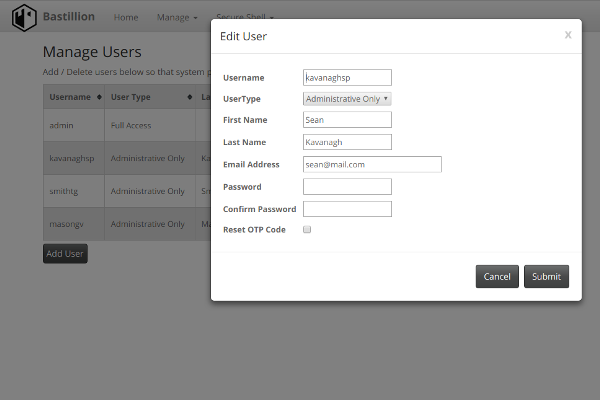
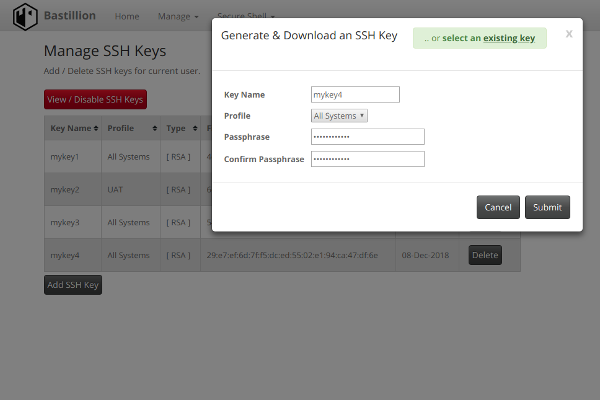
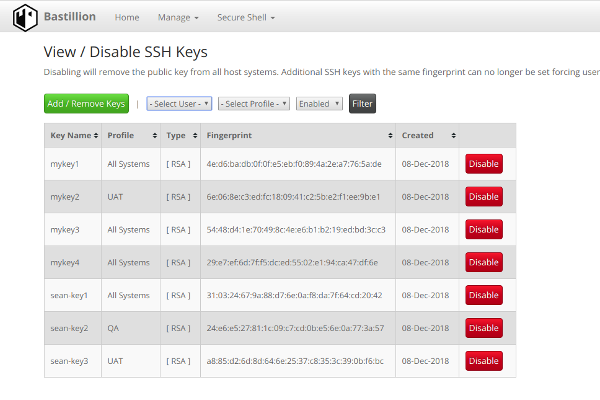
Screenshots
Thanks to
See full dependencies in 3rdPartyLicenses.md.
License
Bastillion is available under the Prosperity Public License.
Author
Loophole, LLC — Sean Kavanagh
Email: sean.p.kavanagh6@gmail.com
Instagram: @spkavanagh6
Related Skills
node-connect
338.0kDiagnose OpenClaw node connection and pairing failures for Android, iOS, and macOS companion apps
frontend-design
83.4kCreate distinctive, production-grade frontend interfaces with high design quality. Use this skill when the user asks to build web components, pages, or applications. Generates creative, polished code that avoids generic AI aesthetics.
openai-whisper-api
338.0kTranscribe audio via OpenAI Audio Transcriptions API (Whisper).
commit-push-pr
83.4kCommit, push, and open a PR
