
Focus
A fully featured productivity timer for the command line, based on the Pomodoro Technique. Supports Linux, Windows, and macOS.
Install / Use
/learn @ayoisaiah/FocusREADME
Focus is a cross-platform productivity timer for the command line. It is based on the Pomodoro Technique, a time management method developed by Francesco Cirillo in the late 1980s.
🍅 How it works
- Pick a task you need to accomplish.
- Set a timer for 25 minutes and start working without interruptions.
- When the timer rings, take a short break for 5 minutes.
- Once you've completed four work sessions, you can take a longer 15 minute break.
✨ Main features
- Work and break session lengths are customisable.
- You can pause and resume work sessions.
- You can skip break sessions.
- You can customise the number of sessions before a long break.
- You can set a maximum number of sessions.
- Desktop notifications are supported on all platforms.
- You can customise the notification messages.
- Detailed statistics for your work history are provided including charts.
- Focus provides six built-in ambient sounds that you can play during a session, and you can add your own custom sounds.
💻 Screenshots
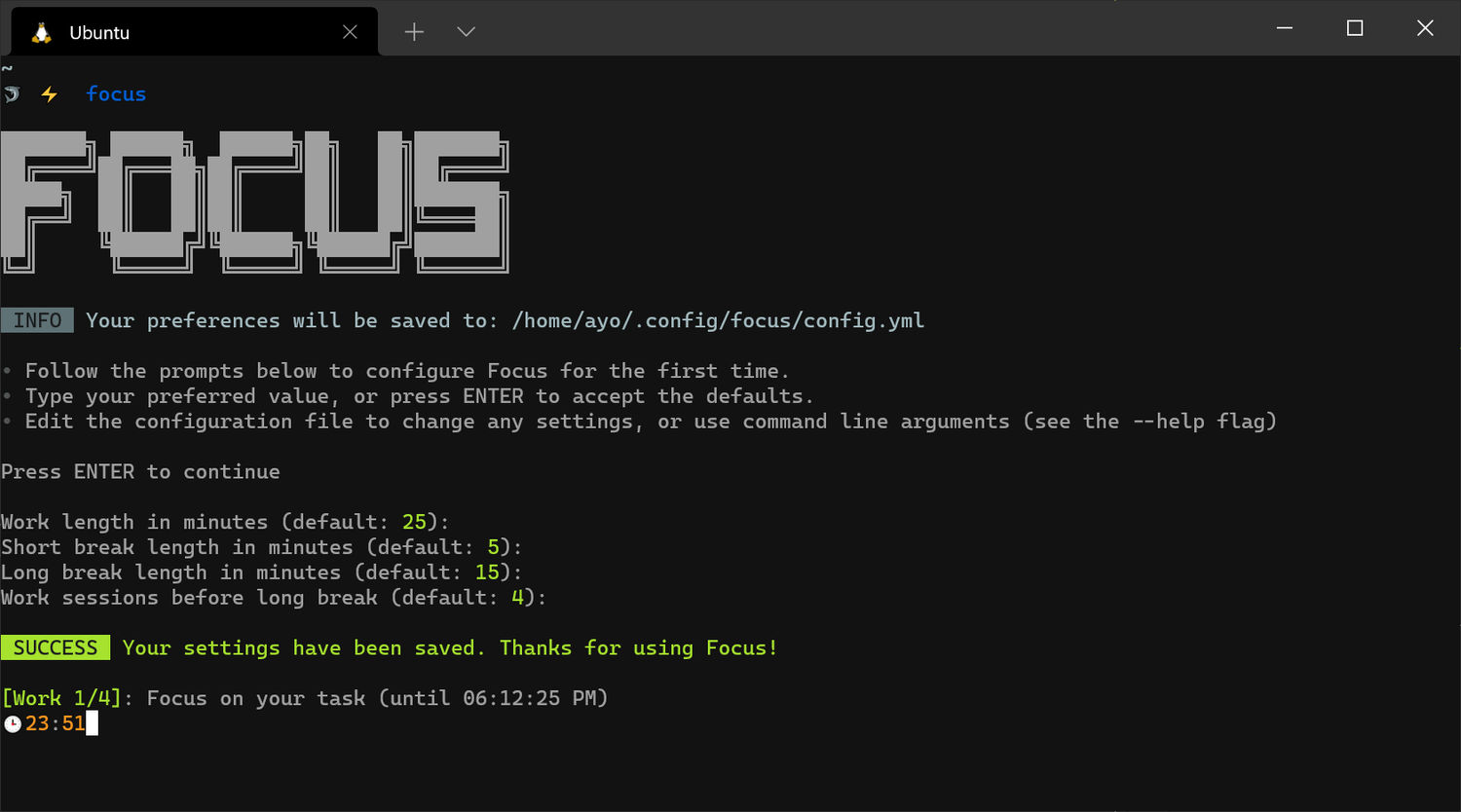
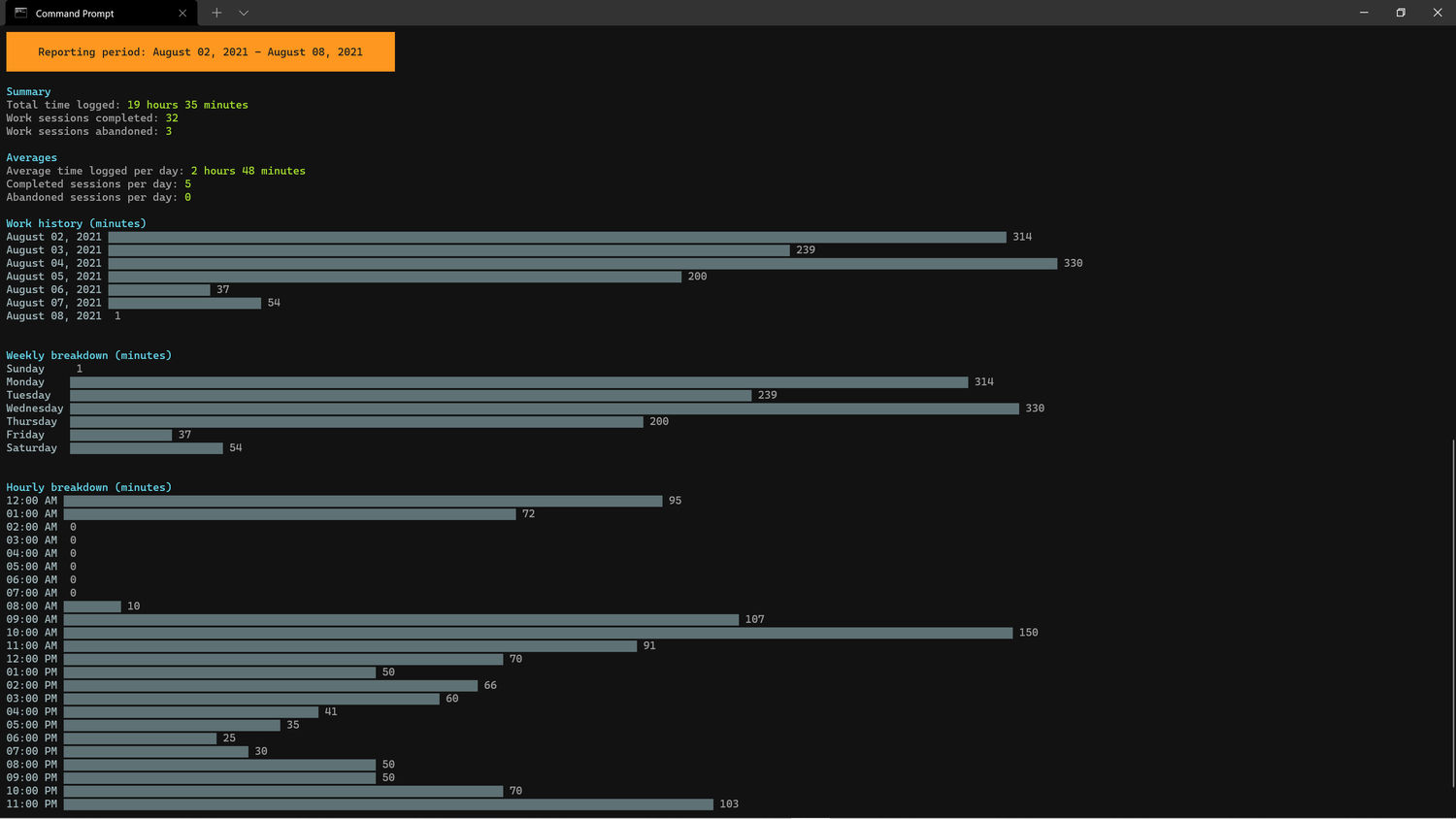
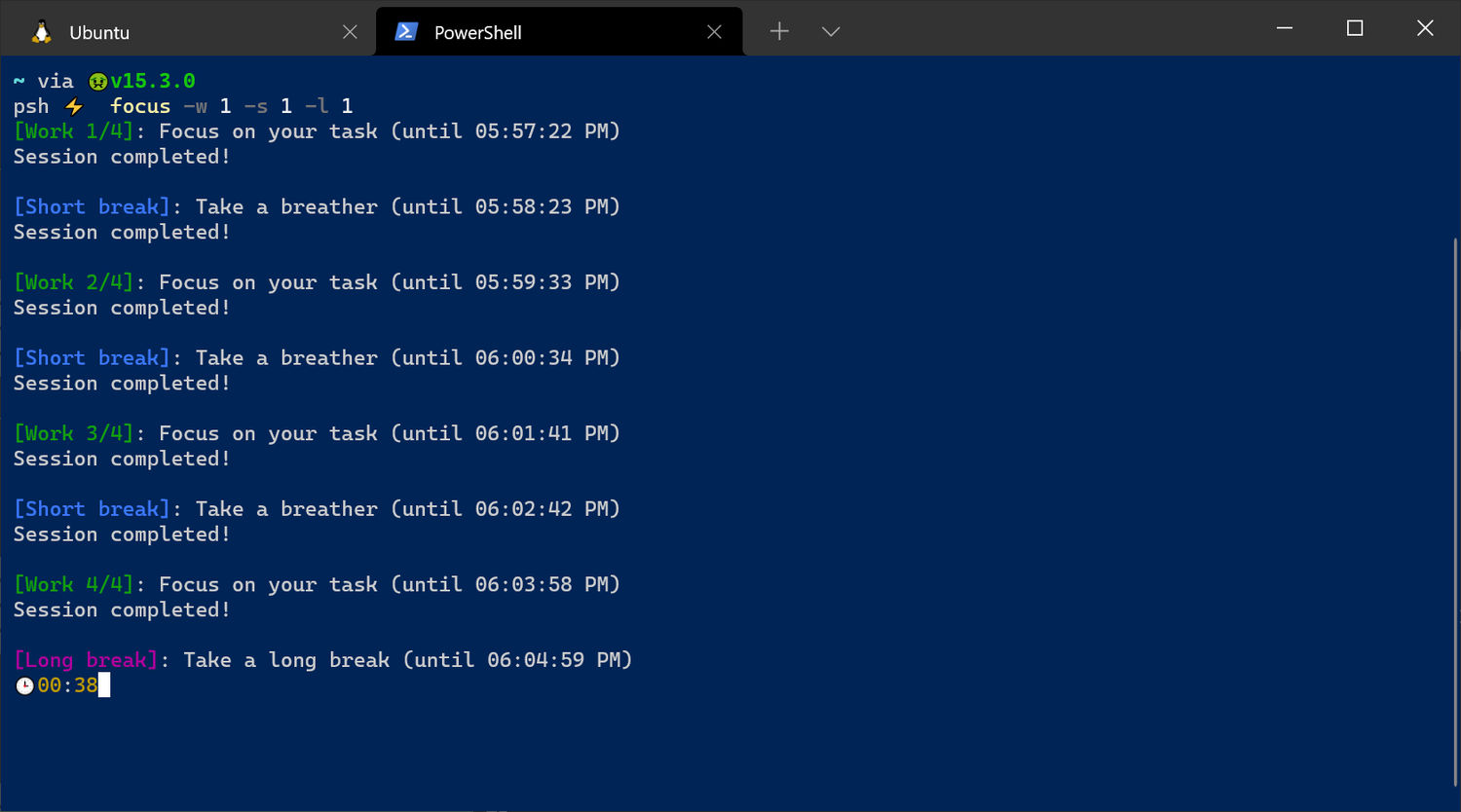
⚡ Installation
Focus is written in Go, so you can install it through go install (requires Go
1.16 or later):
go install github.com/ayoisaiah/focus/cmd/focus@latest
On Linux, the libasound2-dev package is required to compile Focus. Ubuntu or
Debian users can install it through the command below:
sudo apt install libasound2-dev
📦 NPM Package
You can also install Focus through its NPM package:
With npm:
npm i @ayoisaiah/focus -g
With yarn:
yarn global add @ayoisaiah/focus
Other installation methods are available here.
🚀 Usage
Once Focus is installed, run it using the command below:
focus
Note: Only one instance of focus can be active at a time.
⚙ Configuration
When you run Focus for the first time, it will prompt you to set your preferred
timer lengths, and how many sessions before a long break. Afterwards, you may
change these values by using command-line options or editing the config.yml
file which will be located in ~/.config/focus/ on Linux,
%LOCALAPPDATA%\focus on Windows, and ~/Library/Application Support/focus on
macOS.
Here's the default configuration settings:
work_mins: 25 # work session length

work_msg: Focus on your task # work session message (shown in terminal and notification)

short_break_mins: 5 # short break session length

short_break_msg: Take a breather # short break session message (shown in terminal and notification)

long_break_mins: 15 # long break session length

long_break_msg: Take a long break # long break session message (shown in terminal and notification)

long_break_interval: 4 # number of sessions before long break

notify: true # show desktop notifications

auto_start_work: false # Automatically start the next work session

auto_start_break: true # Automatically start the next break session

24hr_clock: false # Show time in 24 hour format

sound: '' # name of ambient sound to play

sound_on_break: false # play ambient sound during break sessions

dark_theme: true # use colours befitting a dark background

session_cmd: '' # execute an arbitrary command after each session
If you specify a command-line argument while running focus, it will override the corresponding value in the config file.
⏳ Sessions
Focus has 3 types of sessions: work, short break, and long break.
💼 Work sessions
- Set to 25 minutes length by default. Use the
--workor-woption to change the length, or changework_minsin theconfig.ymlfile. - Message displayed in the terminal and desktop notification can be changed
using
work_msg. - You can pause a work session by pressing
Ctrl-C. Usefocus resumeto continue from where you stopped. - The
focus resumecommand supports the--sound,--sound-on-break, and--disable-notificationflags. - If
auto_start_workisfalse, you will be prompted to start each work session manually. Otherwise if set totrue, it will start without your intervention. - The maximum number of work sessions can be set using the
--max-sessionsor-maxoption. After that number is reached, focus will exit. - Use the
--long-break-intervalor-intoption to set the number of work sessions before a long break, or changelong_break_intervalin yourconfig.yml.
😎 Break sessions
- Short break is 5 minutes by default. Use the
--short-breakor-soption to change the length, or setshort_break_minsin theconfig.ymlfile. - Long break is 15 minutes by default. Use the
--long-breakor-loption to change the length, or setlong_break_minsin theconfig.ymlfile. - Message displayed in the terminal and desktop notification can be changed
using
short_break_msgandlong_break_msg. - Pressing
Ctrl-Cduring a break session will interrupt it. Runfocus resumeto skip to the next work session. - If
auto_start_breakisfalse, you will be prompted to start each break session manually. Otherwise if set totrue, it will start without your intervention.
Tagging sessions
You can use the --tag or -t flag to apply a tag to a new session:
focus --tag 'side-project'
Multiple tags are supported (use commas to separate each):
focus --tag 'side-project,focus'
🔔 Notifications
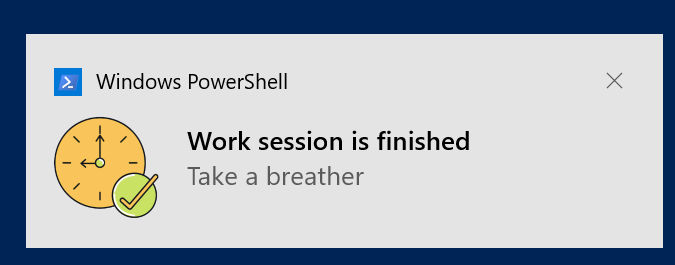
Notifications are turned on by default. Set notify to false in your config
file, or use the --disable-notification flag if you don't want notifications
once a session ends.
🔊 Ambient sounds
Focus provides six ambient sounds by default: coffee_shop, playground,
wind, rain, summer_night, and fireplace. You can play a sound using the
--sound option, or set a default sound in your config file through the sound
key.
focus --sound 'coffee_shop'
If you want to play a custom sound instead, copy the file (supports MP3, FLAC, OGG, and WAV) to the appropriate directory for your operating system:
- Linux:
~/.local/share/focus/static - Windows:
%LOCALAPPDATA\focus\static - macOS:
~/Library/Application Support/focus/static
Afterwards, specify the name of the file in the sound key or --sound option.
Note that custom sounds must include the file extension.
focus --sound 'university.mp3'
focus --sound 'subway.ogg'
focus --sound 'airplane.wav'
focus --sound 'stadium_noise.flac'
By default, ambient sounds are played only during work sessions. They are paused
during break sessions, and resumed again in the next work session. If you'd like
to retain the ambient sound during a break session, set the sound_on_break
config option to true, or use the --sound-on-break or -sob flag.
You can also disable sounds when starting or resuming a session by setting
--sound to off:
focus --sound 'off'
focus resume --sound 'off'
📈 Statistics & History
focus stats
The above command will display your work history for the last 7 days by default. You'll see how many work sessions you completed, how many you abandoned, and how long you focused for overall. It also displays a break down by week, and hour to let you know what times you tend to be productive.
You can change the reporting period through the --period or -p option. It
accepts the following values: today, yesterday, 7days, 14days, 30days,
90days, 180days, 365days, all-time.
focus stats -p 'today'
focus stats -p 'all-time'
You can also set a specific time period using the --start and --end options.
The latter defaults to the current day if not specified. See the list of
acceptable formats in the
project wiki.
focus stats --start '2021-08-06'
focus stats --start '2021-08-06' --end '2021-08-07'
focus stats --start '2021-07-23 12:00:05 PM' --end '2021-07-29 03:25:00 AM'
📃 Listing sessions
Use the list command to display a table of your work sessions instead of
aggregated statistics. Use the --period or --start and --end option to
change the reporting period (defaults to the last 7 days).
focus list
┌──────────────────────────────────
Related Skills
openhue
334.5kControl Philips Hue lights and scenes via the OpenHue CLI.
sag
334.5kElevenLabs text-to-speech with mac-style say UX.
weather
334.5kGet current weather and forecasts via wttr.in or Open-Meteo
tweakcc
1.4kCustomize Claude Code's system prompts, create custom toolsets, input pattern highlighters, themes/thinking verbs/spinners, customize input box & user message styling, support AGENTS.md, unlock private/unreleased features, and much more. Supports both native/npm installs on all platforms.
