
Autosetup
Quickly set up autoapply in a Kubernetes cluster
Install / Use
/learn @autoapply/AutosetupREADME
autosetup



Quickly set up autoapply in a Kubernetes cluster.
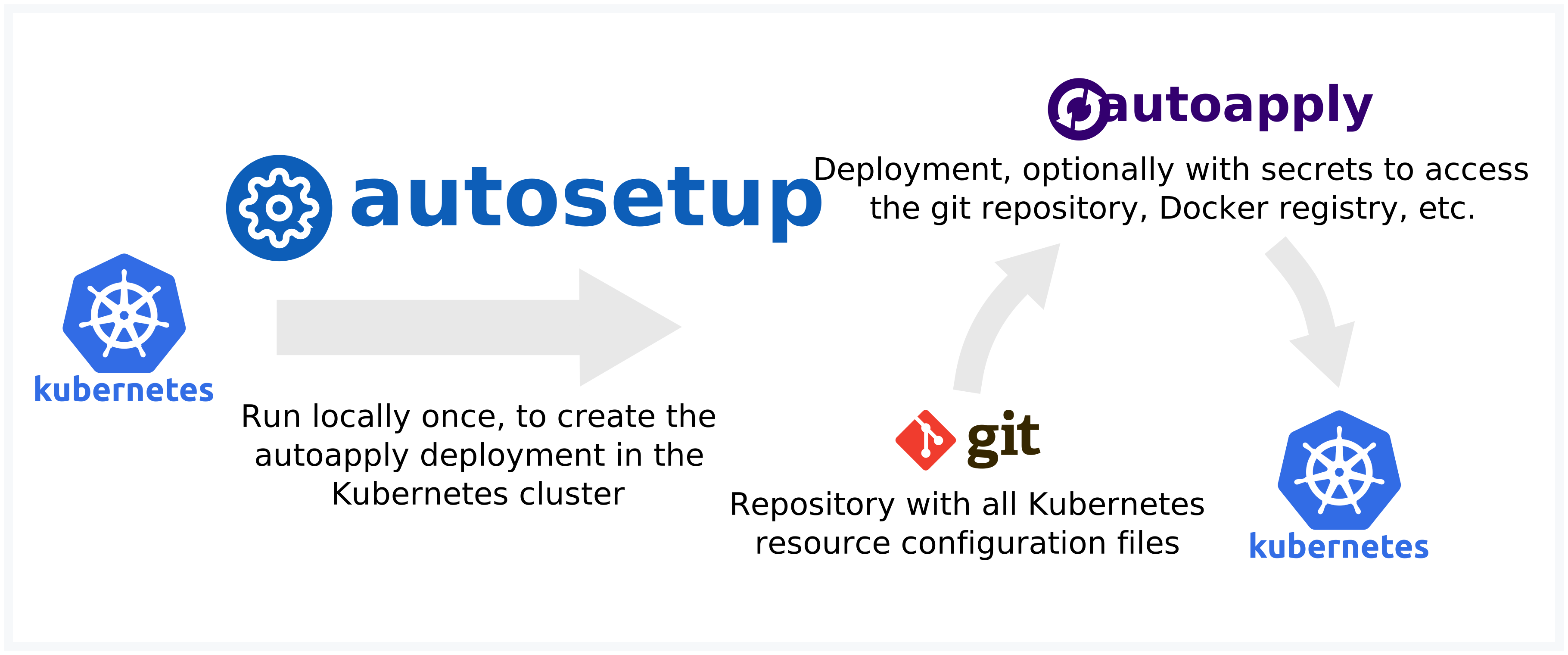
- Create a configuration file with the repository URL and required secrets
- Run autosetup to create Kubernetes resource files based on the configuration file
- Apply the resource files to your Kubernetes cluster to create the autoapply deployment
Usage
Run autosetup by using the Docker image autoapply/autosetup.
$ docker run --rm autoapply/autosetup \
    -c git.url=https://github.com/autoapply/template-kubectl \
    -c 'kubernetes.paths=["common","dev"]' \
    -c kubernetes.namespace=autoapply-test \
    > output.yaml
info: All templates successfully generated!
$ cat output.yaml
$ kubectl apply -f output.yaml
Alternatively, you can also install it locally using yarn global add autosetup or npm install -g autosetup.
Configuration
A simple configuration file looks like this:
git:
  url: "https://github.com/autoapply/template-kubectl"
kubernetes:
  paths:
    - "common"
    - "dev"
For more details, see example-config.yaml.
See template-kubectl and template-kustomize for example repositories.
SSH key
The SSH key to access Git repositories can be generated using
$ ssh-keygen -N '' -m PEM -b 4096 -t rsa -f id_rsa -C autoapply
yaml-crypt keys
A new yaml-crypt key can be generated using
$ yaml-crypt --generate-key
sops configuration
For information on how to setup sops, see the documentation.
License
Related Skills
node-connect
348.5kDiagnose OpenClaw node connection and pairing failures for Android, iOS, and macOS companion apps
frontend-design
109.1kCreate distinctive, production-grade frontend interfaces with high design quality. Use this skill when the user asks to build web components, pages, or applications. Generates creative, polished code that avoids generic AI aesthetics.
openai-whisper-api
348.5kTranscribe audio via OpenAI Audio Transcriptions API (Whisper).
qqbot-media
348.5kQQBot 富媒体收发能力。使用 <qqmedia> 标签,系统根据文件扩展名自动识别类型(图片/语音/视频/文件)。
