
NextTrade
(Predecessor to NexusTrade) A no-code algorithmic trading system
Install / Use
npx skills add austin-starks/NextTradeInstalls into whichever agent you are using.
README
NextTrade - Plan your next trade
A system to create, test, optimize, and deploy algorithmic trading strategies.
For a better, faster, cloud-based platform, check out NexusTrade. If you want to learn about algorithmic trading and financial research from a community of data-driven investors, join our free Discord channel!
NexusTrade is a AI-Powered platform that streamlines the configuration of trading strategies. It's faster, more configurable, and more feature-rich than NextTrade. It features a powerful AI Chat Assistant tool as an entry point to many of its features.
Some improvements include:
- Enhanced configurability: Can essentially express any trading idea you can imagine
- AI-Powered Research Tools: Perform in-depth company analysis and compare companies between each other
- Powerful stock screener: Use natural language to find stocks in over 130 industries and 30+ indicators
- Read More about NextTrade
- Comparing NextTrade to NexusTrade Part 1
- Comparing NextTrade to NexusTrade Part 2
NextTrade Features
- Combine conditions to form compound conditions. Combine compound conditions and create trading strategies.
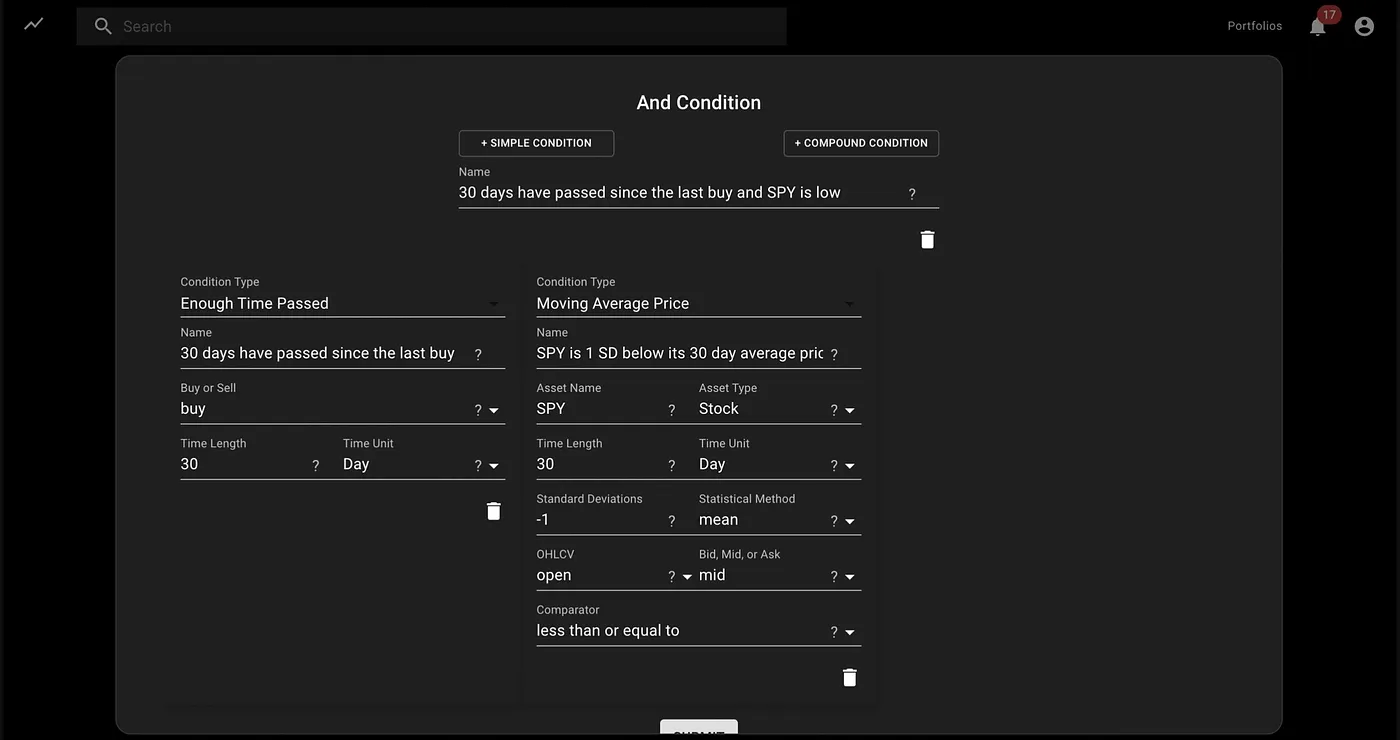
- For example:
- Condition A: QQQ stock is 1 SD below its 5-day mean price
- Condition B: Buying power is above $8,000.
- Condition C: Condition A and condition B
- Strategy: If condition C, buy $3000 of SPY
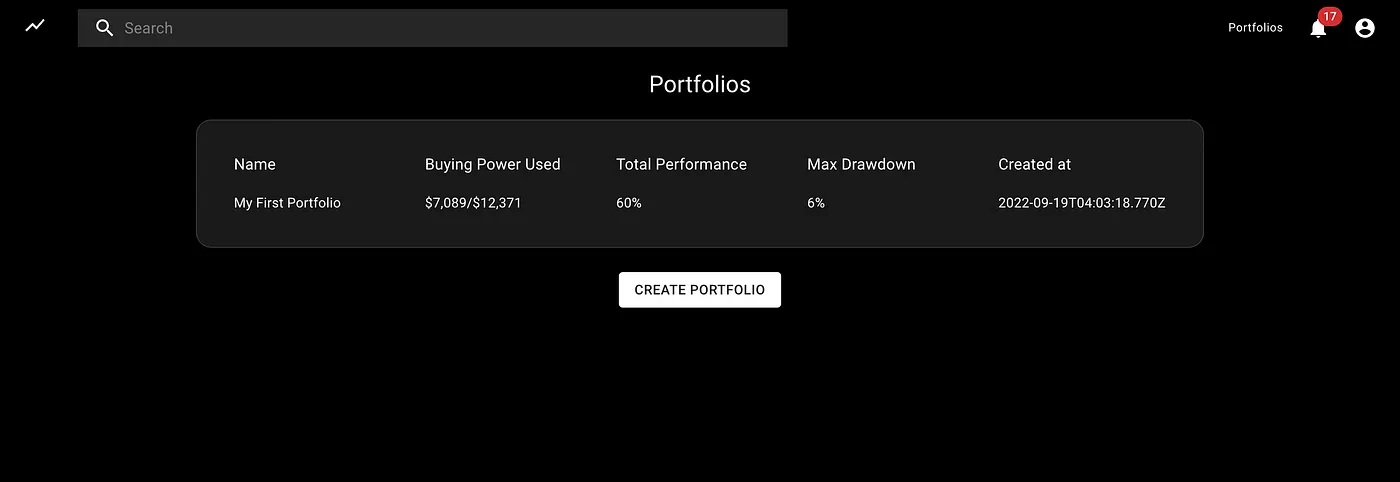
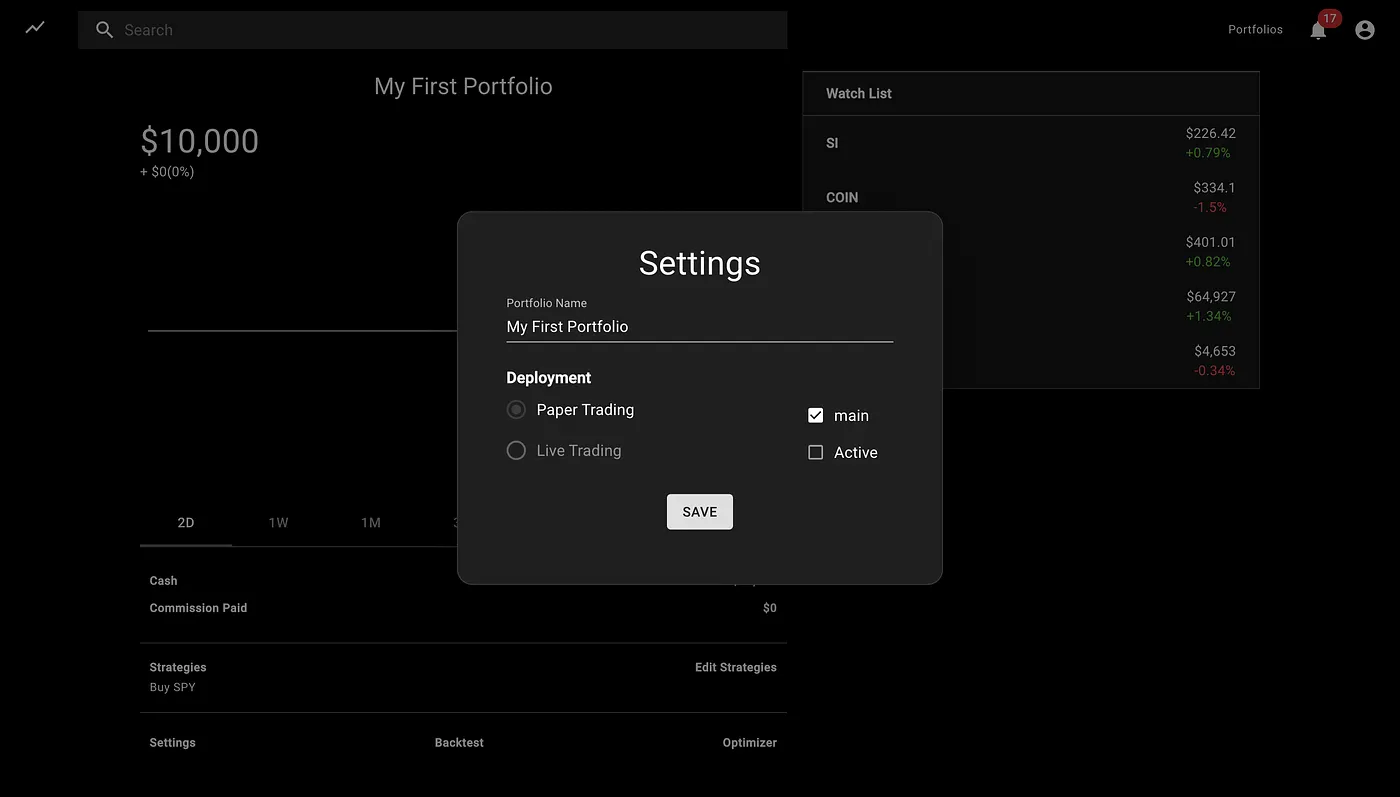
- Create unlimited portfolios with different combinations of strategies
- Backtest those strategies using historical data.
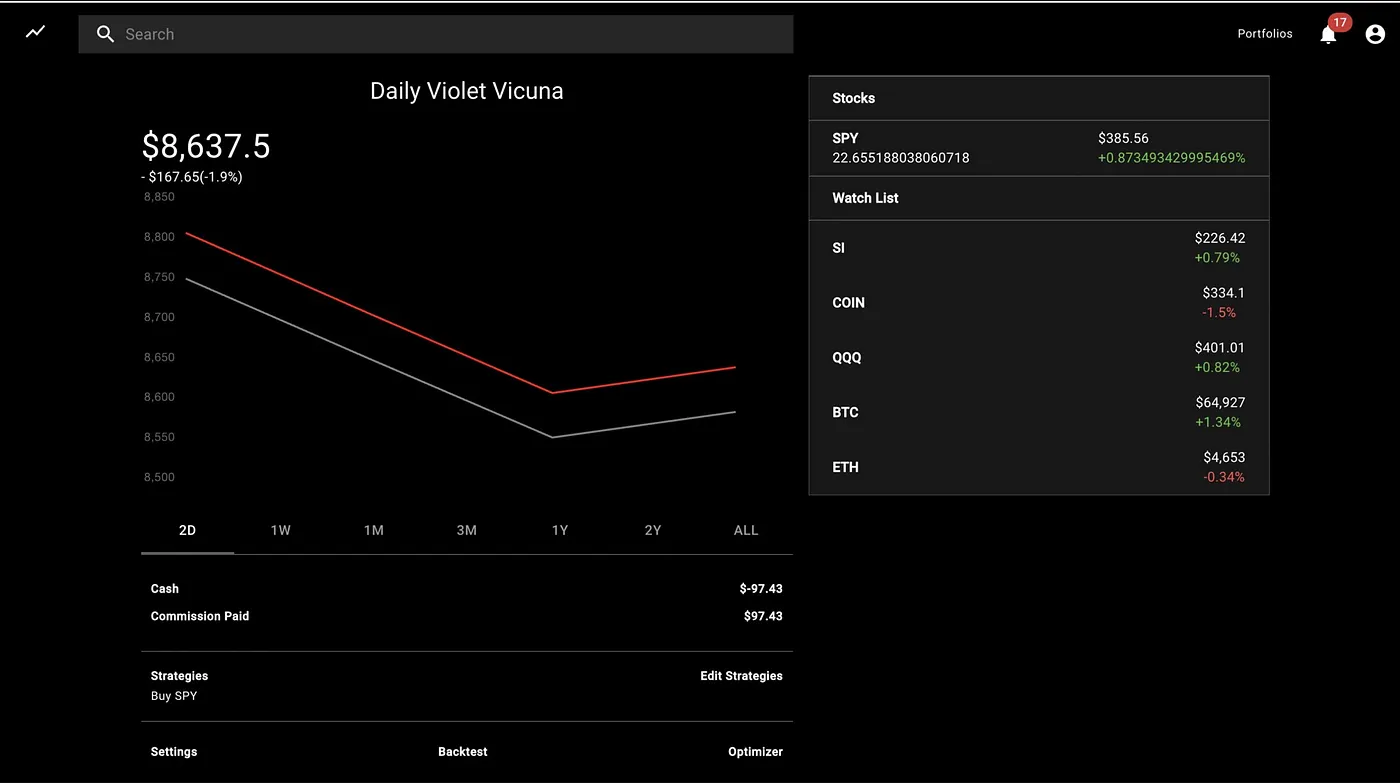
- Only stocks are currently supported, but cryptocurrency and options support is baked into the architecture
- Optimize the strategy's parameters using a genetic algorithm
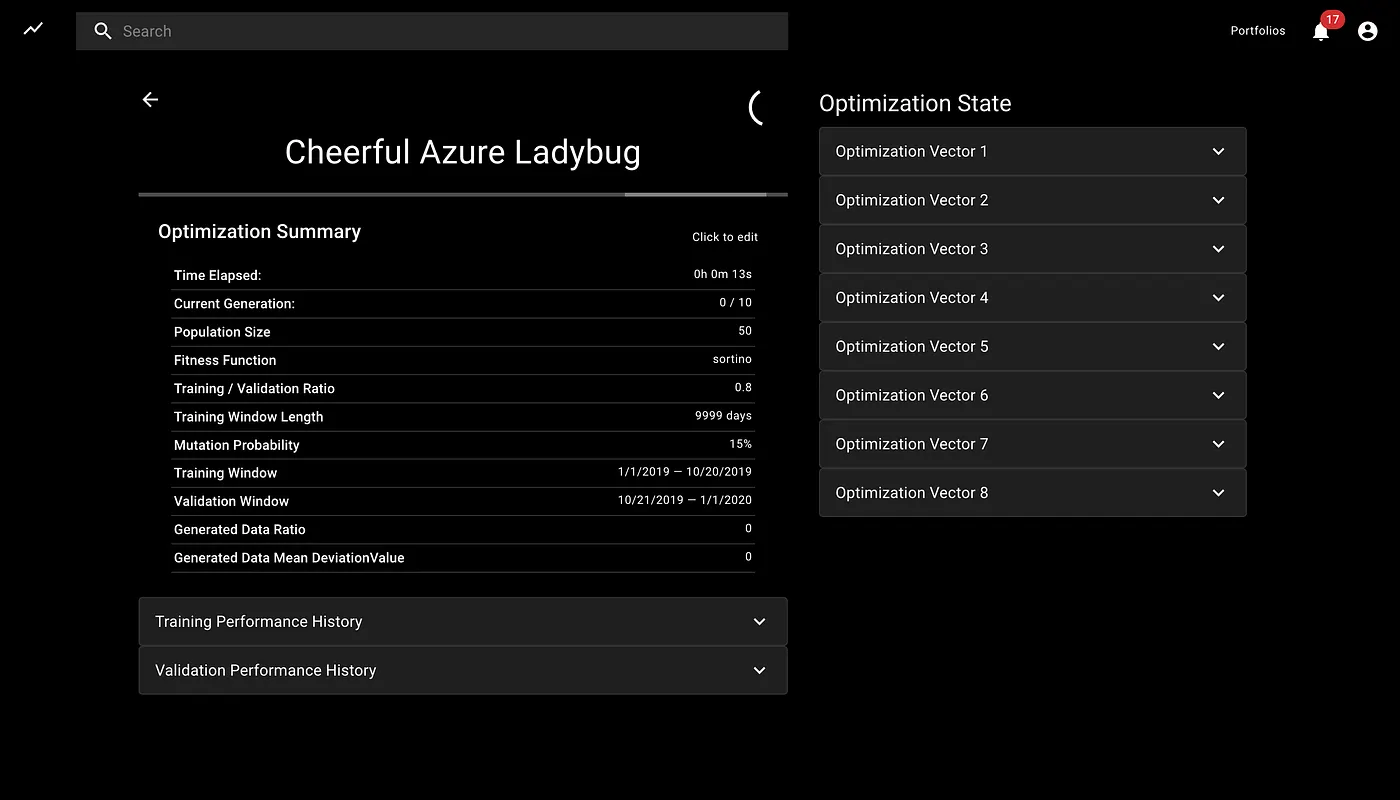
- Choose hyperparameters like mutation rate, training period, validation period, and population size
- Choose to optimize percent gain, sortino ratio, sharpe ratio, or max drawdown
- Deploy the strategies live and see how it performs in real-time
System Architecture and Design
Some architectural artifacts can be found at this link: https://drive.google.com/drive/folders/1TgZNGPd7TBWi47dWh0TI2nZ_9WUhv_P_?usp=sharing
Local Installation
Prerequisites
- Mac, Linux or WSL2 preferred
- Tradier Account (with at least a free sandbox token; additional brokers TBD)
Mac Setup
- Clone the repository.
- Install MongoDB community edition and enable it.
- Install the dependencies:
npm run install-all - Make sure all tests pass:
cd app && npm t && cd .. - Add your Tradier token to the
./app/envfile and rename the file to .env
Linux/WSL2 setup (tested on Ubuntu 20.04)
- If needed, install Node.js. NVM Option:
curl -o- https://raw.githubusercontent.com/nvm-sh/nvm/master/install.sh | bash- Exit and restart the terminal session.
nvm install --lts
- Install MongoDB community edition and enable. For Ubuntu 20.04:
curl -fsSL https://www.mongodb.org/static/pgp/server-4.4.asc | sudo apt-key add -echo "deb [ arch=amd64,arm64 ] https://repo.mongodb.org/apt/ubuntu focal/mongodb-org/4.4 multiverse" | sudo tee /etc/apt/sources.list.d/mongodb-org-4.4.listsudo apt updatesudo apt install mongodb-org- Linux/Ubuntu specific:
sudo systemctl status mongod(verify it's running)sudo systemctl enable mongod(to auto-start at boot)
- WSL2 specific:
sudo mkdir -p /data/dbsudo chown -R `id -un` /data/dbwget -O mongod.sh https://raw.githubusercontent.com/mongodb/mongo/master/debian/init.dsudo mv ./mongod.sh /etc/init.d/mongodsudo chmod +x /etc/init.d/mongodsudo service mongod startsudo service mongod status(verify it's running)
mongo --eval 'db.runCommand({ connectionStatus: 1 })'(verify it's working)
- Clone the NextTrade repository:
cd ~ && git clone https://github.com/austin-starks/NextTrade && cd NextTrade - Install the dependencies:
npm run install-all - Copy the sample config file to .env
cp ./app/env ./app/.env - Add your Tradier token to the
./app/.envfile - Make sure all tests pass:
cd app && npm t; cd ..
Turning on the system
Manually managed
Development environment
- Open two terminal windows.
- In a terminal instance, turn on the client:
cd client; npm start - In another terminal instance, turn on the server:
cd app; npm start - Once started, load the app: http://localhost:3000
PM2 Managed
Setup
npm install pm2@latest -gcd ~/NextTrade/client && pm2 start npm --name "NextTrade-Client" -- startcd ~/NextTrade/app && pm2 start npm --name "NextTrade-App" -- startpm2 save
Running (assuming no other PM2 apps)
- To start the client+app:
pm2 start all - To stop the client+app:
pm2 stop all - Other Useful commands:
pm2 status,pm2 logs,pm2 monitSee PM2 Quickstart for more.
Related Skills
valuecell
11.0kValueCell is a community-driven, multi-agent platform for financial applications.
QuantDinger
10.4kAI quantitative trading platform for crypto, stocks, and forex with backtesting, live trading, market data, and multi-agent research.vibe-trading ,trading-agents,ai-trader,ai-trading
beanquery-mcp
50Beancount MCP Server is an experimental implementation that utilizes the Model Context Protocol (MCP) to enable AI assistants to query and analyze Beancount ledger files using Beancount Query Language (BQL) and the beanquery tool.
finance-skills
3.1kA collection of skills for AI financial analysis.
