
Defacetracker
defaceTracker is a Python script that scrapes defacement information from Zone-Xsec and saves the data to CSV or JSON format. This script helps you gather historical website defacement data easily.
Install / Use
/learn @atenreiro/DefacetrackerREADME
defaceTracker


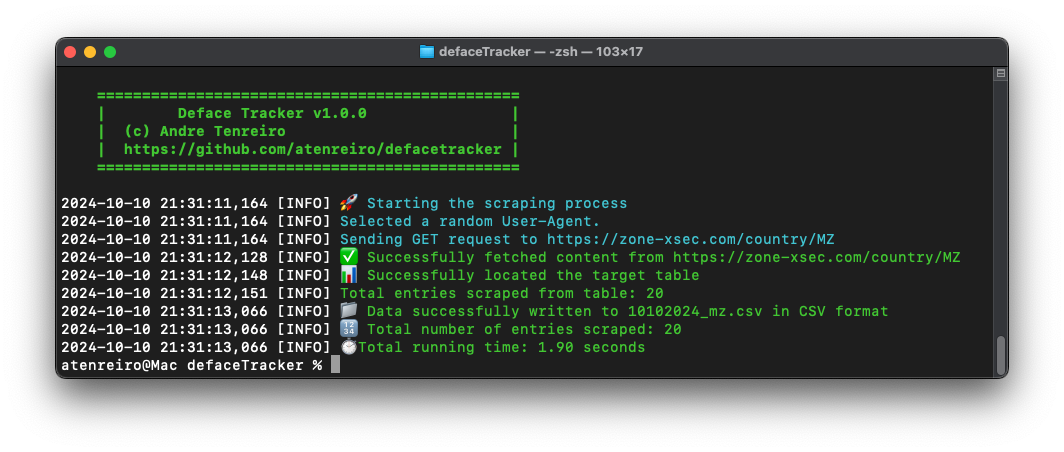
Deface Tracker is a Python script that scrapes defacement information from Zone-Xsec and saves the data to CSV or JSON format. This script helps you gather historical website defacement data easily.
Features
- Scrape defacement information from Zone-Xsec, including attacker, team, URL, and mirror link.
- Support for scraping multiple pages.
- User-friendly logging with colored outputs.
- Option to scrape a specific domain using the
--domainflag. - Saves output to CSV or JSON format.
Requirements
- Python 3.7+
- The following Python packages are required:
pandas
requests
beautifulsoup4
colorama
You can install the required packages using:
git clone https://github.com/atenreiro/defaceTracker
Or clone the repository and install from requirements.txt:
pip install -r requirements.txt
Usage
To run the script, use the following command:
python3 defaceTracker.py [options]
Options
-t, --tld: Specify the TLD to scrape (e.g.,MZ). Default isarchive.-d, --domain: Specify a Fully Qualified Domain Name (FQDN) to search for (e.g.,example.com).-f, --format: Output format (csvorjson). Default iscsv.-o, --output: Output file name. If not specified, the default will be<ddmmyyyy>_<tld>.<format>.-p, --pages: Number of pages to scrape (maximum 5). Default is1.
Examples
- Scrape defacements for Mozambique (
MZ) and save in CSV format:python3 defaceTracker.py -t MZ -f csv -o moz_defacements.csv - Scrape the archive and save in JSON format:
python3 defaceTracker.py -t archive -f json -o archive_data.json - Scrape 3 pages of defacements for Singapore (
SG) in CSV format:python3 defaceTracker.py -t SG -p 3 - Search for defacements related to a specific domain (
example.com) and save the results:python3 defaceTracker.py -d example.com -f json -o domain_defacements.json
Logging
The script logs its progress and issues to both the terminal and a log file (debug.log). The log file contains detailed information about requests, responses, and potential issues during execution.
Example Output
Sample output file (CSV format):
| Date | Attacker | Team | URL | Mirror | |------------|-------------|----------|------------------|------------------------------| | 10/10/2024 | Attacker1 | Team1 | example.com | https://zone-xsec.com/123456 | | 10/10/2024 | Attacker2 | - | example2.com | https://zone-xsec.com/123457 |
Notes
- The script is resilient to minor changes in the HTML of the Zone-Xsec website, thanks to flexible CSS selectors.
- If the HTML structure changes significantly, adjustments might be required.
License
This project is licensed under the MIT License - see the LICENSE file for details.
Author
Developed by Andre Tenreiro.
For any questions, please feel free to reach out or open an issue on the GitHub repository.
