RSA
Cryptography project includes communication between sender and receiver with RSA encryption algorithm and breaking it with CCA (chosen cipher attack) and mathematical attack using python socket.
Install / Use
/learn @asmaaadel0/RSAREADME
📝 Table of Contents
- About
- Installation
- How to run
- To test attacks
- Screen Vedio
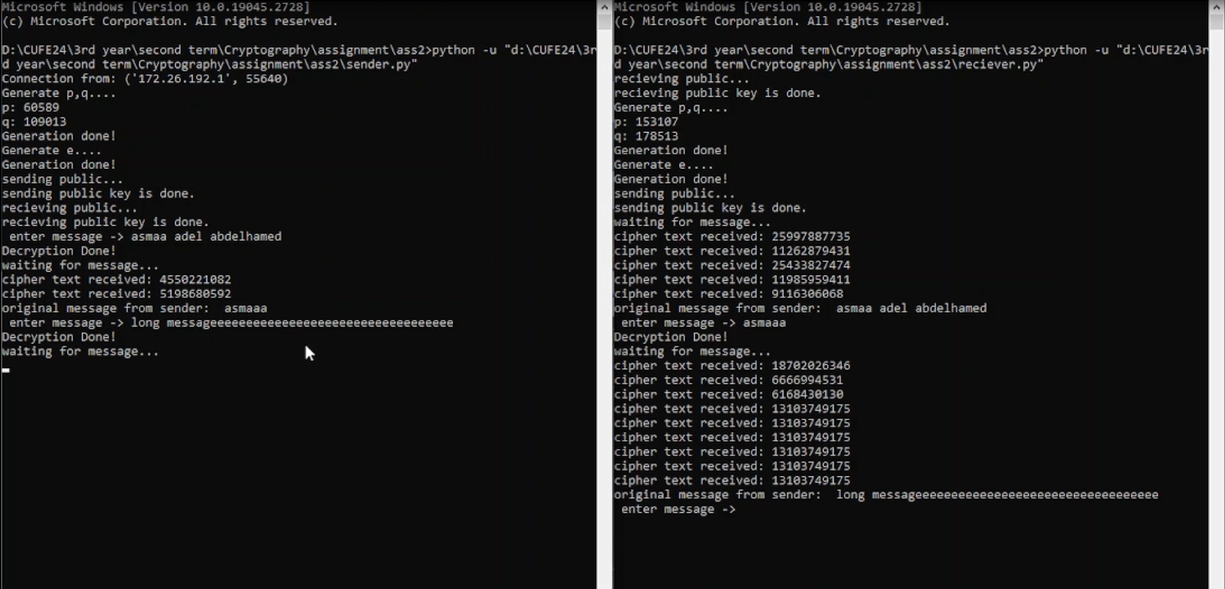
- Screenshots from Sender and receiver
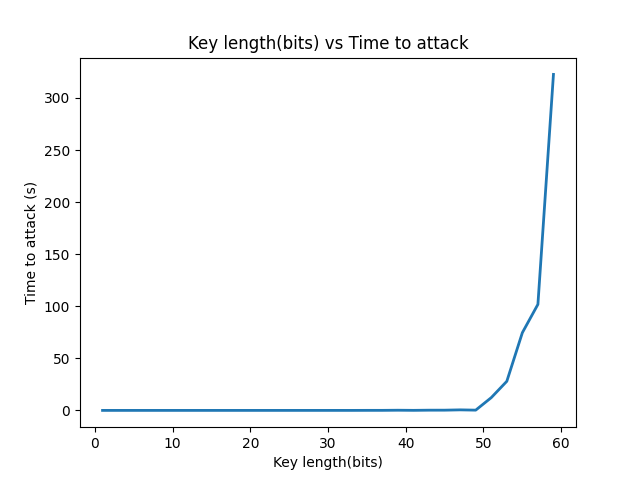
- Key Length VS attack time
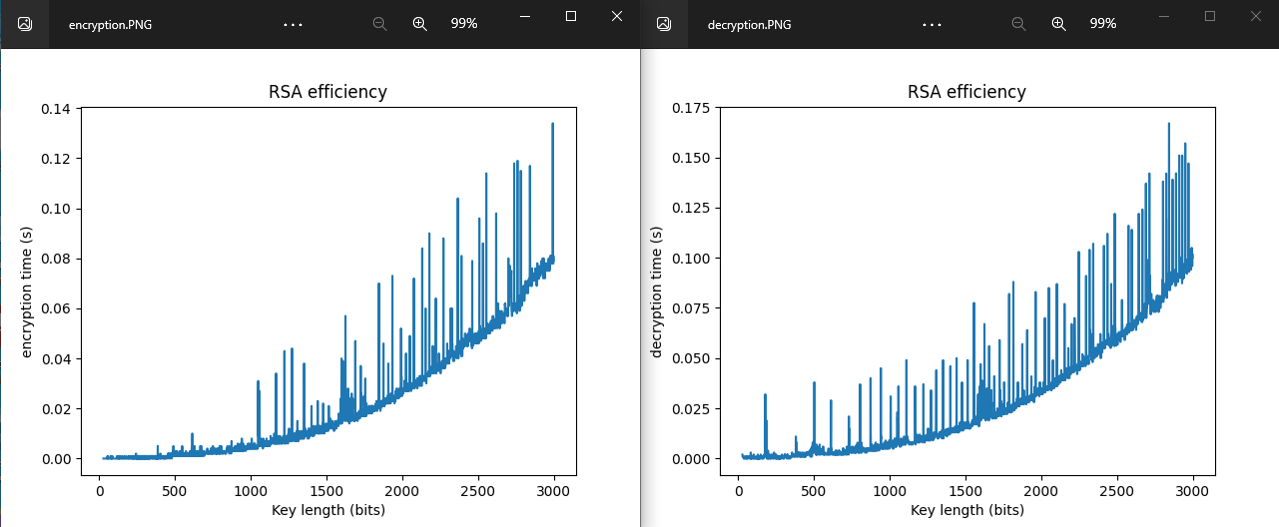
- Encryption and Decryption time VS key Length
- Contributors
About <a name = "about"></a>
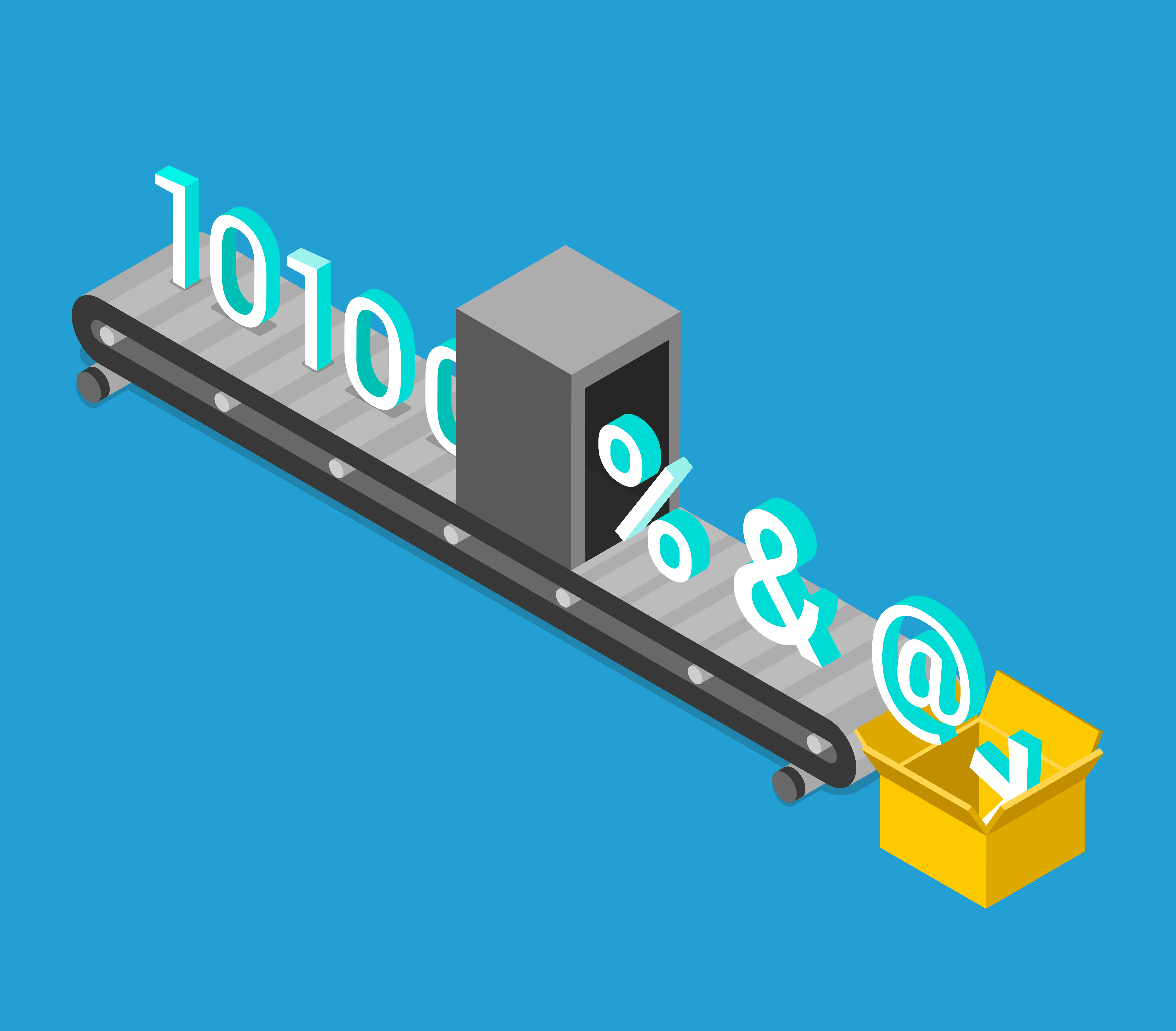
- security project includes communication between sender and receiver with RSA encryption algorithm and breaking it with mathematical attack using python socket.
- both sender and receiver can send and receive messages
- I have implemented the RSA encryption algorithm using Python scripts(.py).
- The project is divided into: common functions, chat module using sockets, RSA encryption and decryption, chosen ciphertext attack(mathematical model)
Installation <a name = "installation"></a>
-
pip install sockets
-
pip install matplotlib
-
pip install sympy
How to run <a name = "run"></a>
- Any IDE or code editor can be able to run python scripts.
- if you don't have these libraries, install them.
- First, We should run the Sender, then the Receiver.
- Both sender and receiver can send and receive messages, The sender sends to the receiver and vice versa time after time in order.
To test attacks <a name = "attacks"></a>
- run attacks.py
- 1 => for mathematical attack
- 2 => for test Efficiency
Screen Vedio <a name = "screen-vedio"></a>
Chatting
https://user-images.githubusercontent.com/88618793/231214268-54a95f76-cb05-42a8-a4a0-3fc266c70d59.mp4
Attack
https://user-images.githubusercontent.com/88618793/231214412-aa80af70-ab8d-46f1-b336-f159133bff38.mp4
Screenshots from Sender and receiver <a name = "screen-shot"></a>
Key Length VS attack time <a name = "key-value-vs-attack-time"></a>
Encryption and Decryption time VS key Length <a name = "encryption-time"></a>