
ABPasscodeViewController
No description available
Install / Use
/learn @asifbilal786/ABPasscodeViewControllerREADME
ABPasscode
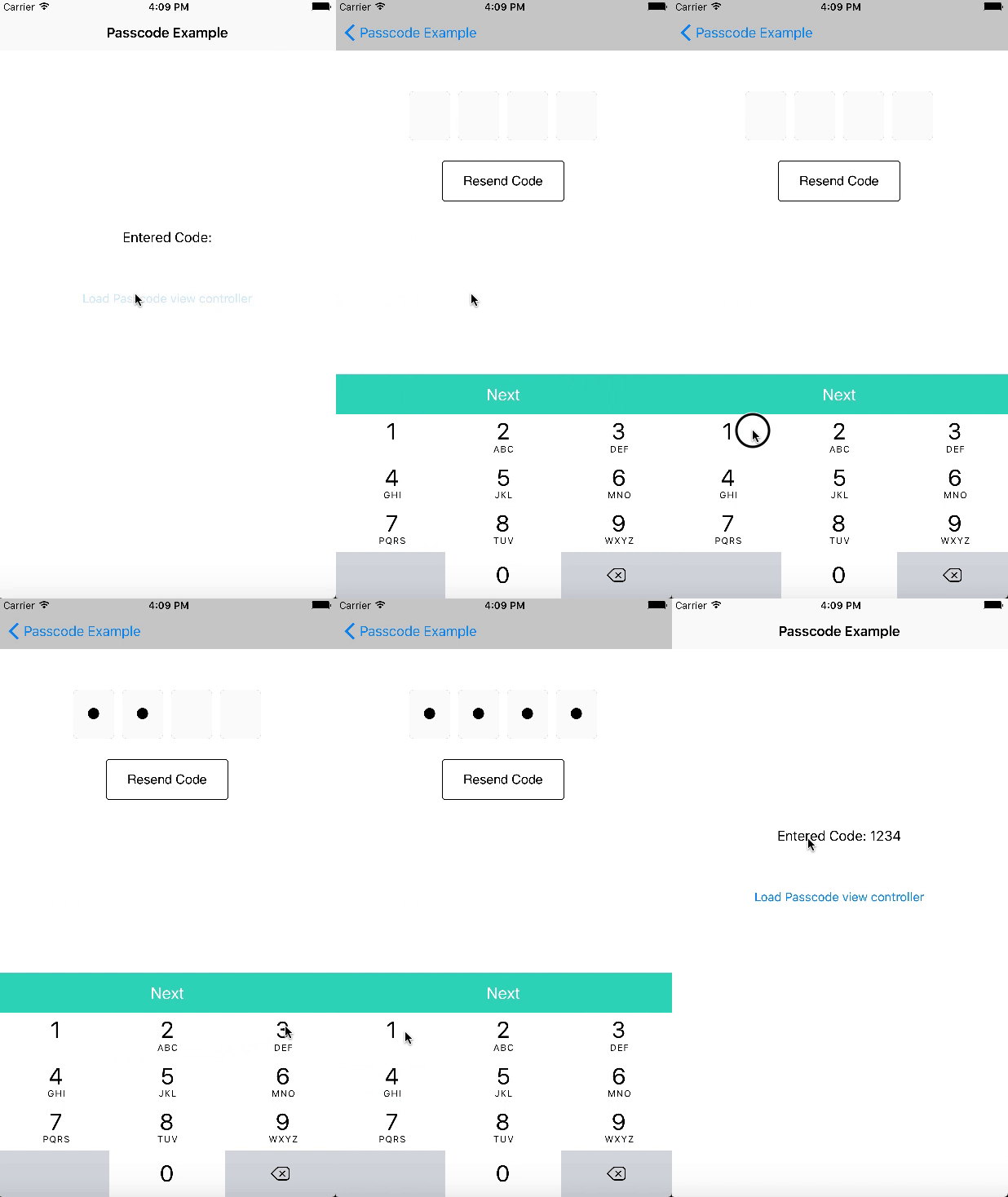
A utility control with built in functionality of pass code view that takes inputs in the form secure entry from user. To get the call back methods, you must implement it’s delegate methods to get the code, when user finish entering the passcode.
Demo
Requirements
- iOS 8 and above.
- Xcode 8 and above
Adding ABPasscodeViewController to your project
METHOD 1:
- Add a pod entry for
ABPasscodeto your Podfile
source 'https://github.com/CocoaPods/Specs.git'
platform :ios, '8.0'
use_frameworks!

pod 'ABPasscode', '~> 0.1'
- Install the pod(s) by running
pod install.
MEHTOD 2: (Source files)
Alternatively, you can directly add all files under the folder Core to your project.
- Download the latest code version or add the repository as a git submodule to your git-tracked project.
- Open your Xcode project, then drag and drop source directory onto your project. Make sure to select Copy items when asked if you extracted the code archive outside of your project.
Usage
Create instance variable of PhotoPicker in your view controller and push in navigation controller.
let passcodeVC = PasscodeViewController()
passcodeVC.delegate = self
navigationController?.pushViewController(passcodeVC, animated: true)
And then call the delegate functions for different event.
extension ViewController: PasscodeViewDelegate {

    func passcodeView(_ passcodeView: PasscodeViewController, didEnteredCode code: String) {

        DispatchQueue.main.asyncAfter(deadline: .now() + 0.25) {

            self.navigationController?.popViewController(animated: true)
            self.lblPasscode.text = "Entered Code: \(code)"
        }

    }

    func passcodeView(_ passcodeView: PasscodeViewController, didTapResendButton resendButton: UIButton) {

    }

}
See example projects for detail.
License
This code is distributed under the terms and conditions of the MIT license.
