
AndroidTabbedDialog
Android Tabbed Dialog containing fragments
Install / Use
/learn @ashishbhandari/AndroidTabbedDialogREADME
 <a href="https://opensource.org/licenses/Apache-2.0" target="_blank"><img src="https://img.shields.io/badge/License-Apache_v2.0-blue.svg?style=flat"/></a>

AndroidTabbedDialog
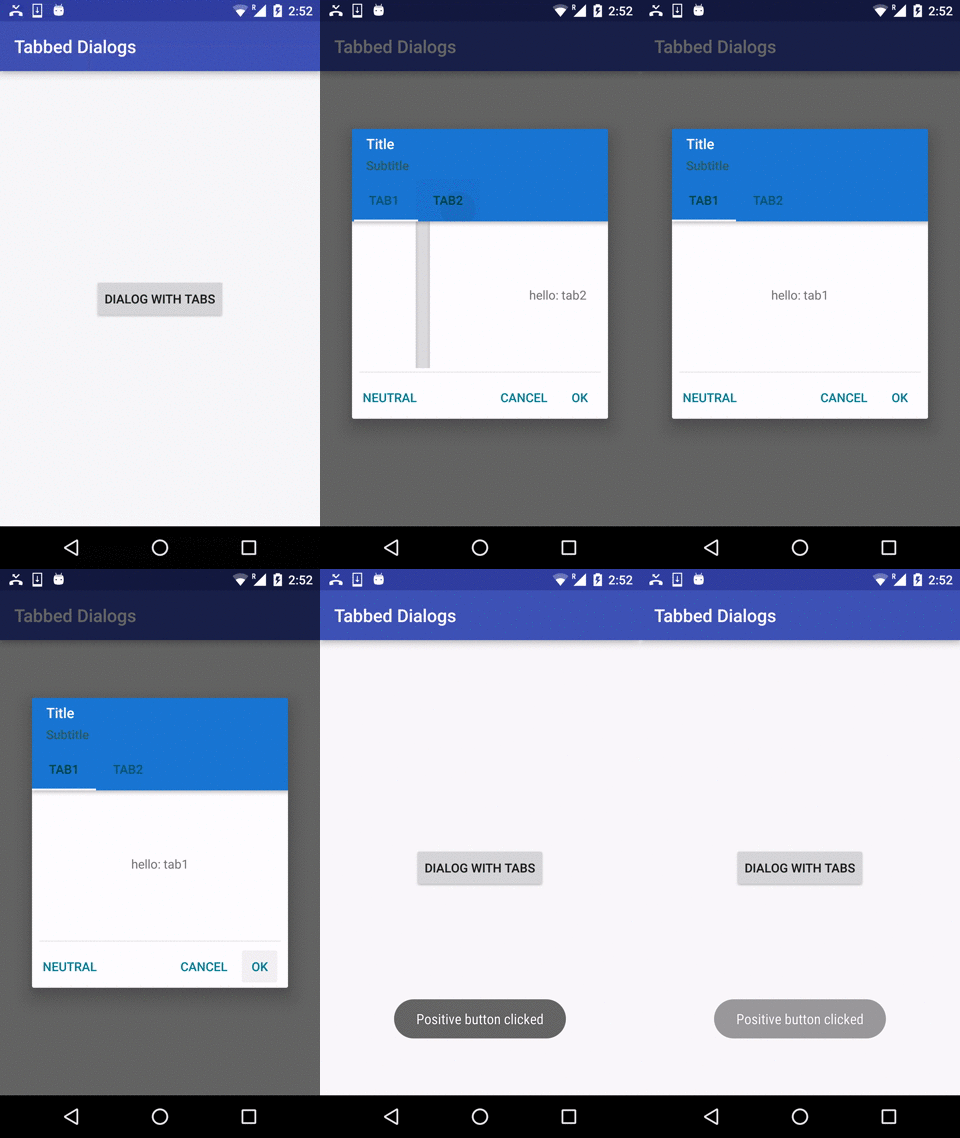
Setup
Add jitpack to your project’s repositories.
repositories {
        // ...
        maven { url "https://jitpack.io" }
    }
Then add Tabbed dialog to your Module’s dependencies
dependencies {
	         compile 'com.github.ashishbhandari:AndroidTabbedDialog:v1.1'
	}
How to create tab dialogs:
TabDialogFragment.createBuilder(MainActivity.this, getSupportFragmentManager())
                        .setTitle("hello")
                        .setSubTitle("subtitle")
                        .setTabButtonText(new CharSequence[]{"Tab1", "Tab2"})
                        .setPositiveButtonText("Love")
                        .setNegativeButtonText("Hate")
                        .setNeutralButtonText("WTF?")
                        .setRequestCode(REQUEST_SIMPLE_DIALOG)
                        .show();
How to react on button press in your Activity/Fragment:
Simply implement interface ISimpleDialogListener in your Activity/Fragment. Listener's callbacks have requestCode parameter - you can use it if you have more dialogs in one Activity/Fragment.
How to render tab view inside your dialog:
Simply implement interface IFragmentListener in your Activity/Fragment. Listener's callbacks have:-
onFragmentViewCreated(Fragment fragment)
onFragmentAttached(Fragment fragment)
onFragmentDetached(Fragment fragment)
    @Override
    public void onFragmentViewCreated(Fragment fragment) {
        int selectedTabPosition = fragment.getArguments().getInt(PageFragment.ARG_DAY_INDEX, 0);
        View rootContainer = fragment.getView().findViewById(R.id.root_container);
        Log.i(TAG, "Position: " + selectedTabPosition);

        switch (selectedTabPosition) {
            case 0:
                // add view in container for first tab
                View tabProductDetailLayout = getLayoutInflater().inflate(R.layout.tab_one_layout, (ViewGroup) rootContainer);

                TextView textView = (TextView) tabProductDetailLayout.findViewById(R.id.text_view);
                textView.setText("hello: tab1");
                break;
            case 1:
                // add view in container for second tab
                View tabProductDetailLayout2 = getLayoutInflater().inflate(R.layout.tab_one_layout, (ViewGroup) rootContainer);

                TextView textView1 = (TextView) tabProductDetailLayout2.findViewById(R.id.text_view);
                textView1.setText("hello: tab2");
                break;
        }
    }
License
Copyright (c) 2016 Ashish Bhandari
Licensed under the Apache License, Version 2.0
