
DCSTheWay
Imports waypoints from DCS F10 map into the plane navigation system, like a Data Transfer Cartidge.
Install / Use
/learn @aronCiucu/DCSTheWayREADME
DCSTheWay
Imports waypoints right into the plane navigation system, like a Data Transfer Cartridge. DCS Forums thread here
What does it do?
You choose points on the DCS F10 map, press a button, and those points will be entered as steerpoints into your plane automatically. You can also share those waypoints with your friends, and you will all fly the same route, regardless of the module they choose.
What is supported?
Supported modules:
- F-15E
- F-16 (& All IDF Mods Project F16s)
- F/A-18C (& Superbug FA-18E/F/G)
- A-10C and A-10C2
- Mirage 2000
- AV8BNA Harrier
- Mirage F1EE
- Ka-50 Blackshark
- AH-64D Apache (Pilot and CP/G)
- OH-58D Kiowa Warrior
- UH-60L Blackhawk
- Hercules (Requires patch available at https://github.com/Summit60/DCS-Hercules-TheWay-patch)
Multiplayer is supported as long as the server has Player Exports turned on (most servers do).
How to install?
- Download the latest zip file from the Releases section found here, and extract it.
- Copy the folder
TheWayintoUsers/[yourname]/Saved Games/DCS/Scripts(TheDCSfolder name may beDCS.openbetaif you are on the openbeta version of the game). - Edit the
Export.luafile inside theScriptsfolder and append this line at the end of the file, and save it:
pcall(function() local TheWayLfs=require('lfs');dofile(TheWayLfs.writedir()..'Scripts/TheWay/TheWay.lua'); end)
If there is no Export.lua file already existing there, create it yourself, and it should include only the line above.
-
In the end, the folder structure should look like this:
<img width="598" alt="folderStructure" src="https://github.com/aronCiucu/DCSTheWay/assets/45103765/567f33de-e6e5-4568-8026-30c3f39f62f7"> -
Run the installer from the zip file you've previously extracted.
-
After installation, the program will launch, and you can go fly! You can find a shortcut to TheWay on your desktop.
If you are updating from an older version, simply download the newest release, rerun the installer and replace your existing TheWay folder in Saved Games with the new one.
How to use?
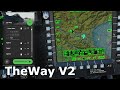
Video tutorial here:
FAQ
I cannot find the installer
Make sure you have downloaded the program from the Releases section, and not the source code.
How do I use this for VR?
You can use the DCS 2D Mirror that you see on your desktop to interact with TheWay and DCS. Or you can use the VR keybinds that can be adjusted in settings.
I get a "No connection to DCS" error!
Make sure you have followed the installation instructions to the letter, and that every file is where it should be. Check if the server you are flying on has Player Exports turned on. If it doesn't, this won't work!
Where is the app installed by default?
TheWay files are installed in Windows at C:\Users\USER\AppData\Local\Programs\theway
How can I reset the module seat choice after I've ticked "Remember my choice"?
Go to C:\Users\USER\AppData\Roaming\theway and delete the config.json file. Now the dialogs will appear again.
Mind this will also remove your other preferences.
The buttons are not pressing correctly in DCS!
If the waypoint entry is not working correctly, try increasing the Button Delay slider in the settings menu. If that still doesn't fix the issue, open an issue on GitHub and attach a video so I can check out what goes wrong.
None of my issues are shown here
Worry not, feel free to issue a message request on Discord (Doge4634), and we'll have it sorted!
Credits
Special thanks to discord users: kukiric, Bepis, the88tench, okopanja, and the ED Forums users for their suggestions and help. Thanks to our GitHub contributors for supporting new modules. Images provided by:
- F15E, F/A-18C: Coffee :coffee:
- IDF F16s, Superbug F18s: Hayds_93
For nerds
The application is built using React.js and Electron. If you'd like to contribute, simply clone the repository and run npm install, then npm run react-start to start the React page, and npm run electron-dev to fire up the Electron side of things.
If you'd like to build/package the code for production, run npm run package and check the dist folder for the created installer.
This is the way.
Related Skills
node-connect
349.9kDiagnose OpenClaw node connection and pairing failures for Android, iOS, and macOS companion apps
frontend-design
109.8kCreate distinctive, production-grade frontend interfaces with high design quality. Use this skill when the user asks to build web components, pages, or applications. Generates creative, polished code that avoids generic AI aesthetics.
openai-whisper-api
349.9kTranscribe audio via OpenAI Audio Transcriptions API (Whisper).
qqbot-media
349.9kQQBot 富媒体收发能力。使用 <qqmedia> 标签,系统根据文件扩展名自动识别类型(图片/语音/视频/文件)。
