
Dejavu
A Web UI for Elasticsearch and OpenSearch: Import, browse and edit data with rich filters and query views, create reference search UIs.
Install / Use
/learn @appbaseio/DejavuREADME
dejavu: The Web UI for OpenSearch and Elasticsearch



- Dejavu: Intro
- Features
a. Easily Connect to Indices
b. Visual Filters
c. Modern UI Elements
d. Import JSON or CSV Data
e. Build search UIs - Comparison
- Roadmap
- Build Locally / Contributing
- Get Dejavu
a. Docker Installation
b. Hosted Alternatives
1. Dejavu Intro
Dejavu is a modern web UI for OpenSearch and Elasticsearch.
It was designed with the goal of providing a seamless user experience, featuring no page reloads, infinite scroll, filtered views, real-time updates, and a search UI builder. With 100% client-side rendering, Dejavu can easily be run as a hosted app on github pages or as a docker image.
Starting v1.0, dejavu is the only Elasticsearch web UI that supports importing data via JSON and CSV files, as well as defining field mappings from the GUI.
Starting with v1.5, we support the ability of creating custom headers so you can easily pass different authentication headers, provide enhanced filtering and bulk updating of data via Elasticsearch's Query DSL.
Starting with v2.0, we support the ability to build faceted search UIs to test relevancy. You can also export the generated code to a codesandbox.
Starting with v3.0, we support the ability to connect to multiple indexes. You can also globally search across your indexes using global search bar.
2. Features
Easily Connect and Remember Indices
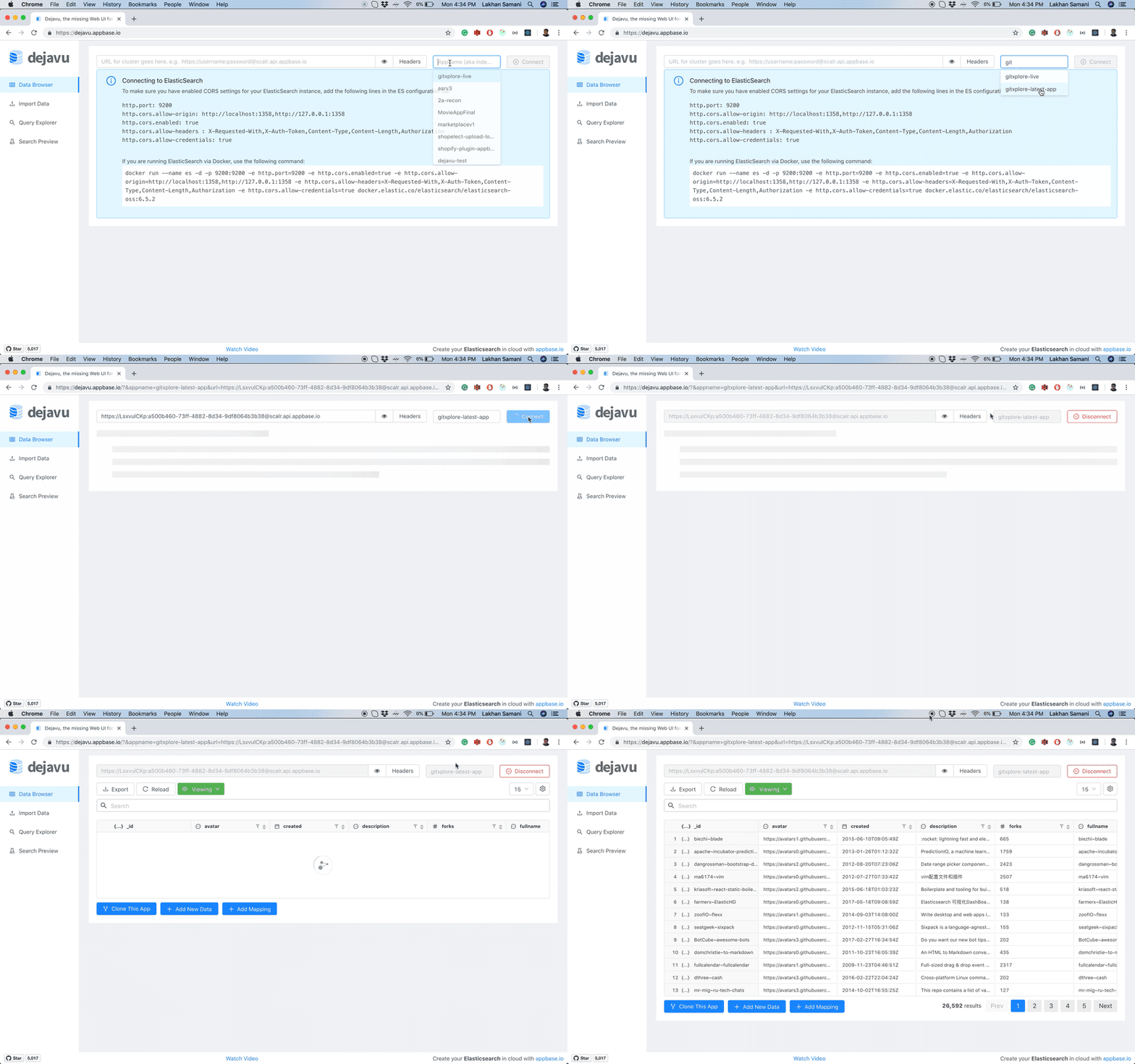
Dejavu allows you to connect to any index present in your cluster and caches each connected index locally, making them easily accessible when browsing again.
Visual Filters
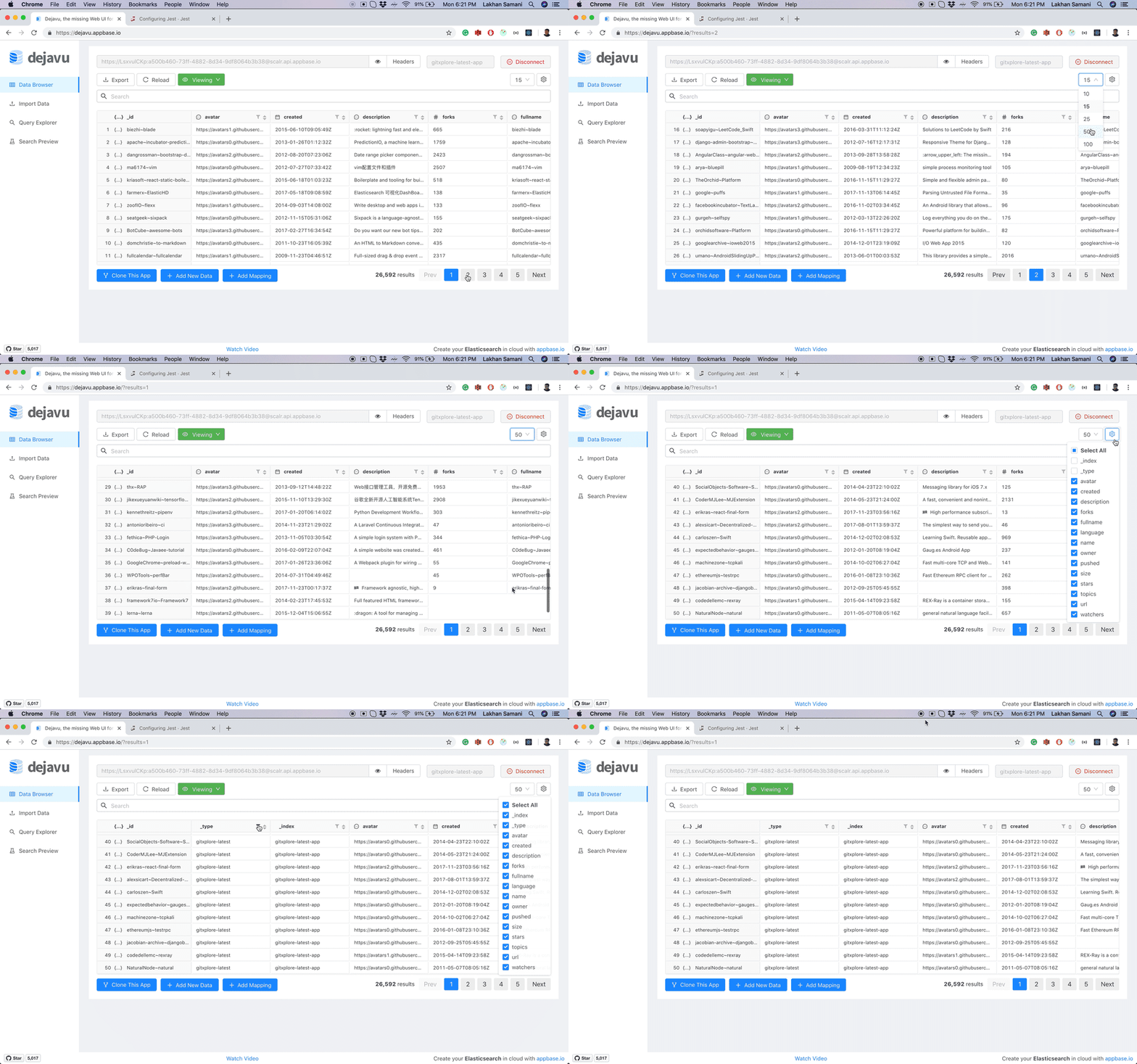
Sort through data, find information visually, hide irrelevant data, and make sense of everything using the native data types. The global search bar allows you to perform text searches across your dataset.
Additionally, any filtered view can be exported as a JSON or CSV file.
Modern UI Elements
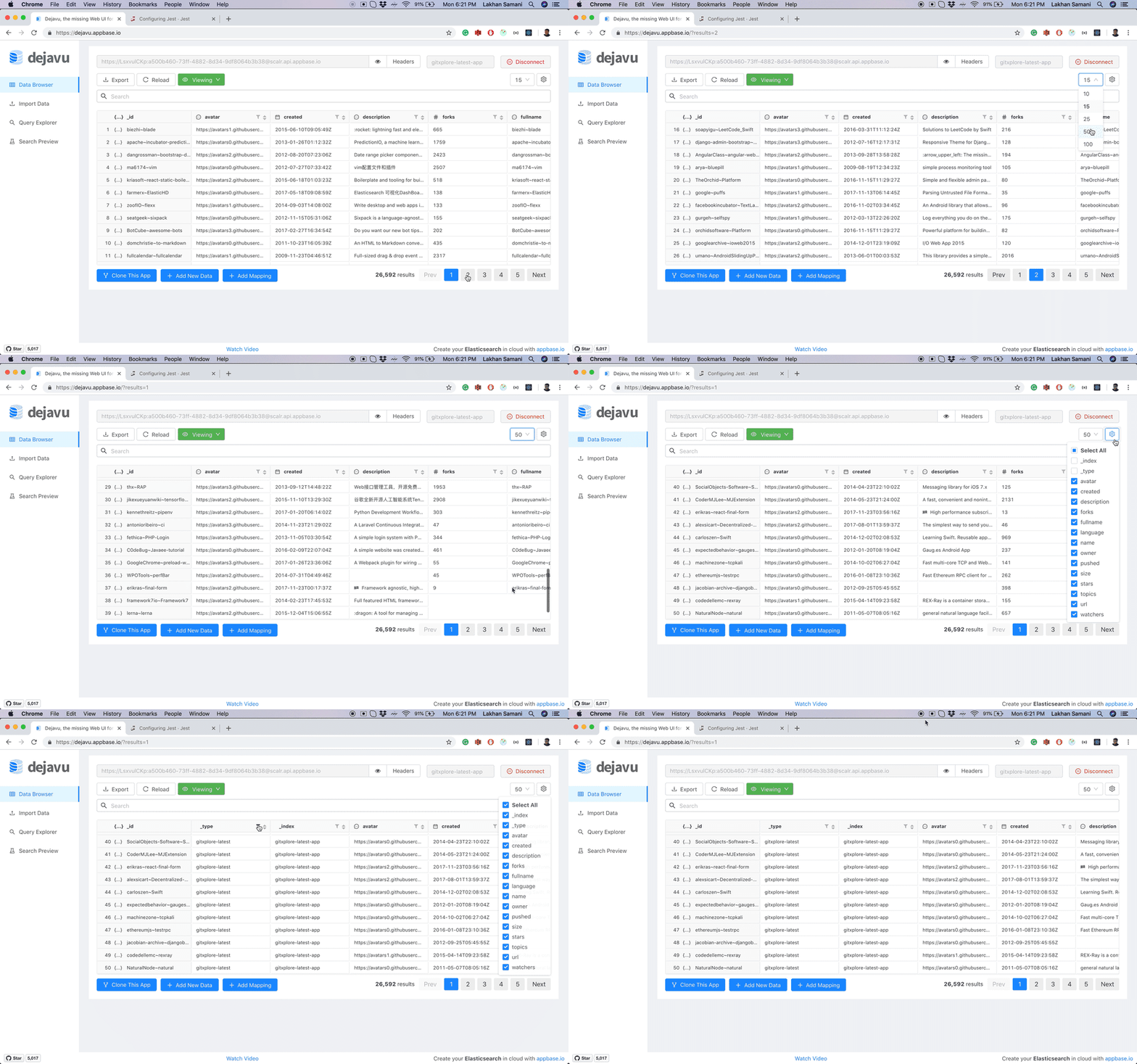
It's not uncommon to have thousands of documents in your index. Dejavu supports a paginated view that also allows you to change the page size.
Dejavu also supports browsing data from multiple indexes and types, updating data either individually or via queries in bulk. Deletions are also supported.
Import JSON or CSV Data
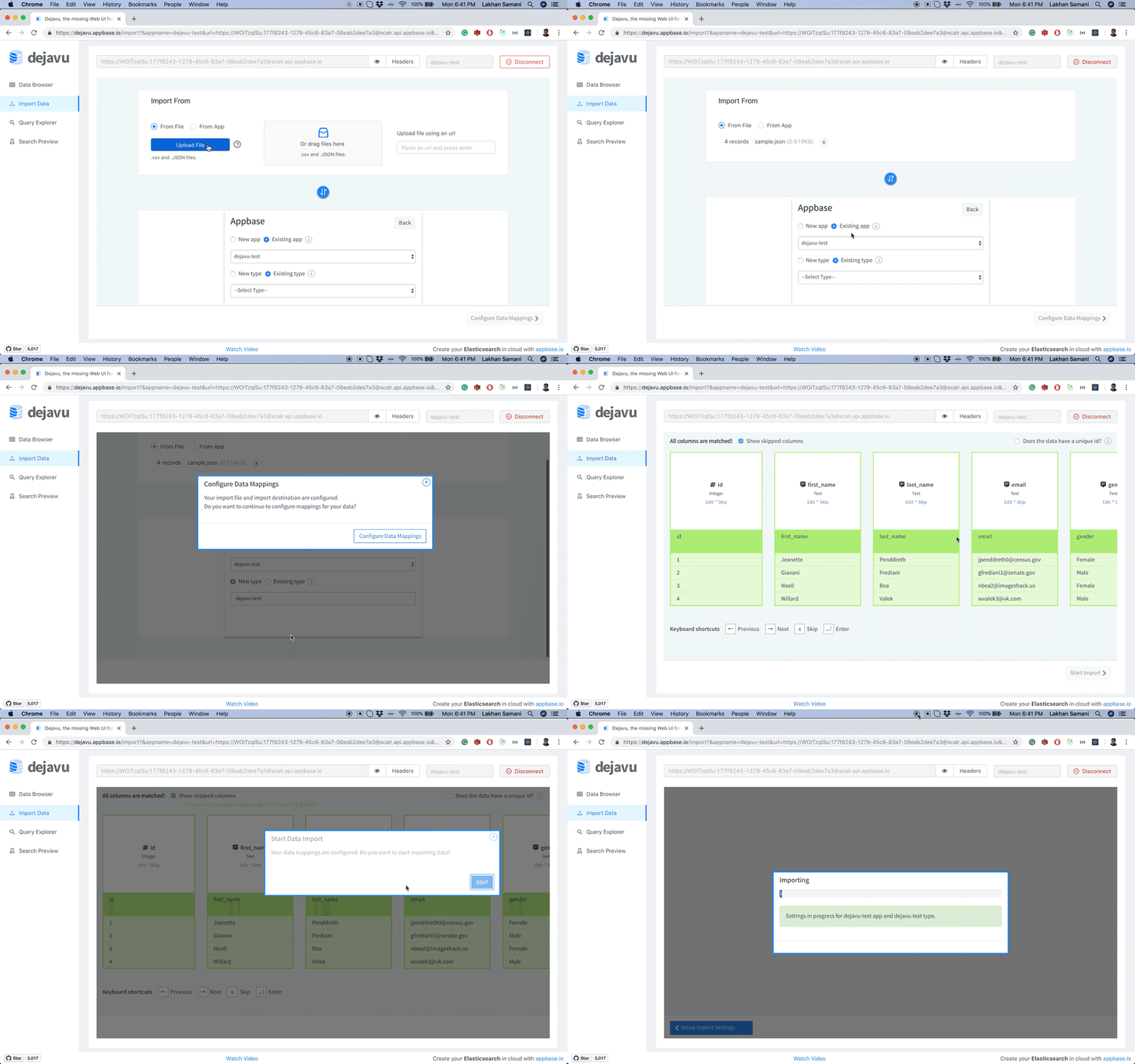
The importer view allows you to import CSV or JSON data directly into Elasticsearch through a guided data mapping configuration.
Build Search UIs
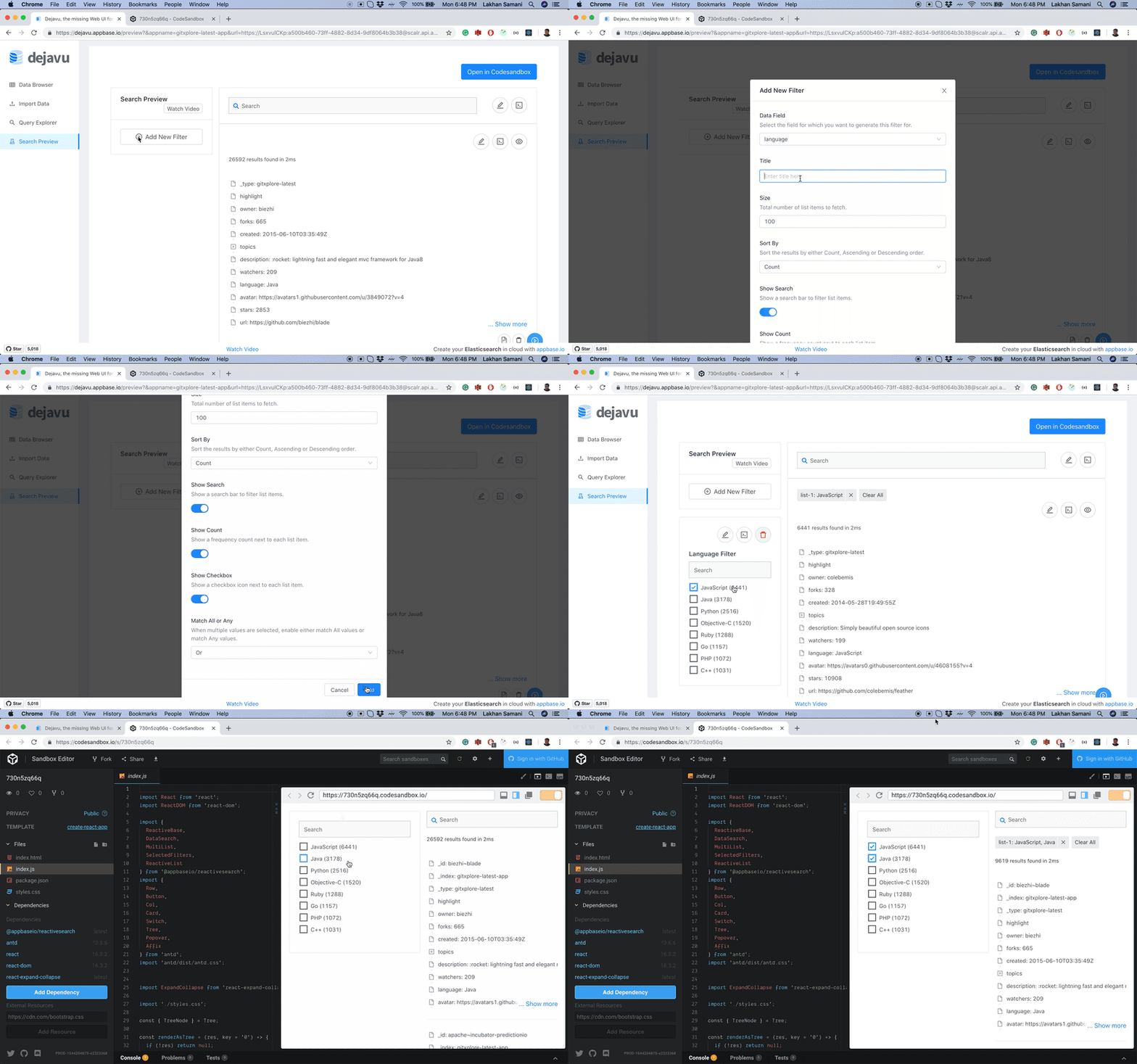
With Search Preview, you can now build visual search UIs, test search relevancy, and export code to CodeSandbox.
3. Comparison with other data browsers
| Features | dejavu | ES-head | ES-kopf | ES-browser | Kibana | | :----------------- | :---------------------------------------------------------------------------------- | :--------------------------------------------------------------------------- | :------------------------------------------------------------------------ | :-------------------------------------------------------------------------------------- | :---------------------------------------------------------------------- | | Installation | Docker image, Hosted app | Elasticsearch plugin, static page | Elasticsearch plugin, static page | Elasticsearch plugin (doesn't work with 2.0+) | Elasticsearch plugin | | Modern UI | React 16.6. | jQuery 1.6.1, slightly stodgy | Angular 1.x | ExtJs, a bit stodgy | Node.JS, Hapi, Jade | | Browser features | CRUD, data filters | Read data, full-text search | ❌ | Data view for a single type | Read view, visualizations, charting | | Data import/export | ✔️ JSON, CSV | ❌ | ❌ | ❌ | Only export, no CSV | | Search preview | Visually build and test search UI | ❌ | ❌ | ❌ | ❌ | | License | MIT | Apache 2.0 | MIT | Apache 2.0 | Apache 2.0 |
4. Roadmap
~~Here's a rough roadmap of things to come in the version 1.0.0 release.~~
🎆 We just hit the 1.0.0 roadmap:
- [x] Battle-testing with different datasets
- [x] Feature support for advanced filtering ~~Offline detection and reconnection for realtime updates~~
- [x] Performance improvements while scrolling
- [x] Support for importing and exporting data
- [x] Support for a continuous query view
- [x] Available as a docker image
🍾 We just hit the 2.0.0 release:
- [x] An intuitive data editing experience in tabular mode (v/s JSON edit mode)
- [x] View data types from within the data browser view
- [x] A more streamlined import process
- [x] Refactor codebase to improve hackability (Migrate to React 16+, ES6 syntax)
- [x] Ability to build (and test) search visually
✨ We just hit the 3.0.0 release:
- [x] Rewrite dejavu browser for high performance when browsing large datasets
- [x] Add support for browsing multiple indexes
- [x] Powerful filtering of data with field level facet based filters and a global search
- [x] Built on React 16.6 and future compatible with React 17
- [x] A more intuitive data editing experience (in addition to the raw JSON, we now show a relevant UI field with validations)
5. Build Locally
See the contributing guidelines.
6. Get Dejavu
Docker Installation
docker run -p 1358:1358 -d appbaseio/dejavu
open http://localhost:1358/
You can also run a specific version of dejavu by specifying a tag. For example, version 3.6.0 can be used by specifying the docker run -p 1358:1358 appbaseio/dejavu:3.6.0 command.
Cross-origin resource sharing (CORS)
To make sure you enable CORS settings for your Elasticsearch instance, add the following lines in the elasticsearch.yml configuration file.
http.port: 9200
http.cors.allow-origin: 'http://localhost:1358'
http.cors.enabled: true
http.cors.allow-headers: X-Requested-With,X-Auth-Token,Content-Type,Content-Length,Authorization
http.cors.allow-credentials: true
If you are running your Elasticsearch with docker-compose, you can refer to the example reference here.
If you are running your Elasticsearch with docker, you can use the following flags to pass the custom CORS configuration:
OpenSearch 1.x
docker run --name opensearch --rm -d -p 9200:9200 -e http.port=9200 -e discovery.type=single-node -e http.max_content_length=10MB -e http.cors.enabled=true -e http.cors.allow-origin=\* -e http.cors.allow-headers=X-Requested-With,X-Auth-Token,Content-Type,Content-Length,Authorization -e http.cors.allow-credentials=true -e plugins.security.disabled=true open
Related Skills
bluebubbles
326.5kUse when you need to send or manage iMessages via BlueBubbles (recommended iMessage integration). Calls go through the generic message tool with channel="bluebubbles".
slack
326.5kUse when you need to control Slack from OpenClaw via the slack tool, including reacting to messages or pinning/unpinning items in Slack channels or DMs.
frontend-design
80.4kCreate distinctive, production-grade frontend interfaces with high design quality. Use this skill when the user asks to build web components, pages, or applications. Generates creative, polished code that avoids generic AI aesthetics.
Agent Development
80.4kThis skill should be used when the user asks to "create an agent", "add an agent", "write a subagent", "agent frontmatter", "when to use description", "agent examples", "agent tools", "agent colors", "autonomous agent", or needs guidance on agent structure, system prompts, triggering conditions, or agent development best practices for Claude Code plugins.
