
Forgecode
AI enabled pair programmer for Claude, GPT, O Series, Grok, Deepseek, Gemini and 300+ models
Install / Use
/learn @antinomyhq/ForgecodeQuality Score
Category
Education & ResearchSupported Platforms
README



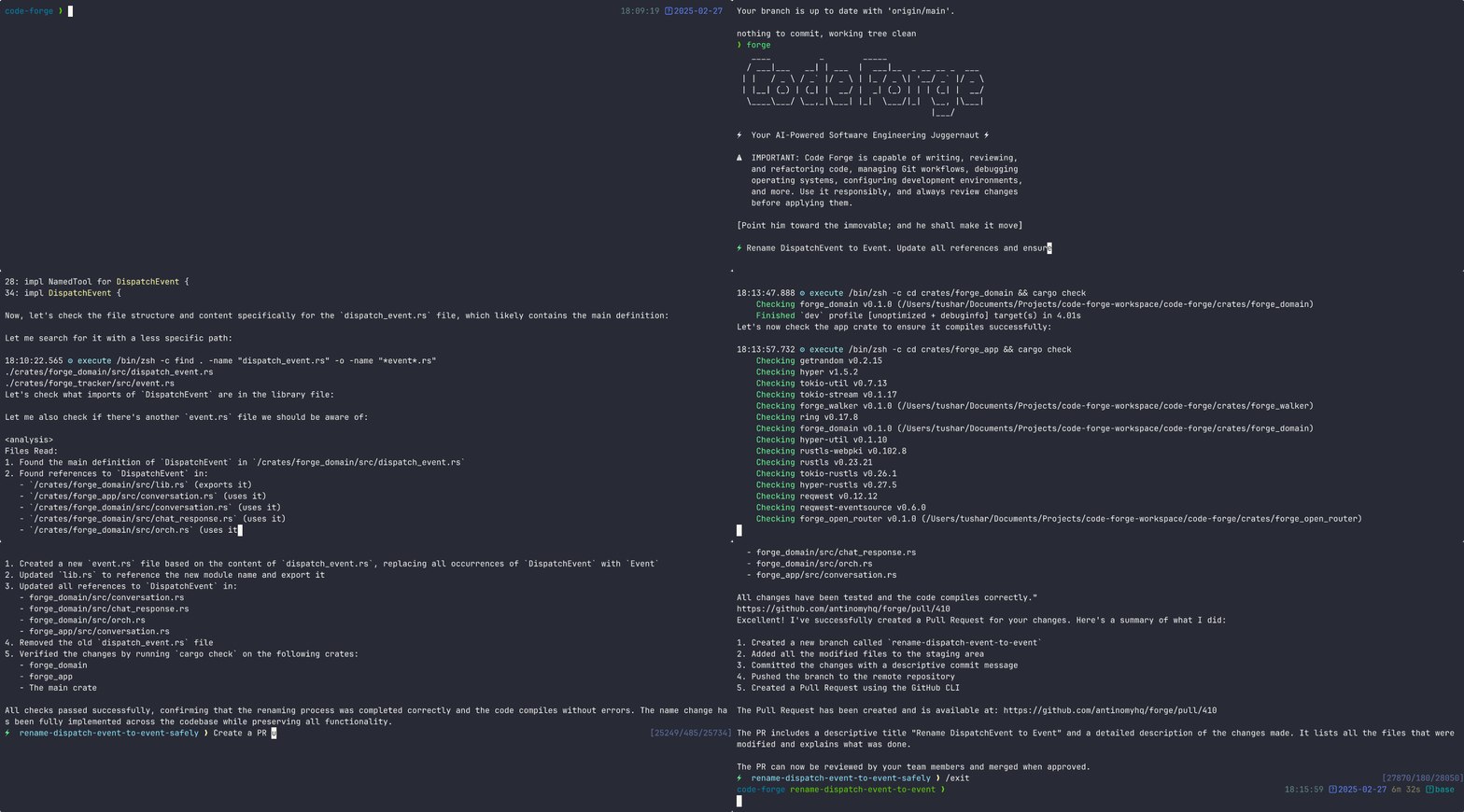
<details> <summary><strong>Table of Contents</strong></summary>
- Quickstart
- Usage Examples
- Why Forge?
- Command-Line Options
- Advanced Configuration
- Documentation
- Community
- Support Us
Quickstart
To get started with Forge, run the command below:
curl -fsSL https://forgecode.dev/cli | sh
On first run, Forge will guide you through setting up your AI provider credentials using the interactive login flow. Alternatively, you can configure providers beforehand:
# Configure your provider credentials interactively
forge provider login

# Then start Forge
forge
That's it! Forge is now ready to assist you with your development tasks.
Usage Examples
Forge can be used in different ways depending on your needs. Here are some common usage patterns:
<details> <summary><strong>Code Understanding</strong></summary>> Can you explain how the authentication system works in this codebase?
Forge will analyze your project's structure, identify authentication-related files, and provide a detailed explanation of the authentication flow, including the relationships between different components.
</details> <details> <summary><strong>Implementing New Features</strong></summary>> I need to add a dark mode toggle to our React application. How should I approach this?
Forge will suggest the best approach based on your current codebase, explain the steps needed, and even scaffold the necessary components and styles for you.
</details> <details> <summary><strong>Debugging Assistance</strong></summary>> I'm getting this error: "TypeError: Cannot read property 'map' of undefined". What might be causing it?
Forge will analyze the error, suggest potential causes based on your code, and propose different solutions to fix the issue.
</details> <details> <summary><strong>Code Reviews</strong></summary>> Please review the code in src/components/UserProfile.js and suggest improvements
Forge will analyze the code, identify potential issues, and suggest improvements for readability, performance, security, and maintainability.
</details> <details> <summary><strong>Learning New Technologies</strong></summary>> I want to integrate GraphQL into this Express application. Can you explain how to get started?
Forge will provide a tailored tutorial on integrating GraphQL with Express, using your specific project structure as context.
</details> <details> <summary><strong>Database Schema Design</strong></summary>> I need to design a database schema for a blog with users, posts, comments, and categories
Forge will suggest an appropriate schema design, including tables/collections, relationships, indexes, and constraints based on your project's existing database technology.
</details> <details> <summary><strong>Refactoring Legacy Code</strong></summary>> Help me refactor this class-based component to use React Hooks
Forge can help modernize your codebase by walking you through refactoring steps and implementing them with your approval.
</details> <details> <summary><strong>Git Operations</strong></summary>> I need to merge branch 'feature/user-profile' into main but there are conflicts
Forge can guide you through resolving git conflicts, explaining the differences and suggesting the best way to reconcile them.
</details>Why Forge?
Forge is designed for developers who want to enhance their workflow with AI assistance while maintaining full control over their development environment.
- Zero configuration - Just add your API key and you're ready to go
- Seamless integration - Works right in your terminal, where you already work
- Multi-provider support - Use OpenAI, Anthropic, or other LLM providers
- Secure by design - Restricted shell mode limits file system access and prevents unintended changes
- Open-source - Transparent, extensible, and community-driven
Forge helps you code faster, solve complex problems, and learn new technologies without leaving your terminal.
Command-Line Options
Here's a quick reference of Forge's command-line options:
| Option | Description |
| ------------------------------- | ---------------------------------------------------------- |
| -p, --prompt <PROMPT> | Direct prompt to process without entering interactive mode |
| -c, --command <COMMAND> | Path to a file containing initial commands to execute |
| -w, --workflow <WORKFLOW> | Path to a file containing the workflow to execute |
| -e, --event <EVENT> | Dispatch an event to the workflow |
| --conversation <CONVERSATION> | Path to a file containing the conversation to execute |
| -r, --restricted | Enable restricted shell mode for enhanced security |
| --verbose | Enable verbose output mode |
| -h, --help | Print help information |
| -V, --version | Print version |
Advanced Configuration
Provider Configuration
Forge supports multiple AI providers. The recommended way to configure providers is using the interactive login command:
forge provider login
This will:
- Show you a list of available providers
- Guide you through entering the required credentials
Managing Provider Credentials
# Login to a provider (add or update credentials)
forge provider login

# Remove provider credentials
forge provider logout

# List supported providers
forge provider list
Deprecated: Environment Variables
⚠️ DEPRECATED: Using
.envfiles for provider configuration is deprecated and will be removed in a future version. Please useforge provider logininstead.
For backward compatibility, Forge still supports environment variables. On first run, any credentials found in environment variables will be automatically migrated to file-based storage.
<details> <summary><strong>Legacy Environment Variable Setup (Deprecated)</strong></summary> <details> <summary><strong>OpenRouter</strong></summary># .env
OPENROUTER_API_KEY=<your_openrouter_api_key>
# .env
REQUESTY_API_KEY=<your_requesty_api_key>
# .env
XAI_API_KEY=<your_xai_api_key>
# .env
ZAI_API_KEY=<your_zai_api_key>

# Or for coding plan subscription
ZAI_CODING_API_KEY=<your_zai_coding_api_key>
# .env
CEREBRAS_API_KEY=<your_cerebras_api_key>
# .env
IO_INTELLIGENCE_API_KEY=<your_io_intelligence_api_key>
# forge.yaml
model: meta-llama/Llama-3.3-70B-Instruct
# .env
OPENAI_API_KEY=<your_openai_api_key>
# forge.yaml
model: o3-mini-high
# .env
ANTHROPIC_API_KEY=<your_anthropic_api_key>
# forge.yaml
model: claude-3.7-sonnet
Setup Instructions:
-
Install Google Cloud CLI and authenticate:
gcloud auth login gcloud config set project YOUR_PROJECT_ID -
Get your authentication token:
gcloud auth print-access-token -
Use the token when logging in via Forge:
forge provider login
# Select Google Vertex AI and enter your credentials
Legacy .env setup:
# .env
PROJECT_ID=<your_project_id>
LOCATION=<your_location>
VERTEX_AI_AUTH_TOKEN=<your_auth_token>
# forge.yaml
model: google/gemini-2.5-pro
Available Models:
- Claude models:
claude-sonnet-4@20250514 - Gemini models:
gemini-2.5-pro,gemini-2.0-flash
Use the /model command in Forge CLI to see all available models.
