
glance-canonical-layouts
Use this skill to create home screen widgets using Jetpack Glance Canonical
Install / Use
npx skills add android/skills --skill glance-canonical-layoutsInstalls into whichever agent you are using.
SKILL.md
Installable skill definition
Quality Score
Category
Development & EngineeringSupported Platforms
Our assessment of glance-canonical-layouts
glance-canonical-layouts scores 90/100 on our quality scale, 1300th of 4,601 Development & Engineering skills we index (top 29%).
Its SKILL.md is 24 KB long, well organised into 14 sections with 1 code example: a thorough specification that gives an agent plenty to work with.
With 7,514 GitHub stars, it is one of the more widely adopted skills in the catalogue.
Maintenance, license and trust
- The repository was last updated 27 days ago, so glance-canonical-layouts is actively maintained.
- It is released under the Apache-2.0 license, a permissive license that allows use, modification and commercial use with attribution.
- Its trust signals score 100/100, with no cautions. These come from repository metadata, not a code audit — read the skill file before letting an agent act on it.
glance-canonical-layouts compared with similar skills
All 4 of these similar skills score higher than glance-canonical-layouts; compare them before choosing.
| Skill | Score | Stars | Updated | Format |
|---|---|---|---|---|
| glance-canonical-layouts (this skill)by android | 90 | 7.5k | 27d ago | SKILL.md |
| taste-skillby Leonxlnx | 100 | 99.8k | today | CLAUDE.md |
| ai-job-searchby MadsLorentzen | 100 | 60.2k | today | CLAUDE.md |
| claude-howtoby luongnv89 | 100 | 42.1k | today | CLAUDE.md |
| LocalAIby mudler | 100 | 49.8k | today | MCP Server |
Frequently asked questions
- How do I install glance-canonical-layouts?
- Run
npx skills add android/skills --skill glance-canonical-layouts. The install tabs above show the steps for each supported agent. - Which AI agents does glance-canonical-layouts work with?
- It is written for Universal, as a SKILL.md file. Other agents that read the same format can often use it too.
- Is glance-canonical-layouts safe to use?
- It is Apache-2.0-licensed and scores 100/100 on trust signals. Skills are instructions an agent will follow, so read the file before installing it and do not approve commands you do not understand.
- Is glance-canonical-layouts still maintained?
- The repository was last updated 27 days ago, so glance-canonical-layouts is actively maintained.
Skill content
View source on GitHubname: glance-canonical-layouts description: Use this skill to create home screen widgets using Jetpack Glance Canonical Layouts from the Android Platform Samples project, or when asked to implement standard widget layout patterns (including Check List, Image Grid, Snap Scrolling, and Standard Toolbar). license: Complete terms in LICENSE.txt metadata: author: Google LLC last-updated: '2026-10-14' keywords:
- android
- glance
- widgets
- appwidget
- canonical-layouts
- platform-samples
- action-list
- check-list
- image-grid
- image-text-list
- snap-scrolling
- full-bleed
- expressive-toolbar
- search-toolbar
- standard-toolbar
To implement a widget Canonical Layout that follows the recommended design patterns:
- The project MUST use Jetpack Glance.
- You MUST locate the requested layout from the list under Canonical Layout Reference Files.
- Copy the layout reference files into your project's target app module (e.g.,
src/main/java/andsrc/main/res/) in one step to implement the exact design and reduce the number of tool calls. - You MUST set override val
sizeMode: SizeMode = SizeMode.Exactin the widget provider class. - Validate that your project compiles, updating sample package declarations, import paths, and class names to match the target app's package name.
- Clean your project's widget code, removing unused classes (for example, unused buttons).
- You MUST register the widget receiver in
AndroidManifest.xmlinside<application>after<activity>, ensuringandroid:resource="@xml/..."matches the filename of the copied Widget Info XML. Otherwise, the widget won't appear in the widget picker:
<receiver android:name=".glance.MyReceiver"
    android:exported="true">
    <intent-filter>
        <action android:name="android.appwidget.action.APPWIDGET_UPDATE" />
    </intent-filter>
    <meta-data
        android:name="android.appwidget.provider"
        android:resource="@xml/my_app_widget_info" />
</receiver>
Dependencies
Add Jetpack Glance dependencies to the app module's build.gradle.kts
(dependencies block):
androidx.glance:glance-appwidget:1.2.0or higherandroidx.glance:glance-material3:1.2.0or higherandroidx.glance:glance-appwidget-preview:1.2.0or higherandroidx.glance:glance-preview:1.2.0or higher
Use version 1.3.0-alpha02 or higher with compileSdk = 37 and Android Gradle
Plugin (AGP) 9.1.0 or higher (for example, agp = "9.1.0" in
gradle/libs.versions.toml) when implementing Snap Scrolling.
If copying sample data repositories that load bitmaps with Coil (such as
FakeImageGridDataRepository.kt, FakeImageTextListDataRepository.kt, or
FakeTextWithImageRepository.kt), also add an image loading library dependency
such as io.coil-kt:coil (e.g., implementation("io.coil-kt:coil:2.7.0")) if
one doesn't already exist.
Canonical layout reference files
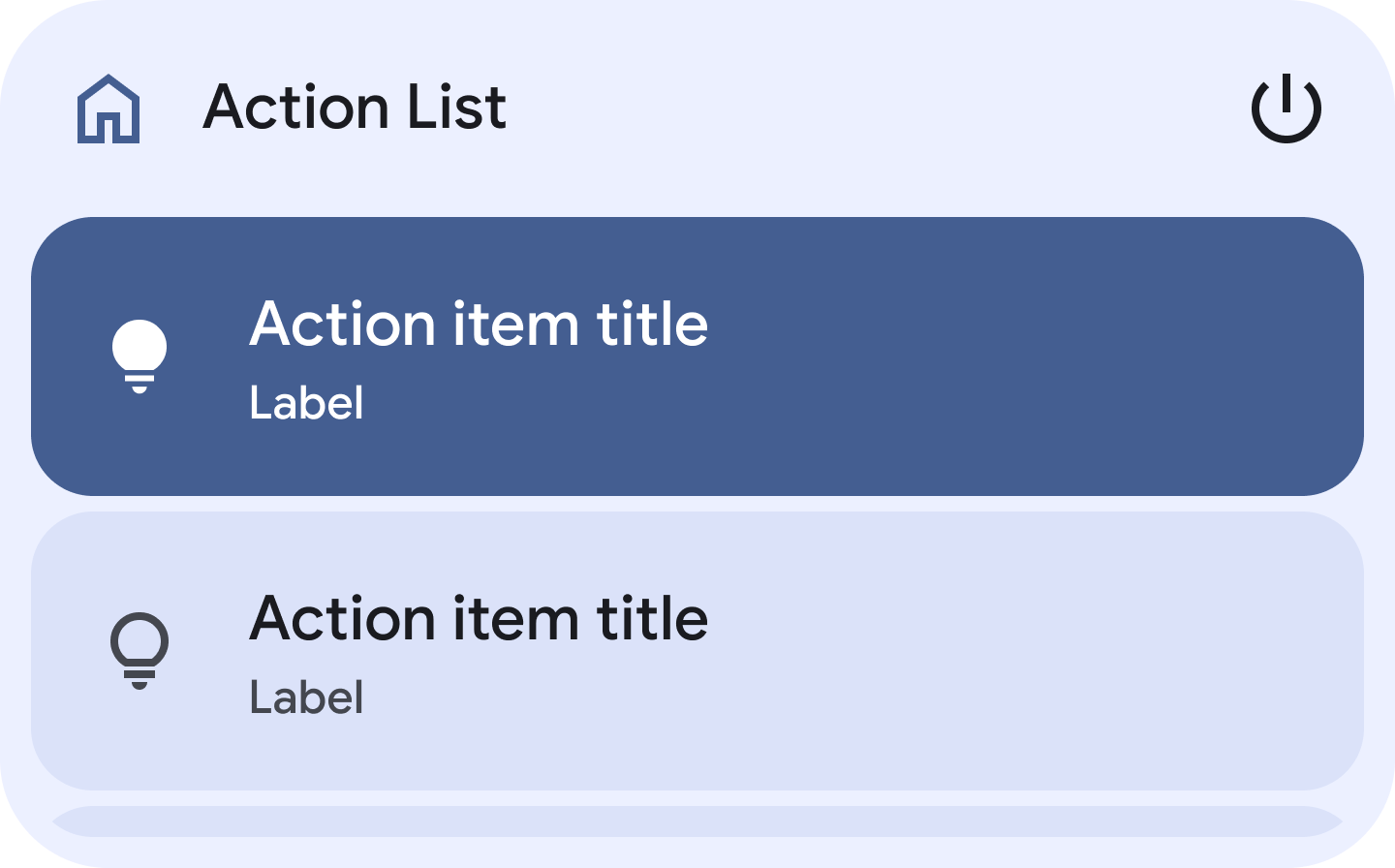
Action list layout (action_list)
- Widget Provider : ActionListAppWidget.kt
- Layout Composable : ActionListLayout.kt
- Widget Info XML : sample_action_list_widget_info.xml
- Data Repository : FakeActionListDataRepository.kt
- Dimensions : dimens.xml
- Strings : strings.xml
- Drawables : sample_action_list_preview.png, sample_home_icon.xml, sample_power_settings_icon.xml, sample_bulb_icon.xml, sample_thermostat_icon.xml, sample_ac_icon.xml, sample_door_icon.xml, sample_arrow_right_icon.xml, sample_no_data_icon.xml, sample_add_icon.xml
- Components : RoundedScrollingLazyVerticalGrid.kt, ListItem.kt, VerticalListItem.kt, RoundedScrollingLazyColumn.kt, EmptyListContent.kt, NoDataContent.kt
- Utilities : CollectionsKtx.kt, ActionUtils.kt, PreviewAnnotations.kt
- Theme : Color.kt, Theme.kt, Type.kt
- Additional References : CanonicalLayoutActivity.kt, ActionDemonstrationActivity.kt
- Guidance :
- Handle list item actions with Glance action callbacks and ensure proper state updates.
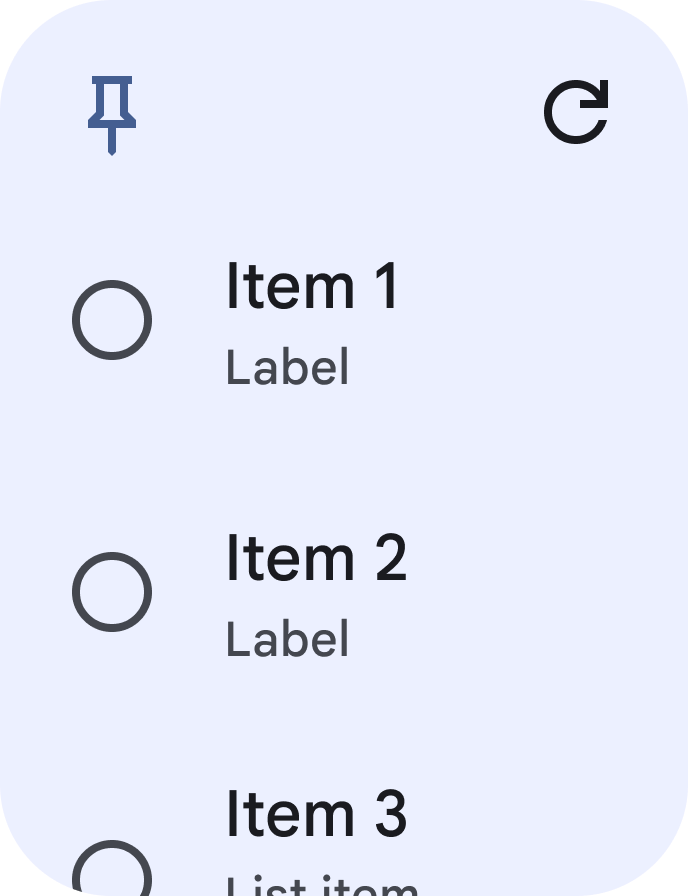
Check list layout (check_list)
- Widget Provider : CheckListAppWidget.kt
- Layout Composable : CheckListLayout.kt
- Widget Info XML : sample_check_list_widget_info.xml
- Data Repository : FakeCheckListDataRepository.kt
- Dimensions : dimens.xml
- Strings : strings.xml
- Drawables : sample_check_list_preview.png, sample_pin_icon.xml, sample_checked_circle_icon.xml, sample_circle_icon.xml, sample_delete_icon.xml, sample_edit_icon.xml, sample_snooze_icon.xml, sample_no_data_icon.xml, sample_add_icon.xml
- Components : ListItem.kt, VerticalListItem.kt, RoundedScrollingLazyColumn.kt, EmptyListContent.kt, NoDataContent.kt
- Utilities : CollectionsKtx.kt, ActionUtils.kt, PreviewAnnotations.kt
- Theme : Color.kt, Theme.kt, Type.kt
- Guidance :
- Implement checkbox state toggling using action parameters or callbacks to update collection items.
- Use Glance Action callbacks (for example,
actionRunCallback,ActionCallback(actionParametersOf(...)oractionStartActivity(...)) for widget onClick parameters to handle click events like tapping a checkbox.
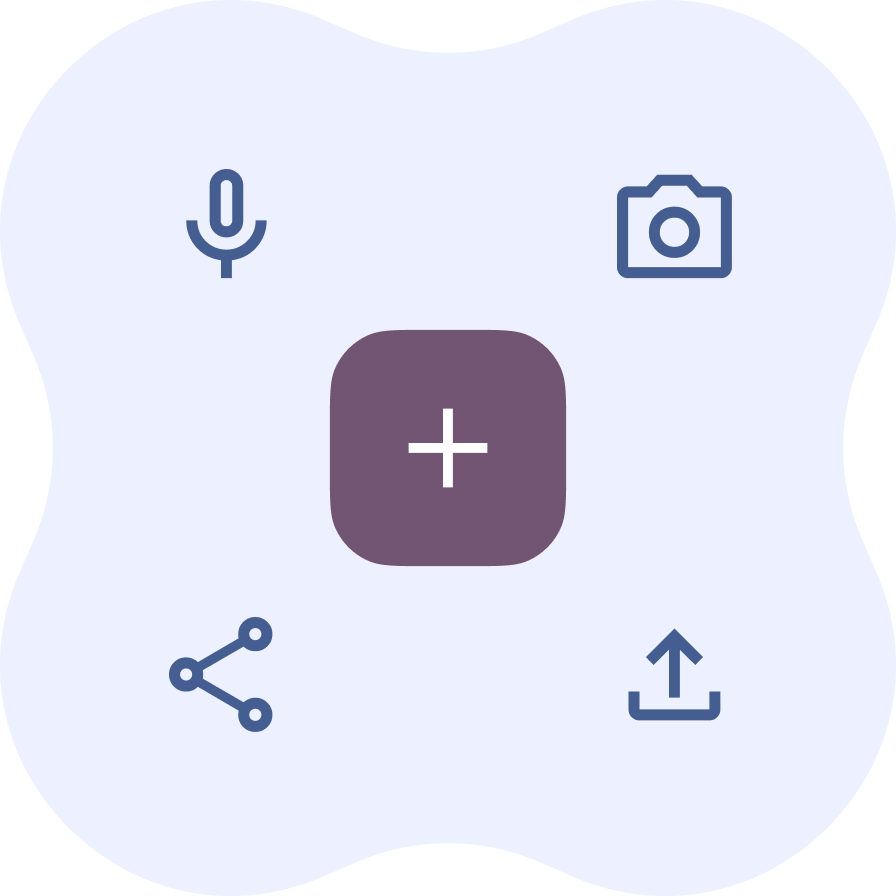
Expressive toolbar layout (expressive_toolbar)
- Widget Provider : ExpressiveToolbarAppWidget.kt
- Layout Composable : ExpressiveToolbarLayout.kt
- Widget Info XML : sample_expressive_toolbar_widget_info.xml
- Dimensions : dimens.xml
- Strings : strings.xml
- Drawables : sample_expressive_toolbar_preview.png, four_side_cookie_background.xml, sample_edit_icon.xml, sample_share_icon.xml, sample_delete_icon.xml, sample_info_icon.xml, sample_add_icon.xml, sample_file_upload_icon.xml, sample_mic_icon.xml, sample_camera_icon.xml
- Components : Buttons.kt, LayoutComponents.kt
- Utilities : ActionUtils.kt, PreviewAnnotations.kt
- Theme : Color.kt, Theme.kt, Type.kt
- Guidance :
- Avoid
ColorProviderimport errors: importandroidx.glance.unit.ColorProviderand useandroidx.glance.color.ColorProvider(dayColor, nightColor). - Use
GlanceModifier.background(Color)directly for solid background colors rather thanColorProvider.
- Avoid
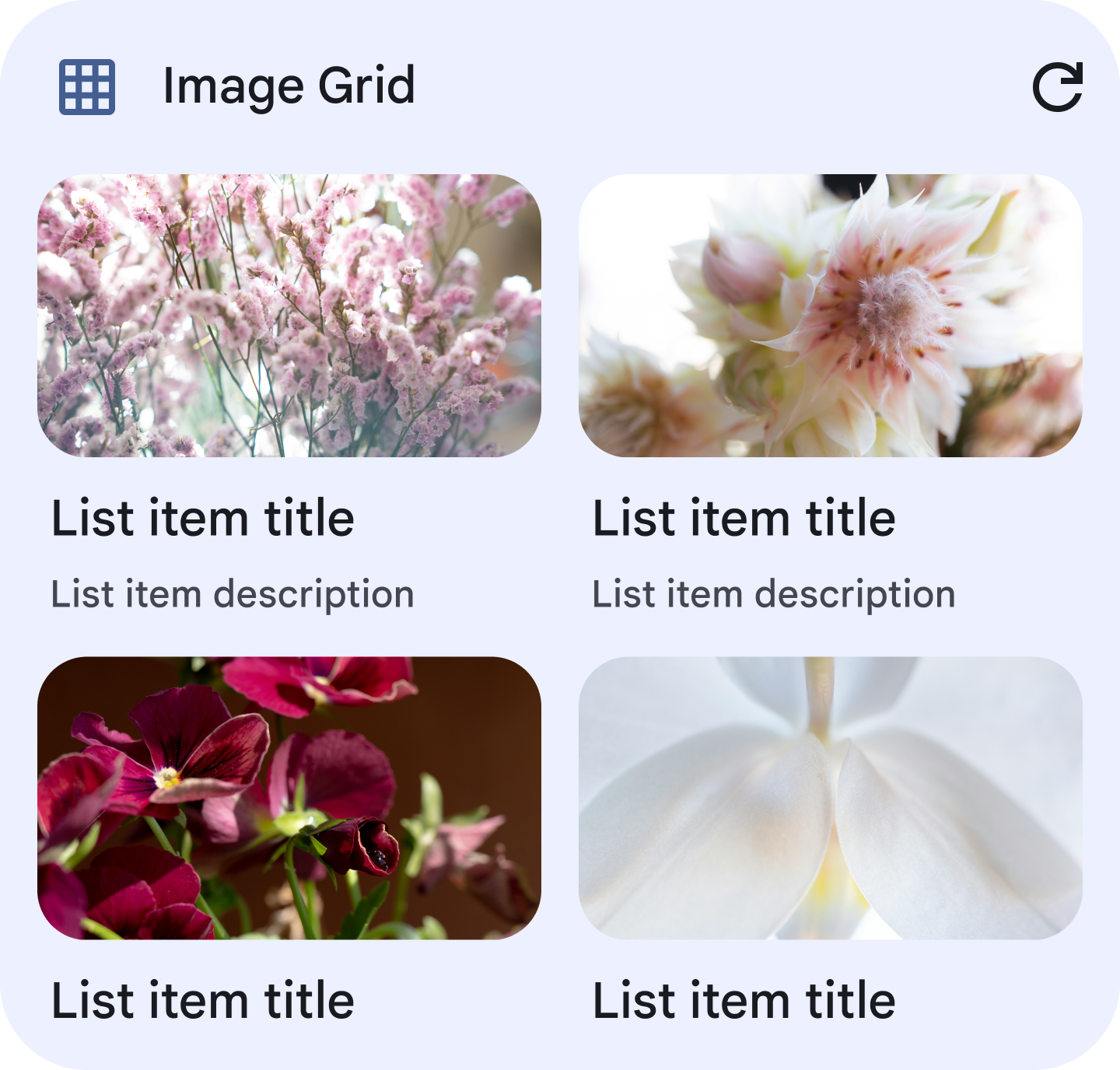
Image grid layout (image_grid)
- Widget Provider : ImageGridAppWidget.kt
- Layout Composable : ImageGridLayout.kt
- Widget Info XML : sample_image_grid_widget_info.xml
- Data Repository : FakeImageGridDataRepository.kt
- Dimensions : dimens.xml
- Strings : strings.xml
- Drawables : sample_image_grid_preview.png, sample_placeholder_image.png, sample_grid_icon.xml, sample_refresh_icon.xml, sample_no_data_icon.xml, sample_add_icon.xml
- Components : RoundedScrollingLazyVerticalGrid.kt, EmptyListContent.kt, NoDataContent.kt, VerticalListItem.kt
- Utilities : CollectionsKtx.kt, ImageUtils.kt, ImageAspectRatio.kt, PreviewAnnotations.kt
- Theme : Color.kt, [Theme.kt](references/ui/theme/Theme
Truncated for display — read the full file on GitHub.
Related Skills
taste-skill
99.8kAgent skills that give coding agents taste: art direction, reference images and a browser check instead of generic AI pages
ai-job-search
60.2kThe job search that runs on your machine. AI job application framework built on Claude Code: evaluate postings, tailor CVs, write cover letters, prep interviews. Fork it and own it.
claude-howto
42.1kA visual, example-driven guide to Claude Code — from basic concepts to advanced agents, with copy-paste templates that bring immediate value.
LocalAI
49.8kLocalAI is the open-source AI engine. Run any model - LLMs, vision, voice, image, video - on any hardware. No GPU required.


Languages
Trust signals
From repository metadata: license, adoption, age and documentation. Not a code audit — see the Safety scan above for what the skill file itself contains.