
Outlook-Classic-MCP
Local MCP server that exposes classic Outlook desktop (mail, calendar, contacts, tasks, rules) to Claude and other MCP clients via COM. No Azure app, no Graph API, no OAuth.
Install / Use
claude mcp add anasahmed07 -- npx -y github:anasahmed07/Outlook-Classic-MCPIf the server publishes to npm under a different name, use that package instead — check the repo README.
MCP Server
Model Context Protocol server
Quality Score
Category
CommunicationSupported Platforms
Our assessment of Outlook-Classic-MCP
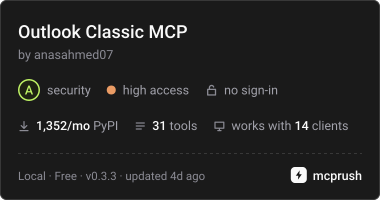
Outlook-Classic-MCP scores 87/100 on our quality scale, 249th of 393 Communication skills we index.
Its MCP Server is 13 KB long, well organised into 16 sections with 10 code examples: a thorough specification that gives an agent plenty to work with.
It has 44 GitHub stars, so there is little community track record yet; judge it on its content.
Maintenance, license and trust
- The repository was last updated 16 days ago, so Outlook-Classic-MCP is actively maintained.
- It is released under the MIT license, a permissive license that allows use, modification and commercial use with attribution.
- Its trust signals score 97/100, with no cautions. These come from repository metadata, not a code audit — read the skill file before letting an agent act on it.
Safety scan
No issues foundOur scan of the whole file found no instruction hijacking, hidden characters, credential access, data exfiltration or destructive commands (1 minor note below).
- noteInstalls by piping a downloaded script into a shellline 44
powershell -ExecutionPolicy ByPass -c "irm https://astral.sh/uv/install.ps1 | iex"
Automated pattern scan on 2026-11-26. It catches known dangerous patterns, not every risk — read a skill before letting an agent act on it.
Outlook-Classic-MCP compared with similar skills
All 4 of these similar skills score higher than Outlook-Classic-MCP; compare them before choosing.
| Skill | Score | Stars | Updated | Format |
|---|---|---|---|---|
| Outlook-Classic-MCP (this skill)by anasahmed07 | 87 | 44 | 16d ago | MCP Server |
| Agent-Reachby Panniantong | 100 | 115.4k | 3d ago | CLAUDE.md |
| hyperframesby heygen-com | 100 | 91.5k | today | CLAUDE.md |
| rufloby ruvnet | 100 | 82.6k | today | CLAUDE.md |
| headroomby headroomlabs-ai | 100 | 81.0k | today | CLAUDE.md |
Frequently asked questions
- How do I install Outlook-Classic-MCP?
- Run
claude mcp add anasahmed07 -- npx -y github:anasahmed07/Outlook-Classic-MCP. The install tabs above show the steps for each supported agent. - Which AI agents does Outlook-Classic-MCP work with?
- It is written for Claude Code, Claude Desktop, Cursor and Windsurf, as a MCP Server file. Other agents that read the same format can often use it too.
- Is Outlook-Classic-MCP safe to use?
- Our scan of the whole file found no instruction hijacking, hidden characters, credential access, data exfiltration or destructive commands (1 minor note below). It is MIT-licensed and scores 97/100 on trust signals. Skills are instructions an agent will follow, so read the file before installing it and do not approve commands you do not understand.
- Is Outlook-Classic-MCP still maintained?
- The repository was last updated 16 days ago, so Outlook-Classic-MCP is actively maintained.
Skill content
View source on GitHub
outlook-classic-mcp
| | |
| :--- | :--- |
|  | A local MCP (Model Context Protocol) server that exposes the classic Outlook desktop client — mail, folders, calendar, contacts, tasks, color categories, mail rules, and Out-of-Office status — to any MCP-aware agent: Claude Code, Claude Desktop, Cowork, GitHub Copilot / VS Code agent mode, Cursor, Cline, Continue, Windsurf, and anything else that speaks MCP. |
It talks to Outlook's COM API on Windows via pywin32, the same path
macros and Office add-ins use. Authentication piggybacks on whatever
account Outlook is already signed into — no Azure / Entra app
registration, no Microsoft Graph API, no OAuth tokens.
Requirements
- Windows 10 or 11
- Outlook desktop (Classic) — the
OUTLOOK.EXEshipped with Microsoft 365 / Office. The "new Outlook" (olk.exe) is not supported (no COM surface). - Python 3.10+ (the installer fetches Python 3.11 via
uvif you don't already have one).
You do not need to open Outlook before starting the server — the server auto-launches Outlook on its first COM call.
Install
Three paths, simplest first.
Option 1 — Agent plugin (recommended)
The repo doubles as a plugin marketplace. Installing the plugin registers the MCP server and loads the bundled outlook skill (an operational reference that teaches the agent how to drive these tools) in one step. The MCP server itself is fetched on demand by uvx directly from PyPI — no git clone, no pip install, no .venv to maintain.
The plugin format started in Claude Code and is now supported by other agents too (Cowork, Copilot, Cursor, and others that adopted the plugin/skill format) — point your agent's plugin install flow at this repo. The commands below are for Claude Code:
Install uv once if you don't have it:
powershell -ExecutionPolicy ByPass -c "irm https://astral.sh/uv/install.ps1 | iex"
Open a fresh terminal so PATH refreshes, then in any Claude Code session:
/plugin marketplace add anasahmed07/Outlook-Classic-MCP
/plugin install outlook@outlook-classic-mcp
Restart Claude Code (/quit, reopen). First call has a one-time 5–15 s pause while uvx resolves the package; subsequent calls are instant. Confirm with outlook_whoami.
To update later: /plugin marketplace update outlook-classic-mcp then /plugin update outlook@outlook-classic-mcp. To pull a fresh PyPI release of the server itself: uv cache clean outlook-classic-mcp.
Option 2 — From PyPI with uv (any MCP client)
Works for any MCP client. The smart client installer auto-registers the server with Claude Desktop, Claude Code, Cursor, Cline, Continue, and Windsurf; for other clients (e.g. VS Code / Copilot agent mode), add the server to their MCP config manually — see below.
uv pip install --system outlook-classic-mcp
python -m outlook_mcp.scripts.install_to_clients
(uv is Astral's Python installer — see Option 1 above for the one-line install. --system writes to your system Python so python -m outlook_mcp resolves anywhere; drop the flag if you'd rather install into an active venv.)
Package: https://pypi.org/project/outlook-classic-mcp/.
Smart client installer
scripts/install_to_clients.py detects which MCP clients are
installed on your machine and shows a checkbox menu:
Select which clients to register outlook-mcp with:
  [ ] 1. Claude Desktop      C:\Users\you\AppData\Roaming\Claude\claude_desktop_config.json
  [ ] 2. Claude Code         (via `claude` CLI)
  [ ] 3. Cursor              C:\Users\you\.cursor\mcp.json

Type a number to toggle, 'a' to select all, 'n' for none,
'enter' to confirm, 'q' to quit without changes.
For each toggled client it deep-merges
mcpServers.outlook = {"command": ".venv/Scripts/python.exe", "args": ["-m", "outlook_mcp"]}
into the right config (or runs claude mcp add for Claude Code).
Existing files are snapshotted to <file>.bak first. Re-running is
idempotent — it updates the entry instead of duplicating it.
Supported clients: Claude Desktop, Claude Code, Cursor, Cline, Continue, Windsurf.
Manual config (any other MCP client)
Any client not covered by the installer just needs the standard stdio server entry in its MCP config:
{
  "mcpServers": {
    "outlook": {
      "command": "uvx",
      "args": ["--from", "outlook-classic-mcp", "outlook-mcp"]
    }
  }
}
(VS Code / Copilot agent mode names the top-level key servers in
mcp.json instead of mcpServers; the entry itself is the same.)
Tools
31 tools across 9 categories, all prefixed outlook_*.
| Category | Tools |
| -------------- | ----- |
| Mail | list_mails, search_mails, get_mail, send_mail, reply_mail, forward_mail, move_mail, delete_mail, mark_mail, save_attachments |
| Folders | list_folders, create_folder |
| Calendar | list_events, get_event, create_event, update_event, delete_event, respond_event |
| Contacts | list_contacts, search_contacts (saved contacts + org directory), get_contact, resolve_name |
| Tasks | list_tasks, create_task, complete_task |
| Categories | list_categories, set_category |
| Rules | list_rules, toggle_rule |
| Out-of-Office | get_out_of_office |
| Account | whoami — sanity check; shows the bound mailbox |
MCP Apps — interactive UI in the chat
Since v0.3.0 the server implements the MCP Apps extension (SEP-1865): read tools ship a self-contained HTML view that supporting hosts (Claude, Claude Desktop, VS Code Copilot, Goose, Postman, …) render in a sandboxed iframe right inside the conversation — instead of a wall of text you get a real inbox, agenda, or contact list. Hosts without MCP Apps support are unaffected and keep getting the usual markdown.

| View | Rendered by | What you can do in it |
| ---- | ----------- | --------------------- |
| Mail list | list_mails, search_mails | open mails in a reading pane, mark read/unread, flag, delete, filter unread, refresh |
| Mail reader | get_mail | full body + attachment list, mark, flag, delete |
| Calendar agenda | list_events | day-grouped agenda, expand an event for attendees + body, refresh |
| Contacts | list_contacts, search_contacts | live search (incl. org directory), copy addresses |
| Tasks | list_tasks | complete tasks, quick-add new ones, show completed, refresh |

The views are plain inline HTML/CSS/JS (no build step, no external
CDNs — the sandbox CSP blocks those anyway), follow the host's
light/dark theme, and talk back over the standard postMessage
JSON-RPC dialect: buttons in the UI call the same outlook_* tools the
model uses, and in-app actions (delete, complete, …) are reported back
into the model's context so the conversation stays in sync.
Technically: each UI tool carries _meta.ui.resourceUri pointing at a
ui://outlook/*.html resource (mime text/html;profile=mcp-app) and
returns markdown for the model plus structuredContent for the
app. To preview the views without an MCP host:
python scripts/preview_ui.py, then open
.ui-preview/harness.html?view=mail-list (any view name, optional
&theme=dark) in a browser.
Agent skill
The repo also ships an agent skill at skills/outlook/ (standard Agent Skills format — works in Claude Code, Cowork, Copilot, Cursor, and other agents that load skills) — a self-contained operational reference that teaches the agent how to drive the outlook_* tools correctly: folder reference syntax, the EntryID handle pattern, ISO-8601 date conventions, the Recurrence object, which calls have side effects to confirm before, and 19 worked recipes for common workflows (triage, drafting replies, weekly digests, scheduling meetings, recurring events, attachment handling, multi-mailbox setups).
Layout:
skills/outlook/
├── SKILL.md                  # always-loaded operational core
└── references/               # loaded on demand
    ├── tools.md              # full per-tool parameter / return-shape reference
    ├── recipes.md            # worked multi-step workflows
    ├── gotchas.md            # quirks + failure modes (Programmatic Access prompt, EX:/O= addresses, live rule toggling, sandboxed paths, etc.)
    └── setup.md              # install instructions an agent can walk a user through when the tools aren't connected yet
Installing the plugin auto-loads this skill alongside the MCP server. For an agent that supports skills but not plugins, copy the skills/outlook/ directory into wherever it loads skills from.
Conventions
Folder references can be:
- A well-known name:
inbox,sent,drafts,deleted,outbox,junk,calendar,contacts,tasks,notes - A slash path:
Inbox/Projects/Acme - A path qualified by store name:
Mailbox - you@example.com/Inbox/Projects/Acme
Use outlook_list_folders to discover paths.
Dates / times are ISO-8601 strings. Inputs without a timezone are
treated as local time (what Outlook stores); returned timestamps carry
the user's local UTC offset explicitly (2026-06-10T16:33:22+05:00).
Item IDs are Outlook EntryID strings. Read tools return them
on every item; pass them back to detail / edit / delete tools.
Response format — most read tools accept response_format:
markdown(default) — pretty rendered outputjson— full structured data
Errors are raised, so the MCP host marks the response
isError: true. Error messages try to suggest a corrective next step.
Filesystem paths for attachments= and output_dir= must be
absolute and under the user profile (default sandbox). Set
OUTLOOK_MCP_ALLOW_ANY_PATH=1 to disable the sandbox if you legitimately
need to read or write outside %USERPROFILE%.
Architecture
                  +-------------------+
   stdio  <--->   |  FastMCP server   |   <-- one per process
                  +---------+---------+
                            |
                  await bridge.call(...)
                            |
                            v
                  +-------------------+
                  | OutlookBridge     |   persistent STA thread
                  | - one Dispatch    |   single Outlook.Application
                  | - work queue      |   handle, reused by every call
                  +---------+---------+
                            |
                  Outlook COM (auto-launches OUTLOOK.EXE if needed)
The MCP event loop never blocks on COM, and COM only ever sees the one STA thread it needs. This is faster than per-call dispatch and the Outlook process stays warm across calls.
Development
.venv\Scripts\activate
pip install -e .[dev]
pytest
Smoke test the running server with the MCP inspector:
npx @modelcontextprotocol/inspector .venv\Scripts\python.exe -m outlook_mcp
The inspector mangles backslashes on Windows — use forward-slash paths if you hit "ENOENT" errors.
Publish to PyPI:
publish.bat
(TWINE_USERNAME=__token__, TWINE_PASSWORD=<pypi-token>.)
Notes & caveats
- The first call after a cold start takes a few seconds — Outlook's COM surface boots up. After that, calls are fast (one Dispatch handle is reused).
- Closing Outlook while the server is running is fine: the next tool call detects the dead COM connection, relaunches OUTLOOK.EXE, reconnects, and retries automatical
Truncated for display — read the full file on GitHub.
Related Skills
Agent-Reach
115.4kGive your AI agent eyes to see the entire internet. Read & search Twitter, Reddit, YouTube, GitHub, Bilibili, XiaoHongShu — one CLI, zero API fees.
hyperframes
91.5kOpen-source AI video editor: edit your own footage, or create and remake any video with Claude Code, Codex or the free Studio app. Write HTML, render MP4. By HeyGen.
ruflo
82.6k🌊 The original agent harness. Deploy intelligent multi-player swarms, coordinate autonomous workflows, and build conversational AI systems. Features adaptive memory, self-learning intelligence, federation, vector RAG integration, and native Claude Code / Codex / Hermes and many more Integrated
headroom
81.0kCompress tool outputs, logs, files, and RAG chunks before they reach the LLM. 20% fewer tokens for coding agents, 60-95% fewer tokens for JSON, same answers. Library, proxy, MCP server.

Languages
Trust signals
From repository metadata: license, adoption, age and documentation. Not a code audit — see the Safety scan above for what the skill file itself contains.