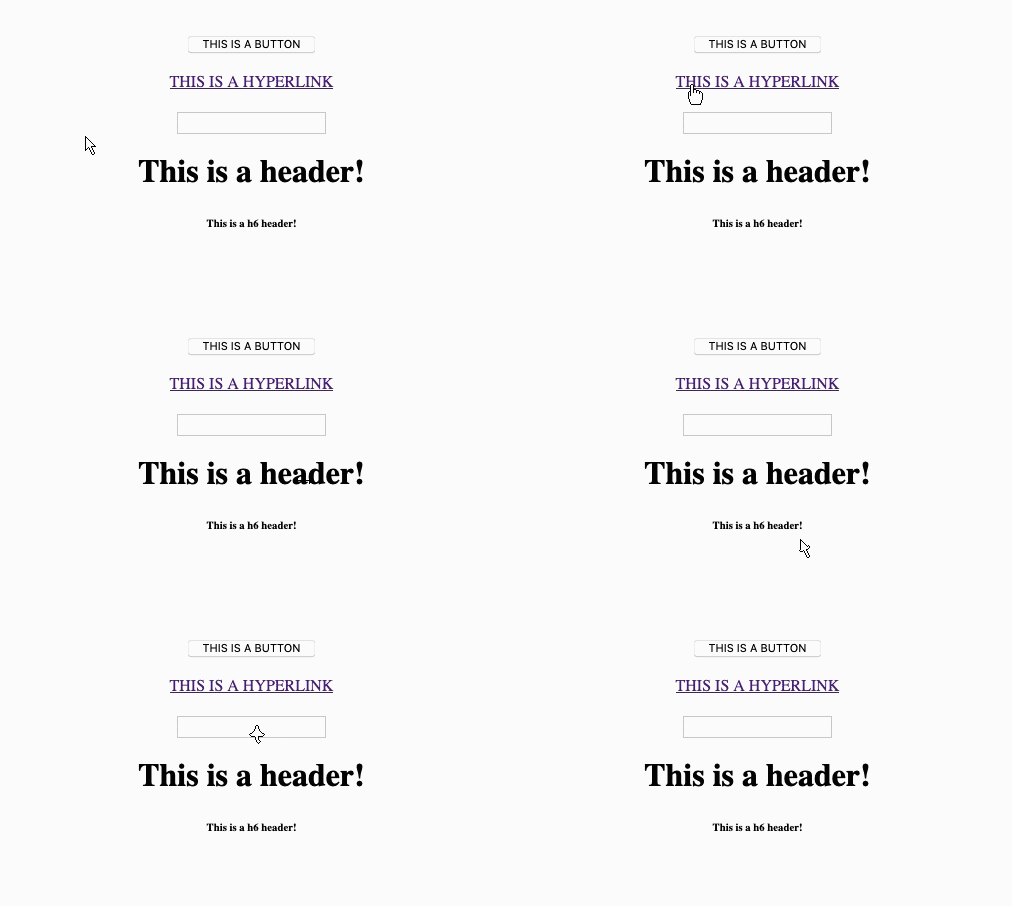
AnimatedCursor.js
A simple frame-by-frame animated cursor using JS and CSS cursor:url()...
Install / Use
/learn @alienmelon/AnimatedCursor.jsREADME
animatedCursor.js
A simple frame-by-frame animated cursor using JS and CSS cursor:url()...
Note: An updated and much better version of animated web cursors is here. Please use that instead.
This script changes your cursor to a desired animation, using an array that you populated with your frames (png's).
See animatedCursor.js and the arr_cursorAnimationFrames arrays.
Instructions for customizing are in the javascript file. It's very straightforward. Each array MUST be the same length (this is a simple script).
There are a lot of ways of acomplishing this (another would be to use CSS keyframes), but this one is my take... This one works in all (most??) browsers (Explorer, Firefox, Chrome, Safari, Opera...).
To get this to work... Place the "CURSOR" directory and "animatedCursor.js" in the same directory as the page that you want to run this on. Embed the JS file using
<script src="animatedCursor.js"></script>
Then call animatedCursor(); in the page's onLoad, example:
<body onload="animatedCursor();">
(You can add more elements and animation arrays by calling "animatedCursorForElement" to set an animation for a desired element.)
See the index.html as a demo. A live demo is also here.