
Uirecorder
UI Recorder is a multi-platform UI test recorder.
Install / Use
/learn @alibaba/UirecorderREADME
UI Recorder






UI Recorder is multi-platform UI test case recorder like Selenium IDE but more powerful than Selenium IDE!
UI Recorder is easy to use, even zero cost.
- Official Site: https://www.yuque.com/artist/uirecorder/
- Language Switch: English, 中文
- Change log: CHANGE
- Video Tutorial:PC中文教程
Features
- Support all user operation: key event, mouse event, alert, file upload, drag, svg, shadow dom
- Support mobile native APP(Android, iOS) recorde, powered by Macaca
- No interference when recording: the same as self test
- Record test file saved in local
- Support kinds of expect: val,text,displayed,enabled,selected,attr,css,url,title,cookie,localStorage,sessionStorage
- Support image diff
- Support powerful var string
- Support common test case: one case call another
- Support parallel test
- Support i18n: en, zh-cn, zh-tw
- Support screenshots after each step
- Support HTML report & JUnit report
- Support multi systems: Windows, Mac, Linux
- Test file base on NodeJs: jWebDriver
Contributors
|<img src="https://avatars.githubusercontent.com/u/62272417?v=4" width="100px;"/><br/><sub><b>itestauipi</b></sub><br/>|<img src="https://avatars.githubusercontent.com/u/18617837?v=4" width="100px;"/><br/><sub><b>Stngle</b></sub><br/>|<img src="https://avatars.githubusercontent.com/u/970390?v=4" width="100px;"/><br/><sub><b>yaniswang</b></sub><br/>|<img src="https://avatars.githubusercontent.com/u/1011681?v=4" width="100px;"/><br/><sub><b>xudafeng</b></sub><br/>|<img src="https://avatars.githubusercontent.com/u/7446962?v=4" width="100px;"/><br/><sub><b>undead25</b></sub><br/>|<img src="https://avatars.githubusercontent.com/u/5198256?v=4" width="100px;"/><br/><sub><b>stevobm</b></sub><br/>| | :---: | :---: | :---: | :---: | :---: | :---: | |<img src="https://avatars.githubusercontent.com/u/8197272?v=4" width="100px;"/><br/><sub><b>micosty</b></sub><br/>|<img src="https://avatars.githubusercontent.com/u/73584840?v=4" width="100px;"/><br/><sub><b>ali-lion</b></sub><br/>|<img src="https://avatars.githubusercontent.com/u/13583768?v=4" width="100px;"/><br/><sub><b>alibaba-oss</b></sub><br/>|<img src="https://avatars.githubusercontent.com/u/14184989?v=4" width="100px;"/><br/><sub><b>felizalde</b></sub><br/>|<img src="https://avatars.githubusercontent.com/u/977025?v=4" width="100px;"/><br/><sub><b>portokallidis</b></sub><br/>|<img src="https://avatars.githubusercontent.com/u/52845048?v=4" width="100px;"/><br/><sub><b>snapre</b></sub><br/>| <img src="https://avatars.githubusercontent.com/u/1209810?v=4" width="100px;"/><br/><sub><b>paradite</b></sub><br/>|<img src="https://avatars.githubusercontent.com/u/24625264?v=4" width="100px;"/><br/><sub><b>WingOfTime</b></sub><br/>|<img src="https://avatars.githubusercontent.com/u/8609783?v=4" width="100px;"/><br/><sub><b>zquancai</b></sub><br/>
This project follows the git-contributor spec, auto updated at Sat Apr 30 2022 21:11:26 GMT+0800.
Screenshots
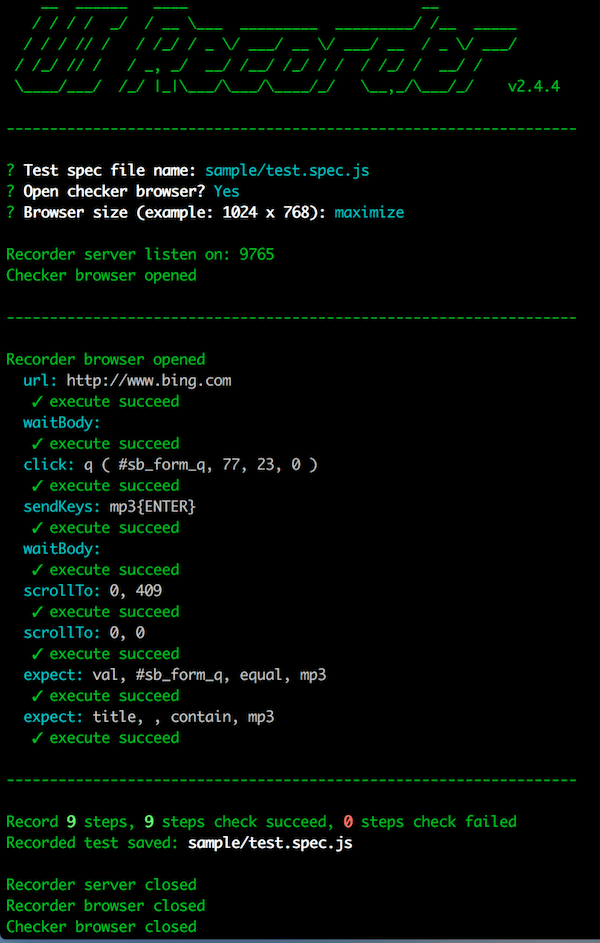
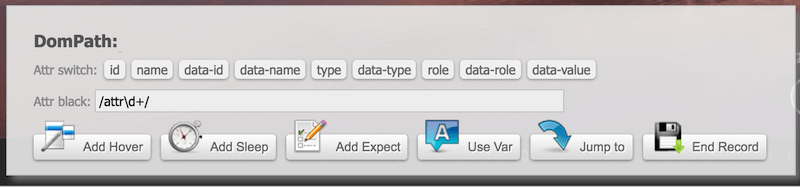
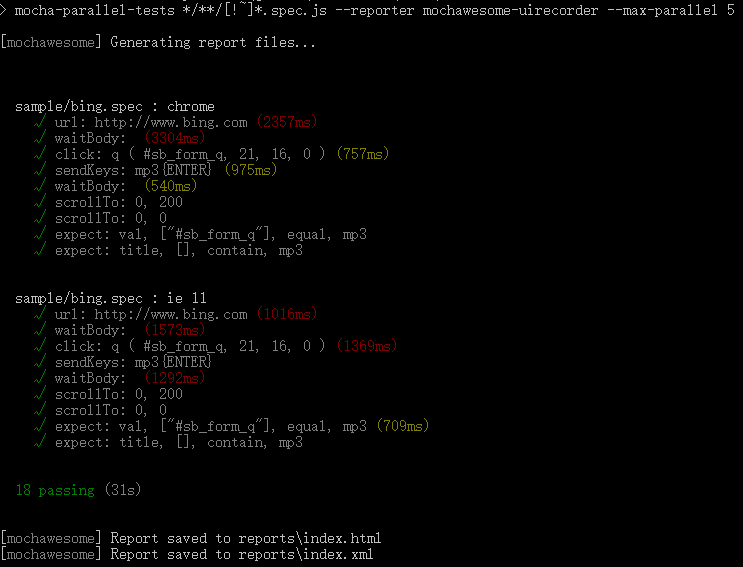
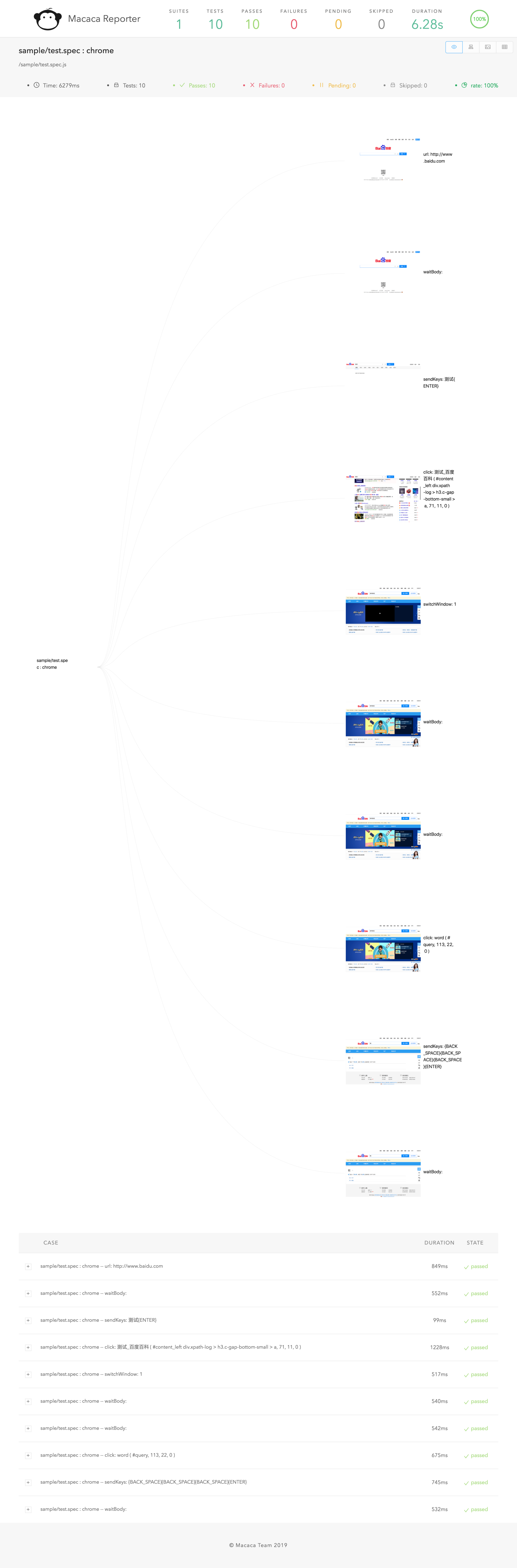
Video demo


Quick start
Install
-
Install NodeJs (version >= v7.x)
sudo chown -R $(whoami) $(npm config get prefix)/{lib/node_modules,bin,share}(Mac, Linux) -
Install chrome
-
Install UI Recorder
npm install uirecorder mocha -g
PC record
-
Init test project
Create new folder
uirecorder init -
Start record test case
edit hosts file
uirecorder sample/test.spec.js -
Start WebDriver Server
-
Run test case
Run all case:
source run.sh( Linux|Mac ) orrun.bat( Windows )Run single case:
source run.sh sample/test.spec.js( Linux|Mac ) orrun.bat sample/test.spec.js( Windows ) -
Get reports & screenshots
./reports/index.html
./reports/index.xml (JUnit)
./reports/index.json
./screenshots/
More Platform Support
<p align="center"> <a href="//macacajs.github.io"> <img alt="Macaca" src="https://macacajs.github.io/logo/macaca.svg" width="200" /> </a> </p>-
Install & start macaca server:
Install Macaca
Connect your mobile or open emulator
macaca server --port 4444 -
Init test project
Create new folder
uirecorder init --mobile -
Start record test case
uirecorder --mobile sample/test.spec.js -
Run test case
Run all case:
source run.sh( Linux|Mac ) orrun.bat( Windows )Run single case:
source run.sh sample/test.spec.js( Linux|Mac ) orrun.bat sample/test.spec.js( Windows ) -
Get reports & screenshots
./reports/index.html
./reports/index.xml (JUnit)
./reports/index.json
./screenshots/
Documentation Translations
QA
How to debug test code
- Install Visual Studio Code & open Visual Studio Code
- Open the project root folder by vs code
- Open test file, add break point
- press
F5key to start, pressF10key to run next line
How to deploy WebDriver Server
-
How to run selenium standalone server?
npm run server -
Selenium Grid: https://github.com/SeleniumHQ/selenium/wiki/Grid2
-
F2etest: https://github.com/alibaba/f2etest
How to change webdriver host & port by env temporary, debug for local?
export webdriver=127.0.0.1:4444orset webdriver=127.0.0.1:4444(Windows)
Tip: port is not required, For example: export webdriver=127.0.0.1
How to dock Jenkins?
-
Add commands
source ./install.sh source ./run.sh -
Add reports
JUnit:
reports/index.xmlHTML:
reports/index.html
How to filter unstable path
- Because some attribute values are random or unstable, we can't record a stable CSS selector
- We can filter the attributes with a blacklist. You can type
uirecorder initand then input the blacklist from the command line
Tip: blacklist is a regex, you can use it like this: /attr_\d+/
How to record common test case?
-
Record
commons/login.mod.js -
Record
sample/test.spec.js- please input
login.mod.jsin recorder start page or jump test case in page - After
login.mod.jsloaded, then recorder other steps
- please input
-
source run.sh( Linux|Mac ) orrun.bat( Windows )
How to record file upload?
- UI Recorder only support native file compont
- direct click
<input type="file">or click<button role="upload">Upload file</button>, the placeholder button must mark asuploadwithroleordata-role - File must save to
uploadfiles/directory
How to use vars
edit config.json
{
    "recorder": {
        ...
    },
    "webdriver": {
        ...
    },
    "vars": {
        "productId": "123456",
        "productName": "mp3"
    }
}
- start with url:
http://xxx.com/product?id={{productId}} - add new var with tool panel
- update var with tool panel
- jump url with tool panel:
http://xxx.com/product?id={{productId}} - insert vars string with tool panel:
{{productName}}oraaa{{productName}}bbb - expect to var string:
{{productName}}oraaa{{productName}}bbb
Tip: All var string also support js template string, For example: {{productName}}, ${new Date().getTime()}, ${parseInt(testVars.a)+parseInt(testVars.b)}
How to add hover multiple or add expect after a hover?
- Press down
CtrlorCommandbutton - Click
Add HoverButton, enter hover mode - Release
CtrlorCommandbutton - Click the dom you want to hover (can add multiple)
- Click `Add E
