
Arkade
Open Source Marketplace For Developer Tools
Install / Use
/learn @alexellis/ArkadeREADME
arkade - Open Source Marketplace For Developer Tools
arkade is how developers install the latest versions of their favourite CLI tools and Kubernetes apps.
With arkade get, you'll have kubectl, kind, terraform, and jq on your machine faster than you can type apt-get install or brew update.





With 193 CLIs and 53 Kubernetes apps (charts, manifests, installers) available for Kubernetes, gone are the days of contending with dozens of README files just to set up a development stack with the usual suspects like ingress-nginx, Postgres, and cert-manager.
- arkade - Open Source Marketplace For Developer Tools
- Support arkade 👋 (From Our Sponsors)
- Should you try arkade?
- Getting arkade
- Usage overview
- Download CLI tools with arkade
- Install System Packages
- Install packages from OCI images
- Install CLIs during CI with GitHub Actions
- Bump Helm chart versions
- Verify and upgrade images in Helm charts
- Verify images within a helm chart
- Installing apps with arkade
- Community & contributing
- Sponsored apps
- Sponsored by
- FAQ
- Catalog of apps and CLIs
Support arkade 👋 (From Our Sponsors)
Try slicervm.com - turn your Mac into an API for running Linux. Sandbox your agents - run Kubernetes - locally and FAST.
Should you try arkade?
Arkade is built to save you time so you can focus and get productive quickly.
I was setting up a new dev environment yesterday. Kind, helm, kustomize, kubectl, all this stuff. My take is - arkade is highly underappreciated. I'd spend an hour in the past to install such tools. With arkade it was under ten minutes.
Ivan Velichko, SRE @ Booking.com
Before arkade whenever I used to spin up an instance, I used to go to multiple sites and download the binary. Arkade is one of my favourite tools.
Kumar Anurag - Cloud Native Enthusiast
It's hard to use K8s without Arkade these days. My team at @lftechnology absolutely loves it.
arkade is really a great tool to install CLI tools, and system packages, check this blog on how to get started with arkade it's a time saver.
This is real magic get #kubernetes up and going in a second; then launch #openfaas a free better than lambda solution that uses docker images.
Greg runs Fullstack JS and is a JavaScript developer
for getting the basics installed, nothing beats arkade it can install commonly used cli tools like kubectl locally for you, as well as common k8s pkgs like ingress-nginx or portainer
I finally got around to installing Arkade, super simple! quicker to install this than the argocli standalone commands, but there are lots of handy little tools in there. also, the neat little part about arkade, not only does it make it easy to install a ton of different apps and CLIs you can also get the info on them as well pretty quickly.
You've to install the latest and greatest tools for your daily @kubernetesio tasks? No problem, check out #arkade the open source #kubernetes marketplace 👍
Thorsten Hans - Cloud Native consultant
If you want to install quickly a new tool in your dev env or in your k8s cluster you can use the Arkade (https://github.com/alexellis/arkade) easy and quick you should it try out! Ps. I contribute to this project 🥰
Carlos Panato - Staff engineer @ Mattermost
arkade is the 'brew install' of Kubernetes. You can install and run an application in a single command. Finally! https://github.com/alexellis/arkade / by Alex Ellis
John Arundel - Cloud consultant, author
Demo
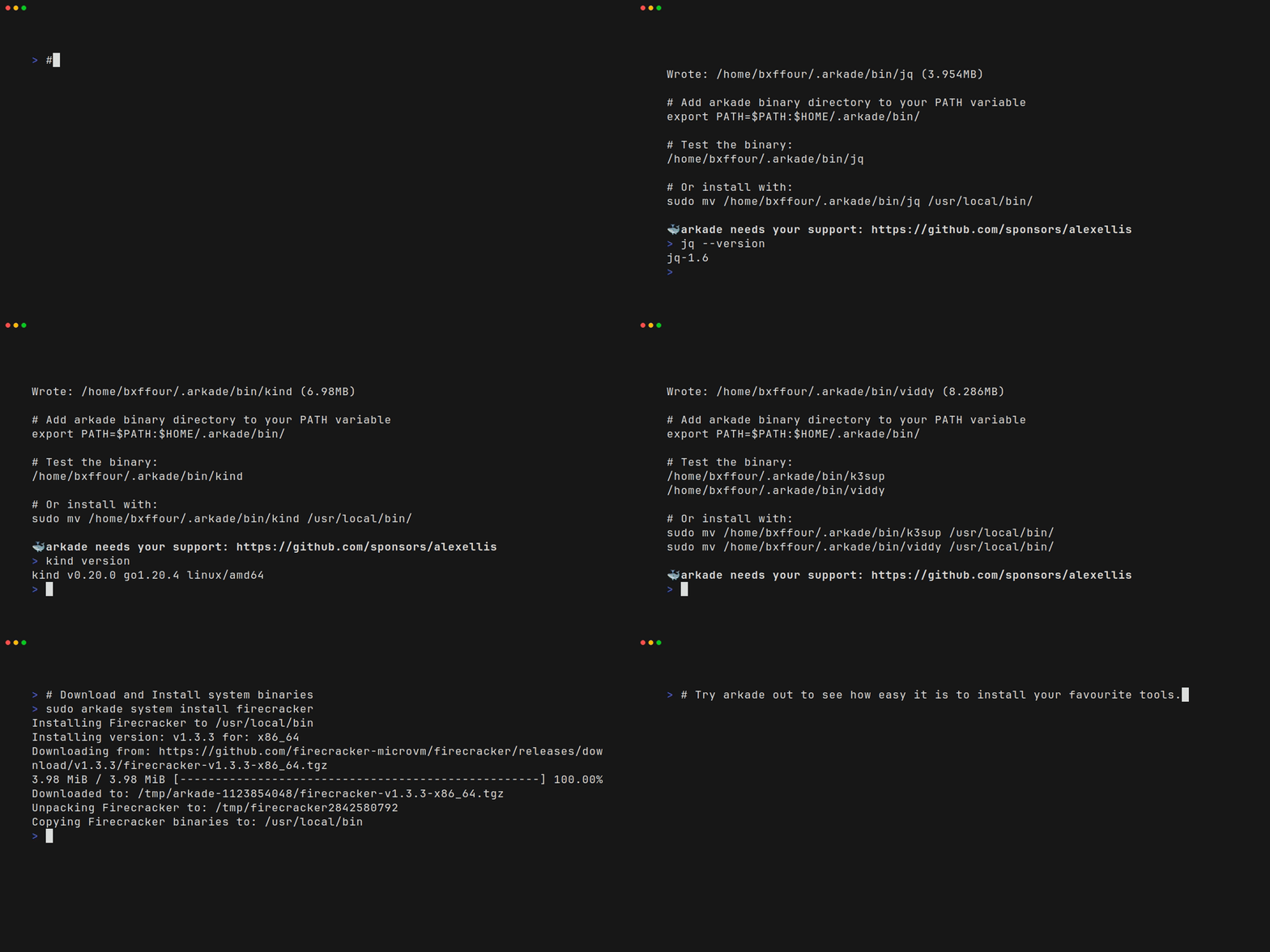
Getting arkade
# Note: you can also run without `sudo` and move the binary yourself
curl -sLS https://get.arkade.dev | sudo sh

arkade --help
ark --help  # a handy alias

# Windows users with Git Bash
curl -sLS https://get.arkade.dev | sh
Windows users: arkade requires bash to be available, therefore Windows users should install and use Git Bash
An alias of ark is created at installation time, so you can also run ark install APP
Usage overview
Arkade can be used to install Kubernetes apps or to download CLI tools.
arkade install- install a Kubernetes apparkade info- see the post installation screen for a Kubernetes apparkade get- download a CLI toolarkade update- perform a self-update of arkade on MacOS and Linux
An arkade "app" could represent a helm chart such as openfaas/faas-netes, a custom CLI installer such as istioctl, or a set of static manifests (i.e. MetalLB).
An arkade "tool" is a CLI that can be downloaded for your operating system. Arkade downloads statically-linked binaries from their upstream locations on GitHub or the vendor's chosen URL such as with kubectl and terraform.
Did you know? Arkade users run
arkade getboth on their local workstations, and on their CI runners such as GitHub Actions or Jenkins.
Download CLI tools with arkade
arkade downloads the correct version of a CLI for your OS and CPU.
With automatic detection of: Windows / MacOS / Linux / Intel / ARM.
# Download a binary release of a tool

arkade get kubectl

# Download a specific version of that tool
arkade get kubectl@v1.22.0

# Download multiple tools at once
arkade get kubectl \
  helm \
  istioctl

# Download multiple specific versions
arkade get faas-cli@0.13.15 \
  kubectl@v1.22.0

# Override machine os/arch
arkade get faas-cli \
  --arch arm64 \
  --os linux

# Override machine os/arch
arkade get faas-cli \
  --arch arm64 \
  --os darwin
This is a time saver compared to searching for download pages every time you need a tool.
Files are stored at $HOME/.arkade/bin/
Want to download tools to a custom path such as into the GitHub Actions cached tool folder?
arkade get faas-cli kubectl \
  --path $HOME/runner/_work/_tools

# Usage:
/runner/_work/_tools/faas-cli version

PATH=$PATH:$HOME/runner/_work/_tools
faas-cli version
Think of arkade get TOOL as a doing for CLIs, what arkade install does for helm.
Adding a new tool for download is as simple as editing tools.go.
Click here for the full catalog of CLIs
Install System Packages
Sys
